
Yeah update the bios it's important for tdp. You can do it in Linux
Yeah update the bios it's important for tdp. You can do it in Linux
 AAAAA
AAAAAujust _hhd-dev B
B B
B
 KKK
KKKerror: os_dlopen(/app/plugins/lib/obs-plugins/obs-gstreamer.so->/app/plugins/lib/obs-plugins/obs-gstreamer.so): libobs.so.0: cannot open shared object file: No such file or directory X
Xds-inhibit across system reboots. I am able to stop/disable the service, but it starts right back up on reboot....ujust update) as well as installed the Steam updates within gamescope.... but no matter what I do its still trying to get me to install the June 28th update every time I start the systems. K
Ksudo sysyemctl disable --now ds-inhibitKsudo systemctl mask ds-inhibitKrpm-ostree status XX
XX KKKKXXXXXK
 R
R KKRK
KKRK
 T
T RTRKT
RTRKTrpm-ostree updateujust update which I believe does the same thing as running the 'System Update' menu entry. If the menu launcher isn't working, you could open a terminal and run it there as well and see if it goes that wayR VV
VV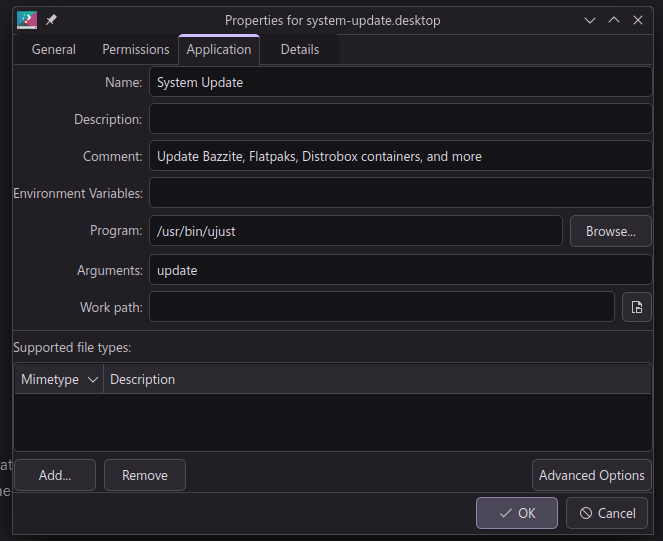
 DD
DD B
Berror: os_dlopen(/app/plugins/lib/obs-plugins/obs-gstreamer.so->/app/plugins/lib/obs-plugins/obs-gstreamer.so): libobs.so.0: cannot open shared object file: No such file or directoryds-inhibitujust updateujust updatesudo sysyemctl disable --now ds-inhibitsudo systemctl mask ds-inhibitdeck@LegionGO:~$ rpm-ostree status
State: idle
Deployments:
● ostree-image-signed:docker://ghcr.io/ublue-os/bazzite-deck:stable
Digest: sha256:a608ad5df694a80cf1bd82fe5ad3e8bdbbb869965fbea68c11055685065eb518
Version: 40.20240712.0 (2024-07-12T05:19:28Z)
ostree-image-signed:docker://ghcr.io/ublue-os/bazzite-deck:stable
Digest: sha256:064390c9aa477993b7c7e0189c34d45d8248366906185da8a792a764c313d75a
Version: 40.20240707.0 (2024-07-07T23:44:11Z)deck@holoiso1468:~$ sudo systemctl disable --now ds-inhibit
[sudo] password for deck:
Removed "/etc/systemd/system/multi-user.target.wants/ds-inhibit.service".
deck@holoiso1468:~$ sudo systemctl mask ds-inhibit
Created symlink /etc/systemd/system/ds-inhibit.service → /dev/null.deck@holoiso1468:~$ sudo systemctl status ds-inhibit
[sudo] password for deck:
Warning: The unit file, source configuration file or drop-ins of ds-inhibit.service changed on disk. Run 'systemctl daemon-reload' to reload units.
○ ds-inhibit.service
Loaded: masked (Reason: Unit ds-inhibit.service is masked.)
Drop-In: /usr/lib/systemd/system/service.d
└─10-timeout-abort.conf
Active: inactive (dead)


