120mm 5V USB Powered PC Router Fan with Speed Controller High Airflow Cooling Fan for Router Modem Receiver DVR Playstation TV Box and Other Electronics
Directly on the motors. Otherwise they would have no effect. You need five heatsinks per Motor 4 on the sides and one on the bottom. (Well, you don’t NEED, but that would have the greatest effect)
Hello everyone! I've been experiencing a problem for 1 week and everything leads me to believe that there is a bug between the Hype-H145 liveries and TelemFFB. Let me explain my problem: 15 days ago, no (0) problems with my H145 liveries. Everything worked perfectly with TelemFFB. All settings were done and no problems. Pure joy. BUT since updating the VPForce software (config + telemFFB), I've had 1 very strange problem. My livery n°1 works perfectly (MSFS settings, H145 tablet, telemFFB, etc...). I go back to the MSFS main menu, change the livery (livery n°2) and launch the game. Now I've got a problem that's been bugging me ever since... I keep getting “Hands ON” on the H145 (whether with the AP or just by moving the collective). What's worse is that the VMS/CTRL doesn't show any (0) game (sim input) or joystick movement (user input)... The only way to cancel it is to do a trim release and after 5-10 sec, the HANDS ON reappears even though I'm doing nothing! I just don't get it! I restart the game with my livery n°1 and 0 problems. I'm familiar with the whole process with the H145 (TR, AP, MSFS keyboard bindings, H145 tablet,...) but I can't see where it's bugging! All my bindings are OK, the H145 tablet is OK, TelemFFB seems OK (I don't see any difference between my 2 deliveries...except the profile name => same settings). I've recalibrated everything in VPForce config, saved my settings, checked the links everywhere... I just don't get it. HELP
It’s super important that you clone the profile for the 2nd livery from the built-in default as opposed to just creating a new profile and assigning the “HPG” type to it.
It’s one of the limitation how we’re doing dynamic simvar subscriptions for special cases like the Hype helis that I haven’t gotten around to addressing yet.
Alternatively, if you change the “name” in your 2nd livery aircraft.cfg file to start with “Airbus H145”, it should pick up and use the built in profile.
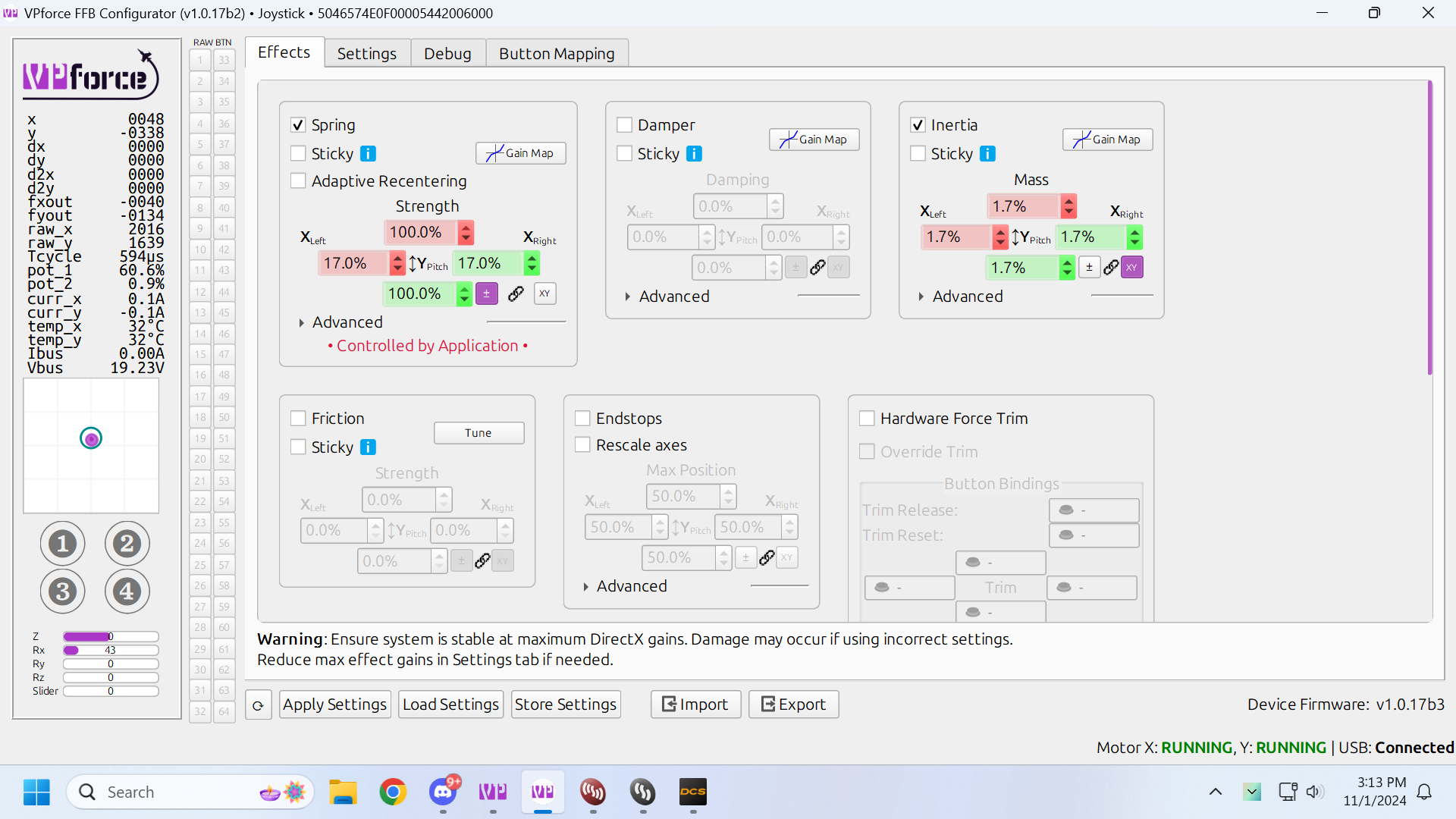
Updated firmware and latest Telem,, all good but now my spring settings are controlled by application (DCS) and again in the WWII warbirds the aileron forces are a lot stronger than elevator forces, I modified spring to make it equal, but now its being overridden by DCS, is there a way to make the elevator pitch forces stronger
Spring forces were always controlled by the game unless you have sticky checked, but doing so would also end up disabling things like trim following. Perhaps some telemffb settings changed in the update you did?
Well, I've done the suggested manipulations but still nothing... Still HANDS ON on some deliveries and not on others.
In fact, the liveries I assigned in TelemFFB a few months ago seem to work fine BUT as soon as TelemFFB loads them under the names “Airbus H145.*” or “Airbus H160.x” then it makes HANDS ON. I unplugged everything (no USB other than Rhino) and same problem. I have the impression that I need to change the titles of some liveries (e.g. remove the “Airbus Hxxxx” and clone my profile which works...
Hello, just updated to latest firmware, configurator and TelemFFB and ran into a problem in DCS. I've been flying the A-10C II on a longer mp mission, when I got soem error beeps and the stick went dead in my hand. This happened to me twice, about an hour apart. It happened in fairly low-stress situations, too, which makes it all the more weird! Turning off the unit with the red button and turning it on again a second later worked (and I was able to stay in the air and keep flying), but this is obviously quite the hiccup!
Oddly, I tried provoking it after by doing a couple of instant-action dogfights in the F-14 and got nothing, It just worked.
The debug tab on the Configurator did mention FAULT_UNDERVOLTAGE. Screenshots for reference. I haven't touched any config options since I updated and I never had this issue before the latest update. Could be a coincidence, but I thought I would mention.
I have also had a different, fairly consistent issue, while I'm at it, that I have been meaning to ask about. Fairly often - most often when switching to the F-14 - I will find myself in a situation, where I have FFB coming from the game, but trimming doesn't work! I have no idea why. It's a bit of a dice toss every time I enter a plane, whether it will have trim or not. Most of the time, it will, but every... I wanna say 20%-25% of the times, it doesn't. The only solution appears to be to restart DCS.
I don't know where the fault lies here, and it's not something that is consistent enough that it is easily reproducible. There isn't a specific set of plane and mission that just triggers it every time. Honestly feels like it's just DCS randomly fucking up...
@Number481 Okay, I've tried it and here are my findings: I tried with the HPG livery (the one from the action pack).
A) If I launch the livery WITHOUT changing the title = TelemFFB matches the title with the default profile (Airbus H145.) and it crashes (HANDS ON) B) If I run the same livery but change the name (I remove the Airbus H145) then TelemFFB asks me to create or clone a profile. And then, when I clone my working profile (i.e. a personal profile), I no longer have HANDS ON.
Do the profiles “Airbus H145.” and 160 have a specificity that an old profile (made with a TelemFFB 1-2 months ago) would not have???
I have the HANDS ON on the screen => slider in TelemFFB at 10% and 5% (like my old profile) BUT if i push at 100% and 95% then the HANDS ON disappears temporarily
When the helicopter tablet is set up properly, "Hands ON" gets triggered by TelemFFB when the joystick exceeds the configured hands-on deadzone range. Conversely, "Hands Off" gets triggered once the stick is back inside the configured hands-off deadzone setting range.
That is the only setting which affects when and why Hands on/off gets triggered.
I am not at home currently so I can't test anything, but if you send me your userconfig.xml I can look at it in a couple of days when I get back.
Yes, of course, I can send you this. I know the whole thing “well enough” to have been able to manage the last few months well and as soon as the update (FW 1.0.17) and the new TelemFFB, my basic liveries (title = Airbus H145 XY) are doing HANDS ON. Whereas in the game, there's no input at all. I thought I was going crazy! Maybe you'll find something invisible Anyway, thanks for your precious help. I can finally fly again with my few cool liveries!
ok I got it to recognize the adaptor but now it wont recognize the stick the WW F18 stick attached. even when I click the buttons to enable them they still aren't recognized. @walmis
Hey guys, is sombody also experiencing a bug with the force trim in the AH 64 D Apache in DCS? After releasing the trim up (force trim unlock) button the stick always returns to center. I checked my special option trim settings and it’s the right one. I even cycled it through. It appeared after I updated everything (DCS, Telemffb, Configurator) yesterday and now I don’t know if its DCS’s fault or some settings. For a Workaround I activated hardware force trim in the configuration software but that feels not as precise when flying.