Can someone point me towards explanation what exactly this "Spring Dynamics" setting is doing? I'm mainly flying F-4 in DCS and can't tell the difference between it on and off. I get the description but there is no explanation in manual, I'm not sure if this is working or not.
hello, after update the rhino Firmware and the Configurator to the lastest version my rhino stopped registering the button in the app and ion the game controllers windows app. any ideias? the axis are ok.
I did, but was able to tune it out with some changes to friction/inertia. I would recommend loading the Rhino defaults with the new firmware/app and then seeing if the oscillation goes away. Then tweak back to your original settings one at a time and see what induces the instability.
Thanks mate! Yeah I was thinking the same with reintroducing one at a time from default. Nice to hear you got a fix too. I was hoping I wasn't the only one!
Hi. I'm getting this message when I try to set a config for an aircraft. I can only set the Joystick, when I click on Pedals or Collective it won't let me set a config with this message.
Open the individual instance windows and do it from there. I’m not sure setting the profile overrides across instances (or things like button bindings) will work from the offline editor.
I'm going to order some more throw limiters but I'm a bit confused as to the degree's of movement. I first ordered the 11 degree default but felt like I needed more throw so I ordered the 20 degree and now I have to much throw. When I order my next set I want to order less throw on the nose up pitch and a little more for the nose down pitch. Was the 20 degree that ordered both ways - and + 20 X and Y or was that just 20 total? like +10 -10 on the X and Y? I need to know this so when I place the order for the next set I don't mess up and get totally the wrong size.
Until the last update I've always done it like this. What do you mean "Individual Instance"? It seems not to matter what I click, Joystick remains as the Master Instance. Have tried with DCS running still won't work.
What I do is I play with the end stops settings until I find the throw I want. Then I apply those percentages to the 22 degrees of throw and that's the limiter I order.
so does this make sense that I order this more more push less pull and a little less roll throw I would like to order some more throw limiters. I would like to order 3.
Additional checks were put in the latest release to prevent accidental selection of a profile that changes the PID or device name. Doesn’t appear it is properly accounting for the device configuration context.
You can calculate the throw with math. Measure the distance from the center of rotation to the top of the grip (or center of your hand) - that will be your radius, R. Then 2 x 3.1416 x R = total circumference C. Multiply C by the limiters’ percents from opposite sides (say 11 pull and 20 push for pitch = 0.31) and you’ll have the throw distance. (Edit to fix Discord format changing formula...)
I used chatgpt to manage my throw distance per degree based on my setup, let it do its calcuations then had it spit out a graph showing different throw differences per degree, picked what i wanted and printed it in PLA plus, perfection.
• X-axis (Limiter Angle): The angle of the throw limiter, ranging from 6 to 11 degrees. • Y-axis (Total Throw Length): The corresponding throw length in inches for each degree.
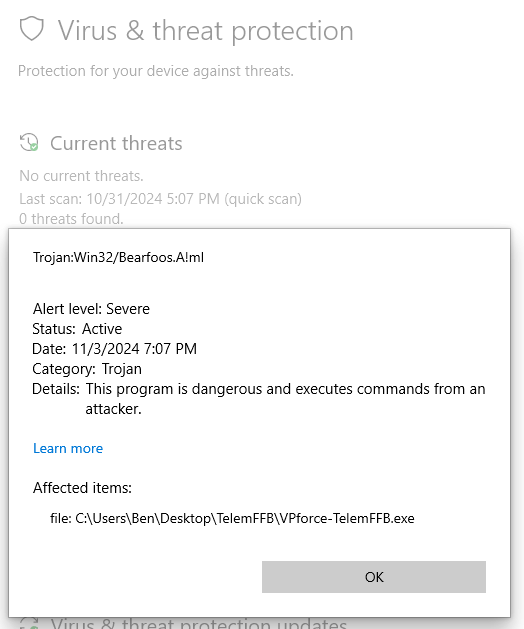
I've been experimenting with which USB ports the Rhino is plugged into. With some ports it will turn itself off (even though USBLogView doesn't show it disconnecting) and TelemFFB console shows it as not connected after an Exception. I thought this was probably related to hitting a limit for USB resources but I don't get any errors about that. I can work around this by choosing the ports and/or hubs it DOES work on, so I have a workaround, but I've noticed some odd details and wanted to check if something else might be going on.
Looking at USB Device Tree Viewer, I see the Rhino's top level node as "Taiwan OEM - OBSOLETE VPforce Rhino FFB Joystick". Does this mean that possibly the correct drivers for it aren't running?
With one of my USB hubs (Startech industrial 3.0 10 port hub w/ 65 watt power adapter) plugging in the Rhino (or booting up with it connected) to that hub (or sometimes a different 3.0 hub) will cause either one or ALL of the devices on that hub to disconnect. They then sometimes reconnect, and sometimes stay disconnected. Think this is just a hub issue, or could something else be going on?
I can connect the Rhino USB directly to a USB port on a PCIE card if that might help, but that would mean extending an already long USB cable from 8 feet to 12 feet - though I can maybe use an extra VR headset USB fiber optic cable. Long cable to mobo pcie usb okay?

 K
K
 S
S
 N
N T
T I
I W
W
 M
M H
H O
O
 T
T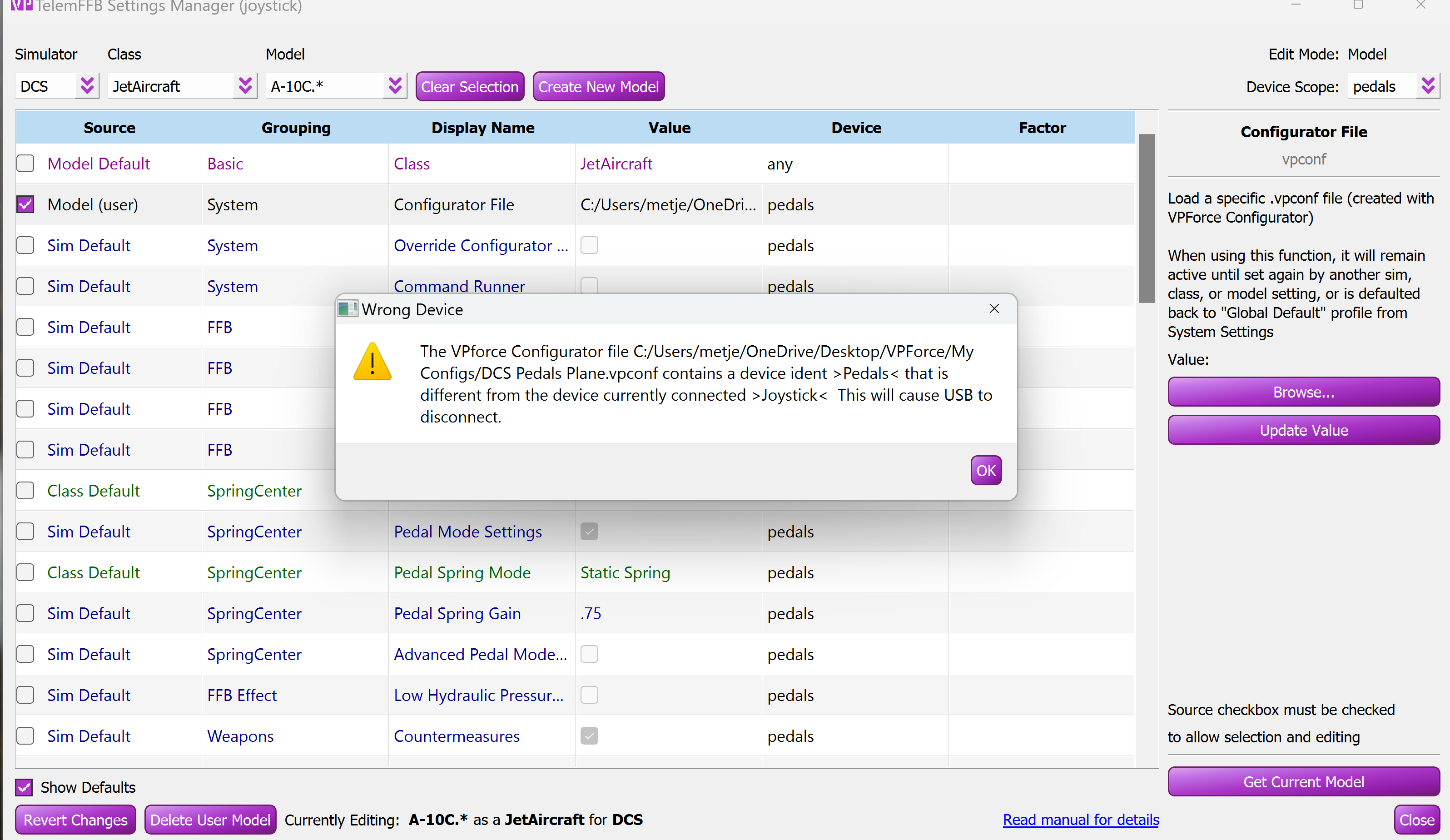
 T
T F
F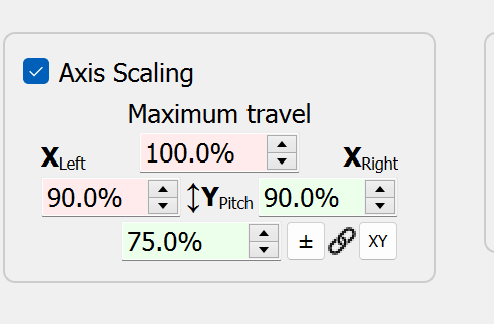
 T
T R
R D
D I
I