Did you do the diode test? It's a bit different as it shows whether the signal reaches the grip electronics. That will confirm whether there's no issues in the connector itself.
If I build one it’s going to have a separate controller for the joystick vs the axes, as im using a custom joystick running on freejoy. can I map a separate controllers button for the trim release button abd trim hat? Or will it only work with controllers running on the VPforce board
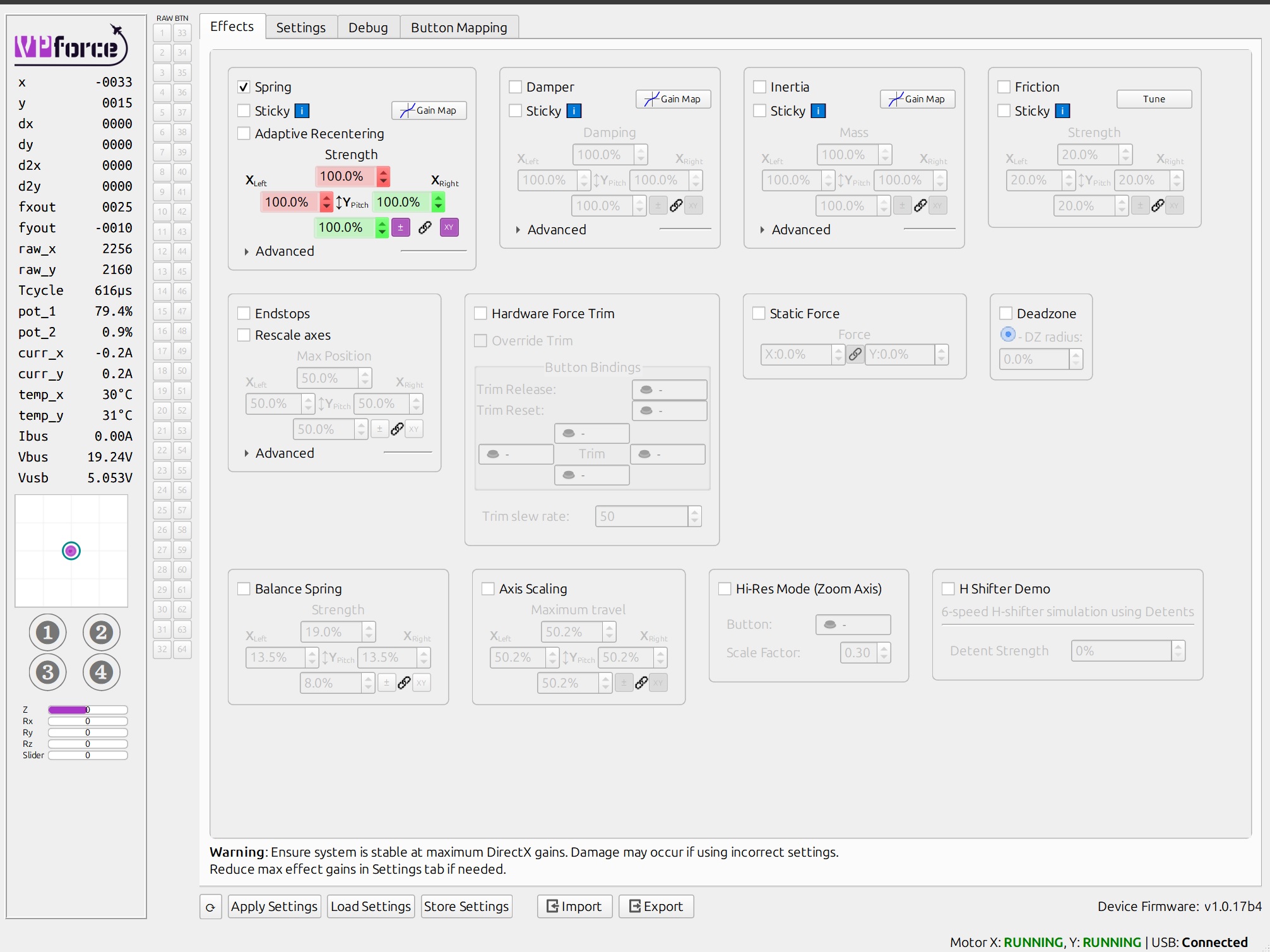
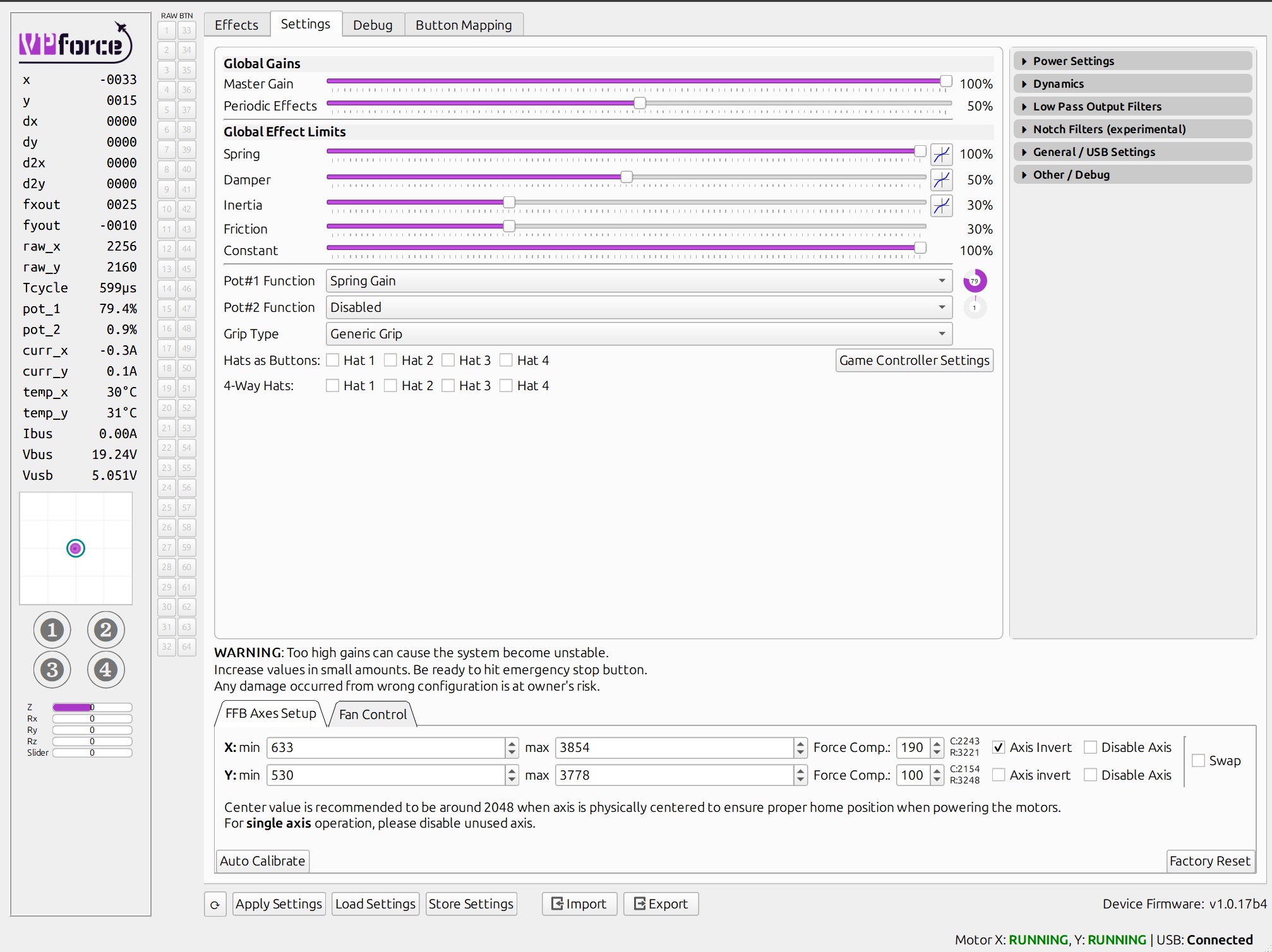
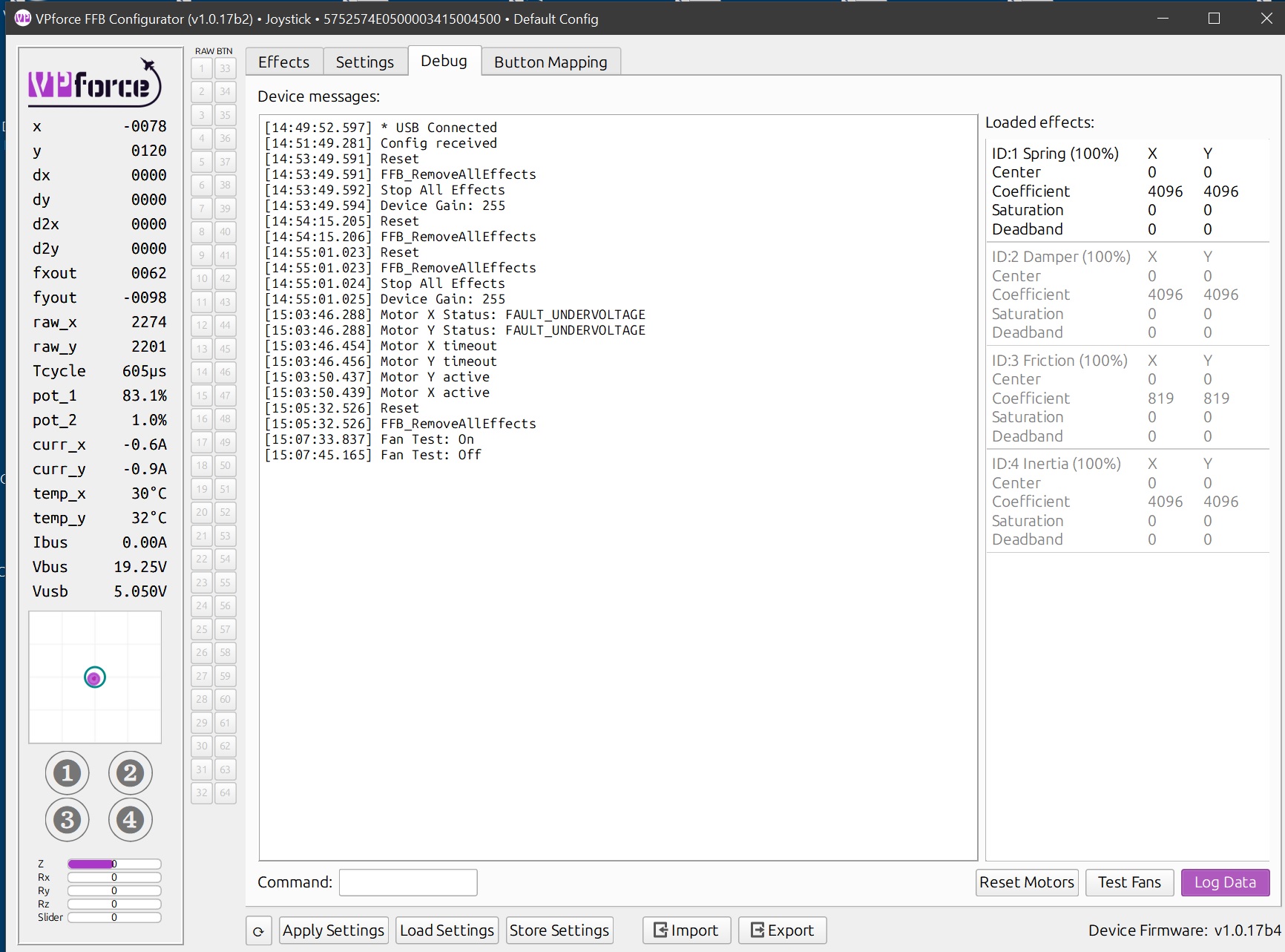
Started using the Rhino two days ago. I have had several instances of both motors suddenly going offline. Today I had pitch axis motor going offline during DCS dogfight. Configurator showed unstable condition on pitch axis motor. I'm guessing this is going to happen again. Any suggestions as to how to identify the problem?
Your spring gain is too high. You must make sure, that the maximum amps at max deflection stay below your limit. Otherwise you can easily overpower the motor and tilt it.
Thanks and yes finding the din plug id proving to be difficult I have a f18 grip I can use until I fix the warthog one, once I rewire the complete grip loom not splice as I have been trying to do as I didn’t have the correct jst crimp stuff
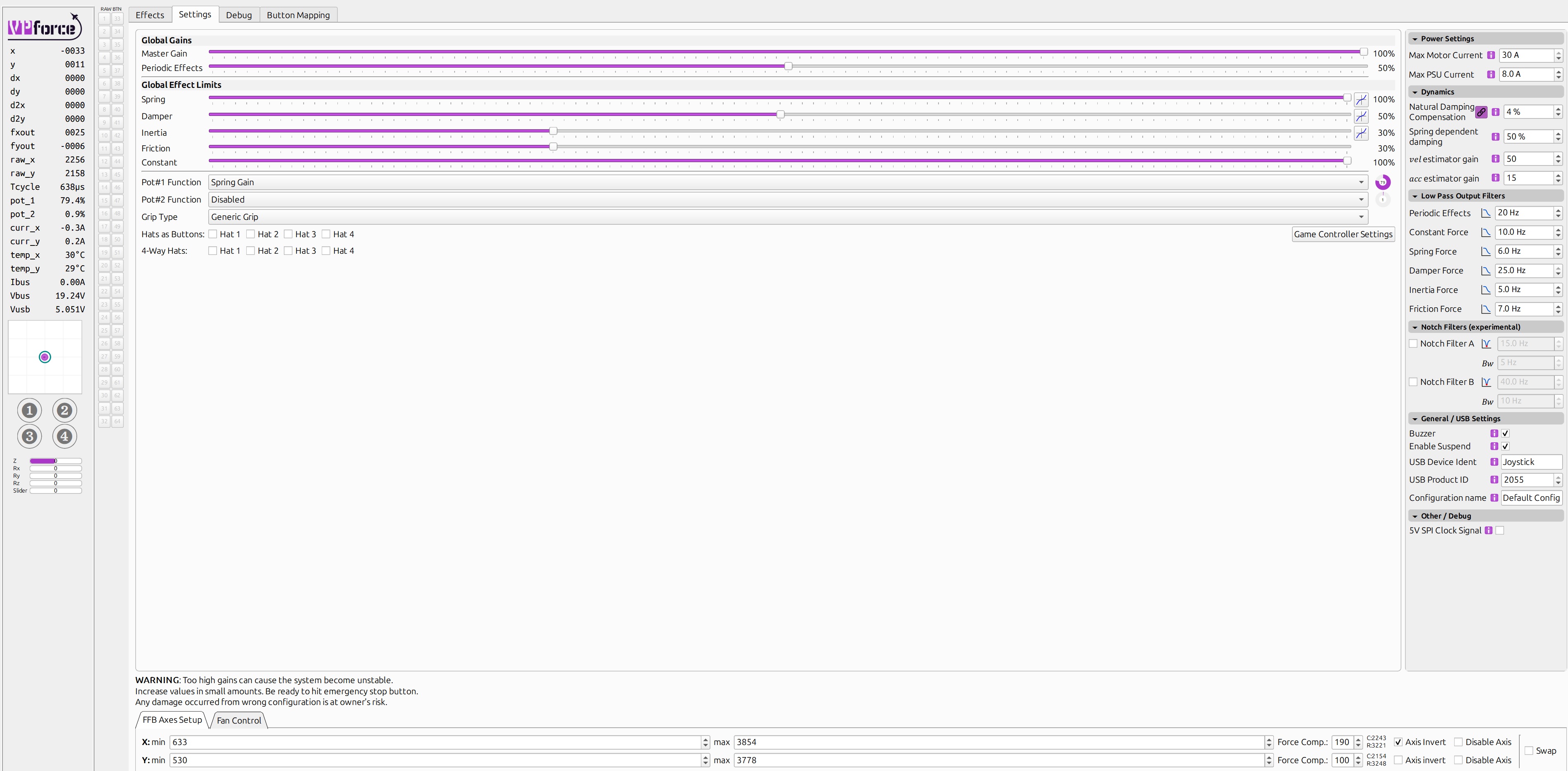
I’ve never used the 57 series, but the settings they have shown is the default Rhino profile and it is a production Rhino. I would think the default profile would be built so as not to over current the motors. The motor current limit is also set correctly for 30A max. Shouldn’t that limit it as needed by lowering output?
Before I place my order, how many inputs does the VPForce shift register board have? I can count 32 but that’s assuming they’re all inputs and they share a common ground? And then is it’s 5 pins to the board and bobs your uncle?
Also looking at the image it looks like hc165 shifts, so my own grip uses those, is there logic on the VPForce control board yo handle inputs from any hc165s? Or is the VPForce board proprietary in any way
The powers involved are determined by various factors. First and foremost by the length of the lever (that you choose). A grown man will always be ultimatively stronger than the motors.
It's even more important for the pedals, since legs are much stronger and have less fine control/feeling. When you kick/push/pull too fast, the overcurrent protection will disable the motor(s) entirely. When you pull slowly, you will just reach a plateau where the max force of the motor will stay constant, which feels strange.
It is best to have the max spring force set in a way, that it will just be reached at max deflection (keep in mind, that friction et al. will also eat some current)
It's not entirely true, while the current is limited, the STABILITY fault usually occurs due to instability in the damper control loop, due to self oscillation/resonances
Regardless - I wouldn't recommend to bluntly put the spring gain to 100. Even if it doesn't tilt the motor, Reaching a force-plateau before the endstop just feels weird.
Plugged into MB through a USB isolator. Today so far I did a half hour DCS session of touch & goes in I-16 at Tonopah without incident. No dogfights I will try the suggestions given above and report back. Thanks to all for the quick replies!
With the new update and the way you handling damper now, what are some good targets for those of us with really extensions who want to change the spring gain so it stronger in the middle? Keep the stick from oscillating I guess. Does changing the hz effect performance or is there is a risk vs benefits so to speak.
If you have a chance, would you mind posting your current settings that solved it for you? I am relatively new to all of this and probably shouldn't have updated my firmware yet, so I panicked a bit when I had the oscillation and did a factor reset to start over, but gimped my settings as a result. Thank you!
If you get in that situation in the future, you can import the default settings for the Rhino. There is a “default” profile when you click the import tab. If you accidentally saved over this, you can redownload the configurator.
For you I would suggest importing Rhino defaults, do your auto calibration and export as a new configuration (include calibration data with export). That will give you a good starting point to reset to in the future that has your calibration accurate for your device.
I’m not exactly sure if my settings would work for you since we have different set ups, that’s why the advanced tuning settings exist. I see them also as “adjust at your own risk” so be careful. If you hover your mouse over the text box or the “i” symbol it should give you some tips, pay attention to these.
Ive seen a few comments about USB hubs and Rhino issues. Is this a general "dont use" rule? I was hoping to use a hub connected to the chair due to my situation (wont have a permanent pit). Itll be a bit of a bugger if I cant do this.
Just my personal experience, but I was able to make the Rhino work on 3 different powered USB 3.0 hubs. HOWEVER, on 2 of the 3 hubs (including an "industrial" one) if I came close to maxing out the ports (even though I wasn't maxing out the available endpoints as far as I could tell with USB Device Tree Viewer) I would get disconnects from TelemFFB and the device would stop being seen as a game controller even though USB Device Tree Viewer still saw it.
I still have the Rhino on a powered hub (Startech Industrial 10 port USB 3.0 w/ 65 watt PS) but I am only using 8 of the 10 ports. Adding any additional device causes issues. Note that I've got a Stream Deck XL on that same hub and it's a resource hog, so could be part of the issue.