

 R
Rfirmware prob, not w/ configurator?
Rthanks!
 N
NI have seen similar lagging in the settings page on a couple of occasions and never been able to pinpoint what is going on . For me, running in python native, when it happens, it seems to be tied to the virtual environment of whatever branch/pycharm project I am running. When it happens, if I start from a different project, or from an exe build, it is perfectly fine.
Seems like it might be a deep PyQT issue more than a logic issue.
Seems like it might be a deep PyQT issue more than a logic issue.
R@walmis paddle button on RealSimulator extension flashes on/off. ideas?
 H
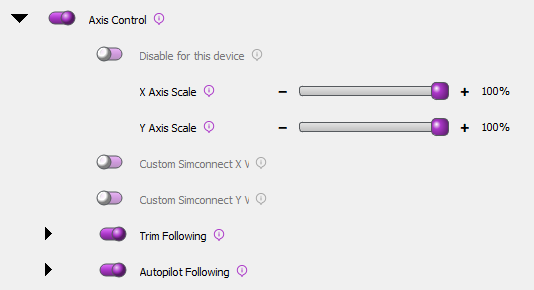
HMaybe I am to stupid.... For allowing Trim and Autopilot functions in MSFS the manual says, I have to remove any binding in MSFS or SPAD.NXT. But after removing that functions and enabling it in the VP Force Software, Joystick, Collective and Rudder are not connected to the sim. What do I wrong?
 S
Sturn on axis control switch? telemffb acts like SPAD.
 R
R@walmis regarding the flashing paddle button, I have confirmed it works properly with a RS base and works properly over Bluetooth with my Virpil CM3 base.
RBefore you did the Firmware update this morning, it worked as a solid ON button, so something you did may have had an unintended consequence

 W
WPushed an update, hopefully this will fully fix it
 H
HDid that and I got no control in game 
RUnfortunately not
 S
Sthats like the opposite of what should happen..

 H
HYes, same for the Crosswind mod. Simply the easiest way to do it.
 C
CAnyone know how to get force trim working for helicopters in FS24? My axis override isn’t working and the software doesn’t recognize my stick button pushes apparently

 H
HThe loopback doesn't work?
 C
CDoesn’t seem to be
HI would ask @walmis. It works fine in 2020 maybe something is needed, not even sure if there is native ffb telem in 24.
 N
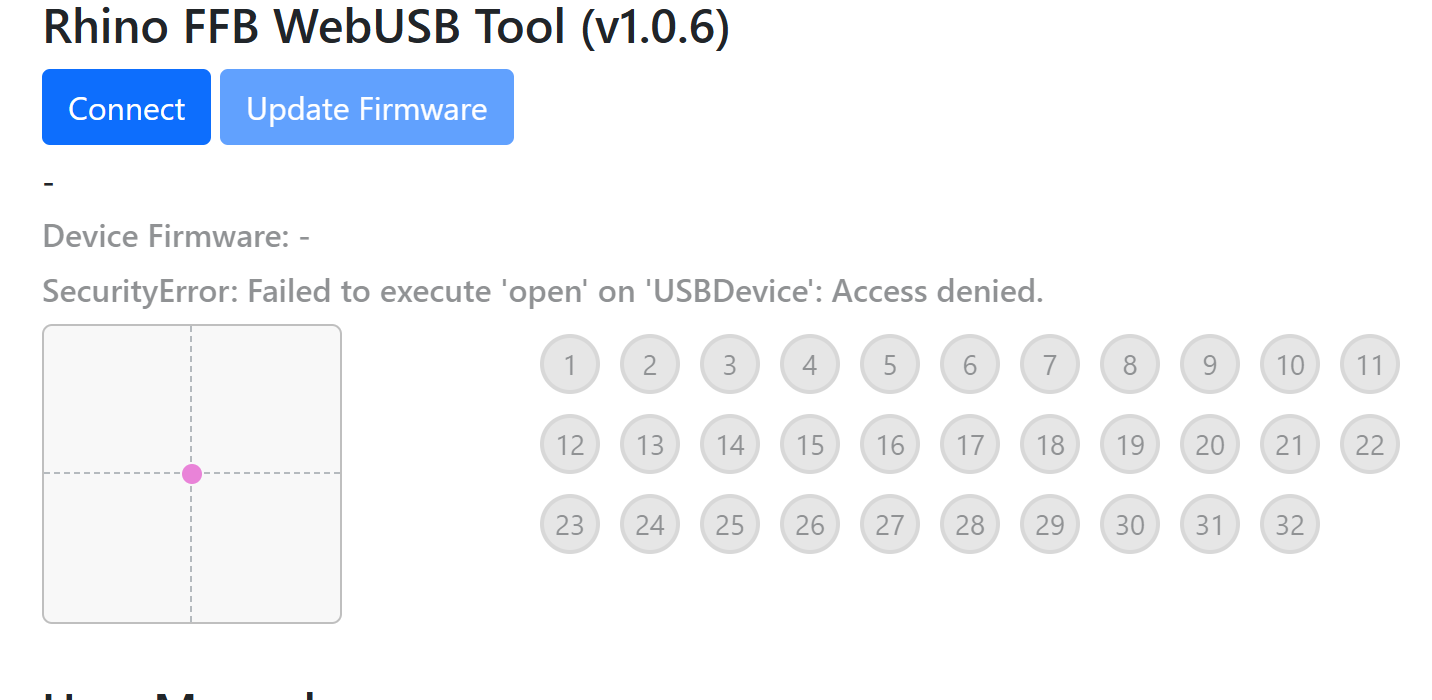
NHi guys I have just finished (almost ) building @Hiob MFG Crosswind Mod and reached the part where i need to connect to the VPForce webpage to update the firmware!. All seemed to go well and the PCB seemed to be recognised and the firmware updated but on resetting itself i got the message in the screenshot about a securty failure and while the PCB seems to beep if i disconnect it the green light that showed up on initial connection no longer lights up. Can anyone help please not sure how to redo the firmware flash or if it is now Bricked!
 H
HDisconnect it from USB and turn off the power, then reload the page and reconnect USB and power. leave the Stick disconnected for the time being and try again.
NThanks Will try that.
The Stick was fully disconnected at the time of firmware flash, Rudders were and have been the only USB device connected all evening.
The Stick was fully disconnected at the time of firmware flash, Rudders were and have been the only USB device connected all evening.
 N
NNo joy! That message shows up as soon as the USB cable is connected powered up or powered down!
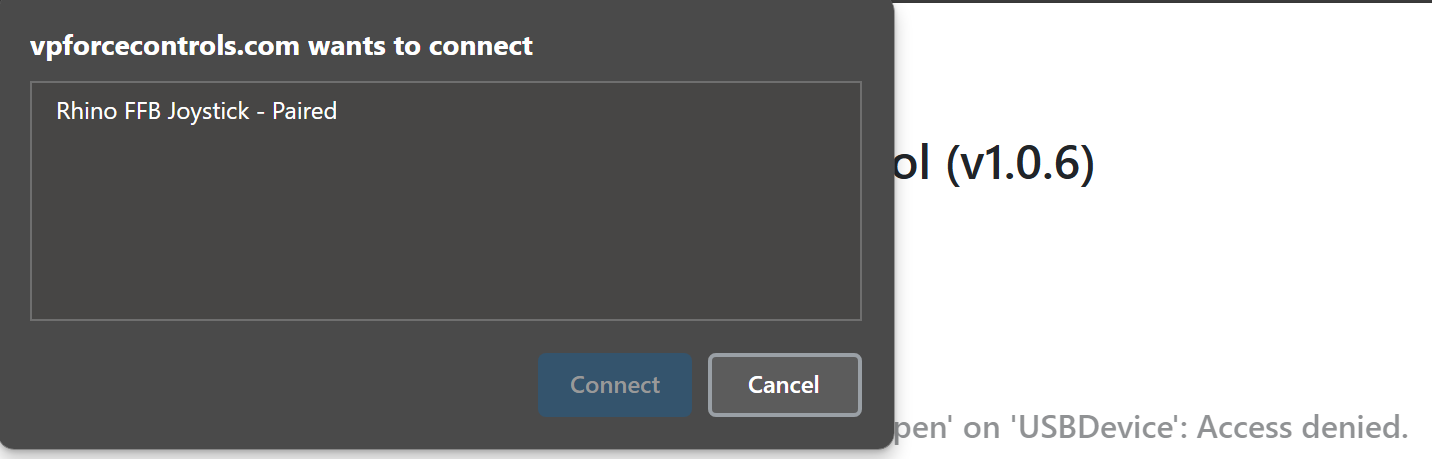
NWhen this message is showing if i press the connect button it shows as follows but it does not show up in VPForce configurator software!
 H
HWhy does it say Joystick?
You should go in the VP config, give it a different ID and name it Pedals. I don’t know if that is a problem here, but I would try. Regardless of the firmware version, do the pedals show in VP config?
You should go in the VP config, give it a different ID and name it Pedals. I don’t know if that is a problem here, but I would try. Regardless of the firmware version, do the pedals show in VP config?
HBit when you click on the entry, can you connect?
NHi @Hiob
No i can highlight the Rhino FFB Joystick- Paired option but it only makes the connect box go away and I'm left with the page with the security error!
I cant rename it as VP config does not recognise anything is plugged in!
I had just connected the Rudders for the first time and build instructions said to update the firmware, this is the result of that. I cannot change anything as it will not let me try to re-flash the firmware and VP config does not recognise anything is plugged in! But the Flash page does seem to recognise it to a degree but can't do anything with it!
No i can highlight the Rhino FFB Joystick- Paired option but it only makes the connect box go away and I'm left with the page with the security error!
I cant rename it as VP config does not recognise anything is plugged in!
I had just connected the Rudders for the first time and build instructions said to update the firmware, this is the result of that. I cannot change anything as it will not let me try to re-flash the firmware and VP config does not recognise anything is plugged in! But the Flash page does seem to recognise it to a degree but can't do anything with it!
HThen you need the help of @walmis . Unfortunately it is night here in central europe. You need to be patient. I can’t help you anymore currently and need to go to bed as well. I‘m sure he will be able to help you sort it out. Cheers
NYes I am UK Based and sent @walmis a DM earlier but had no reply. Thanks for you help @Hiob
HHe will come back to you eventually, I‘m sure. GN8
WYeah this is weird, DMd @Nemisis Wolf
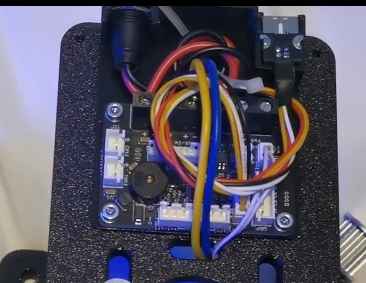
NWiring for the mod seems good to me
 D
DHello everyone,
I'm having a little problem here and there and I could use some help identifying where it's going wrong.
I'll illustrate with an example: FA18 Challenge in MSFS (or DCS)
During very fast movements (turning left then right) or prolonged movements (holding a full left), I very often have a fault with the motor concerned (left here, for example). I don't know if the problem comes from my configuration (VP configurator) or my TelemFFB settings or something else (my not-so-famous steering)?
Do these screenshots help you to see more clearly?
Note that everything works perfectly if I “play more quietly (or normally)”. The engine reset works very well and everything returns to perfection.
I guess it's a motor protection, but I don't know what I should do to avoid this (master gain? potentiometer? other?).
Thanks for your help
I'm having a little problem here and there and I could use some help identifying where it's going wrong.
I'll illustrate with an example: FA18 Challenge in MSFS (or DCS)
During very fast movements (turning left then right) or prolonged movements (holding a full left), I very often have a fault with the motor concerned (left here, for example). I don't know if the problem comes from my configuration (VP configurator) or my TelemFFB settings or something else (my not-so-famous steering)?
Do these screenshots help you to see more clearly?
Note that everything works perfectly if I “play more quietly (or normally)”. The engine reset works very well and everything returns to perfection.
I guess it's a motor protection, but I don't know what I should do to avoid this (master gain? potentiometer? other?).
Thanks for your help
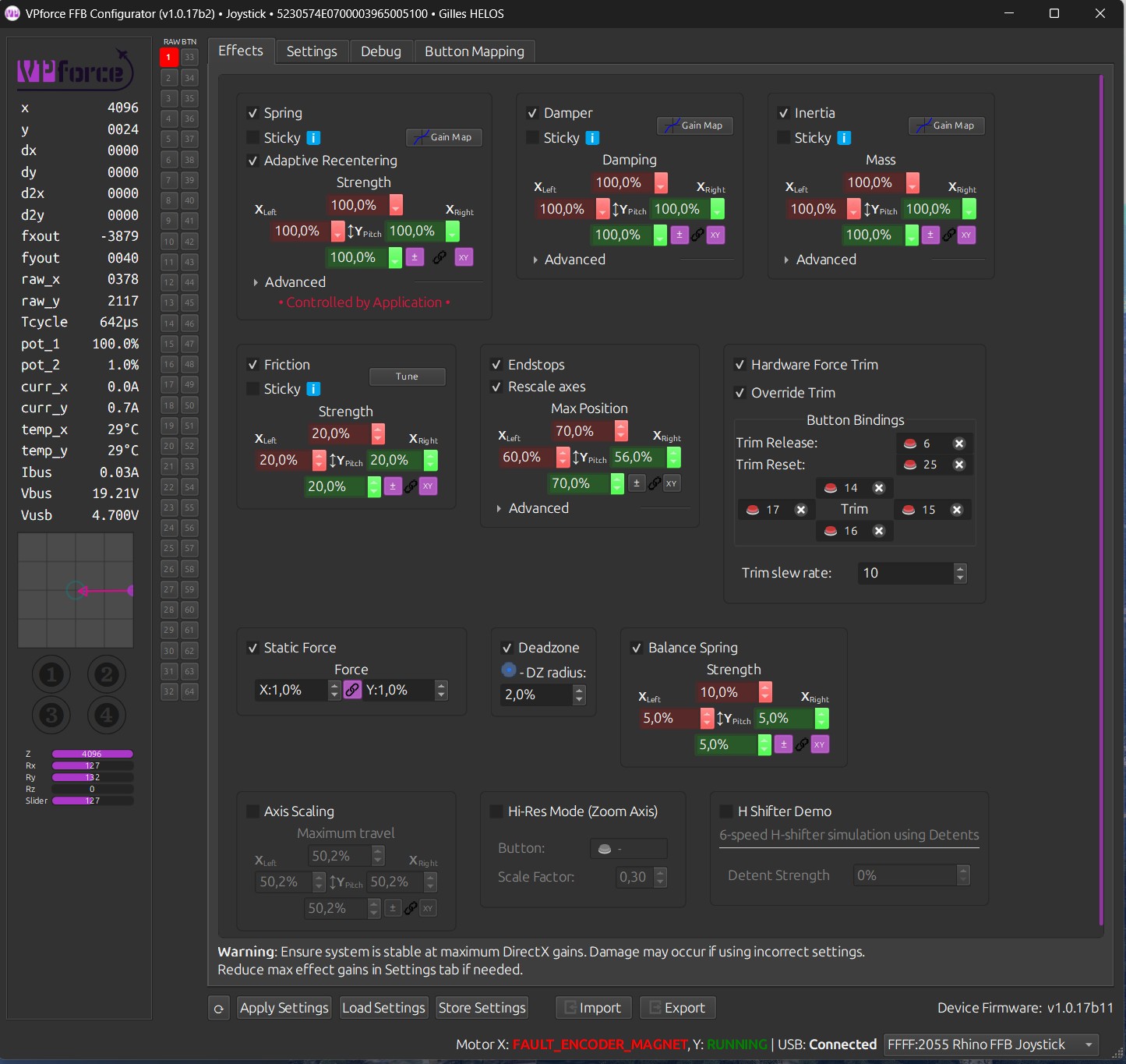
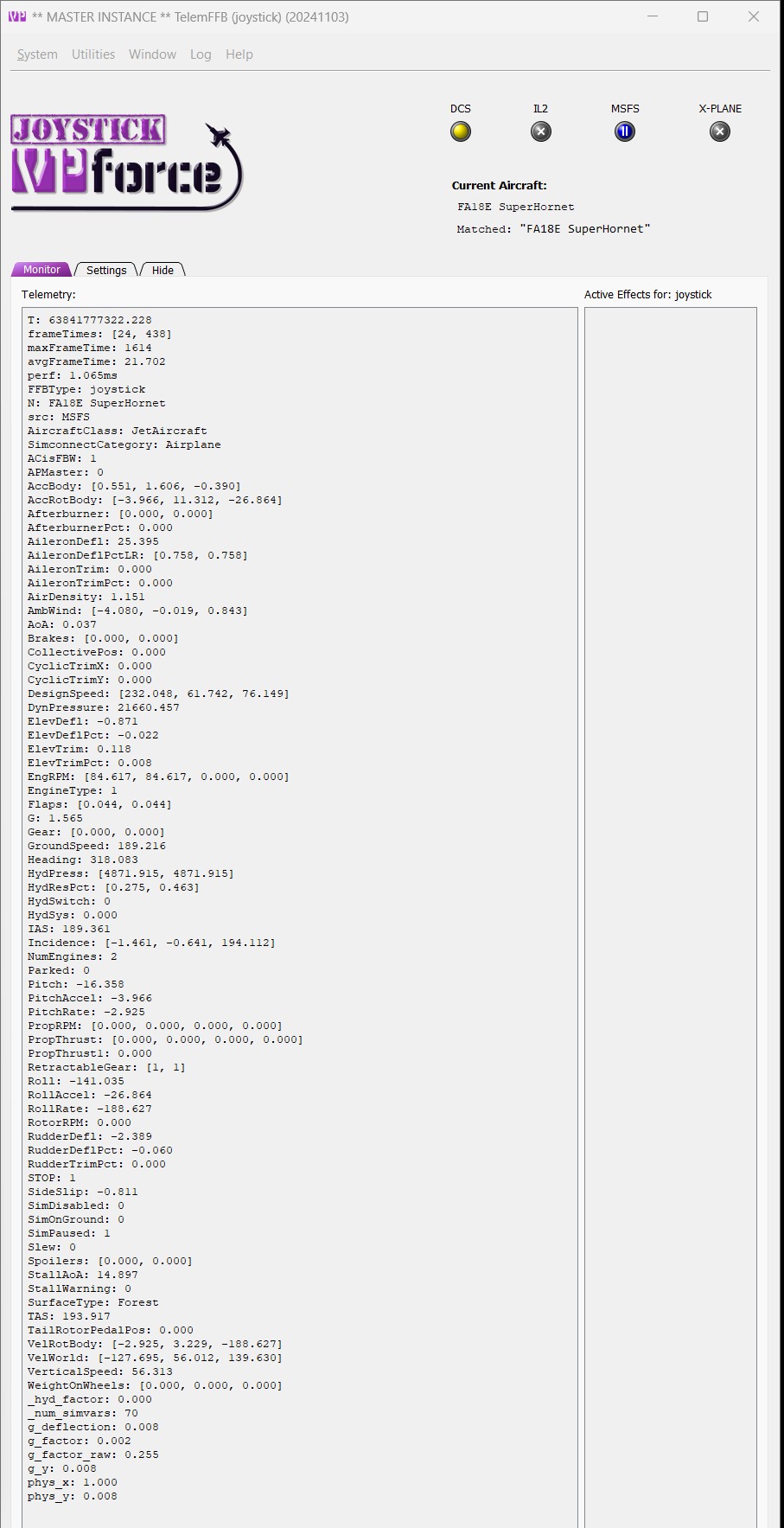
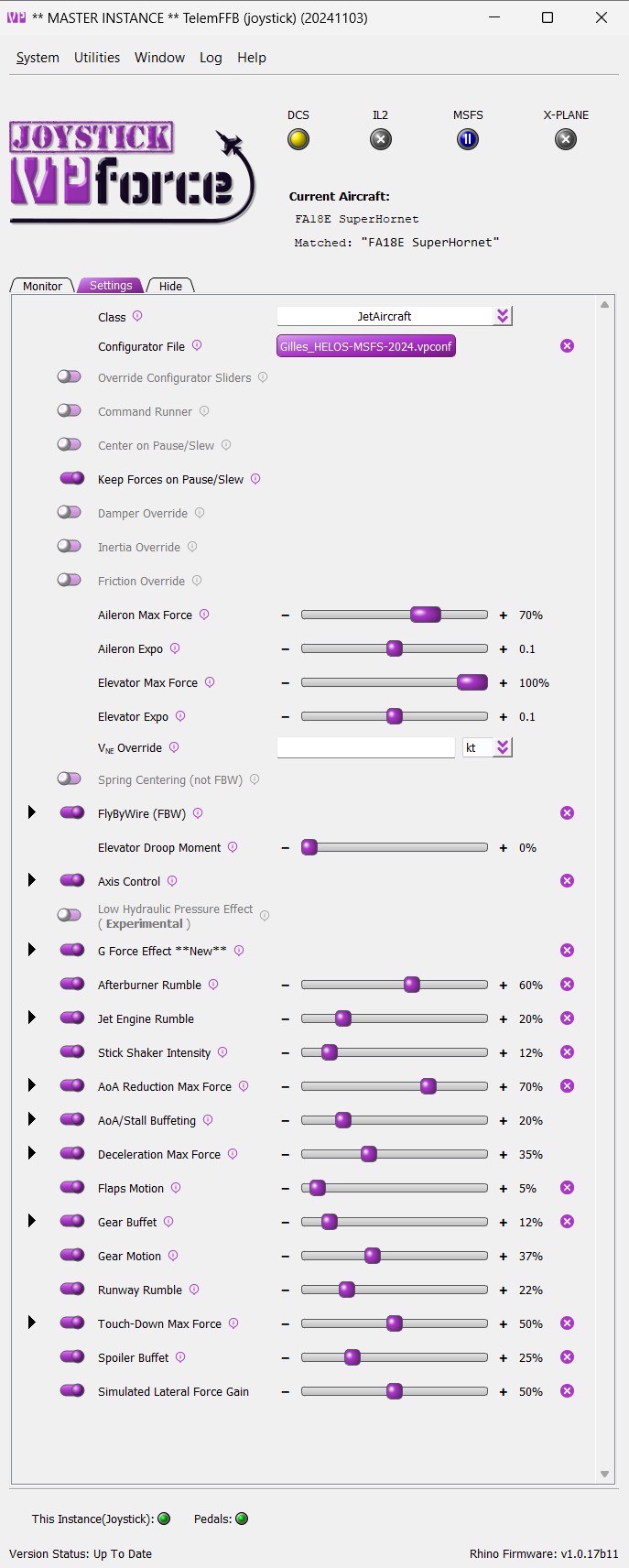
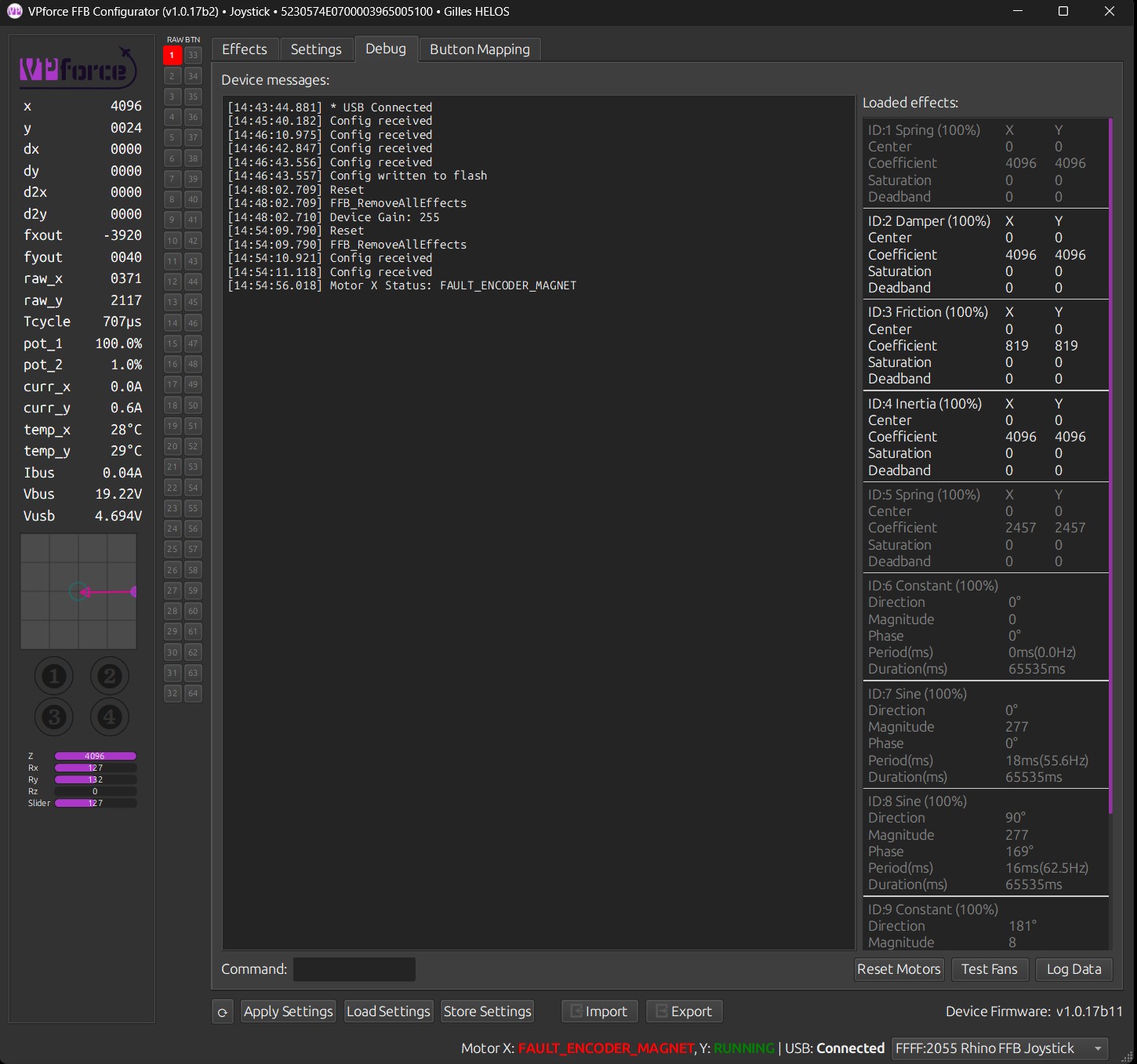
 W
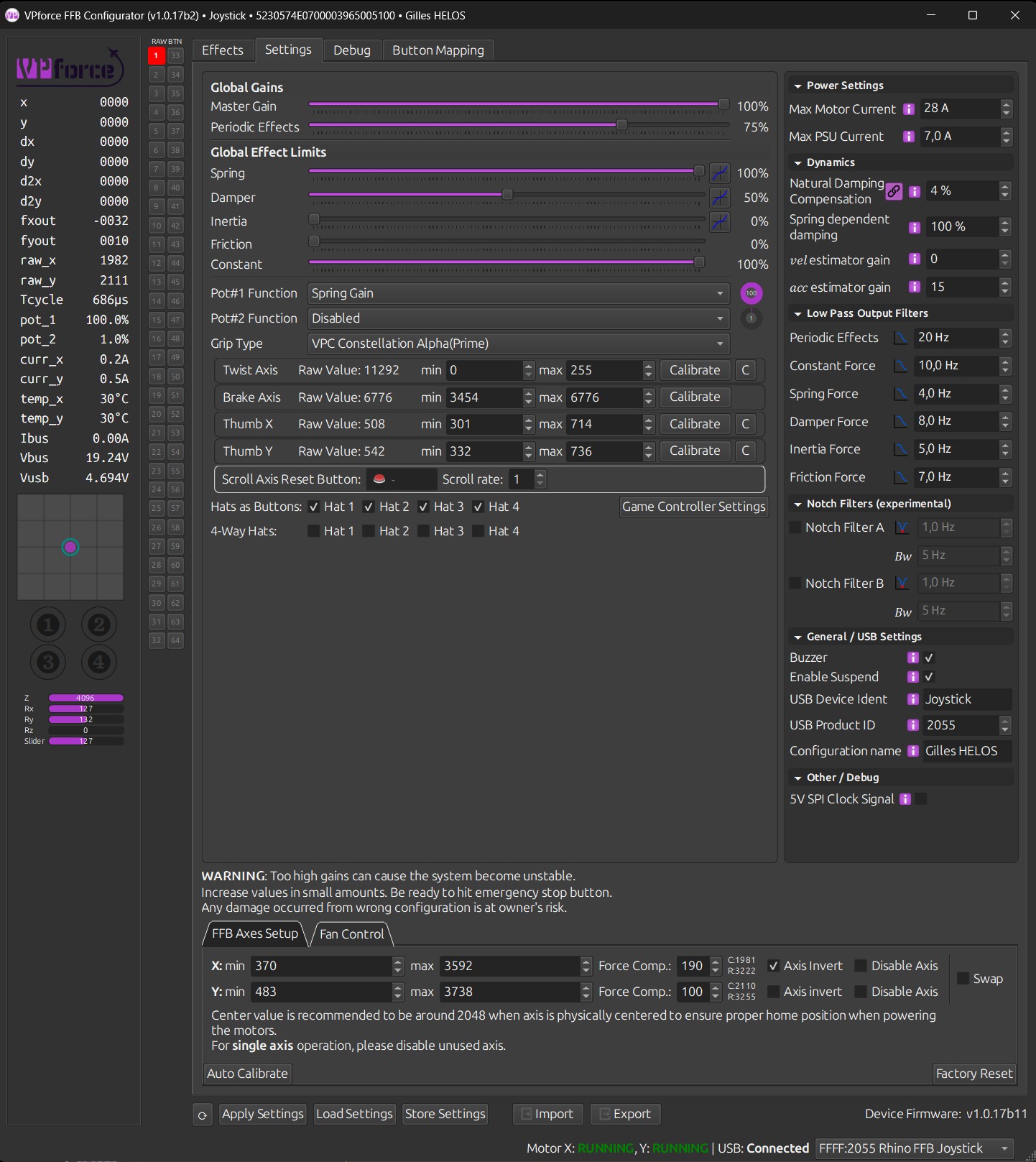
WCan you also show your slider settings?
Dyes =>
 W
WI suspect high(ish) damper gain could be the issue:
try setting vel estimator gain to 50 and damper Low pass filter to 12Hz
try setting vel estimator gain to 50 and damper Low pass filter to 12Hz
DOk i try that
Dthank you !
Dmmm i see defaut value is 60. I don't remember modifying this...is this a new parameter (that I touched by mistake)?c
DOk Walmis, it's all good now ! I surely touched this my mistake a long time ago^^ You're truly amazing !
 R
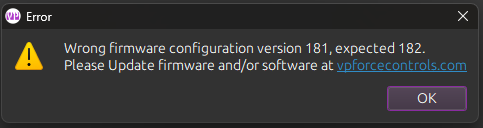
RHey I am unable to update firmware - I am seeing this:
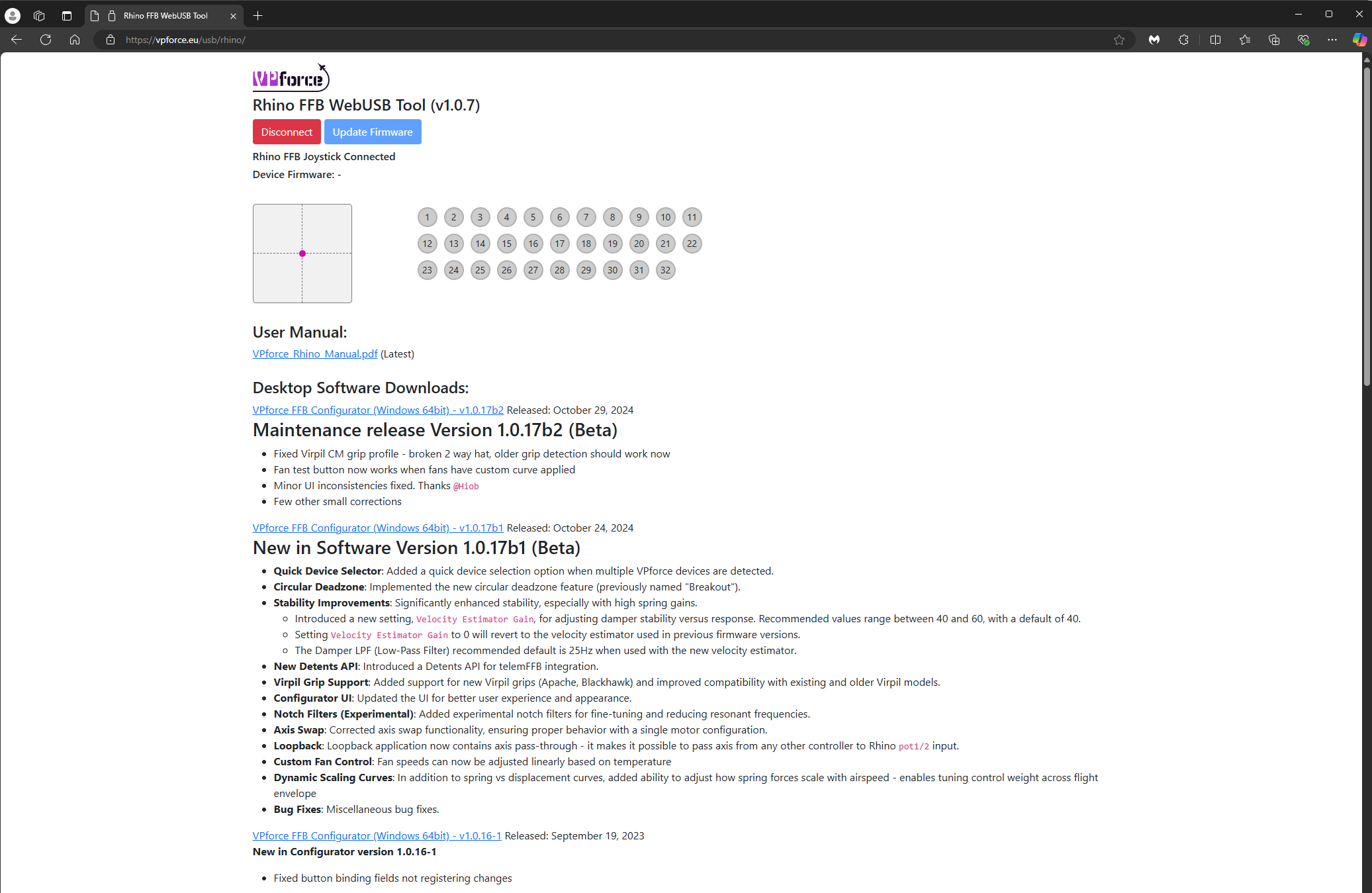
But update firmware is greyed out in the web browser:
But update firmware is greyed out in the web browser:
 R
Ris there a way to manually download/update the firmware? Thank you!
 R
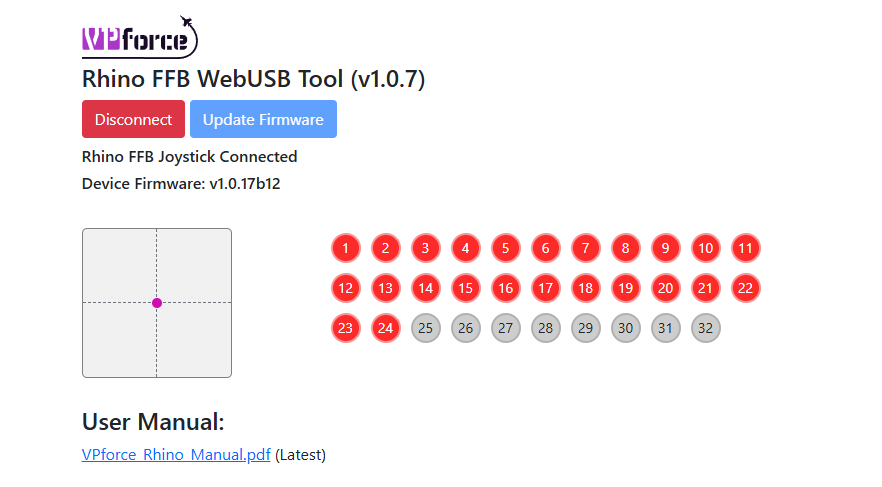
ROk so I was able to update the firmware, but now I am showing 24 inputs (I have no stick connected)
 R
RI restarted, still seeing the same issue
Rplugged my stick back in and it cleared the issue!!! Thanks Walmis!! Cheers
 R
RSince like 4 firmware updates I keep getting USB disconnects. Before it was fine for months, now I´m having problems. Works fine for hours. But then I get a disconnect. Usaually when I´m on a server and it´s the wost time. 1hour flying to target - disconnect. on final aftter a sucessful sortie - disconnect. Sometimes turning off and on again helps, sometimes nothing helps. Anything I can do to find the problem?
 H
HTurning on and off (I assume you mean the e-stop button) only cuts the power to the motors. The board is powered by the 5V USB connection. So in order to cycle an USB connection issue, you need to unplug and pluf the USB connector.
HWhich of course doesn't solve your original problem, I know.
RNevertheless good to understand the difference. Next time it happens I will try to check parameters if sth. looks weird.
WAre you 100% positive you get USB disconnects and not motor faults? Motor faults, usually due to unstable parameter, usually come with a long beep. If it's indeed USB I recommend checking all connections, especially power, because bad grounding (on the DC side) from PSU can cause ground loop intereference.
Also USB hubs are known to cause issues sometimes.
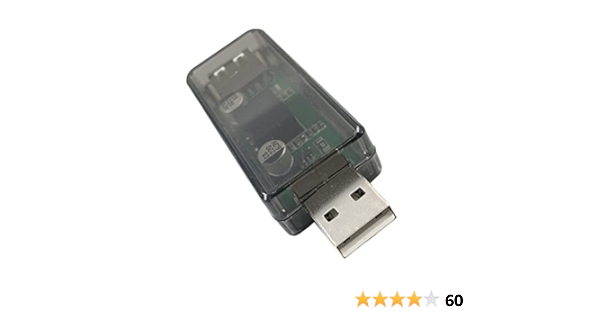
A USB isolator (based on ADUM3160 IC) is a good idea in some cases: https://www.amazon.com/DEVMO-USB-ADUM3160-Isolation-Protection/dp/B09L4QJM14
Also USB hubs are known to cause issues sometimes.
A USB isolator (based on ADUM3160 IC) is a good idea in some cases: https://www.amazon.com/DEVMO-USB-ADUM3160-Isolation-Protection/dp/B09L4QJM14
USB Isolator Module ADUM3160 USB Digital Isolation USB to USB Voltage Isolator Board Protection (5KV ESD MAX) with OC Protection
 T
TThis happened to me last night as well, I thought it was strange but also a strange coincidence to come here this morning and see this reported by @Gadreel .
It was in level flight with minimal forces so I wouldn’t guess a motor fault. I do not use a USB hub for my Rhino.
When it happened I popped out of DCS and opened the configurator. I’m pretty sure I remember seeing USB disconnected and red text next to motor status (don’t remember what the text said). Had to unplug and replug USB, I think forces came back immediately without a power cycle, just with the USB replug. It then was working again but without telemFFB effects.
I didn’t have configurator open at the time so didn’t have any history in the debug tab to show what happened. Will probably be keeping it up for now if this is potentially a recurring issue.
It was in level flight with minimal forces so I wouldn’t guess a motor fault. I do not use a USB hub for my Rhino.
When it happened I popped out of DCS and opened the configurator. I’m pretty sure I remember seeing USB disconnected and red text next to motor status (don’t remember what the text said). Had to unplug and replug USB, I think forces came back immediately without a power cycle, just with the USB replug. It then was working again but without telemFFB effects.
I didn’t have configurator open at the time so didn’t have any history in the debug tab to show what happened. Will probably be keeping it up for now if this is potentially a recurring issue.