

 A
AThank you it's working now 
AFor our one app, we're getting browser security check for our posthog proxy via browser security check
This can be turned off by rule right?
This can be turned off by rule right?
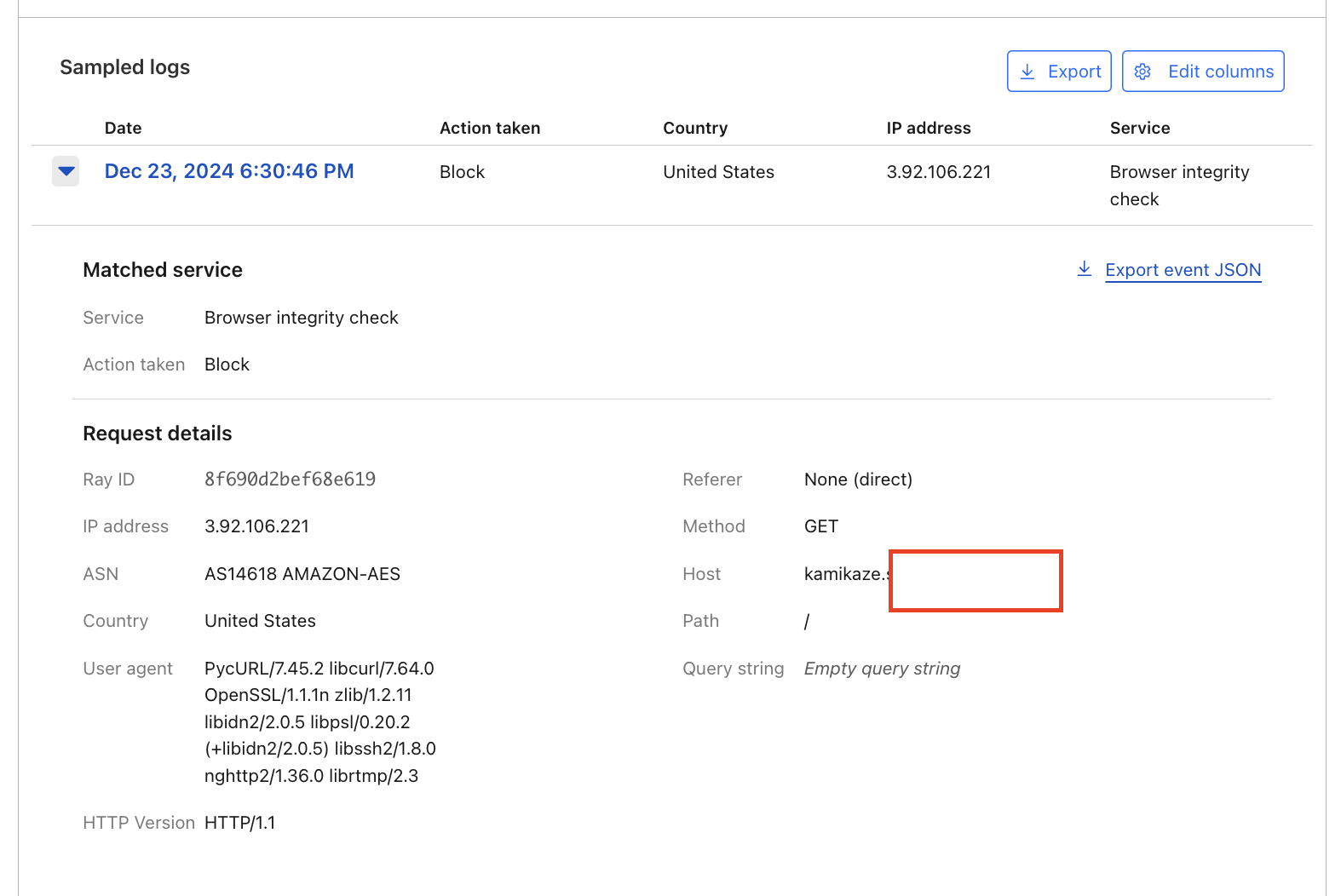 A
Aand what do you mean by free zones? if I upgrade can I configure it?

 C
CYes, you can disable it under Security -> Settings or bypass it via Custom Rules
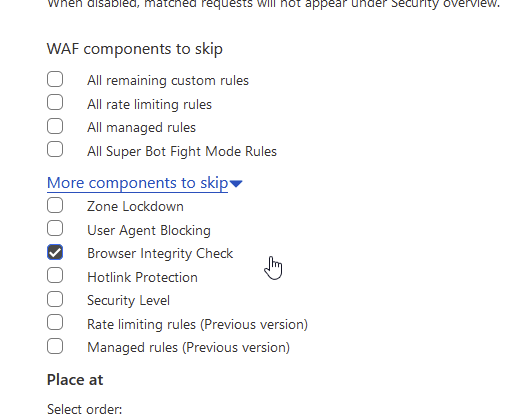 C
CPro or higher gets Super Bot Fight Mode which can be skipped via Custom Rules
AOh no problem I'll upgrade to Pro
C(although it's worth noting Super and normal Bot Fight Mode are both meant as high security features intended to quickly help customers under active attack stop as many bots as possible.
Some users get annoyed when they get challenged, depends on your user base)
Some users get annoyed when they get challenged, depends on your user base)
Aso it's recommended to keep it off and only turn it on in case of emergency?
Cunless you really need it (constantly under attack/want to get rid of bots at all costs), I wouldn't recommend keeping it on, yea. Espec if your site is static and you can just cache pages and not worry about attacks as much. It also just won't be effective at all if you have an API for example, just have to disable it entirely at least on that subdomain (need sbfm for that of course), it's just going to false positive and cause issues, meant for web/user traffic
ASorry what's sbfm? 
Copps sorry
Bot Fight Mode (free anti-Bot solution) = BFM
Super Bot Fight Mode (Pro or higher) = SBFM
Bot Fight Mode (free anti-Bot solution) = BFM
Super Bot Fight Mode (Pro or higher) = SBFM
AGot it
AThanks for the help @Chaika 

Have an amazing day
Have an amazing day
 M
MHey ppl, looking forward to learning stuff about R2 and rclone here 
 P
PMore random little questions from a curious little goblin, how many Community Champions are there currently/ever? love the concept of the idea of promoting positive community members and rewarding them for their contributions, so wondering :)
 S
SBot Fight Mode cannot be skipped by WAF Rules or other "Bypass" actions.
Bot Fight Mode is a very aggressive solution that should only be enabled if you are actively under attack.
Remedies:
Bot Fight Mode is a very aggressive solution that should only be enabled if you are actively under attack.
Remedies:
- Upgrade to a Paid plan and use Super Bot Fight Mode
- Disable Bot Fight Mode

 E
E17 by my count, not including the ones that are since hired and kept their champion role as well as their staff role
the criteria for becoming one and associated perks are listed here https://discord.com/channels/595317990191398933/775391577790611466/1304449131623747645
the criteria for becoming one and associated perks are listed here https://discord.com/channels/595317990191398933/775391577790611466/1304449131623747645
 P
PYeah, that’s where I saw the concept in the first place. Also, super interesting that the amount of community members who have become employees is in the plural, love to see it
Ei went full circle, green > orange > back to green 
Eits nice that i was able to regain the community champion title after being employed for a year and a half
Copps now we have two
C?bfm
SFree Plan's Bot Fight Mode cannot be skipped or controlled by Custom Rules or IP Access Rules. Creating/having any IP Access Rules will disable it entirely. Bot Fight Mode is a high security solution intended to help customers under attack stop as many bots as possible. Due to the high security threshold, false positives do happen.
Pro or higher's Super Bot Fight Mode can be skipped via Custom Rules, and Bot Management for Enterprise is entirely customizable.
If you are having false positives or issues with Bot Fight Mode, your only option is to disable it entirely under Security -> Bots: https://dash.cloudflare.com/?to=/:account/:zone/security/bots
Docs: https://developers.cloudflare.com/bots/troubleshooting/
Pro or higher's Super Bot Fight Mode can be skipped via Custom Rules, and Bot Management for Enterprise is entirely customizable.
If you are having false positives or issues with Bot Fight Mode, your only option is to disable it entirely under Security -> Bots: https://dash.cloudflare.com/?to=/:account/:zone/security/bots
Docs: https://developers.cloudflare.com/bots/troubleshooting/
CYour one is a lot simpler tho
Ebfm provides detailed information about bfm, skip-bfm cuts to the chase and tells you how to skip it
Emakes sense to me
POh, you used to work for Cloudflare?interesting!
PWould you mind if I asked what kind of work you did?
Ewas in the support team
Efocusing on cdn and developer platform products
POh, tickets and such? Interesting
 K
KHello
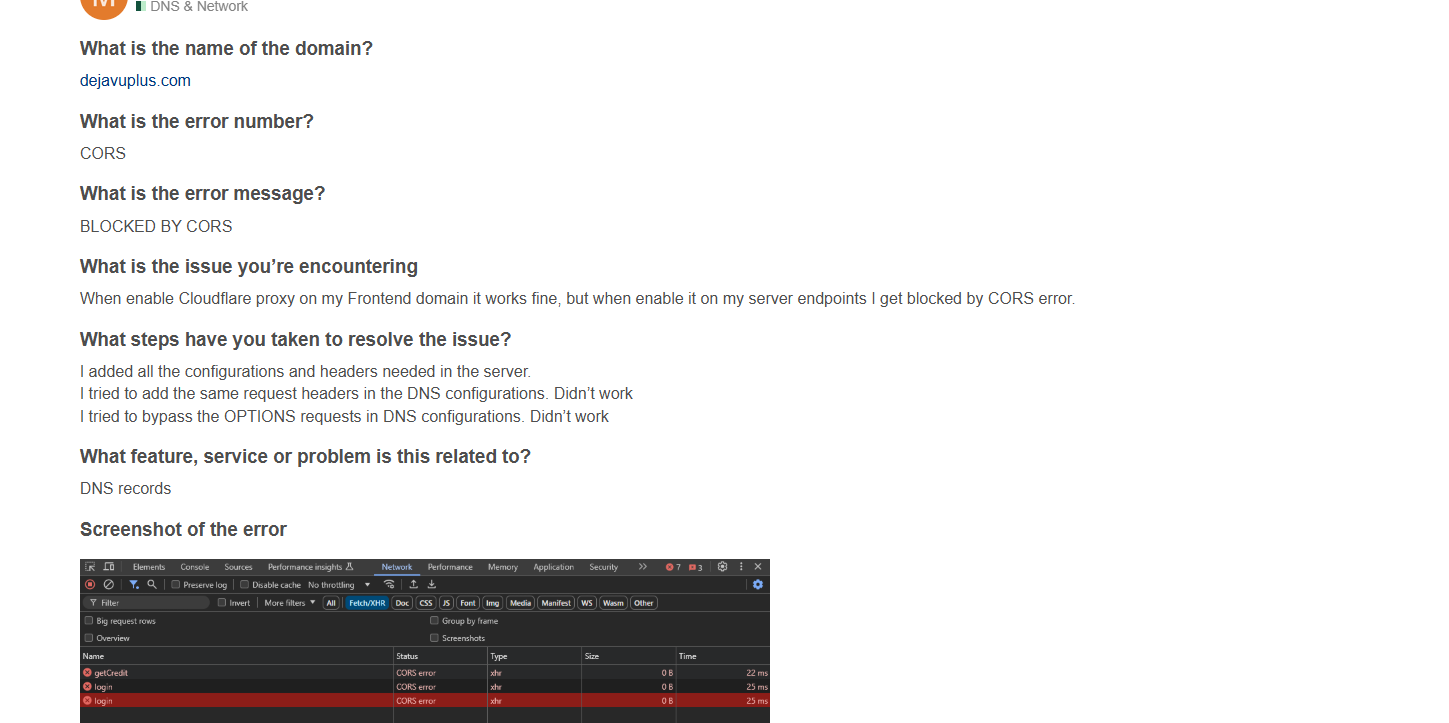 K
Kanyone can help
K?
 T
Thi I'm having a little trouble setting up my ddns I just got a domain from cloudflare was trying to use HA Proxy and all with pfsense, and for the life of me I can't figure out why my domain won't resolve to my LAN IP.
Anyone that can help much be appriciated
Anyone that can help much be appriciated
 P
PEmail Routing
Using Email Routing i was able to add my personal email to the destination addresses and receive the verification email, but when adding a fresh email account i didn't receive any email to confirm the account , is there a way to fix or troubleshoot?
Thanks for the help in advance :))
Using Email Routing i was able to add my personal email to the destination addresses and receive the verification email, but when adding a fresh email account i didn't receive any email to confirm the account , is there a way to fix or troubleshoot?
- Checked if the email was correct
- Checked Spam / Promotions / etc
- Deleted and Re-Added the email to the Destination Addresses
Thanks for the help in advance :))

 I
I?crossposting
SPlease do not post your question in multiple channels/post it multiple times per the rules at # welcome-and-rules. It creates confusion for people trying to help you and doesn't get your issue or question solved any faster.
welcome-and-rules. It creates confusion for people trying to help you and doesn't get your issue or question solved any faster. P
PIm sorry wont repost again
 A
ASo, where is the channel for asking about resources,
I am a complete newpie for web-dev server stuff and I want to know more, how do I host my own server, using my own hardware, and such stuff.
Thanks
I am a complete newpie for web-dev server stuff and I want to know more, how do I host my own server, using my own hardware, and such stuff.
Thanks
 T
THello fam,
When I deploy my next.js project which include dynamic routes, I faced the critical bugs.
When I deploy my next.js project which include dynamic routes, I faced the critical bugs.
TWho can help me with this?
TPlease help me.
 J
JThe welcome bar app was really helpful for sending holiday wishes, New Year messages, and special offers to my website visitors without needing to change any code or risk messing up the site.
I’m still upset that they took this feature away, not understanding how valuable it was for Cloudflare users. If anyone else used it, have you discovered any other ways to achieve the same results?
I’m still upset that they took this feature away, not understanding how valuable it was for Cloudflare users. If anyone else used it, have you discovered any other ways to achieve the same results?
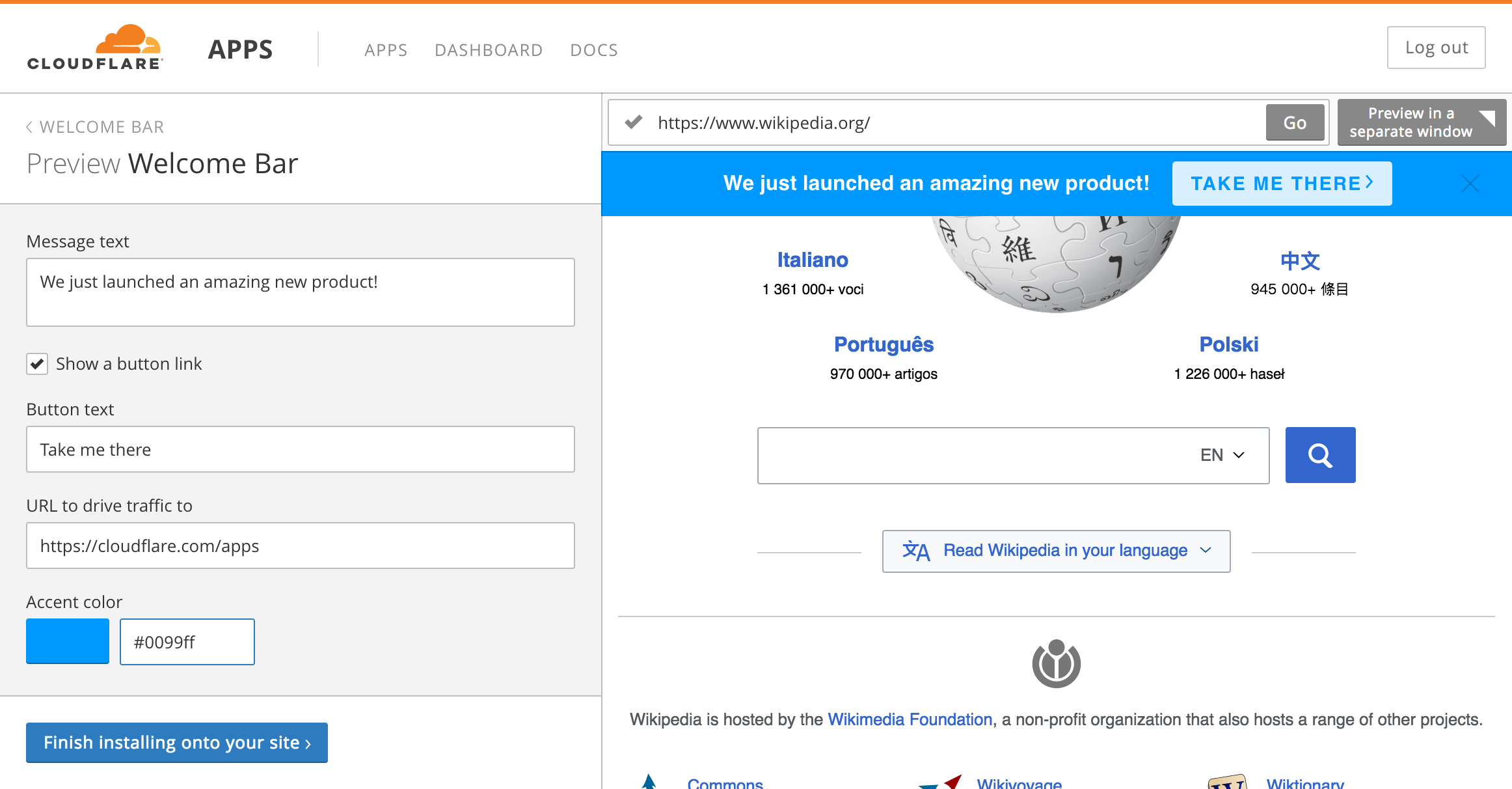

 H
HYou should be able to replicate it with a Worker. It won’t be quite as plug and play, but it is much more powerful
 J
Jthanks for the pointers, let me research into that.
 F
Fhello
1Cloudflare解析的域名,除了80、443端口,其它端口可以使用吗?
1:NotLikeThis:
ECloudflare Docs
Learn which network ports Cloudflare proxies by default and how to enable Cloudflare's proxy for additional ports.
