
 F
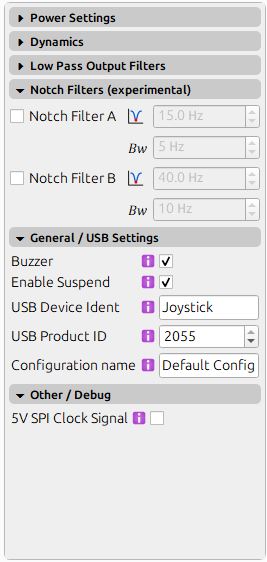
FYeah I figured if someone saw something weird in those they could help you. Although they seem ok to me. Maybe it's a power issue. Either a loose connection inside or the power supply connector or even the power supply itself.
 H
HIt connects ok and seems to stay connected only happens every now and then with the motor issue.
His there any way to test how the FFB works ??, in DCS I just had resitance no effects
FYou would need to download and install telemffb and you can see all the effects it has on DCS
Hdo you have a link at all
Hfound it
FAlso in your previous screenshot. The one that shows the errors. On the left side the Vbus shows 4.75v where it should be 19v. If you see that voltage drop when you get the error then it's definitely a power supply or power connection issue.
HOk maybe some got knocked when it came from NZ to AU with me last week as it was in my suitcase but packed really well
FIf you feel comfortable opening it up you may want to check all cables are firmly connected to the board.
FThe power cables.
HThanks ill do that I think, I have already had the boot off, the holder for the joystick cable was not holding it in place as it was pushing down and not connecting as I tried to connect the joystick
FDefinitely check all connections then.
FRemoving the top and front (where the fan is) walls will give you good access to the board.
H@f14billyHave effects in DCS now so seems to be ok, nthanks once again for your help so far
 B
BGood morning gentlemen!
I am having a problem with my Rhino using the warthog grip. Registering putton presses on the stick is faulty: pressing the trigger button BTN1 on my warthog grip, it registers as all buttons pressed from 1-24. I suspect it to be a software issue, sincew the grip works fine when attached to the warthog base. However redownloading VPforce FFB Configurator did not fix it. I am on firmware v1.0.17b12.
Thank you in advance.
I am having a problem with my Rhino using the warthog grip. Registering putton presses on the stick is faulty: pressing the trigger button BTN1 on my warthog grip, it registers as all buttons pressed from 1-24. I suspect it to be a software issue, sincew the grip works fine when attached to the warthog base. However redownloading VPforce FFB Configurator did not fix it. I am on firmware v1.0.17b12.
Thank you in advance.

 A
ADoes your power supply actually support consistent 8 Amps? Most likely not - try to lower to 5-7Amps and see if the error is still there
Hwhere would I change that setting
AI hope it works more consistently at a lower Amps setting
A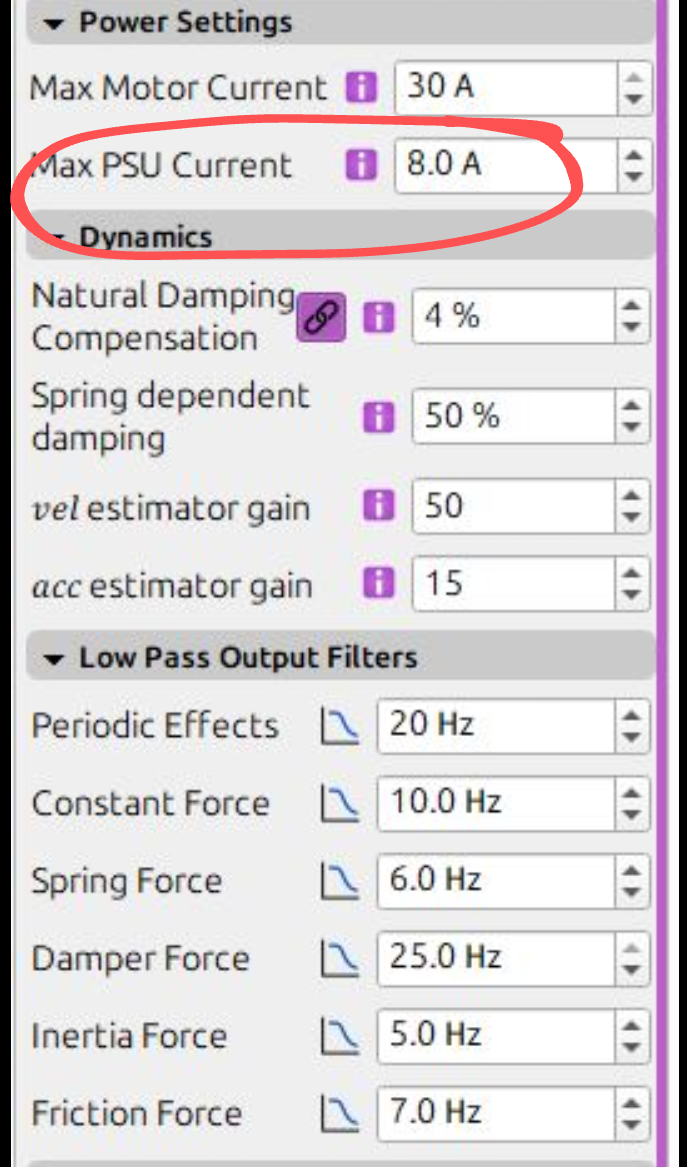
 F
FWhich grip do you have selected in the configurator?
H@f14billy Generic Grip, seemed the most logical for the Thrustmaster F18
FFor the thrustmaster grips I use the CM2 option and it works well. Then I set all hats except the trim one as buttons and the trim hat I set it as 4 way instead of 8 way (DCS trim works way better like that).
H@f14billy Ah ok thanks, I'll get around to that after I get it mounted this afternoon after work, now it seems to be all working as it should.
 T
TGeneric should be the right one for TM. You may have a cable loose between the grip connector and the main board. Or one of your pins isn’t making good contact with the base.
 H
HI'd like to report an issue that I've encountered twice, although the probability is low. Both times, while flying in MSFS2024, there was a sudden, unexplained power outage. Reconnecting the power, USB, and using the emergency stop switch to reboot did not resolve the issue. However, after turning off the computer, shutting off the power, and restarting it, the issue was resolved. I'm wondering if anyone else has encountered the same situation as I have.
BGeneric Grip
 M
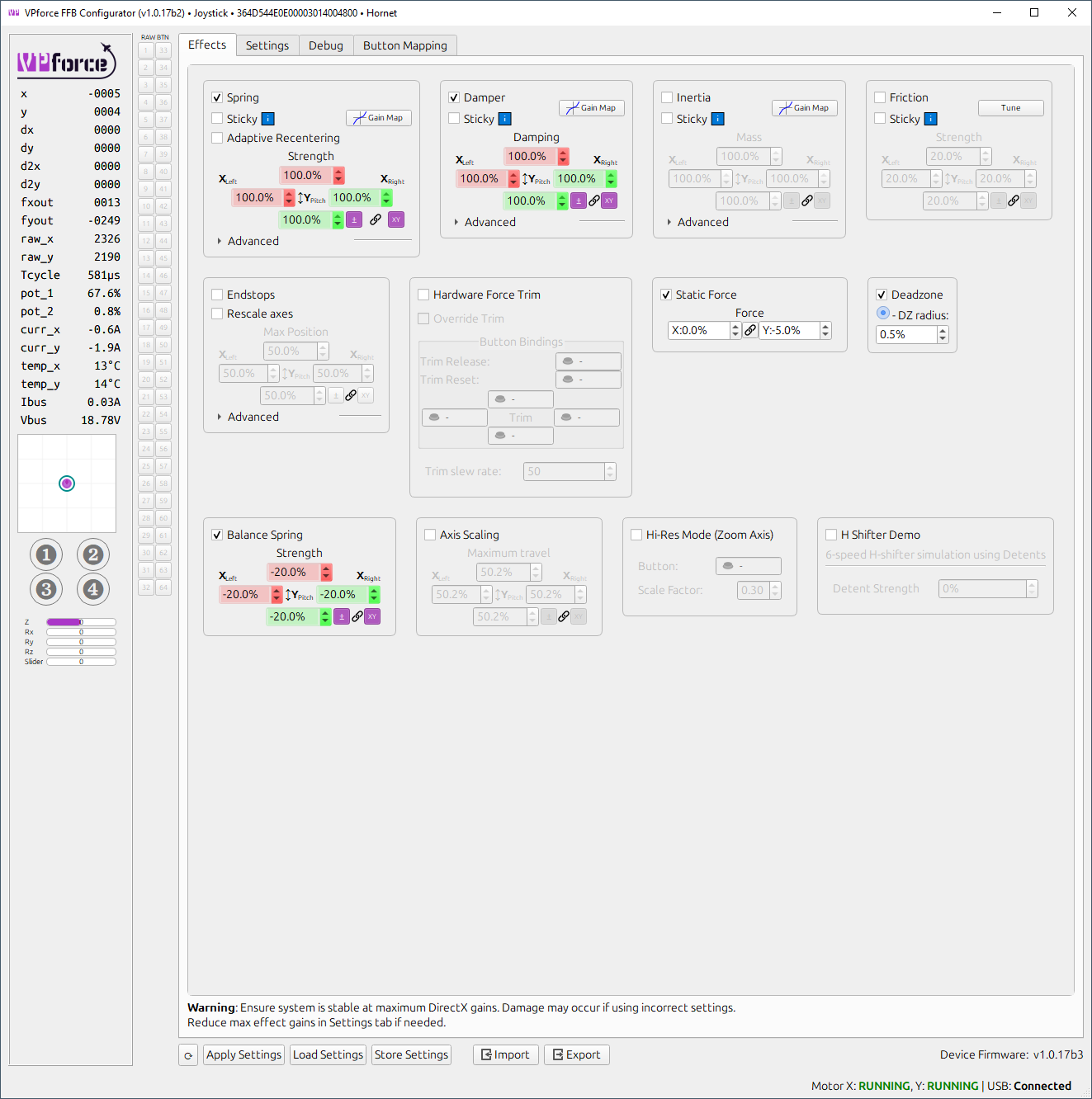
MSo I just noticed a strange thing. Carefully re made my 4 configs for the jets I fly the other day after rrecalibrating following the posted guide here, using the balance spring adjustment to make the stick stay in position etc and then re set telem FFB to use the new configs when each jet is selected. Flying the hornet last night, I noticed the stick felt extra stiff in the X axis, checked rthis morning and my profile had reset the balance spring settings to all axis linked and 20% for each..... WTF? The settings I had come upo with for each profile was -20 forwards, -30 back ( this to counter the weight of my Z extrension and grip) and zero on the X axis. What would possibly cause that? I carefully applied settings, stored, then exported them for each profile. Any ideas whats happening and why? Have NEVER set the linked and 20% settings for anything, so where is it getting these from?
T B
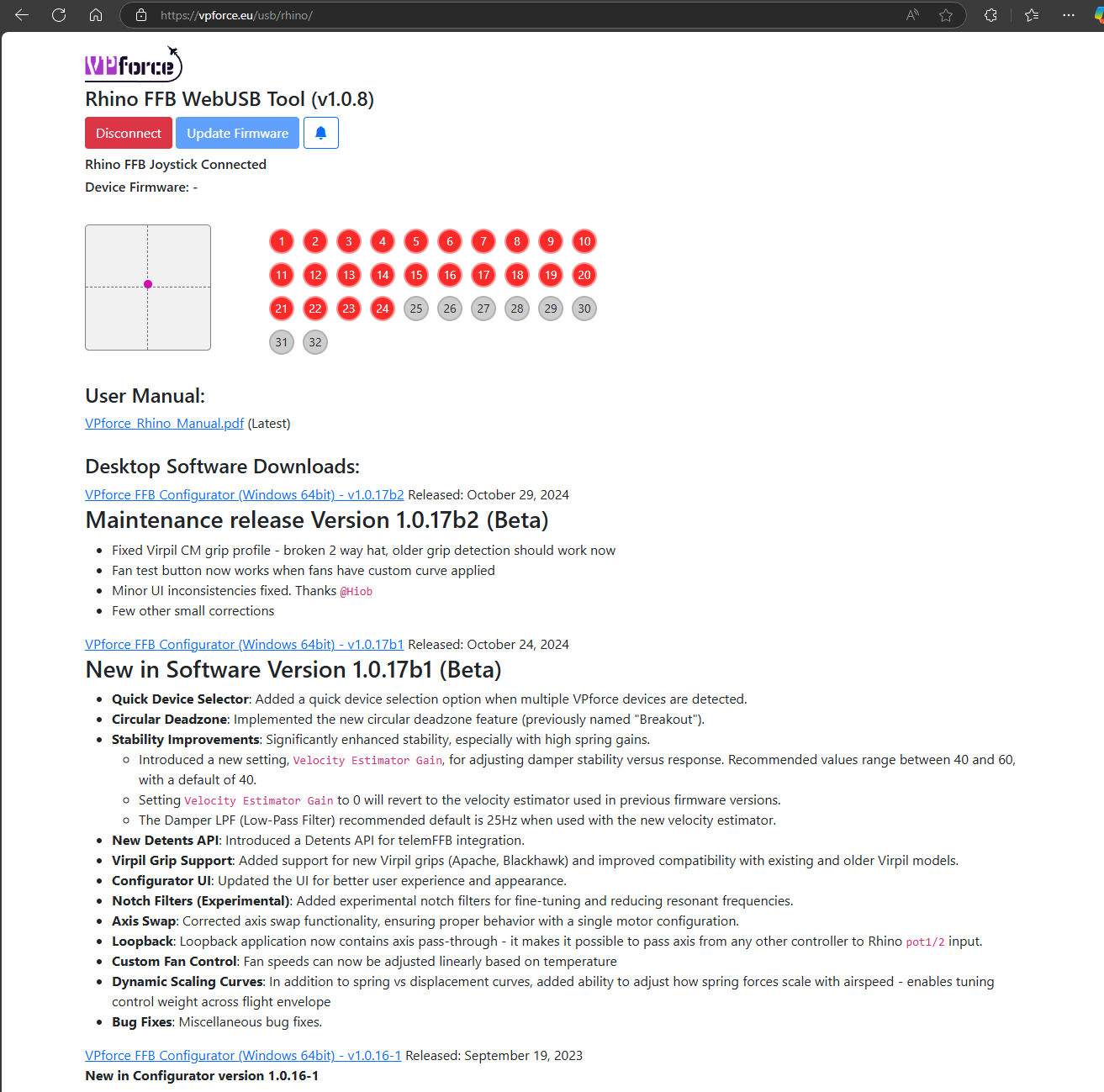
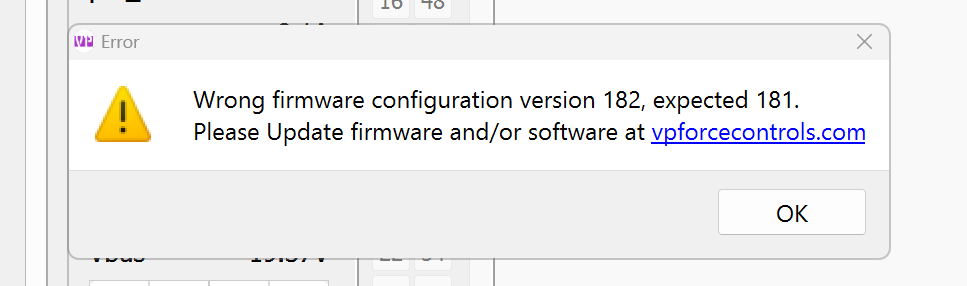
BI'm still receiving this error which is stopping me open VPForce FFB Configurator (v1.0.16-1): when I click OK the Configurator closes. I have Rhino Firmware 1.0,17b12. How do I fix this?
 F
FYou probably need to download the latest configurator

 F
Fyou are using the latest Rhino firmware and try to open the configurator with a version from September 2023. just download the latest configurator.
https://vpforce.eu/usb/rhino/
https://vpforce.eu/usb/rhino/
 V
VWhere can I find the specs on the latest rhino? Trying to see if it’s worth it to upgrade to the newest. Apparently there are larger motors?
 O
OHello, I have some issue with the usb connection.
The following error message is displayed: “Power surge at USB port - unknown USB device requires more power than the connector can provide”
Does anyone have any idea where the error is?
The following error message is displayed: “Power surge at USB port - unknown USB device requires more power than the connector can provide”
Does anyone have any idea where the error is?
OI tried the connection directly as well as via a usb hub with power
 H
HTry this I had the same issues a couple of days ago this fixed it for me, @f14billy was the one who helped with it
This bug happens in Win11 with the current firmware. Managed to make a one-liner workaround, but should be fixed in the upcoming firmware release.
Open up a PowerShell window as Administrator and paste the following
Then unplug and plug the Rhino USB
*Reboot might be required
This bug happens in Win11 with the current firmware. Managed to make a one-liner workaround, but should be fixed in the upcoming firmware release.
Open up a PowerShell window as Administrator and paste the following
Then unplug and plug the Rhino USB
*Reboot might be required
 K
K@walmis Maybe the configurator can get a function to check if this RegKey exists and if not it creates it?
MFurther to my post yesterday, changed the profile AGAIN, yesterday, started the PC today and same thing has happened:
 M
MThis is driving me crazy....can someone help?
MIt seems to only re set the balance spring settings and only on this one profile, which was the one I was last using
KDid you check the file permissions? Maybe the app cannot write the changes to disk.
Mit accepts the proper settings when I cchange it....I can then open other profiles, then go back to that profile, it remains as I corrected it. So that profile has definitely accepted teh changes. It seems to happen between shutting down and restarting?
MSo every time I start Telem and VP conf, I have to reset the balance spring part.....
KWhere did you place the app? I know Windows has some protections feature which "repair" app located in "Program Files" and "Program Files(x86)".
Or is it a folder where some kind of replication is configured like OneDrive, GoogleDrive, DropBox etc.?
Or is it a folder where some kind of replication is configured like OneDrive, GoogleDrive, DropBox etc.?
M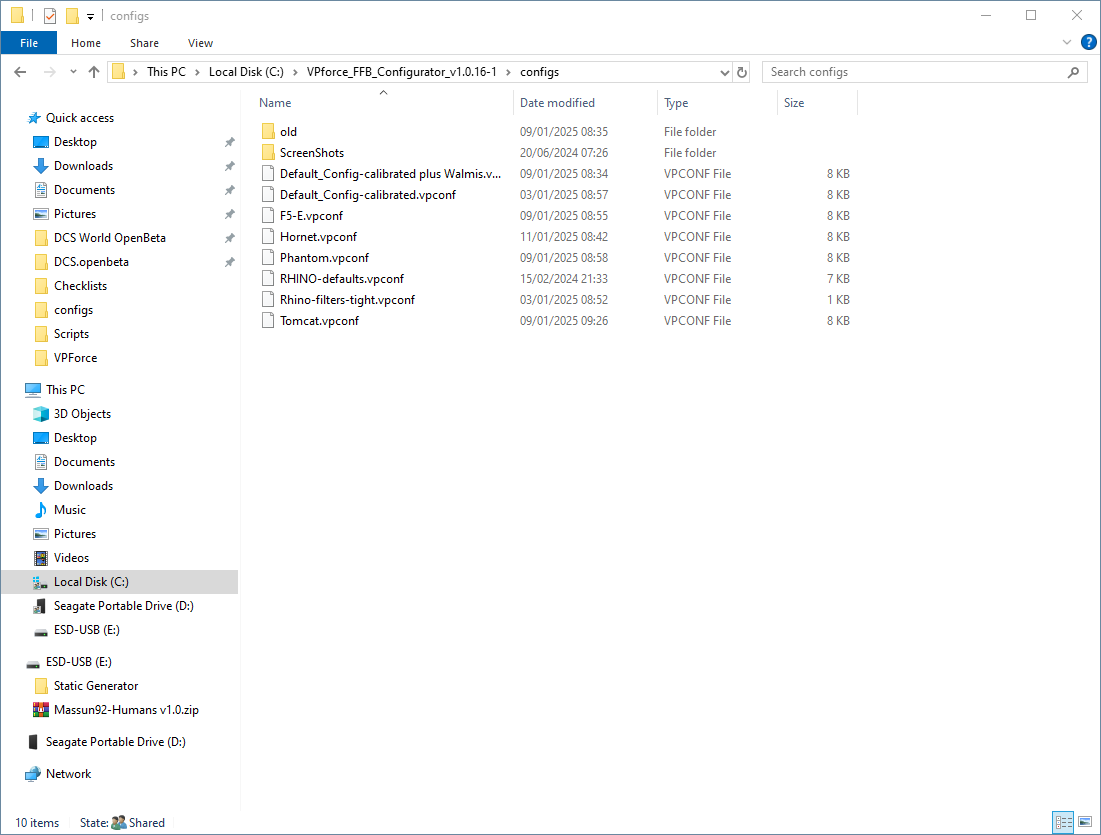 O
OThanks, I will try this
MI also, just now, had the stick cut out....was not a USB disconnect, the motors went offline ( red text in VPconf software) This is the first time I have ever had this happen, they were not overloaded, the fans were not on either.....Is there a log that I can post or look at to see whats happenening? Somewhat worrying, as thats the last thing I need to start happening. Been faultless since I got it as well......

 W
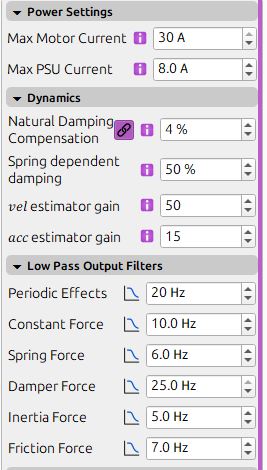
WThe filters are probably a bit too tight for the high spring gains and loop instability starts occurring, try reducing
vel estimator gaincan you attach your vpconf profile? I'll try to reproduce
Wbtw, why is your balance spring negative?
MHi Walmis, here is the profile
Hornet.vpconf7.23KB
