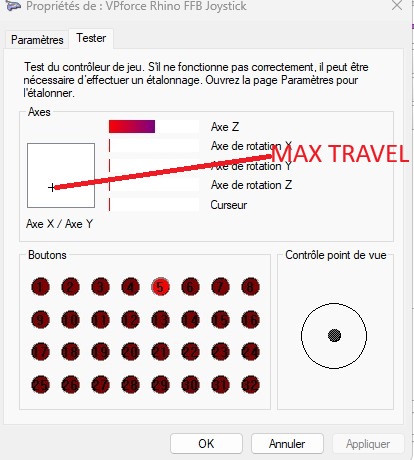
F
Fdon't think so. I have a very slight one on the Y axis, but nothing as strong as yours

 F
FYou might need to tighten the screws underneath the sleeve

 D
D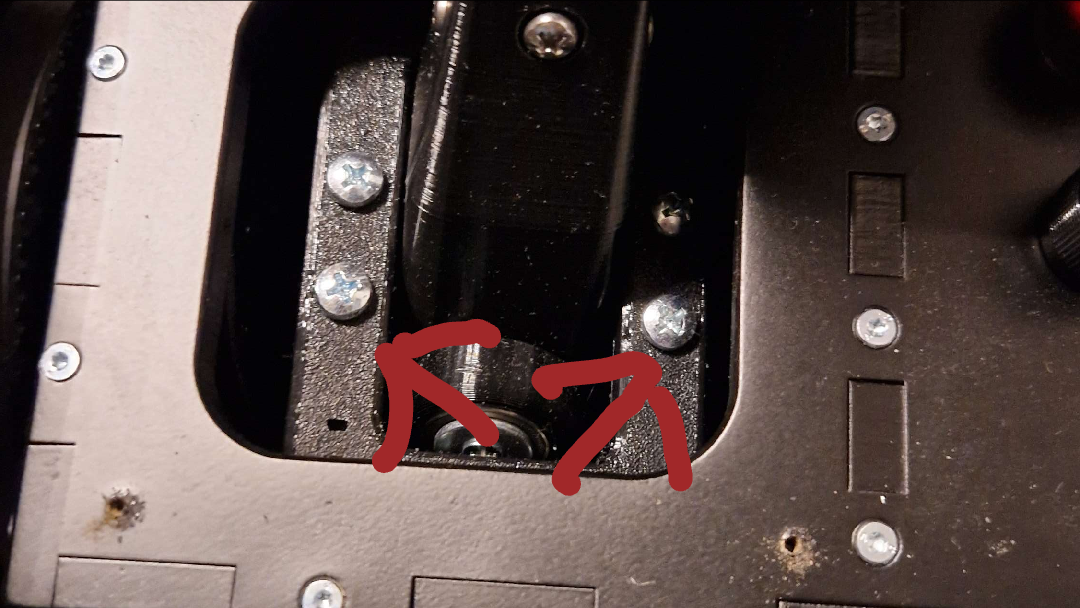 D
DThese ones?
FI was talking about those connecting the shaft to the gimbal. Just check every screw you can access there. 
D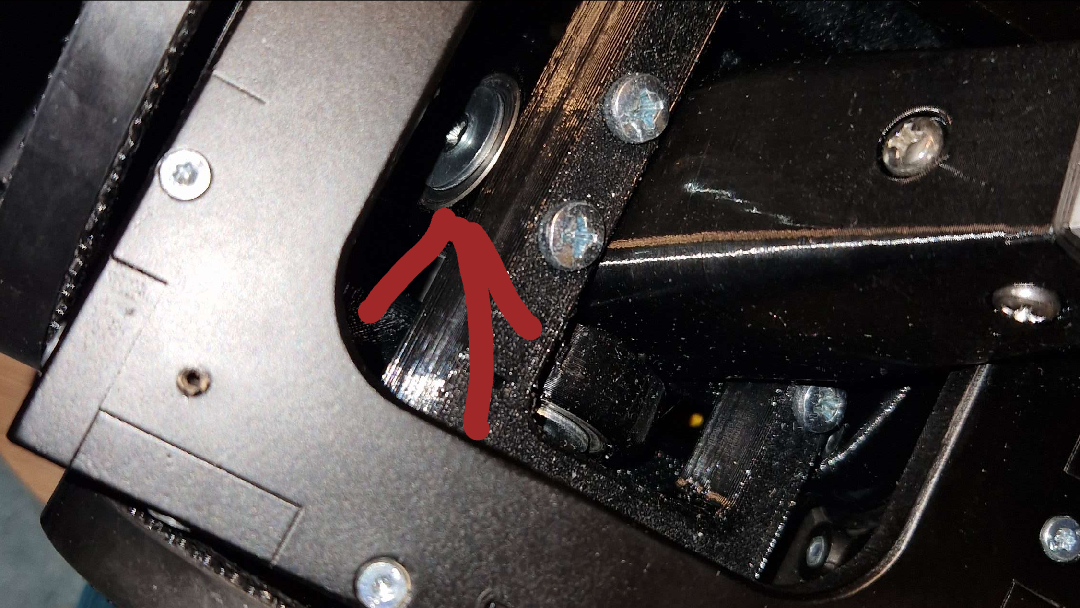 D
DThis one? How would i even go on to access it? Sure i can put a finger in but i can't exactly reach it with a screwdriver. Do i need to remove the whole gimbal from the casing? (Or the other way around? )
)F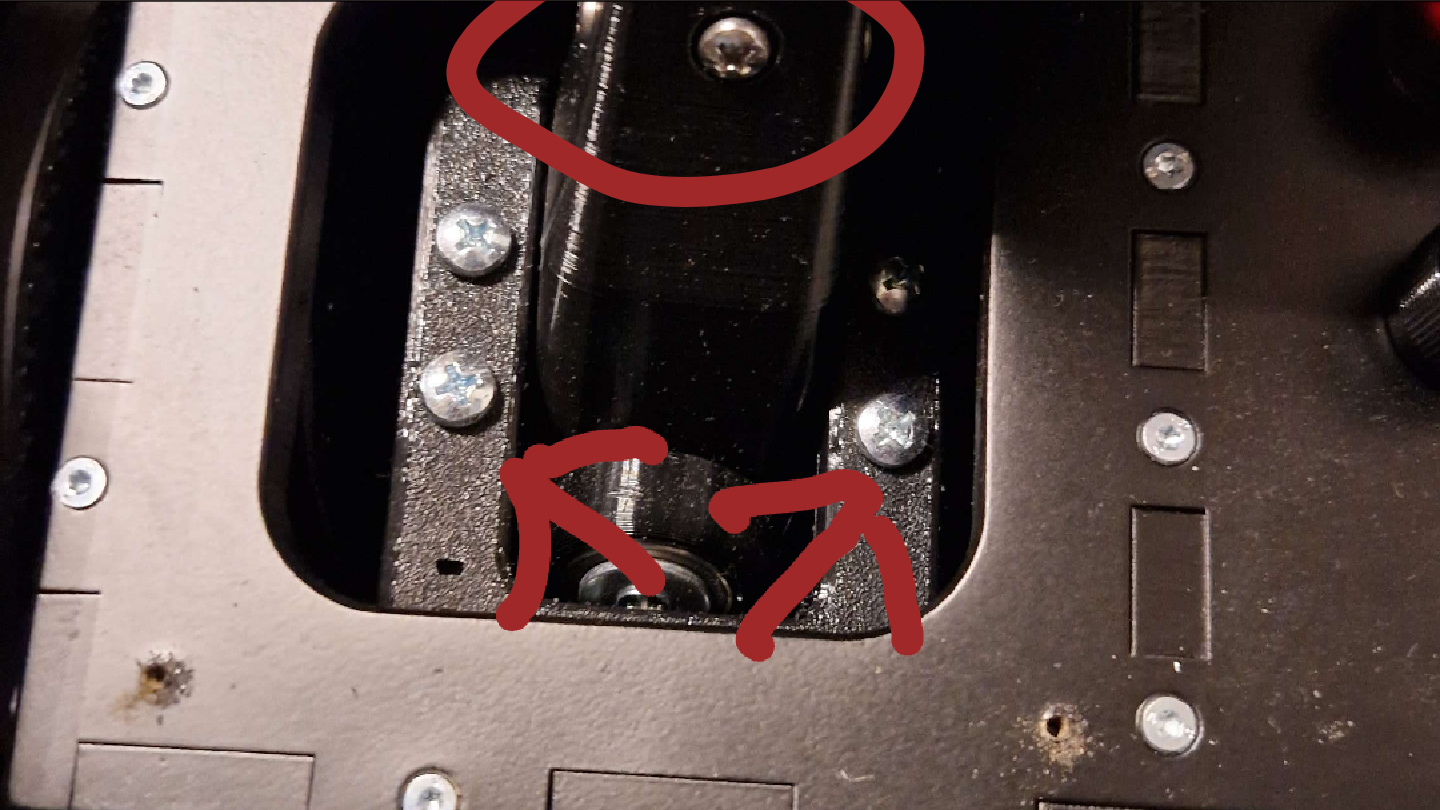 F
FThe upper ones
 E
EI had the same issue, turned out it was my main screw connecting the 2 parts of the gimball together. I had to tighten the center nut. Since then it’s fine
ECompletly off topic but i see you have a vkb, do you run it with a blackbox ? I am completely unfamiliar with vkb and i want to put one on my setup

 X
Xhad exactly same thing, luckily my bolt comes from top, so just tightened it up a bit more
DIs that the one for which you have to remove the stick and then it's inside the shaft from top-down?
DYeah, i switched from a mk.3 gunfighter to the Rhino. You just need the VKB adapter from Walmis, put the stick on it and connect it to the PC with a VKB Blackbox
EOkay, thanks for the info, by any chance. Do you know someone who would be selling his blackbox ? I can’t find any in europe and that’s kind of embarrassing because i already bought the stick lol
 D
DThank you, that solved it!
Sadly if the official VKB Stock for the blackbox is sold out i don't know where to get one either.
Sadly if the official VKB Stock for the blackbox is sold out i don't know where to get one either.
 E
EI guess i’ll just wait for it to be in stock again 
EGlad to hear that ! At first i thought my gear was broken ahahah
 C
COr you can go DIY route like https://github.com/FatLurch/VKB_Grip_Test
GitHub
Basic Arduino interface to VKB MCG Pro grip. Contribute to FatLurch/VKB_Grip_Test development by creating an account on GitHub.
 E
EOh, that’s a good thing to have, didn’t knew you could do that. Thanks !
 M
MWhen I start up my PC, the Rhino powers on and goes to the full forward position. If I turn off the Rhino and turn it on again, it properly centers itself. I've tried running the auto calibration in the VPForce Configurator, but continue to have this issue. Here's what my axes setup currently shows:


 S
Syour Y calibration is over 4096, so when you power on if the stick is in a position where it (when previously powered on) is in the 4097 to 4220 range, it immediately thinks its in 0 to 123 range, and tries to get to the center at 2554. Best solution is to loosen the motor and move the belt over some number of teeth so that it calibrates between 0-4096
MGreat, thank you for the advice!
MThat fixed it, thank you
 J
JConnecting a single motor just to test and mark center point for a rudder setup but it keeps telling me the motor is offline
Jmotor is acting like it's connected, turns smoothly
J20V showing on the VBUS
Jmotor led is green, intermittently doing a rapid flash
Jmotor definitely getting power, getting 20V in the pins behind the connector
JThink the issue might be the ID in the firmware? searching through old threads it's mentioned it should blink once for X and twice for Y, mine blinks many times

 F
FWhen connecting a single motor you have to disable the axis that you won't be using in the configurator or it won't read any motor data.
Jdid that
FHave you tried disabling the other one? Maybe the axis in the motor was mislabeled. It's happened before.
JYes I tried both
J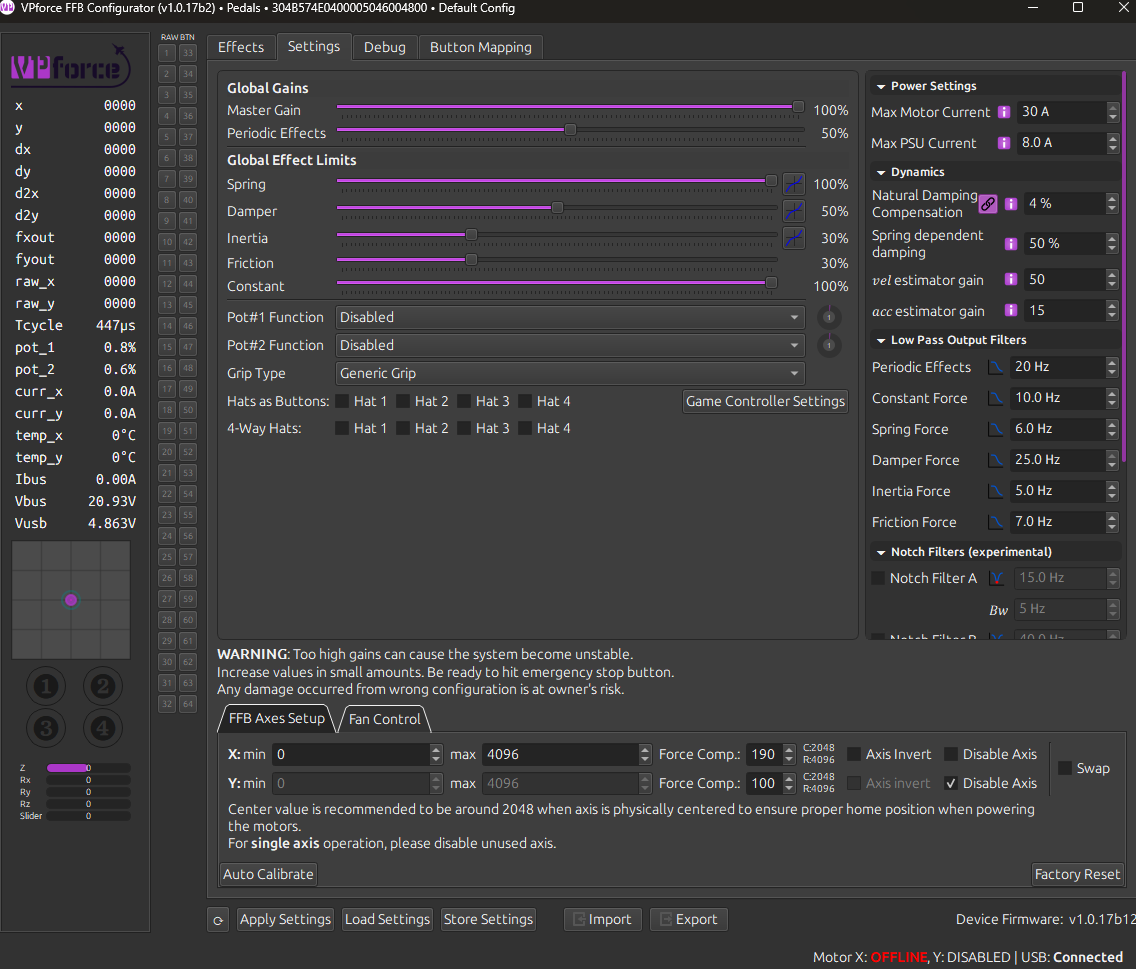 F
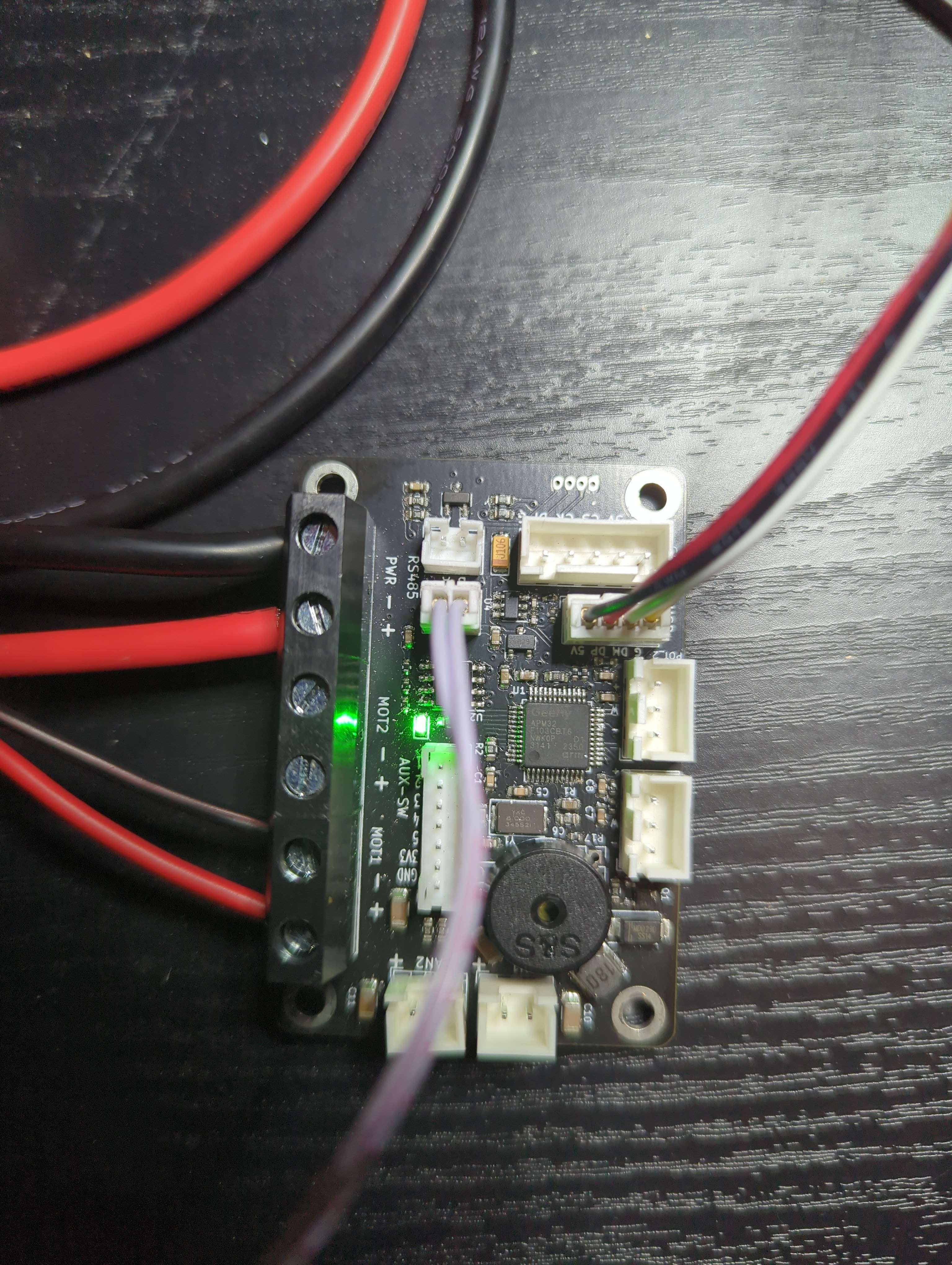
FA picture of the board connection would help just to rule out any cable connection issues.
FMaybe the power is connected to motor 1 but the data cable is connected to motor 2 in the board or viceversa.
JThis doesn't seem like the led behavior walmis has described should be happening
JBoard looks good, the motor itself is acting like it's connected
 F
FJust in case I'd try switching the connections to motor 2 and see if you still get the same issue. Then hopefully someone here can help you.
JTried swapping the data as well
FPower and data to motor 2 and if you still get the same issue regardless of the connection then hopefully someone here can help you troubleshoot.
J20V is 20V, power isn't the issue. I think it's probably a motor firmware issue and needs @walmis
FI meant to try and connect the motor power and data cables to motor 2 just in case for some reason motor 1 wasn't working well in the board
 W
W@Jarmak DM'd the instructions. The motor ID wasn't set for some reason.
 J
JThanks! Will follow and try again in the morning
PDYI FFB Rhino kit. Windows 11 Family 24H2 26100.2894.
Rhino X/Y axes are working in Windows game controller.
Rhino auto calibration has been done without throw limiter (installed after calibration),
as documented in assembly Ref manual
Rhino X and Y axis cannot be selected in Condor3 simulator.
After Windows game controller calibration (X/Y now able to reach
Windows game controller corners), Rhino X and Y axis can be selected in Condor3.
Manual 2.2.3 throw limiter adapters : "Recalibrate the controller for the new throw ranges."
Does it mean Rhino auto calibration followed by Windows game controller calibration or
just Windows game controller calibration ?
Thanks
Rhino X/Y axes are working in Windows game controller.
Rhino auto calibration has been done without throw limiter (installed after calibration),
as documented in assembly Ref manual
Rhino X and Y axis cannot be selected in Condor3 simulator.
After Windows game controller calibration (X/Y now able to reach
Windows game controller corners), Rhino X and Y axis can be selected in Condor3.
Manual 2.2.3 throw limiter adapters : "Recalibrate the controller for the new throw ranges."
Does it mean Rhino auto calibration followed by Windows game controller calibration or
just Windows game controller calibration ?
Thanks
P