What is the best way to go to update all workers' code in a particular namespace? Is there a command
What is the best way to go to update all workers' code in a particular namespace? Is there a command for that or will you need to do it in a loop?
 V
V
 E
E D
D D
D A
A WAW
WAW A
A Appreciated. Happy to further discuss our use case in private if needed.
 S
S B
B is this correct?
 ZZZ
ZZZ L
L 币
币 AAZZ
AAZZulidulidx A
A ZZ
ZZ S
SDELETE/accounts/{accountIdentifier}/workers/scripts/{scriptName}/assets/{assetKey} HSS
HSSexample.my.worker.dev/:user-name/avatar.pngexample.my.worker.dev/users/:user-name/index.html? If so, do the API requests count against my account or the user? Apologies if the question seems bizarre, finding it a bit hard to get my head round things without poking code.SWWSWSSWWSDDdispatch_namespace in https://developers.cloudflare.com/workers/wrangler/configuration/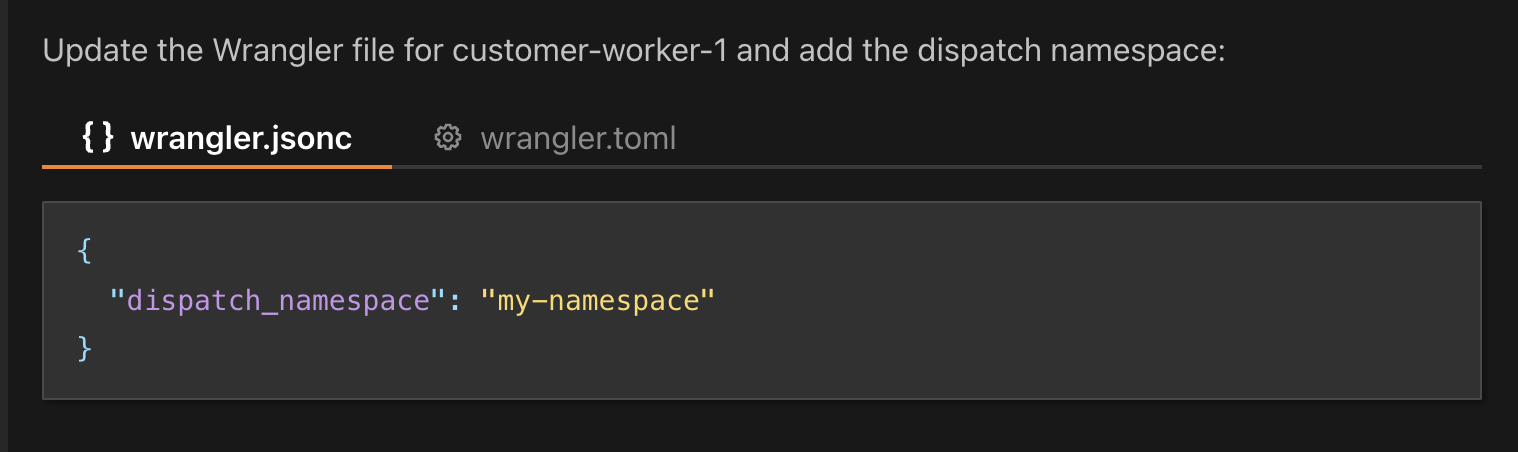 B
Brequest.cf.zoneName issue? My website is hosted on CF Pages. I am using a CF Worker and want to limit the ability to make an api request to specific zoneName's. The issue I am running into is that request.cf is always NULL. FWIW The code is below, but I have a feeling this might be a DNS or Routing issue. Any and all help would be appreciated."18:15:34 [ERROR] Error: Disallowed operation called within global scope. Asynchronous I/O (ex: fetch() or connect()), setting a timeout, and generating random values are not allowed within global scope. To fix this error, perform this operation within a handler. https://developers.cloudflare.com/workers/runtime-apis/handlers/\n at chunks/index_DXfsLD0r.mjs:142:26\n at randomChar (chunks/index_DXfsLD0r.mjs:230:27)\n at encodeRandom (chunks/index_DXfsLD0r.mjs:174:15)\n at ulid (chunks/index_DXfsLD0r.mjs:247:41)\n at chunks/specifications_iCWK4BKj.mjs:1137:29"example.my.worker.dev/users/:user-name/index.htmlSupport for Workers for Platforms with wrangler dev in local mode is experimental and may change in the future. Use the prerelease branch: wrangler@dispatch-namespaces-dev to try Workers for Platforms locally. "wrangler": "dispatch-namespaces-dev"ERROR] Missing entry-point: The entry-point should be specified via the command line (e.g. `wrangler dev path/to/script`) or the `main` config field.dispatch_namespacerequest.cf.zoneNamerequest.cf // Verify Cloudflare zone
console.log(request.cf);
console.log(allowedDomains);
console.log(request.cf.zoneName);
console.log(allowedDomains.includes(request.cf.zoneName));
if (!request.cf || !allowedDomains.includes(request.cf.zoneName)) {
console.log('[Security] Access denied: Invalid Cloudflare zone');
return new Response(
JSON.stringify({ error: 'Access denied' }),
{ status: 403, headers: { 'Content-Type': 'application/json' } }
);
}export default {
fetch(_, env) {
// will return `{ "whatever": "data" }` as a Content-Type: application/json response
return Response.json(env.JSON_DATA)
}
}"bindings": [
{
"name": "JSON_DATA",
"type": "json",
"json": {
"whatever": "data"
}
}
]