
for that you need to use the import from cloudflare:workers
for that you need to use the import from cloudflare:workers
 DD
DD"types": ["@cloudflare/workers-types"]DDDDDDD DDDDD
DDDDDwrangler types J
J V
Vwrangler devyarn preview script, here's how it's defined in package.jsonVV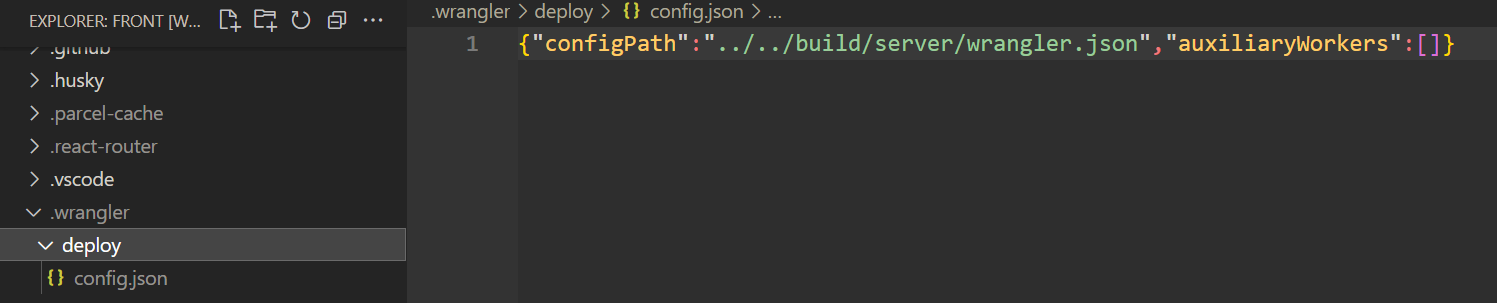
 T
T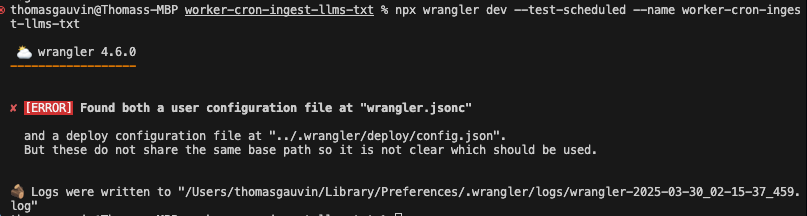
 M
M--config TM
TM A
A any idea how to get this to work again?A
pnpm wrangler whoami A
ATCP6:[::1]:8976 M
M T
Twrangler dev --remotewrangler dev --remotewrangler dev --local M
Mnpm create cloudflare@latest -- --type openapiEnv J
J MJM
MJM MM
MMupdate for SPA mode J
J.newUniqueId.idFromString SMS
SMS"not_found_handling": "single-page-application"assets_navigation_prefers_asset_servingSec-Fetch-Mode: navigateindex.html404.htmlawait (await fetch('/api/hello')).json()assets_navigation_has_no_effectcompatibility_flags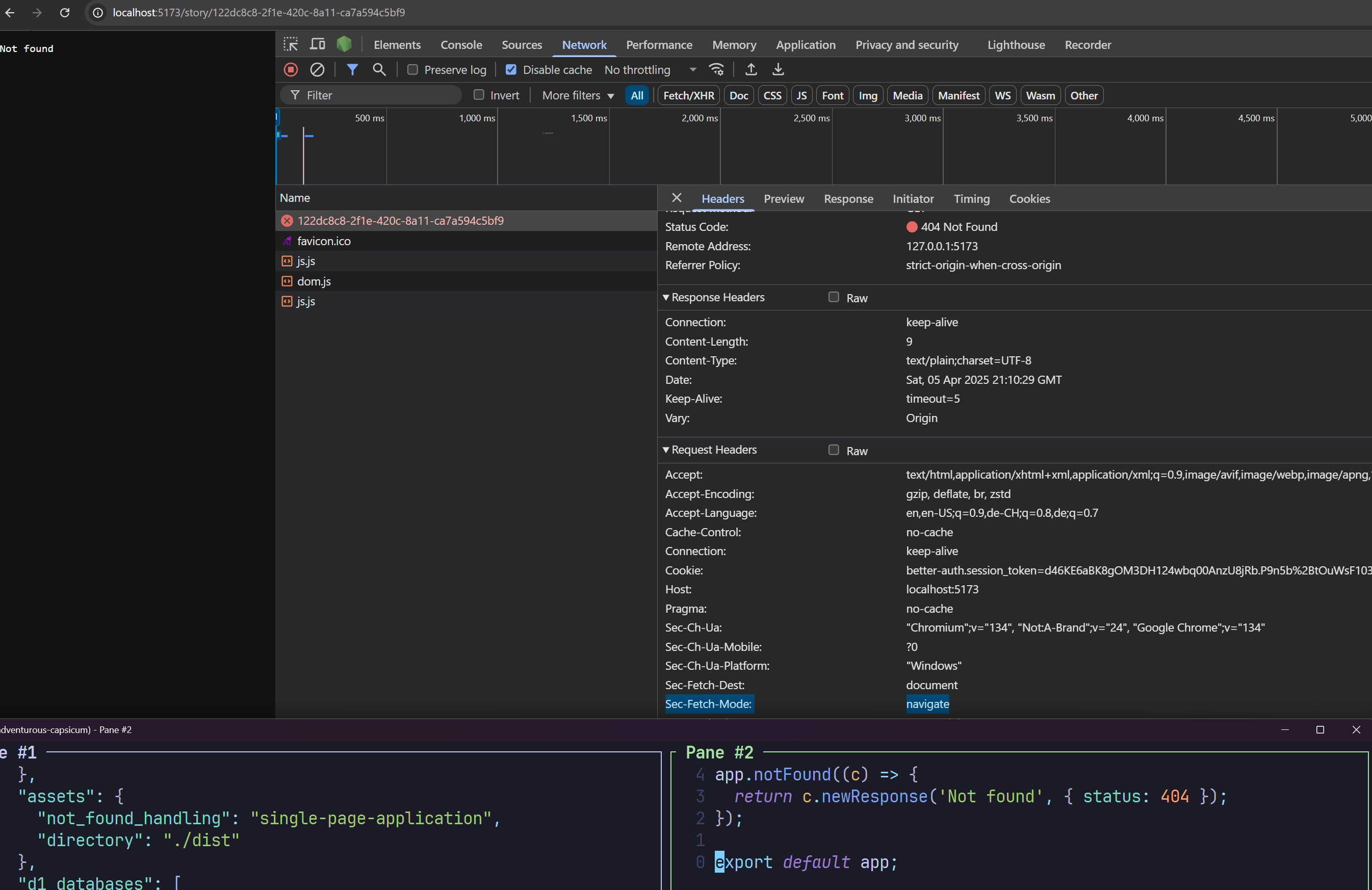
Using redirected Wrangler configuration.
 - Configuration being used: "dist/my_react_app/wrangler.json"
 - Original user's configuration: "wrangler.jsonc"
- Deploy configuration file: ".wrangler/deploy/config.json""types": ["@cloudflare/workers-types"] type RecipeAgent = Rpc.DurableObjectBranded & {
test: () => Promise<void>;
};There is a deploy configuration at ".wrangler/deploy/config.json".
But the redirected configuration path it points to, "build/server/wrangler.json", does not exist.compatibility_date = "2025-02-10"
compatibility_flags = ["nodejs_compat"]
assets = { directory = "./build/client" }
main = './src/entry.worker.ts'yarn preview "preview": "yarn build && wrangler dev",
"build": "react-router build",import type { DurableObject } from 'cloudflare:workers';
declare global {
namespace Dependencies {
interface RecipeAgent extends DurableObject<unknown> {
test: () => Promise<void>;
}
type RecipeAgentNamespace = DurableObjectNamespace<RecipeAgent>;
}
} CDCloudflare Developers / workers-and-pages-helpCDCloudflare Developers / workers-and-pages-helpCDCloudflare Developers / pages-help


