
At its core, KV stores bytes so any value (including JSON) that can be serialized/deserialized as by
At its core, KV stores bytes so any value (including JSON) that can be serialized/deserialized as bytes can be stored in KV.
 I
I SS
SS OI
OIput accepts any string, ReadableStream, or ArrayBuffer so you can just JSON.stringify it: https://developers.cloudflare.com/kv/api/write-key-value-pairs/SS T
T
 S
Sjson.Stringify is what I'll go with . Thanks for the example, they are helpful.S_preview KV dashboard. How do I get it available locally? I run npx wrangler dev —remote. Tnpx wrangler dev --remote. the local is when your worker is running only locally npx wrangler dev. each is independent and you would need to write data in any of these dev modes to get data in thereTnpx wrangler dev --remote, this is quite dangerous which is why the preview namespace is the defaultT M
M P
P R
R M
M SS
SSlist(customerId) and then 1 getget(customerId-index) and then the 1 get eachSS ISISIIS
 LILS
LILS S
S S
S L
L Hi, I have a question about Metrics and how to interpret them. OI the image, there is read latency of our KV store. Is this correct interpretation?
 U
U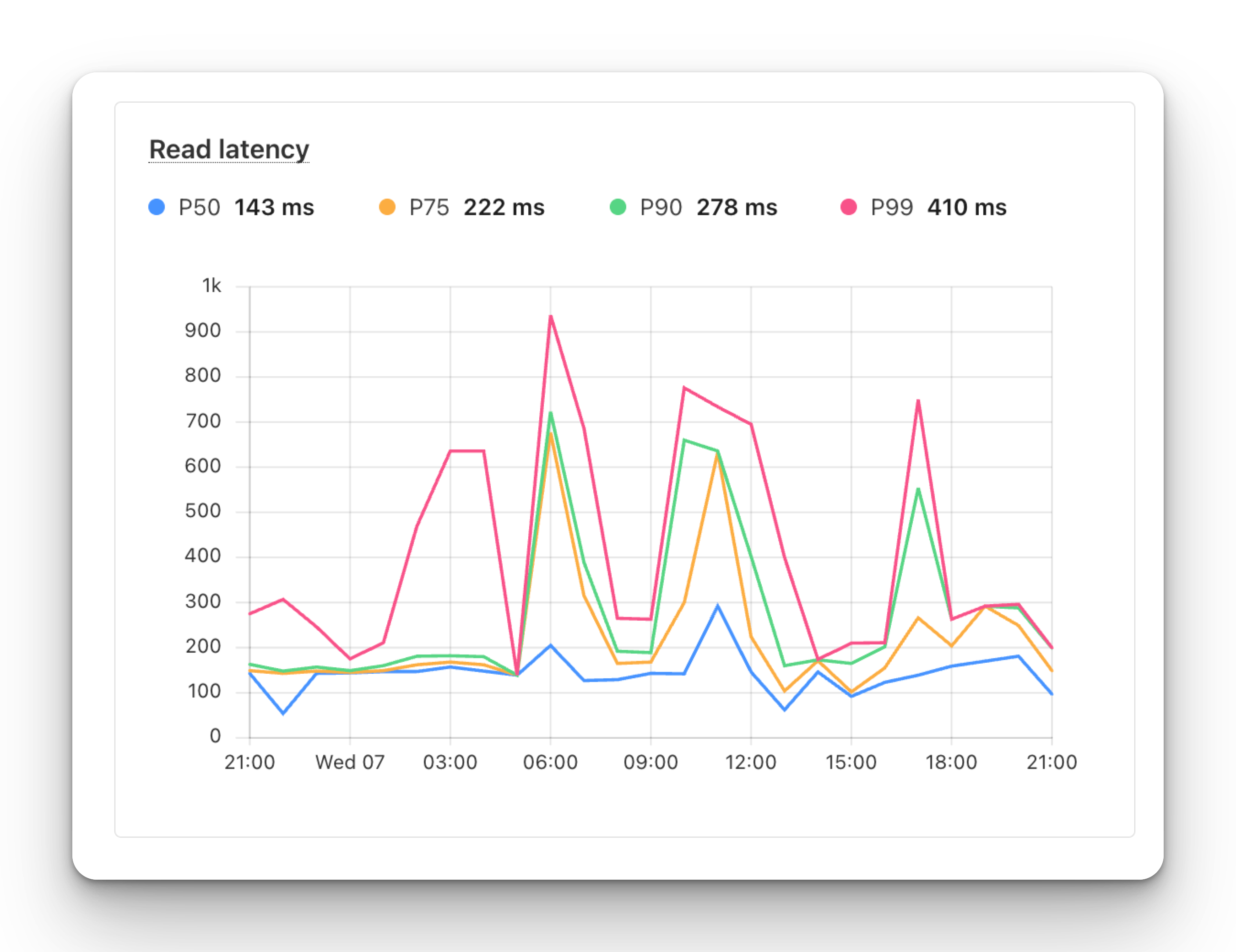
 C
C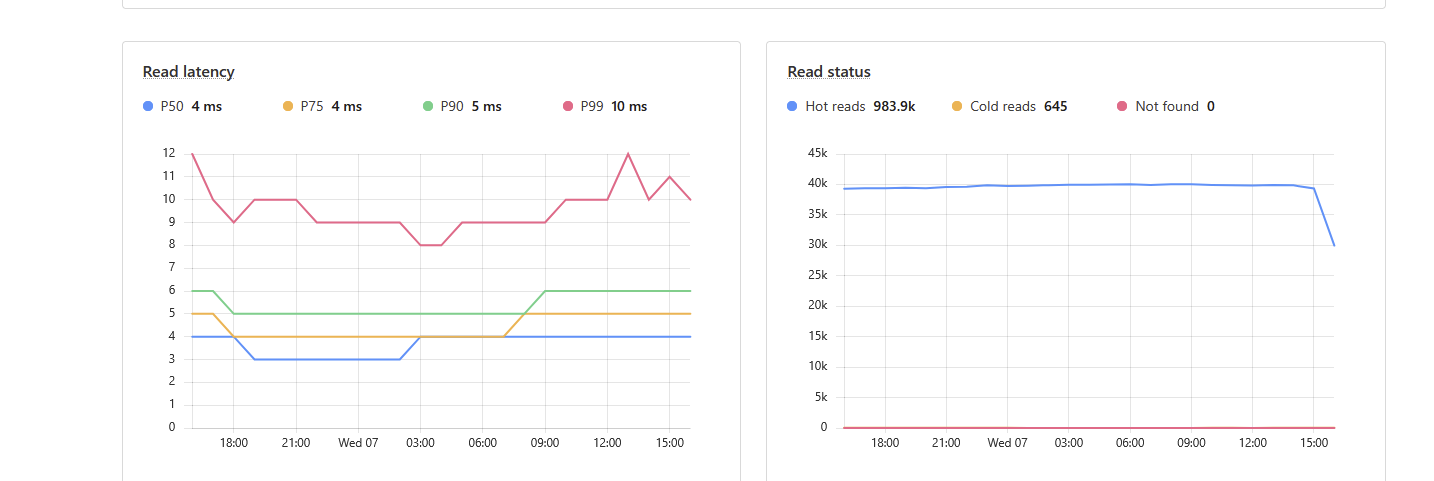 CU
CU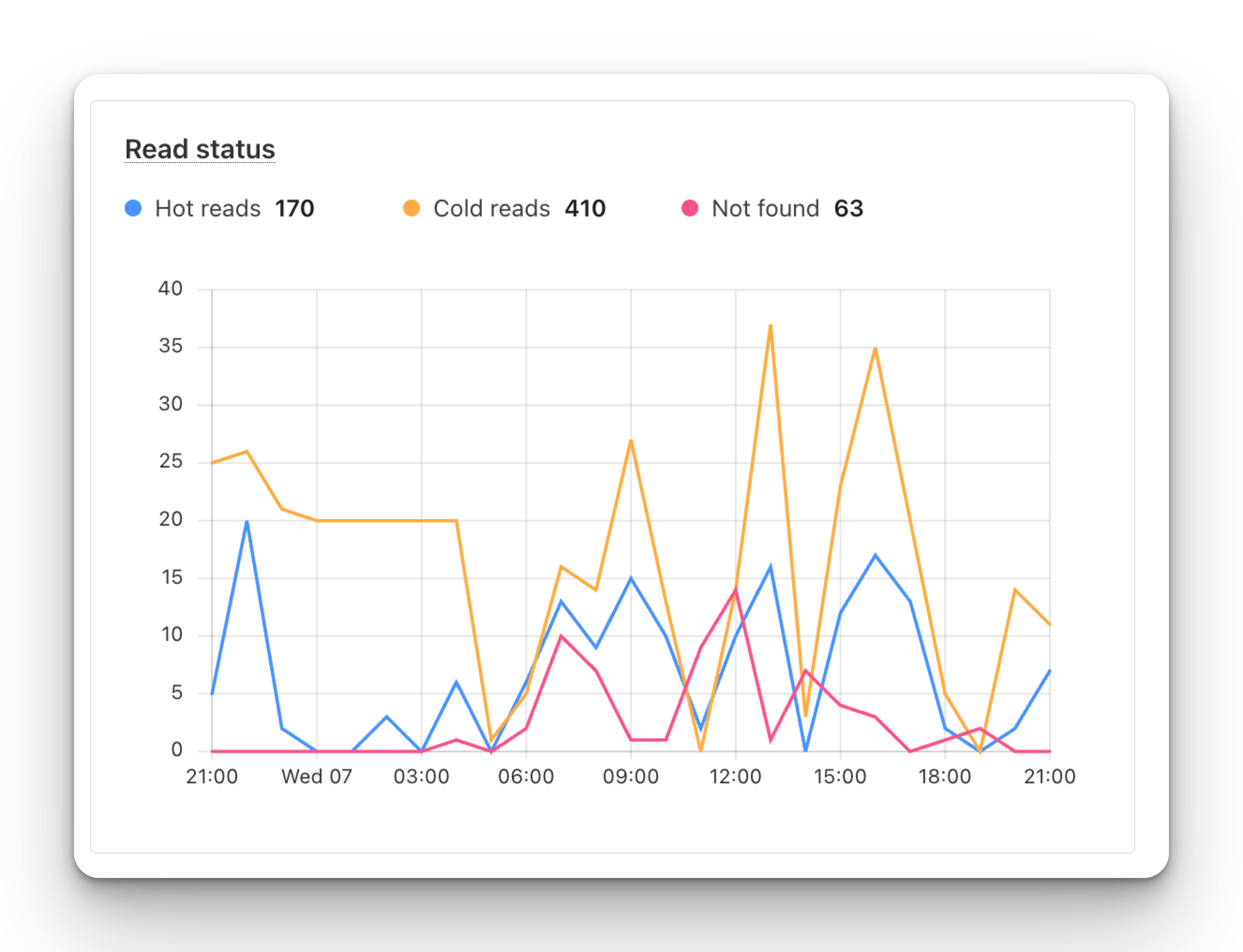 C
C Y
Y HYH
HYH ATT
ATTputjson.Stringify_previewnpx wrangler dev —remotenpx wrangler dev --remotenpx wrangler dev --remotenpx wrangler dev secondaryStorage: {
get: async (key) => {
return await c.env.authKV.get(key);
},
set: async (key, value, ttl) => {
await c.env.authKV.put(key, value, { expirationTtl: ttl });
},
delete: async (key) => {
await c.env.authKV.delete(key);
},
},list(customerId)get(customerId-index)


