save display properties
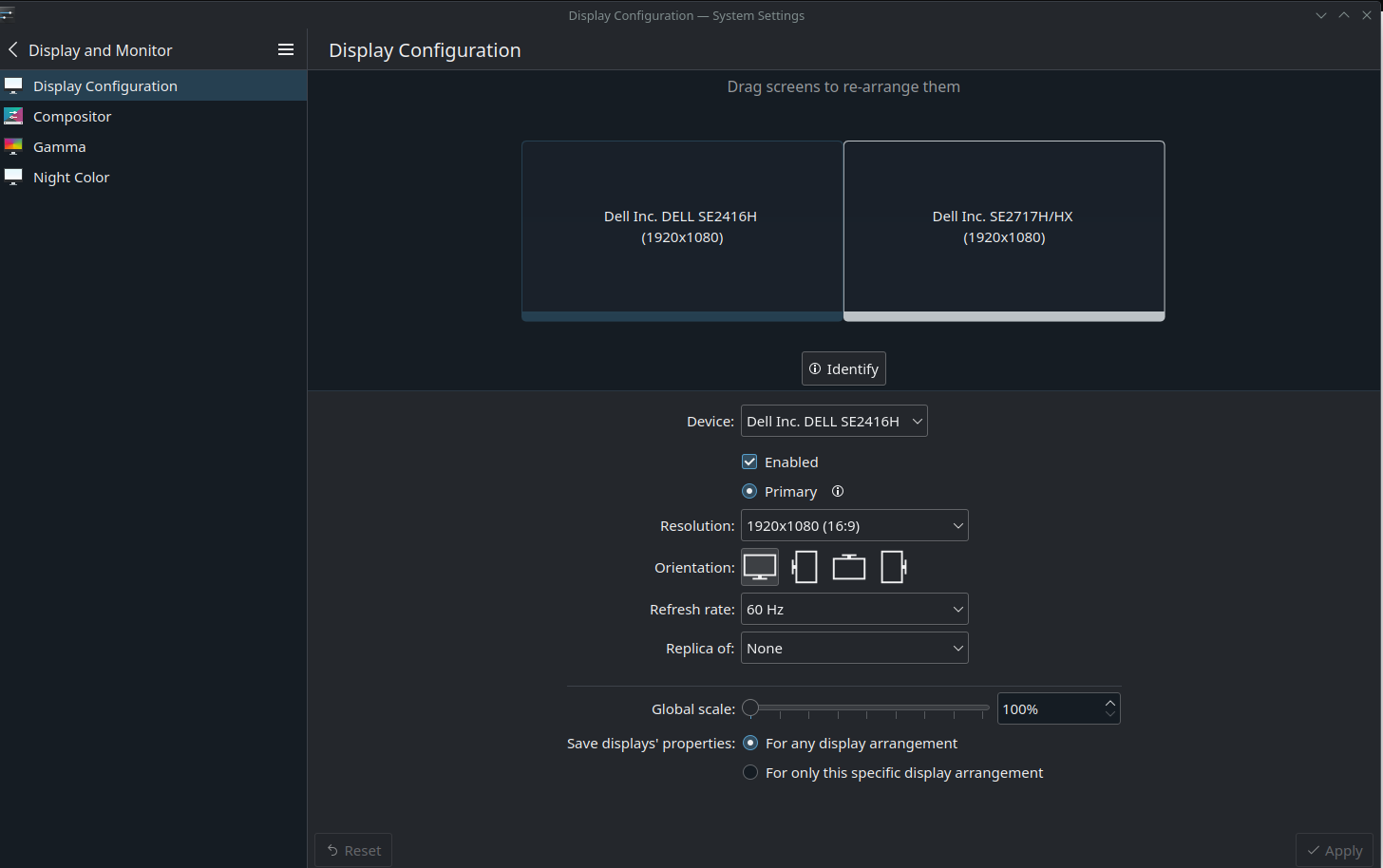
On SteamOS, under settings -> display settings, you have an option to save specific display properties, you can see it on the picture. With that, you can say for example, connect the SD to a TV, disable the internal display, and save that specific setup, so each time you have it plugged on that same TV, the internal display will shut down automatically.
I have bazzite on my PC, and unfortunately it doesn't have this option available
I have 1 primary monitor which I always use, 1 secondary that I sometimes shut down when playing, and 1 video projector. If I turn on either the secondary monitor or the video projector, there will always be no signal, unless I change manually in settings -> display settings to activate that display. Right now, I have an awkward solution : always activate both the secondary and the video projector display in the settings, and when I turned them on, the display will already be configured. The issue with that trick is that my GPU is using way more (60w on idle) with that setup, as if I only have the primary monitor enabled (20/30w on idle). I guess that with that method the gpu is rendering 3 desktops at all time, altough I only use one for most of the time, and 2 or 3 occasionally. Of course this is very concerning for economical, environmental and efficiency reasons
So here is my dilemma : having the 3 displays activated even when I don't have all 3 monitors turned on, consuming way more power. Or disabling and enabling each display every time I turn on or off a monitor, which is very annoying
I guess that my problem would be gone if bazzite had the same option as SteamOS has, which is when I turn on a monitor, the display settings change automatically and the secondary desktop starts to be rendered
I don't know if what I want is possible to do via a config file, maybe in /home/bazzite/.local/share/kscreen/control/configs/ ? That would suits me aswell but I don't know if it's possible
please tell me if my question is out of place
I have bazzite on my PC, and unfortunately it doesn't have this option available
I have 1 primary monitor which I always use, 1 secondary that I sometimes shut down when playing, and 1 video projector. If I turn on either the secondary monitor or the video projector, there will always be no signal, unless I change manually in settings -> display settings to activate that display. Right now, I have an awkward solution : always activate both the secondary and the video projector display in the settings, and when I turned them on, the display will already be configured. The issue with that trick is that my GPU is using way more (60w on idle) with that setup, as if I only have the primary monitor enabled (20/30w on idle). I guess that with that method the gpu is rendering 3 desktops at all time, altough I only use one for most of the time, and 2 or 3 occasionally. Of course this is very concerning for economical, environmental and efficiency reasons
So here is my dilemma : having the 3 displays activated even when I don't have all 3 monitors turned on, consuming way more power. Or disabling and enabling each display every time I turn on or off a monitor, which is very annoying
I guess that my problem would be gone if bazzite had the same option as SteamOS has, which is when I turn on a monitor, the display settings change automatically and the secondary desktop starts to be rendered
I don't know if what I want is possible to do via a config file, maybe in /home/bazzite/.local/share/kscreen/control/configs/ ? That would suits me aswell but I don't know if it's possible
please tell me if my question is out of place