
Is there any timeline or more info on containers? 👀
Is there any timeline or more info on containers? 

 J
J
 J
Jwrangler types becoming more cohesive with @types/node? All the time the typegen doesn't actually match runtime behaviour here and include real nodejs_compat types, it just causes more problems in my experience, especially when you introduce third party libs that still have to use workers-types. X
X
 P
P Q
Q D
D B
B H
HCLOUDFLARE_ACCOUNT_ID work?B O
O A
A <
< �
� G
G KJ
KJ P
P A
Avite dev. The problem is that this worker is a "child" binding in a parent router, and when it starts up, the parent wrangler dev does not see it. Is there any way to get this working?AA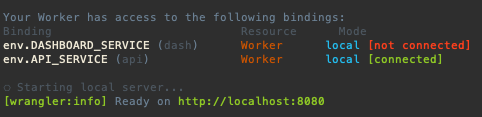 A��
A�� 0
0 CCC
CCC T
T E
Esecrets but it is not working, it returns an errorcloudflare/wrangler-action@v3, is not required to create a .toml file, I've tried to set-up --project-name and --name but I couldn't solve it, how can I fix this error?wrangler pages secret put ASTRO_DB_APP_TOKEN J
J A
A Y
Y STH
STHworkerd, not NodeJS. There is a NodeJS compatibility layer, which adds support for some things, but they are inherently two separate things I
IApart from forwarding requests and writing HTMLThere's lots you can do without Node compat, a lot of people make APIs on Workers, and you can access databases now (plus Hyperdrive if you want to speed them up), or use KV for global read-heavy storage, or R2 for blob storage, etc.
YG R
R--yes bugged with wrangler rollback ?  D
DAuthentication error [code: 10000] a lot lately. If it knows how I'm logged in, then why is it giving me errors. I've tried logging out and logging back in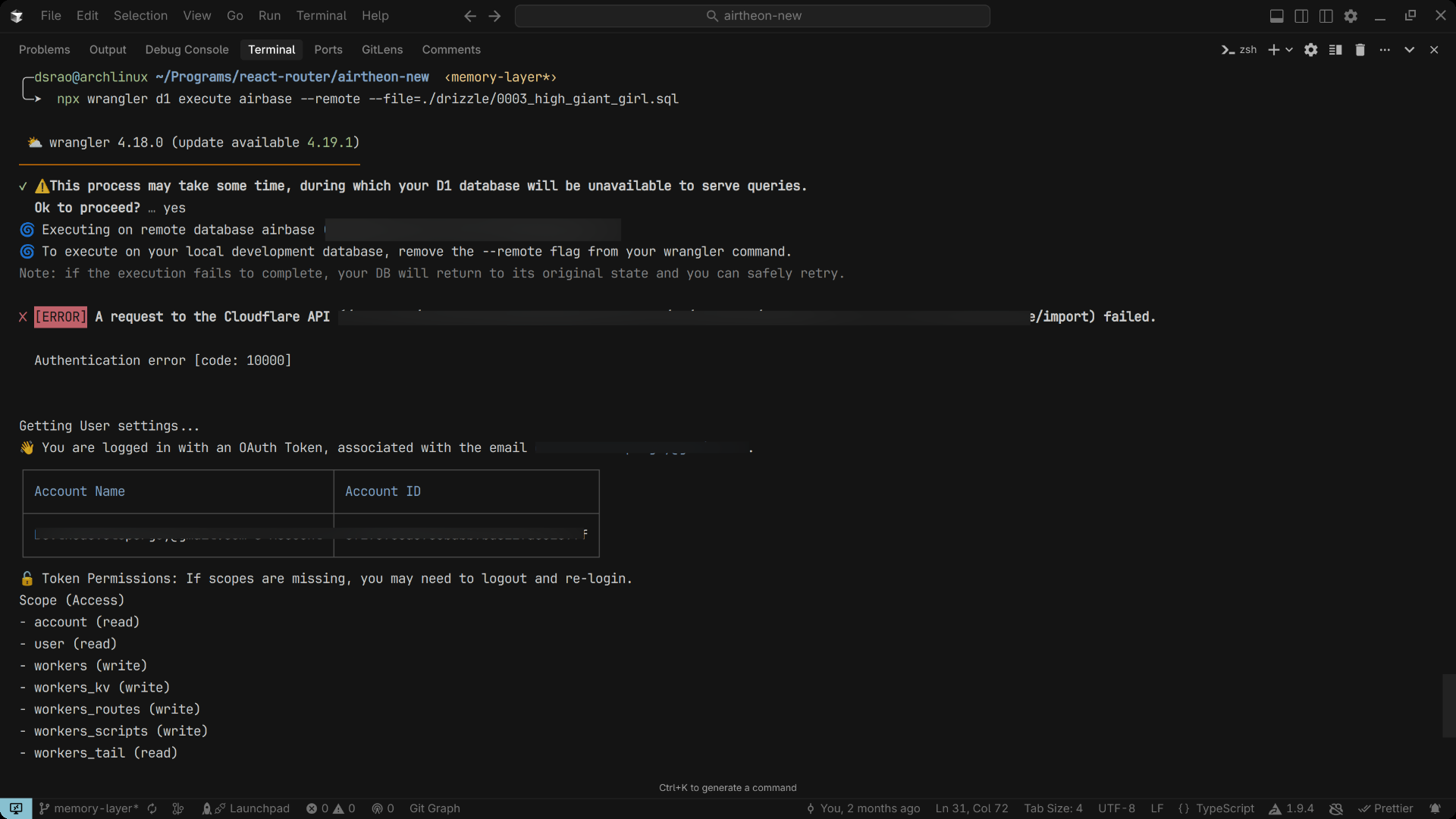 D
D 9
9wrangler dev --remote ( or npx wrangler dev --remote) in Cloudflare Workers. When I run this command and press 'b' to open the browser, I get redirected from http://127.0.0.1:8787/ to my production workers.dev URL instead of seeing my development environment. [wrangler:info] GET / 307 Temporary Redirect (14052ms)--remote to access my remote D1 database during development, but can't see my dev environment or terminal output.preview_urls = true and workers_dev = true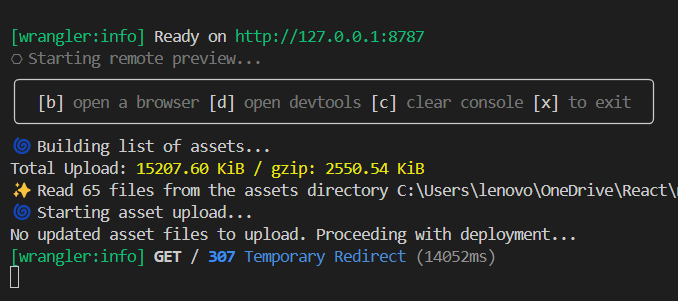 9
9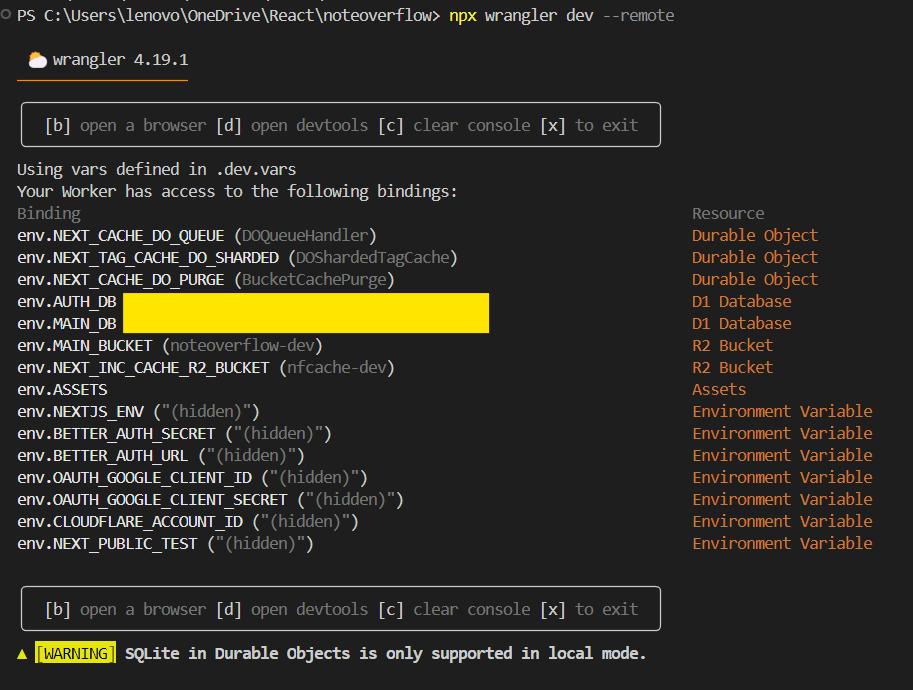
 W
Wwrangler types@types/nodeworkers-typesCLOUDFLARE_ACCOUNT_IDvite devwrangler dev{
"name": "router",
"main": "apps/dev-router/src/index.ts",
"compatibility_date": "2025-04-03",
"workers": {
"dash": "apps/dash/wrangler.jsonc",
"api": "apps/server/wrangler.jsonc"
},
"services": [
{
"binding": "DASHBOARD_SERVICE",
"service": "dash"
},
{
"binding": "API_SERVICE",
"service": "api"
}
],
"dev": {
"port": 8080,
"local_protocol": "http"
}
} ERROR dyld[87080]: Symbol not found: (__ZNSt3__122__libcpp_verbose_abortEPKcz)
ERROR Referenced from: '/Users/x/dev/app/node_modules/@cloudflare/workerd-darwin-64/bin/workerd'
ERROR Expected in: '/usr/lib/libc++.1.dylib'
ERROR Failed to initialize wrangler bindings proxy write EPIPE-e<APP>-stagingsecrets🔑 Uploading secrets...
/usr/local/bin/npx wrangler secret bulk
⛅️ wrangler 4.18.0 (update available 4.19.1)
─────────────────────────────────────────────
✘ [ERROR] Required Worker name missing. Please specify the Worker name in your Wrangler configuration file, or pass it as an argument with `--name <worker-name>`cloudflare/wrangler-action@v3--project-name--namewrangler pages secret put ASTRO_DB_APP_TOKENworkerd--yeswrangler rollbackAuthentication error [code: 10000]wrangler dev --remotenpx wrangler dev --remotehttp://127.0.0.1:8787/[wrangler:info] GET / 307 Temporary Redirect (14052ms)--remotepreview_urls = trueworkers_dev = truedeploy:
runs-on: ubuntu-latest
permissions:
contents: read
deployments: write
needs: [test] # Correct job name
steps:
- uses: actions/checkout@v4
- uses: oven-sh/setup-bun@v2
- run: bun i
- run: bun run build
- name: Publish
uses: cloudflare/wrangler-action@v3
with:
apiToken: ${{ secrets.CLOUDFLARE_API_TOKEN }}
accountId: ${{ secrets.CLOUDFLARE_ACCOUNT_ID }}
# projectName: ${{ secrets.CLOUDFLARE_PROJECT_NAME }}
command: pages deploy dist --project-name="$CLOUDFLARE_PROJECT_NAME" --name="$CLOUDFLARE_PROJECT_NAME"
gitHubToken: ${{ secrets.GITHUB_TOKEN }}
secrets: |
ASTRO_DB_APP_TOKEN
ASTRO_DB_REMOTE_URL
env:
ASTRO_DB_APP_TOKEN: ${{ secrets.ASTRO_DB_APP_TOKEN }}
ASTRO_DB_REMOTE_URL: ${{ secrets.ASTRO_DB_REMOTE_URL }}


