
Is there a way to query a container's logs and metrics to build a custom dashboard ??
Is there a way to query a container's logs and metrics to build a custom dashboard ??

 LL
LL BB
BBwranger login to get a new token or update whichever API token you're using to include edit rights to Containers F
Frm -rf ~/.config/.wrangler and wrangler login hadn't helped either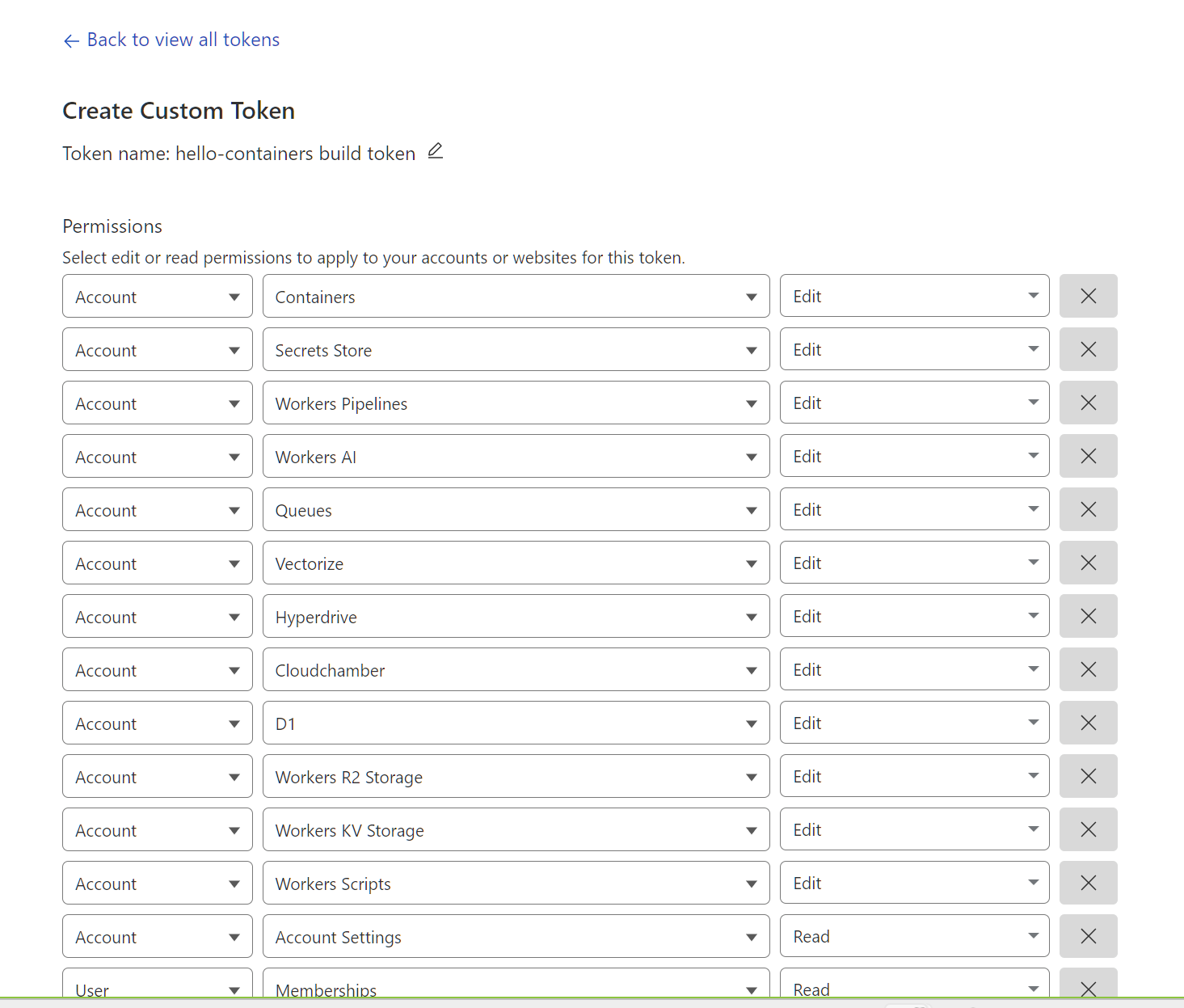
 77
77wrangler login, but even with OAuth Token privileges I could not delete it. Y
Y
 G
G M
M
dev the default). Our solution is to allow you to use a lot of CPU in the initial boot of your container regardless of instance size, and cold starts will be faster. (note that long-term we're exploring ways to get sub-second). -> PR up now for review. Rollout likely starting at end of this week, and fully live early next week.dev instances. We have a PR up to grant more memory to all instance types so your app (excluding the VM) gets the full memory allotment. Like the one above, rollout likely starting at end of this week, but takes a couple business days to finish, so fully live early next week. (I'd use a basic instant_type as a temporary fix)there is no container instance that can be provided to this durable object max_instances was not set in wrangler config, and we accidentally had it default to 0  . So if you're seeing this, I'd make sure
 max_instances is set. You also might see this if you immediately request a container after first deploy. If so, you should just wait. - In any case, we need to surface better logs here and in the UI. And a new wrangler will change the default here soon. SY
SY I
IThere are too many limitations right now for production useJust an FYI that it's never recommended to use a service that is in Beta in production, and that includes Containers which just launched and is still very much in beta/is being worked on constantly by the team

 S
S B
B M
M D
DTemporary failure resolving 'deb.debian.org' M
M S
S Y
Y J
J 1
1 T
T 3JJ
3JJ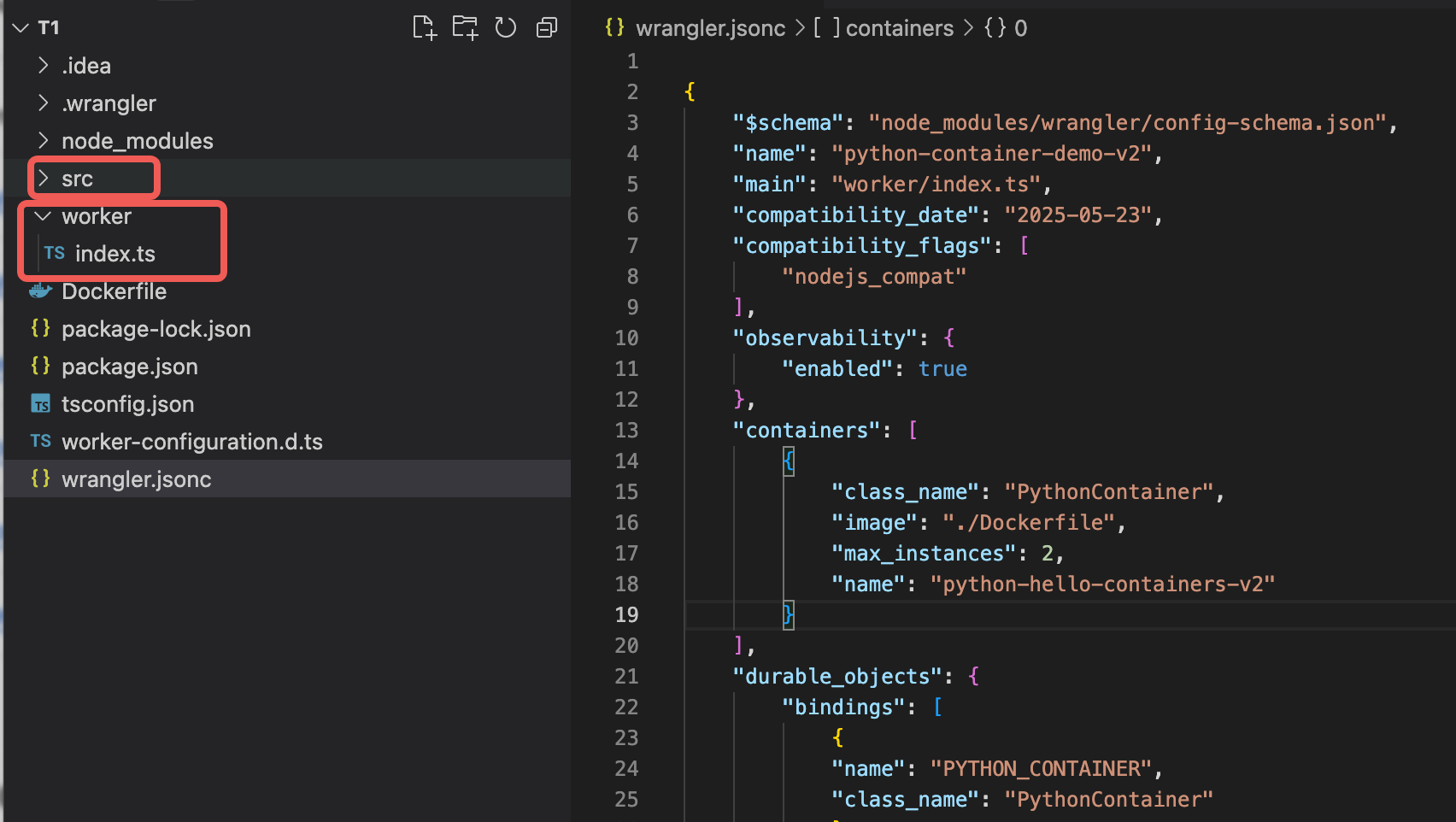 JI
JIcontainers (in your wrangler.jsonc right there) that should work.IT GR
GR L
L R
R MM
MM MM
MM
 AMMAM
AMMAM 6
6

npx wrangler@latest containers images list

 ⛅️ wrangler 4.22.0
───────────────────

Error listing images: ApiError: The image registry does not existwranger loginrm -rf ~/.config/.wrangler--- 2025-07-02T15:27:25.870Z error
✘ [ERROR] Unauthorized
---
--- 2025-07-02T15:27:25.872Z debug
Error: Unauthorized
at buildAndMaybePush (/home/vagrant/Code/hello-containers/node_modules/wrangler/wrangler-dist/cli.js:60995:13)
at process.processTicksAndRejections (node:internal/process/task_queues:105:5)
at async maybeBuildContainer (/home/vagrant/Code/hello-containers/node_modules/wrangler/wrangler-dist/cli.js:62544:15)
at async deployContainers (/home/vagrant/Code/hello-containers/node_modules/wrangler/wrangler-dist/cli.js:62593:19)
at async deploy (/home/vagrant/Code/hello-containers/node_modules/wrangler/wrangler-dist/cli.js:152723:5)
at async Object.handler (/home/vagrant/Code/hello-containers/node_modules/wrangler/wrangler-dist/cli.js:81967:66)
at async Object.handler (/home/vagrant/Code/hello-containers/node_modules/wrangler/wrangler-dist/cli.js:78772:7)
---wrangler login Cannot create binding for class 'RustTaskContainer' because it is not currently configured to
implement Durable Objects. Ensure a --new-class migration has been applied to it. [code: 10061]
If you think this is a bug, please open an issue at:
https://github.com/cloudflare/workers-sdk/issues/new/choosedevdevbasicthere is no container instance that can be provided to this durable objectmax_instancesmax_instanceswrangler{"error":"SURPASSED_TOTAL_LIMITS","details":{"reason":"This application requires more than the allocated quota of vcpus in this account to run all its requested instances of count 100.","used_vcpu":0,"remaining_vcpu":40,"requested_vcpu":50}}Temporary failure resolving 'deb.debian.org'FROM php:8.4-fpm
WORKDIR /var/www/html
RUN apt-get update && apt-get install -y nginx
COPY app/ /var/www/html/
COPY config/nginx.conf /etc/nginx/nginx.conf
COPY config/supervisord.conf /etc/supervisord.conf
EXPOSE 80
CMD ["nginx", "-g", "daemon off;"]containers const response = await container.containerFetch("http://container/to-markdown", {
method: "POST",
headers: {
"Content-Type": "multipart/form-data",
"Content-Disposition": `form-data; name="file"; filename="${file.name}"`,
},
body: formData,
});12:55:42.975 #4 ERROR: failed to register layer: write /usr/src/app/node_modules/playwright-1.51/lib/vite/recorder/assets/codeMirrorModule-B9YMkrwa.js: no space left on device
12:55:53.846 ------
12:55:53.851 > [1/1] FROM ghcr.io/browserless/chromium:latest@sha256:ca1cb28a74a7658175057711ca2b2f68b4eb72a2897b2515d2dac124a4a5d70b:
12:55:53.852 ------
12:55:53.853 Dockerfile:1
12:55:53.853 --------------------
12:55:53.853 1 | >>> FROM ghcr.io/browserless/chromium:latest
12:55:53.853 2 |
12:55:53.853 3 | ENV \
12:55:53.853 --------------------
12:55:53.853 ERROR: failed to build: failed to solve: failed to register layer: write /usr/src/app/node_modules/playwright-1.51/lib/vite/recorder/assets/codeMirrorModule-B9YMkrwa.js: no space left on device
12:55:53.869
12:55:53.983 ✘ [ERROR] Build exited with code: 1 ✘ [ERROR] Image too large: needs 2467 MB, but your app is limited to images with size 2000 MB. Your account needs more disk size per instance to run this container. The default disk size is 2GB.


