Some files won't sync, don't know which
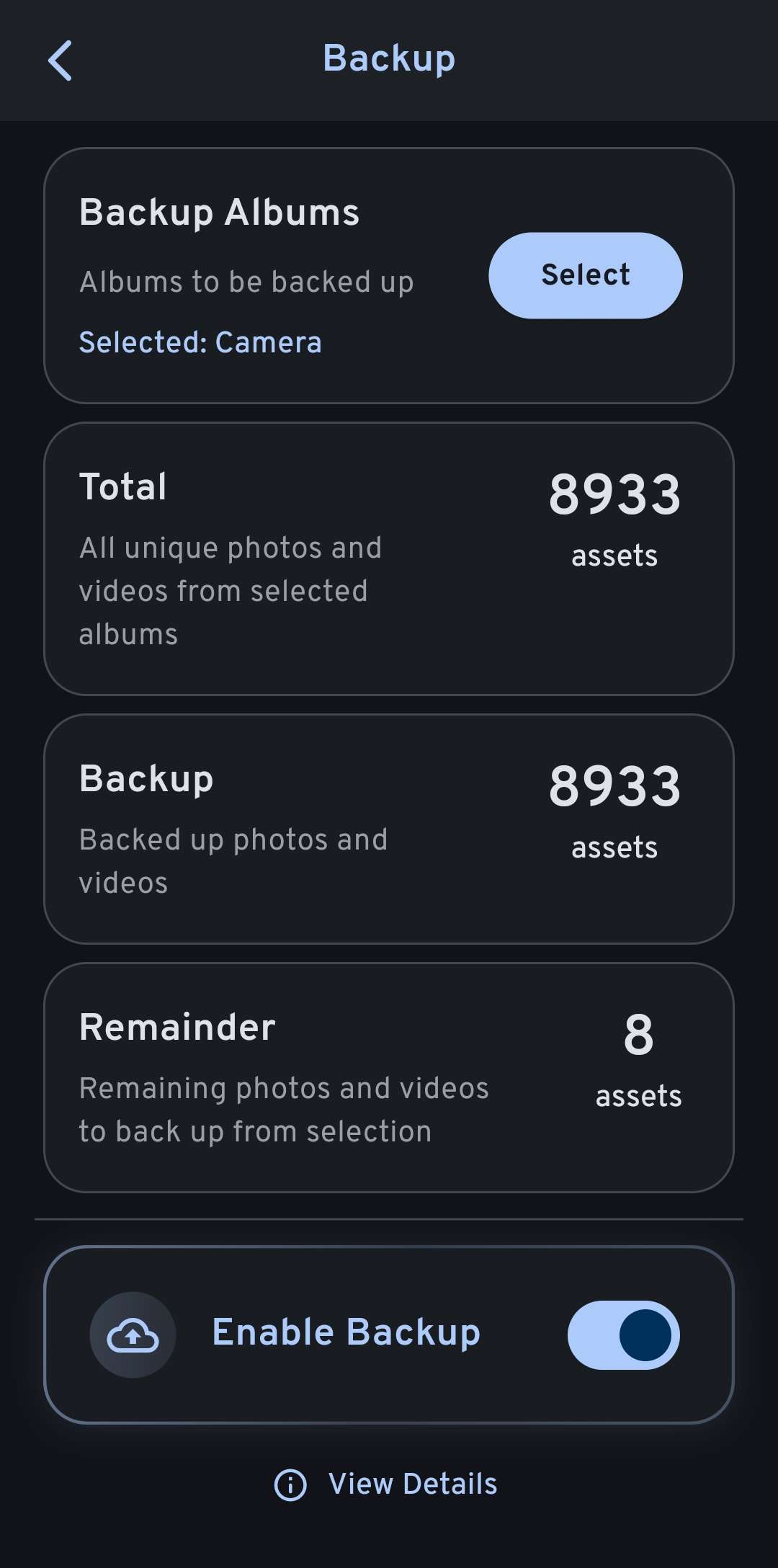
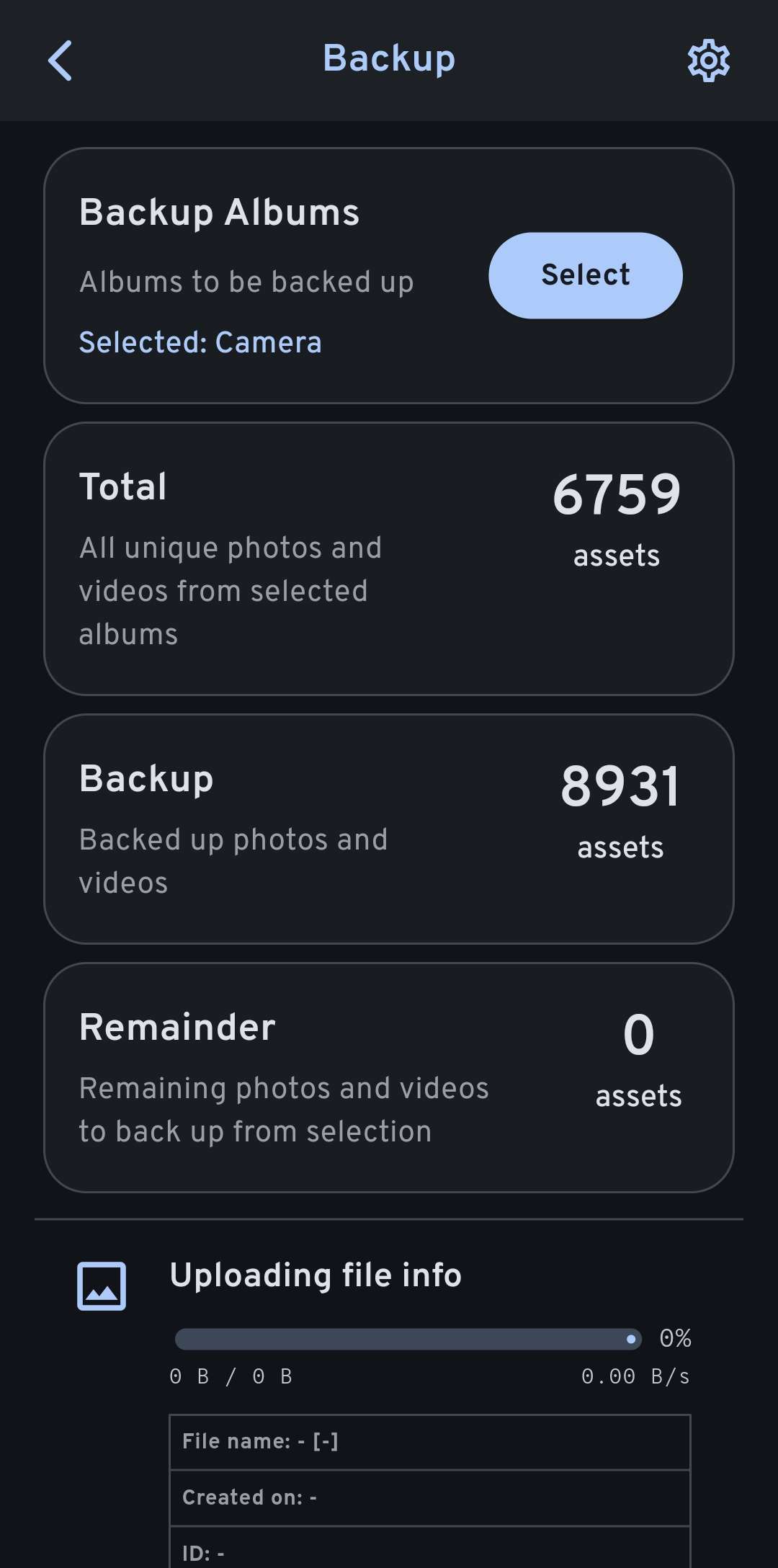
Both with and without Beta Timeline, the icon in the first attached image is displayed, which seems to indicate that there are some local files that haven't synced. With Beta Timeline enabled, the backup menu shows 8 unsynced assets, but without Beta Timeline it shows 0. In either case, there is no way to force the files to sync from this menu, and there are no relevant errors in the log.
Is there a way to find which local files are not backed up? They certainly aren't recent images or videos
Also, the two modes show wildly different numbers for Total and Backup, as well.
I have forced backups in both modes, but with no results.
Also, this seems like an unrelated issue but I'll include it just in case it is relevant: often, my photos won't sync automatically even though I have background sync enabled.
Hardware: Galaxy S21 5G
OS: Android 14
App version: 1.136.0
Server version: 1.136.0 build.205
Is there a way to find which local files are not backed up? They certainly aren't recent images or videos
Also, the two modes show wildly different numbers for Total and Backup, as well.
I have forced backups in both modes, but with no results.
Also, this seems like an unrelated issue but I'll include it just in case it is relevant: often, my photos won't sync automatically even though I have background sync enabled.
Hardware: Galaxy S21 5G
OS: Android 14
App version: 1.136.0
Server version: 1.136.0 build.205