
i was looking at this, although planetscale is pricy i see they do have single nodes now, how effect
i was looking at this, although planetscale is pricy i see they do have single nodes now, how effective is hyperdrive though , is the latency good
 L
L ML
ML P
P PP
PP P
P CLLPP
CLLPP I
I DLM
DLM M
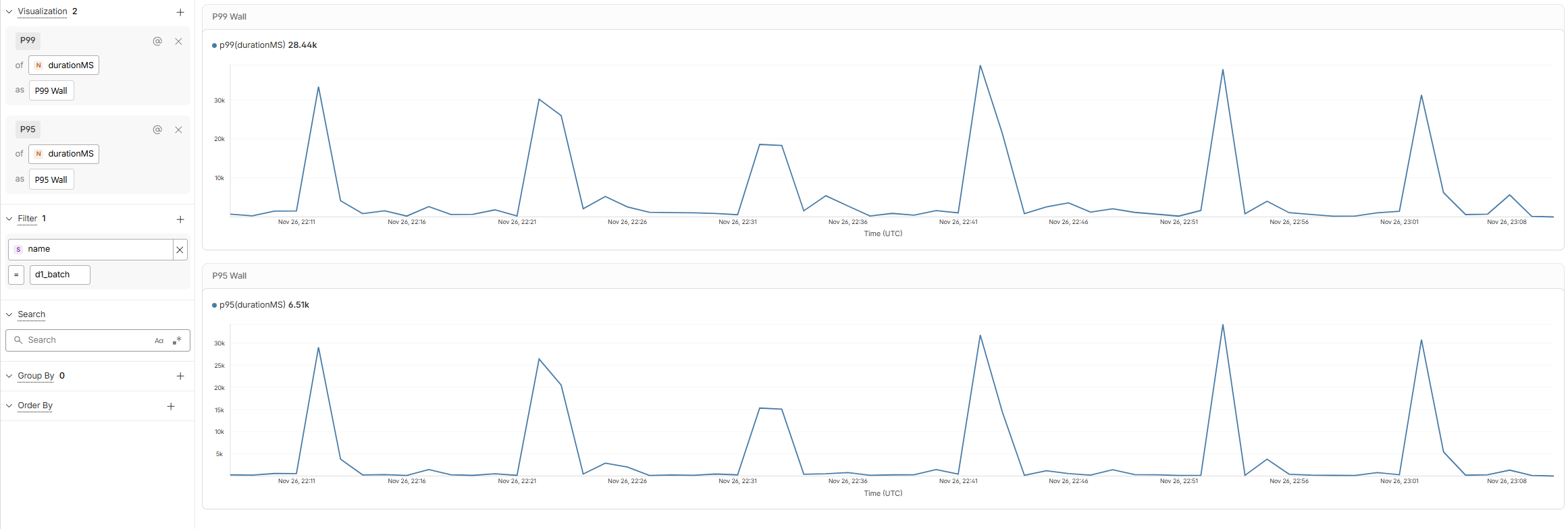
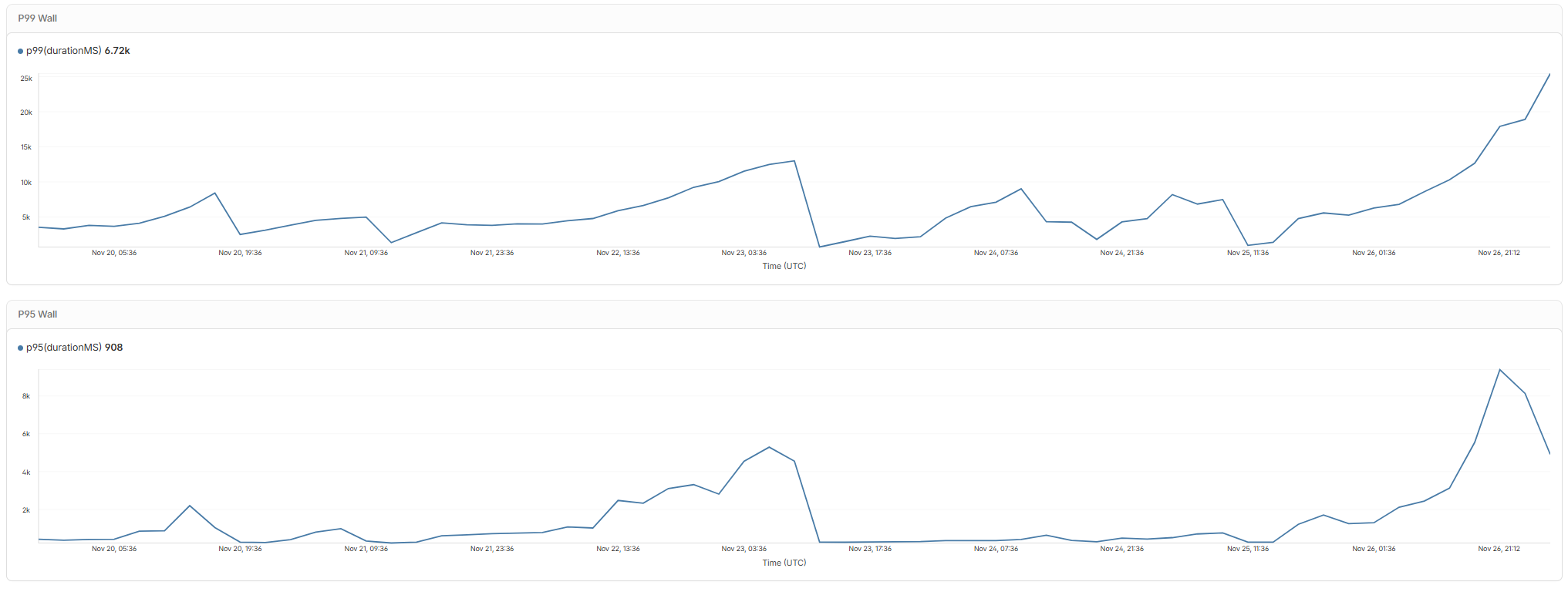
Mduration of d1_batch traces shows the same pattern. Going back the last seven days shows the problem gradually worsening, then fixing itself, then getting worse. My query latency has remained low throughout, at <3ms. My database ID is 585d290a-44f4-4f54-b265-00b35317ae41.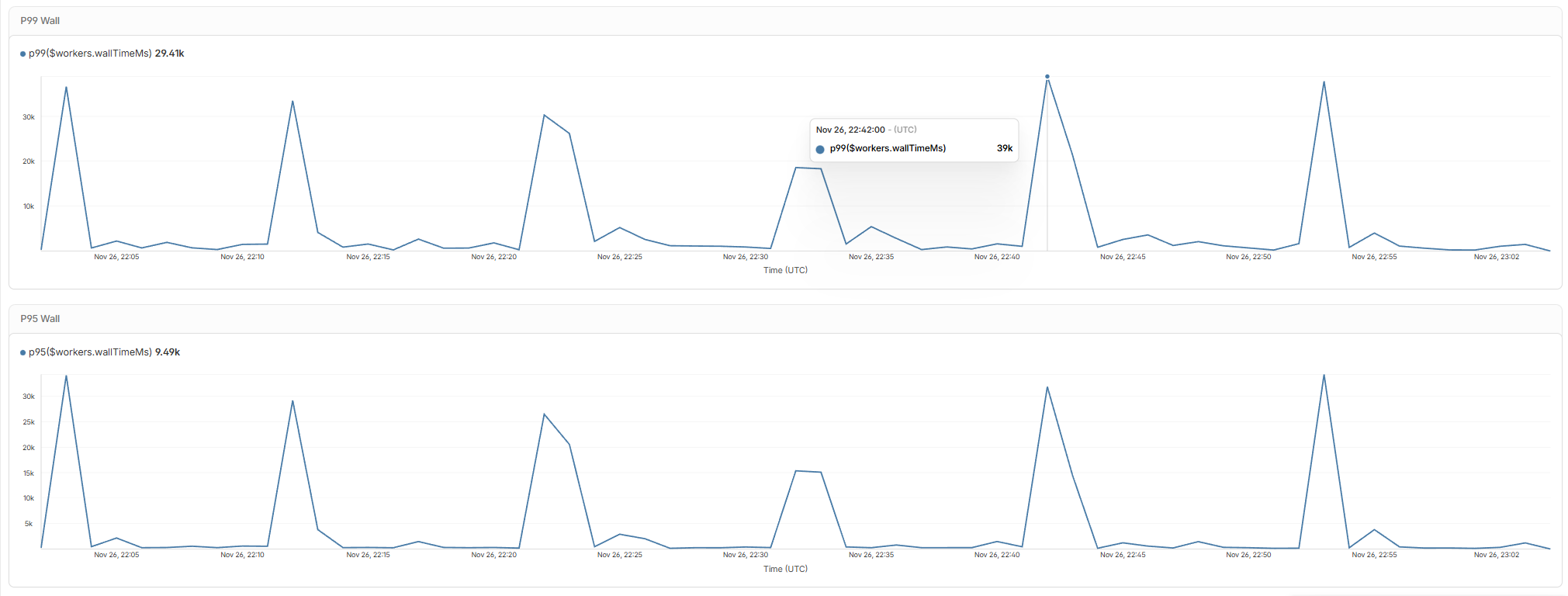
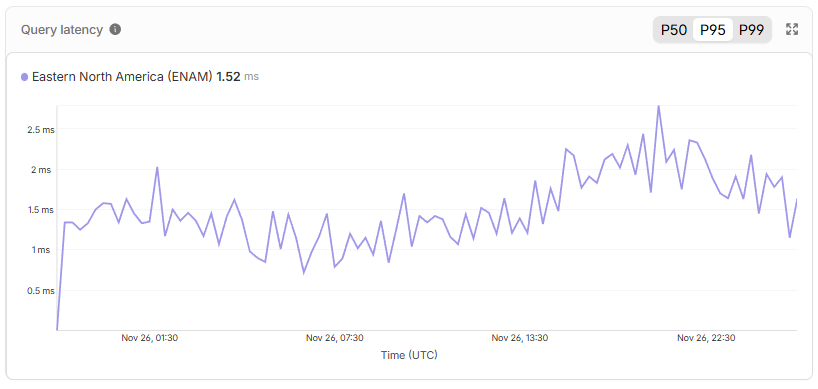 MM
MMD1 DB storage operation exceeded timeout which caused object to be reset. T
T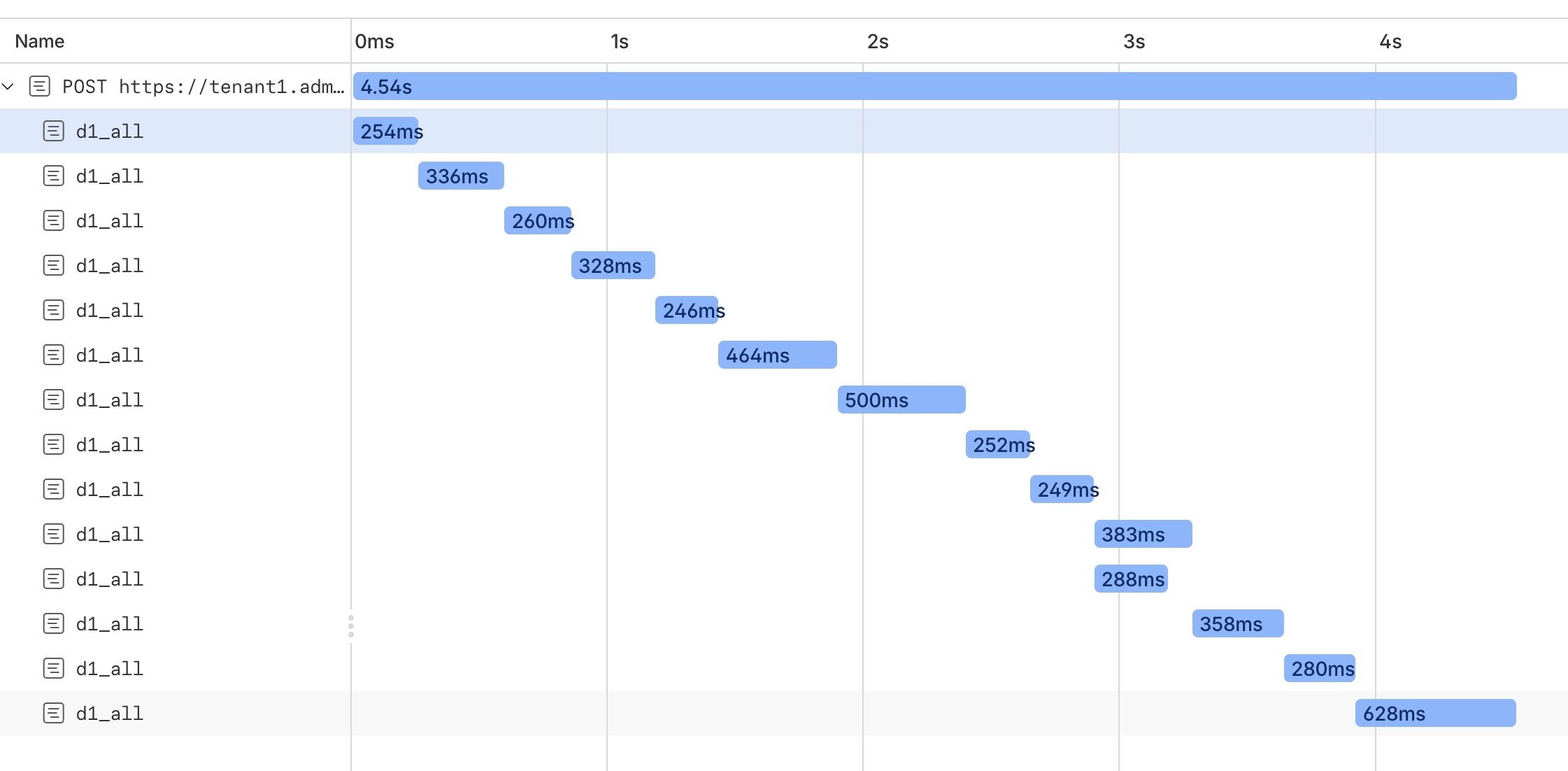 TTC
TTCthe worker is running in same colo as the db.Based off what?
T TTCCTTCL
colo airport code in the D1 query responses as well, similar to served_by_region. It's annoying to not know where your DB is located (I know, we should do this sooner!).CM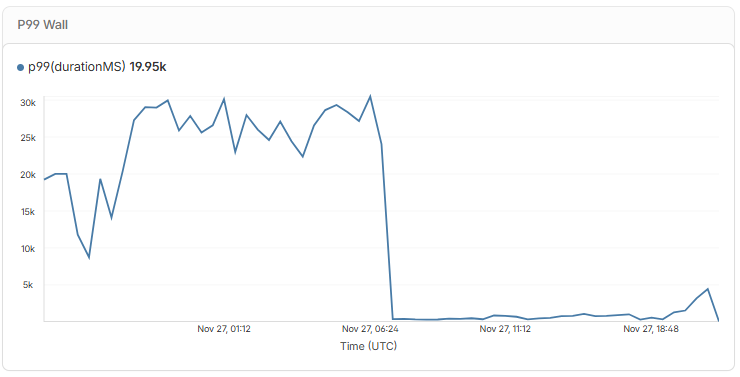
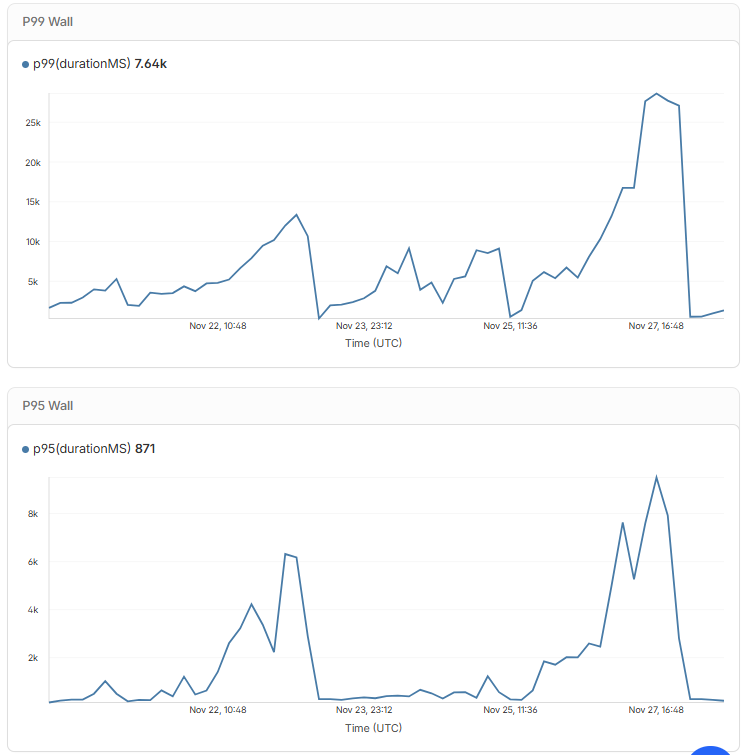 T
T MFFMTM
 , I’ll work on that. Thank you so much
 P
Pastro dev. D
D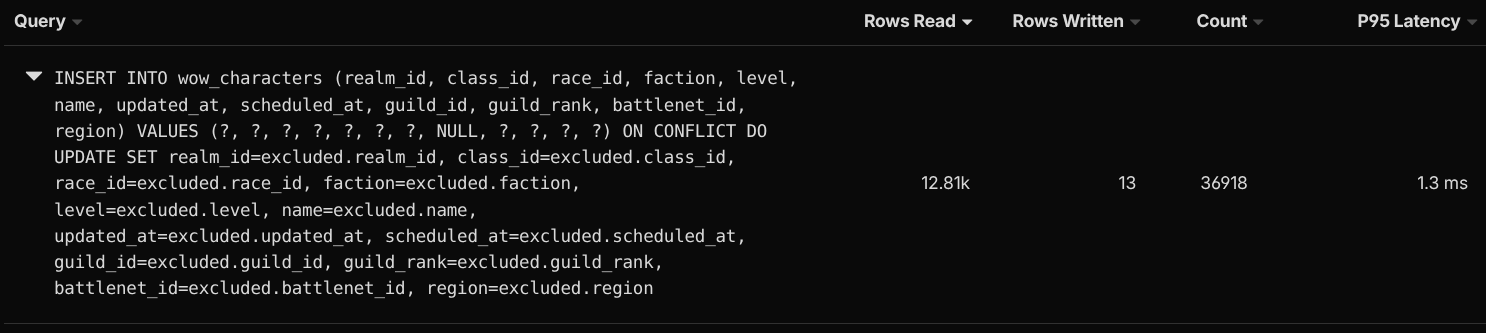 F
Fexplain this specific query to find out what sqlite is doing under the hood https://sqlite.org/lang_explain.html. J
J.dev.vars.env.dev.varsdrizzle.config.ts.dev.vars.env GG
GG CM
CM
durationd1_batch585d290a-44f4-4f54-b265-00b35317ae41D1 DB storage operation exceeded timeout which caused object to be reset.coloserved_by_regionastro devexplainimport { defineConfig } from ‘drizzle-kit’;
export default defineConfig({
out: ‘./src/server/db/migrations’,
schema: ‘./src/server/db/schema/index.ts’,
dialect: ‘sqlite’,
dbCredentials: {
url: “path to the sqlite db on .wrangler folder”
},
});


