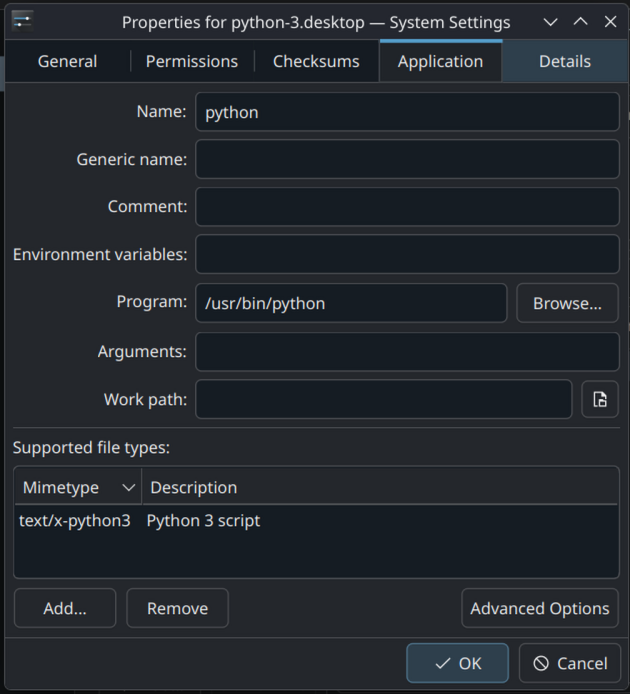
How do I launch Python scripts with spaces in path from Dolphin?
I'm trying to set up Dolphin so that I can double-click Python scripts to execute them. I've gotten as far as using Default Applications to set Python scripts to launch with Python in a terminal, and that works... as long as there's no space in the path. If there is a space - for instance, if the script is
/home/fredmsloniker/Dreamland Theater/grabytvid.py - I get this error:
I'm guessing I need to change something in this menu to get the name of the script passed to Python in quote marks or something, but what?/usr/bin/python: can't open file '/home/fredmsloniker/Dreamland': [Errno 2] No such file or directory