
Libvirt error trying to virtualise a previous Windows 10 installation: Secure Boot Violation
question
Hello, friends.
I want to play modded Skyrim again and need Vortex Mod Manager to do so (please no ‘use MO2’ replies). Vortex doesn't run well on Wine. So I want to run my old Windows 10 installation in a VM. I created Disk2VHD and converted VHD to qcow2 with qemu-convert. I enabled virtualization with ujust --choose.
To get right to the issue:
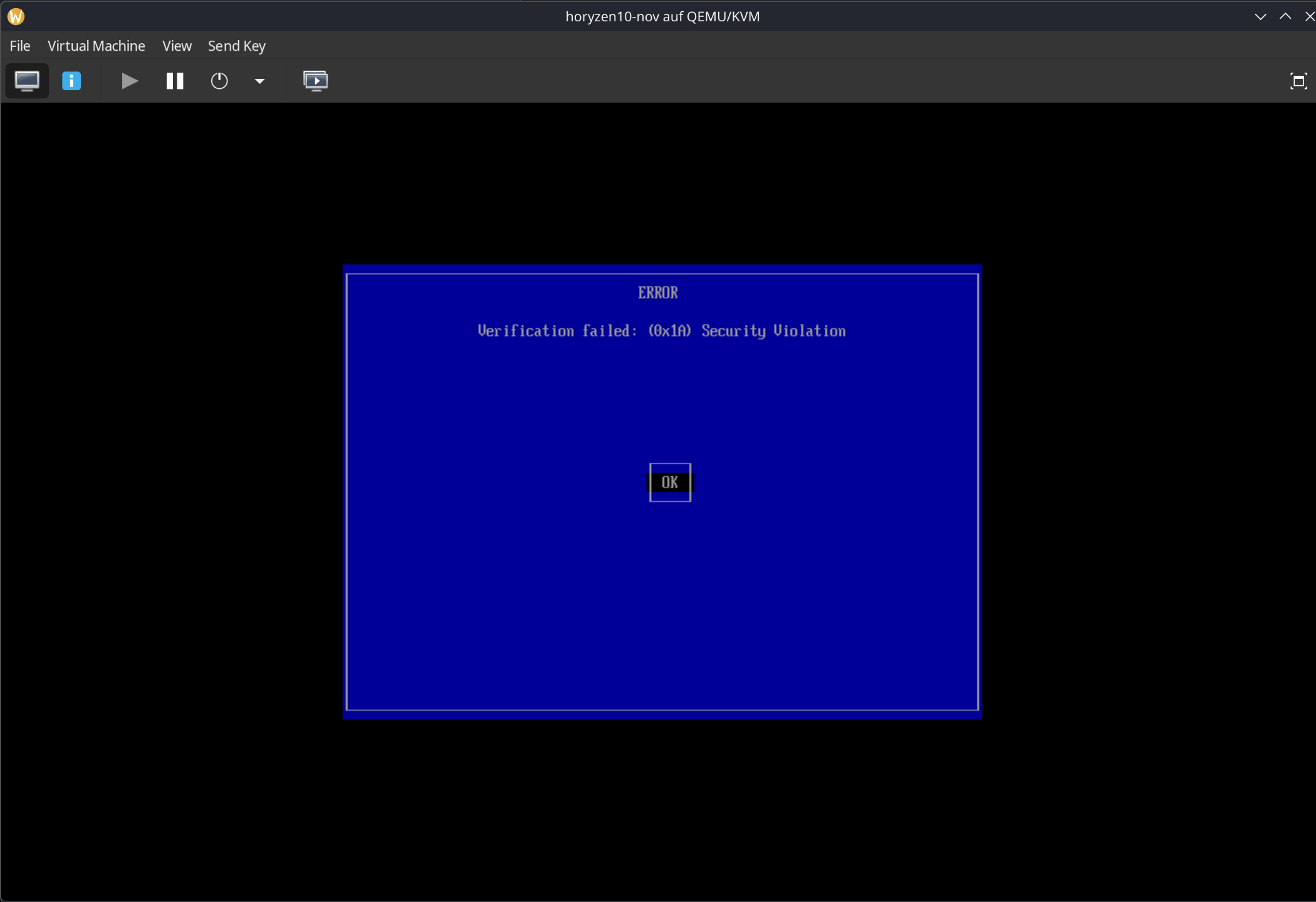
I get a Secure Boot Violation when I first boot up.
In Libvirt, I chose UEFI for this virtual machine. Bazzite has installed the OVMF "Secureboot Emulation," as I can see.
Does anyone have any ideas or suggestions on how to solve this problem?
Disabling Secure Boot was good advice. I couldn't find any option in Libvirt Manager, so I used the XML Editor. You have to enable XML Editing in Top Row > Edit > Preferences > Enable XML Editing.
The system will then start up. If a GRUB CLI appears, Linux may have been installed on the same hard drive as Windows, as was the case for me.
I pressed ESC when the OpenTianoCore screen appeared and selected ‘EFI System Setup’. Go to ‘Boot Options’ > ‘Boot Maintenance’ > ‘Add Boot Entry’ and select ‘/EFI/Microsoft/bootmgrwf.efi’ > Move this entry to the top.
That worked for me. Will I use it now? No. Because the allocation of CPU resources does not work correctly and Windows only receives 2 processor cores out of 8 allocated and 16 available.
I will take a look at Winboat and perhaps restore a system image.
I want to play modded Skyrim again and need Vortex Mod Manager to do so (please no ‘use MO2’ replies). Vortex doesn't run well on Wine. So I want to run my old Windows 10 installation in a VM. I created Disk2VHD and converted VHD to qcow2 with qemu-convert. I enabled virtualization with ujust --choose.
To get right to the issue:
I get a Secure Boot Violation when I first boot up.
In Libvirt, I chose UEFI for this virtual machine. Bazzite has installed the OVMF "Secureboot Emulation," as I can see.
Does anyone have any ideas or suggestions on how to solve this problem?
Solution Summary ###
Disabling Secure Boot was good advice. I couldn't find any option in Libvirt Manager, so I used the XML Editor. You have to enable XML Editing in Top Row > Edit > Preferences > Enable XML Editing.
The system will then start up. If a GRUB CLI appears, Linux may have been installed on the same hard drive as Windows, as was the case for me.
I pressed ESC when the OpenTianoCore screen appeared and selected ‘EFI System Setup’. Go to ‘Boot Options’ > ‘Boot Maintenance’ > ‘Add Boot Entry’ and select ‘/EFI/Microsoft/bootmgrwf.efi’ > Move this entry to the top.
That worked for me. Will I use it now? No. Because the allocation of CPU resources does not work correctly and Windows only receives 2 processor cores out of 8 allocated and 16 available.
I will take a look at Winboat and perhaps restore a system image.
Solution
I'd try disabling secure boot in your VM, Windows 10 should still boot with secure boot off.

