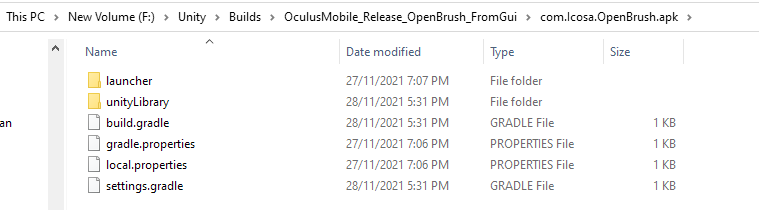
You build via the GUI Tilt->Build (or something like that)? And the output was in or something (i forgot the exact details but it should be something similar)?
that is... strange. It'd take me 2 hours to reproduce because I recently wiped my local Library folder, but it should have some JSONs (unneeded) and an APK. Are the files you're seeing in the root, or a subdirectory? Can you paste a screenshot or directory listing?
ok... it looks like you actually opened the APK! I don't know enough about windows to know if that's standard or something you installed... but if you go up one directory, is com.Icosa.OpenBrush.apk actually a directory or is it a file that you can open like a directory? Maybe from the command line... what does a simple
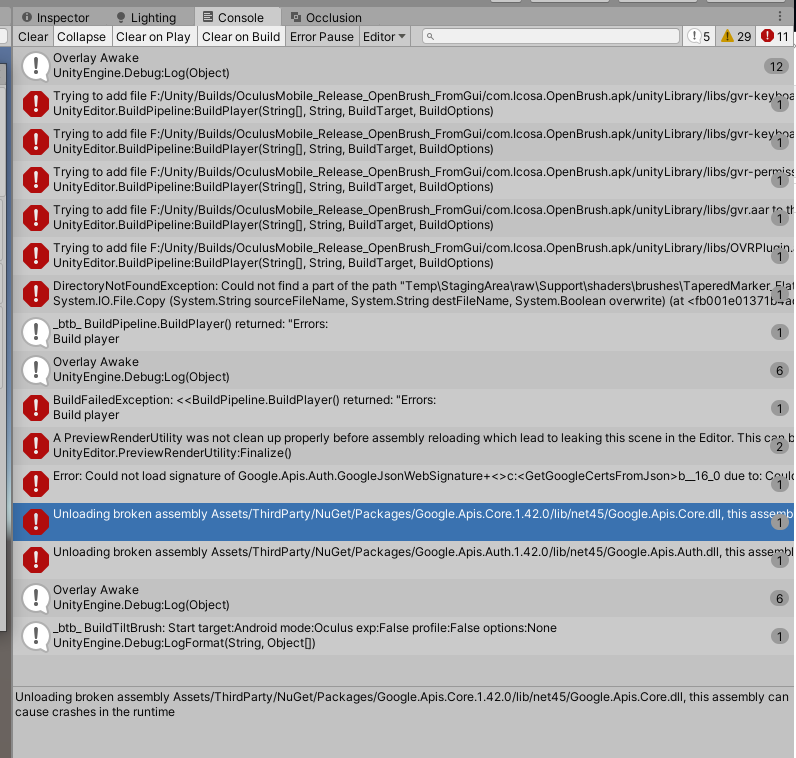
Probably, although I'm not positive that's your only issue. Our official builds come with keys for sketchfab and google, but when we test PRs and forks, they're not there (straight stock from git) and those compilations are also working, so I think there might be something else as well. That said, I'm not sure what it is -- I'm not really an expert in Unity. Maybe we should move this from #archived-support-and-bugs to #archived-dev-getting-started (although honestly, we mostly have the same people everywhere )
Would you recommend just pulling the from https://github.com/icosa-gallery/open-brush instead? I was hoping to just get a quest app running with my custom brush shaders, maybe a few nicities from the experimental versions
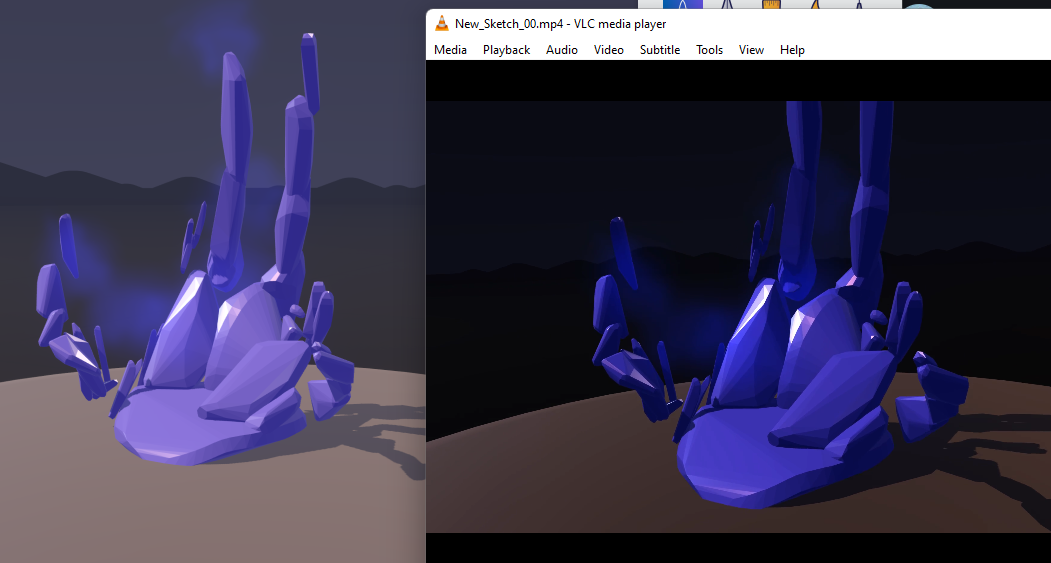
in the past i've exported to unity and recorded that way, but always wondered if this issue could be solved, i think it "started" when i used quest+link and set the visual quality settings to max and then the video recorder just doesn't capture at that setting? also wondering if it's a quest+link only thing?
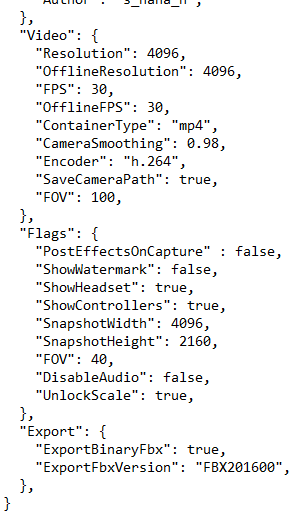
i'm still messing with my config but not sure if some setting here could help? *just noticed the video resolution not supported. can those 3d error panels that fall on startup be viewed elsewhere?
I think you hit some limits with the quest itself, since it's got a limited processor on-board, so presumably affects video recording. I can't remember if it records paths on the quest although I assume it does (it's a .usd file) (I usually use desktop, so my memory of the interface specifics is a bit vague), If so, there's a command line tool to record at higher resolution from the computer itself that can rerun the path and re-output the video file. Not sure about the lighting mismatch. You should be able to brighten it by moving the slider on the right side of the lighting panel up a ways, if the option is available. Wouldn't solve the mismatch, but as a temporary measure should give your scenes more light in general, resulting in lighter colors on the output
Hello, I begin with OB and Unity. In Unity, I have imported Open Brush Unity SDK and after the fbx done in VR in OB, the problem is my model in the scene appears totally white. May I have to do other things to get alive my model ?
sorry, before this, I have an error when I import sdk : "Multiple precompiled assemblies with the same name Newtonsoft.Json.dll included or the current platform. Only one assembly with the same name is allowed per platform. (C:/Users/Gildas/Documents/Unity/ago9/Library/PackageCache/com.unity.nuget.newtonsoft-json@2.0.0/Runtime/Newtonsoft.Json.dll)" so I close unity project and reopen it, and this error disapear, then i import the model
thanks for the detailed answer makes a lot of sense. ive heard of using the paths before might try that. and yeah makes sense its the questlink setup i remember using a vive a while ago and didn't have this problem
Video export using the usd and bat files is described here. https://docs.openbrush.app/user-guide/exporting-videos Camera paths are automatically generated when filming, at least on the pc side (need to open my quest again and look) The video pathing feature, where available, can also be set up directly. Takes a bit of practice to use it well, but it's a really nice system that's quite powerful. Extremely useful for scenes that are too large to easily walk through or reach different angles.
If I have a horse model in unity, and I want the horse to ‘transform’ into a cube, how do I do this? I think I’ve seen stuff about this in machine learning art? Where you take 2 forms and the algorithm finds the midpoints between them? How could I do this in playmaker please? Thank you!!