
 A
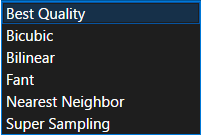
Athe heck is fant lmao
 T
Tsome cursed box filter apparently
Tused by windows imaging component and WPF. it's pretty bad compared to most methods
Afant more like pants
please tell me pants is not another thing only us brits use
TAclearly this term has not escaped the land of the rain

 F
FYes, I often use it, because it is light and fast, especially on laptop.
 H
Hquestion about textures, should i store it as bytes only in the finished builds for my game(s)? or store it as the original format?
Adepends what you want. storing it as bytes only will decrease the loading times but will largely increase the overall size.
it's part of the reason a lot of games use DDS - decently small size, but doesn't take much to process since a lot of the decompression happens on the GPU.
personally if it's a small game I'd just recommend leaving it in the original format, unless all your textures are uncompressed anyway at which point yeah you might as well just store them as raw bytes
it's part of the reason a lot of games use DDS - decently small size, but doesn't take much to process since a lot of the decompression happens on the GPU.
personally if it's a small game I'd just recommend leaving it in the original format, unless all your textures are uncompressed anyway at which point yeah you might as well just store them as raw bytes
 K
KWhat does raw bytes mean? Straight RGBA8? Depending on the tech you're using I'd convert to some semi-compressed format that 90%+ of your target devices can load to GPU directly, with a software fallback ofc.

 R
RI would move to something like QOI with zstd compression.
RFast decompression times, speed of parsing, and fast asset loading, and low storage size being a huge deal for those folks still with an HDD, and will make fetching off the disk significantly faster
RWhich would actually decrease loading times for those with slow disks
RYou could go full for lack of a more professional term "balls to the walls" and create a glorified zip package, or virtual filesystem to minimize wasted space and ensure the maximum possible contiguous data storage. Leading to potentially a slightly smaller game and potentially being faster to load at the cost of not being as easy to edit and modify and being hidden away from users
KKhronos has standards for this
KThey are great
KI keep forgetting what it's called
KBut is great
 A
Aktx?
 A
Ais it decompressable on the gpu though? that's the real advantage of DDS and KTX. because they are stored compressed in vram you can fit a lot more textures in gpu memory, with the only caveat being that you get a bit of a reduction in image quality if you view the textures up close.
can't say for 2D games, but for 3D games DDS or KTX with ST3-ST5 (idk what KTX uses, i think some khronos format) compressed textures is absolutely the format I would recommend any game ships with.
can't say for 2D games, but for 3D games DDS or KTX with ST3-ST5 (idk what KTX uses, i think some khronos format) compressed textures is absolutely the format I would recommend any game ships with.
Aand basically every modern GPU on the planet can decompress that in hardware
Aso compatibility shouldn't be much of an issue unless you're targetting a voodoo3 or something
AQOI looks like a neat image format but probably not one I would recommend for games, unless you don't plan to use GPU compressed textures at which point it seems like its a decent option
RReally it depends on what you're going for. GPU compression isn't always the best option
Acertainly not for 2D games, no.
but for 3D games it's pretty much a no-brainer, unless you're going to be staring at the textures extremely close up
but for 3D games it's pretty much a no-brainer, unless you're going to be staring at the textures extremely close up
RTake UI elements or pre-baked font atlases/texture atlases
RThat's not all that uncommon in 3D games
KKTX2 is what I ment
RBut typically the quality even so is good enough to be worth doing
KKTX2 is like a container format. Various other things can be inside. Most are also part of vulkan, and are likely supported on the GPU natively
RI was just referring to a standard .pak or .vpk file
RThat could just store arbitrary data
RAnd really most people don't need GPU compressed textures, I don't even know of a good way to write them to disk from standard image formats (and I prefer being able to parse the texture data on the CPU side first anyway, so it does not really give me much to have GPU compressed textures I would then decompress lol)
Ayes, you do have to make some tradeoffs though
if you want the most realistic looking game in the world then you'll probably have to use uncompressed textures, and then use sparse texturing on top of that if you want to load them all at once
but for most usecases a bit of quality loss is fine
if you want the most realistic looking game in the world then you'll probably have to use uncompressed textures, and then use sparse texturing on top of that if you want to load them all at once
but for most usecases a bit of quality loss is fine
RIt also wouldn't surprise me if the GPU already compresses the texture data into a native format transparently
Afar as i know gpus use whatever it is you give them
it's the reason why you tell it the texture format
it's the reason why you tell it the texture format
AGPU compressed textures have a load of uses
RThat doesn't mean they Don't transform it into their own internal representation
RTrying to reduce space utilized transparently
RI'm not disagreeing, in fact, even for realistic open worlds, i think is still probably a good usecase
RThey don't look that bad compared to the originals
ROf course again, I would prefer to parse everything into RGBA on CPU anyway so I don't get anything from GPU compressed textures
RXD
RBut that's me personally
Abased on the fact that my game is a large open world I do have a bias towards gpu compressed textures
Aalso from what i've seen gpu compressed textures are a bit faster as well since there's less data, both when it comes to drawing the texture itself and also transferring from cpu to vram
 P
PI need some help with assimp, I'm trying to limit bones used by meshes to 6 so I did this:
however meshes still have more than 6 bones, am I applying the property the wrong way?
however meshes still have more than 6 bones, am I applying the property the wrong way?
 R
Rnot suprising
Ridk, I just like being able to uncompress the texture on the CPU and send it in RGBA to the GPU
KI mean sure, but you have worse performance for no reason
