
Also, would love to know how one should handle large amounts of traffic, what would be the easiest w
Also, would love to know how one should handle large amounts of traffic, what would be the easiest way to build a queue
 ZZ
ZZ VVV
VVV VZ
VZ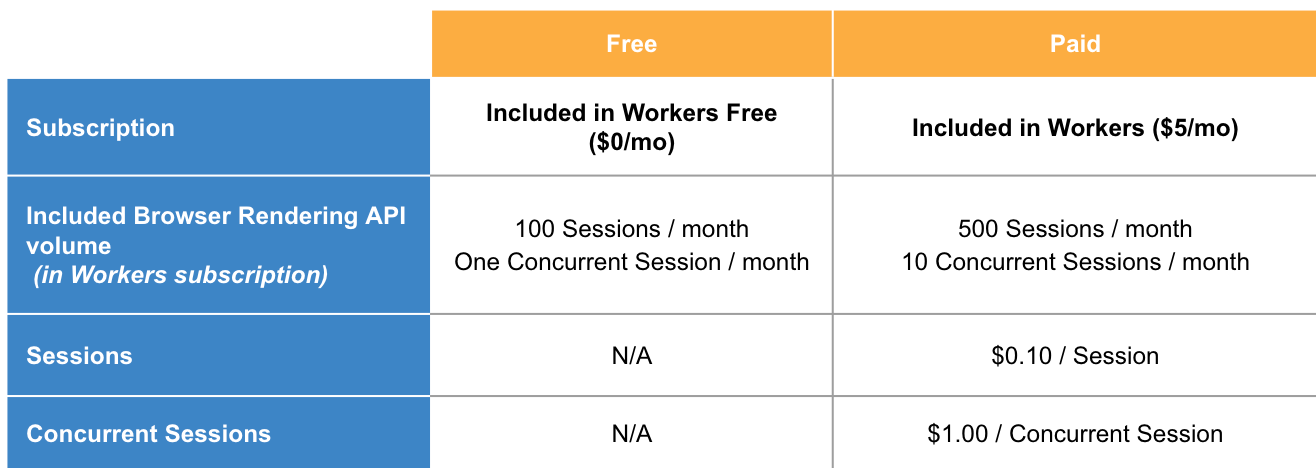 VVVV
VVVV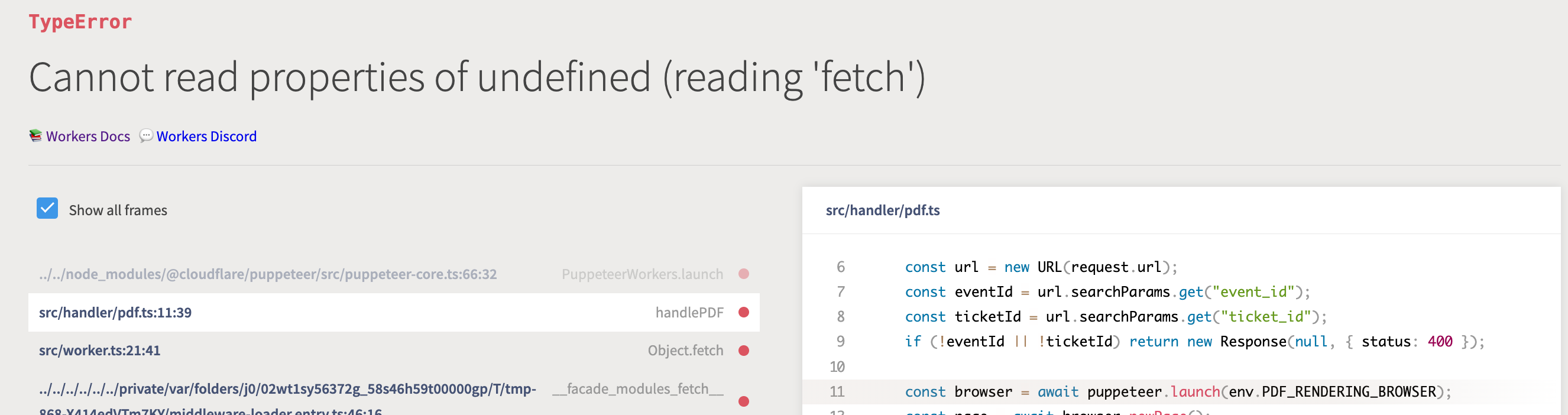
 C
C T
T Hello all - how can I get access to the beta? I'm looking to replace prerender.io in our stack, and would love to use Browser Rendering API. We already love using pages, workers and the new Workers AI too
  ZTT
ZTTnode_compatcompatibility_flags = [ "nodejs_compat" ] A how long does it take to spin up a new browser instance? I am running this code:A
 Varying CPU times, some exceeded, some not
 KKK
KKK CC
CC MZ
MZ I
I.pdf() E
EfetchRequest/v1/acquire/v1/acquirefetchfetch@cloudflare/puppeteer
 N
N3e38dc7049f501248503b981bf442450@cloudflare/puppeteer
 C
Cworkers.api.error.no_access_to_browser_workerdevdeploy 7CZCZC
 HH
HH459755459117711362 A
A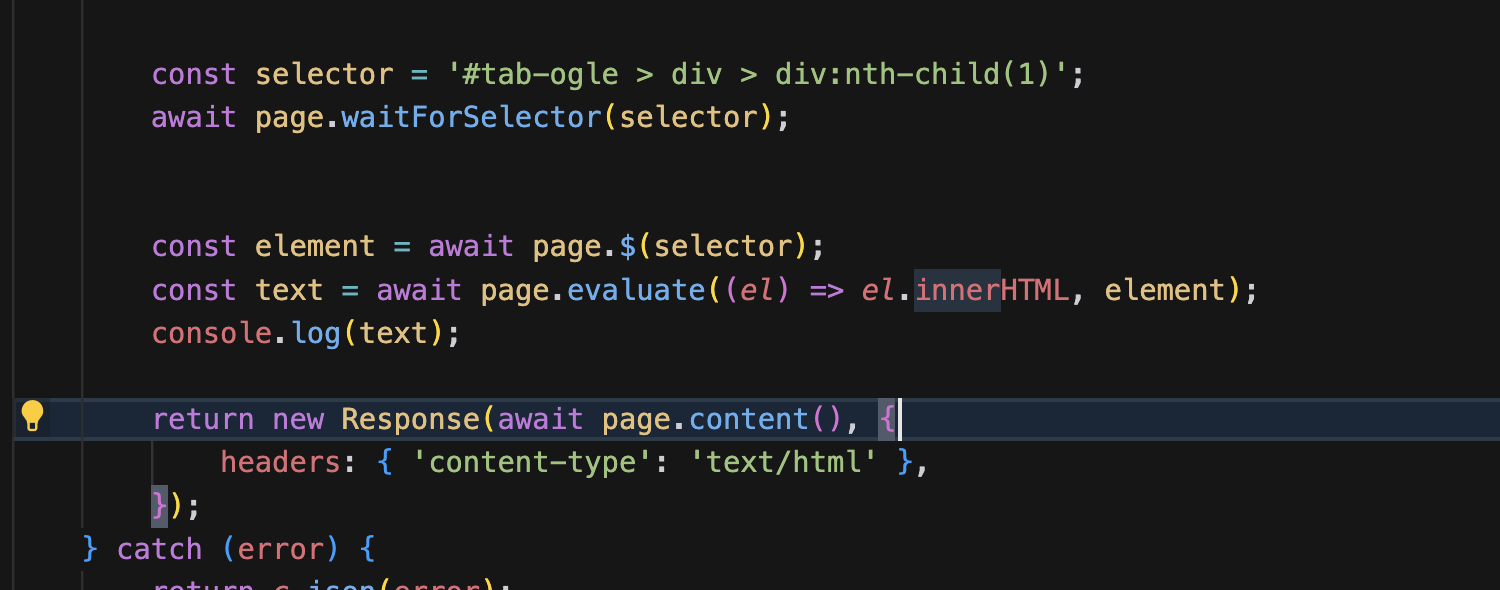 AAA
AAA
        const qoutePdf = await page.createPDFStream({
            printBackground: true,
            format: 'a4',
        });

        // Create web compatible readable stream
        const { readable, writable } = new TransformStream();

        const writer = writable.getWriter();

        qoutePdf.on('data', (chunk) => {
            writer.write(chunk);
        });

        qoutePdf.on('end', () => {
            writer.close();
        });

        return new Response(readable, {
            status: 200,
            headers: {
                'Content-Type': 'application/pdf',
            },
        });
const browser = await puppeteer.launch(env.BROWSER);
const page = await browser.newPage();
const [res] = await Promise.all([
page.waitForResponse(res => res.url().includes('something') && res.request().method().toUpperCase() !== "OPTIONS", {timeout: 10 * 1000}),
page.goto('https://someurl.com', {waitUntil: "domcontentloaded"}),
]);


