

 R
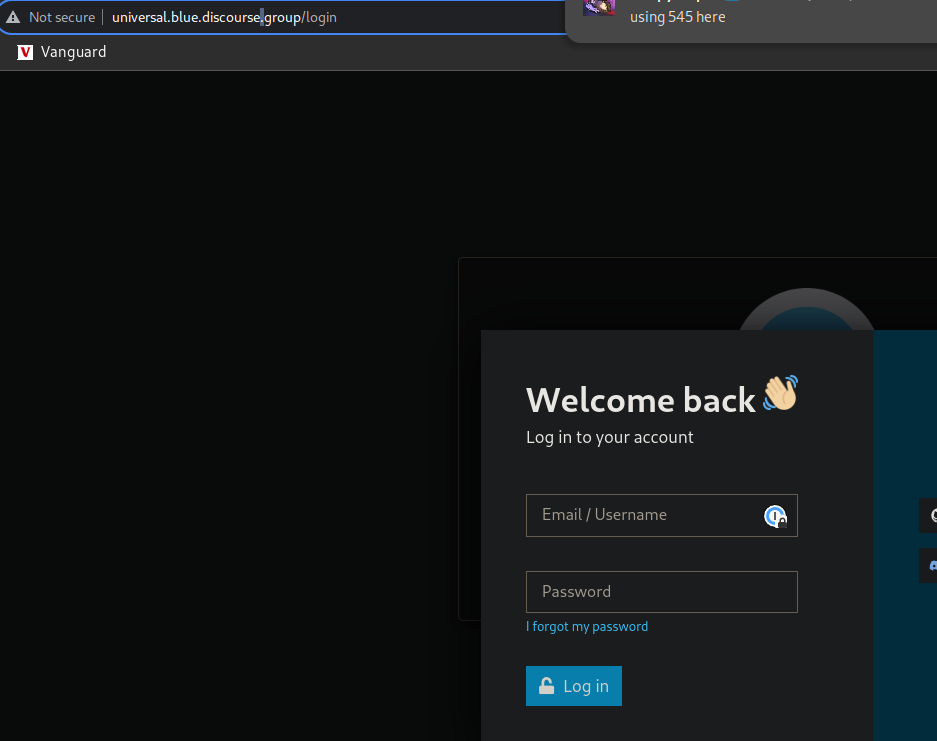
RFYI - you're sharing links that use HTTP and require logging in. There are no redirects to HTTPS, so it's not the safest as credentials may be shared in plaintext.
Also, not sure where you got universal.blue.discourse.group from - I believe it should be universal-blue.discourse.group
Also, not sure where you got universal.blue.discourse.group from - I believe it should be universal-blue.discourse.group
 R
RSorry, I mean Bluefin, Bazzite, main etc

 F
Foh right using Bazzite lol forgive me I thought I was in the Bazzite channel I can move there if thats better
R@KyleGospo would be better to answer this I'm afraid...
I think you should be able to rebase to
Maybe would be best to ask the question in the Bazzite channel and Kyle or someone else who daily-drives Bazzite would be able to help
I think you should be able to rebase to
ghcr.io/ublue-os/bazzite-nvidia:39-20231130Maybe would be best to ask the question in the Bazzite channel and Kyle or someone else who daily-drives Bazzite would be able to help
Fcool will do sorry for asking in the wrong place lol
RAm I looking in the right place? I can't seem to find it...
https://universal-blue.discourse.group/c/general/4?ascending=false&order=activity
https://universal-blue.discourse.group/c/general/4?ascending=false&order=activity
 J
Joh thanks, fixing
RI've taken on a new role at my company focused on cybersecurity, so a login page on http is a major red flag. These now stand out much more than they did before
JI think that was a wrong url
Jnow the post is totally missing?
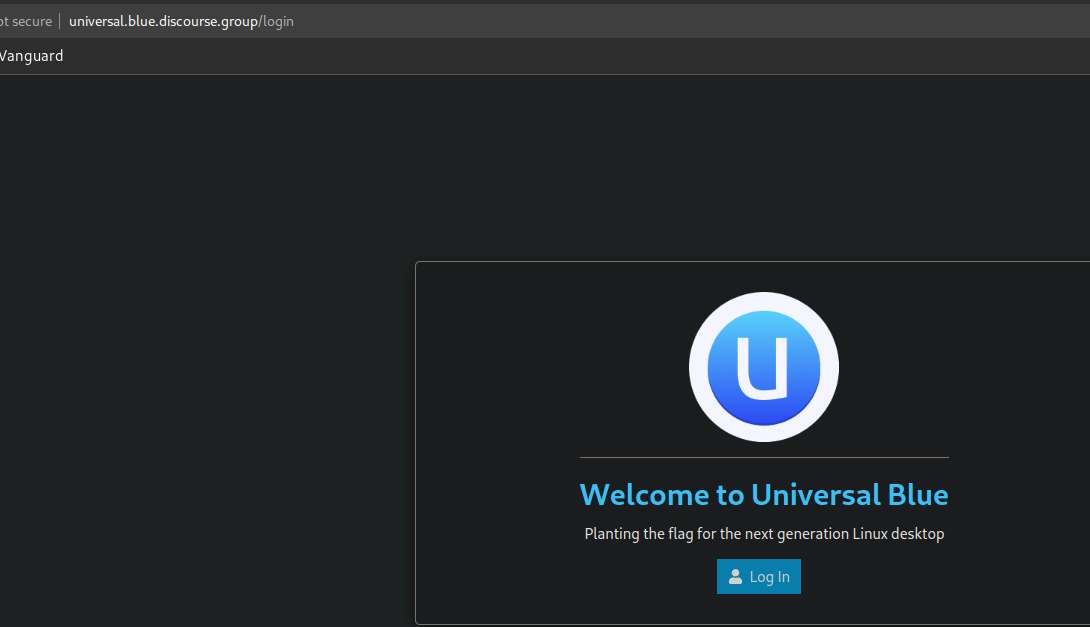
RI couldn't see the post at all. Your link went to a ublue login page, and I didn't want to proceed.
And I couldn't see one on the other site
And I couldn't see one on the other site
 J
Jyeah I think that was the old instance
Jthe URL was wrong, it was an old bookmark or something
JI fixed my bookmarks, I'll repost
Jok there we go!
RPerfect! Links work
Janything else I should add?
RI think that's everything. 4.8.0 was in the images for a couple hours, so I doubt it will break anyone's workflows
as in I doubt anyone is using anything introduced in 4.8.0
as in I doubt anyone is using anything introduced in 4.8.0
Jyeah, but also it's nice to have a saving throw
 �
�I’m wondering if/where I or we could document this https://github.com/ublue-os/bling/issues/77 somewhere. It’s caused by having installed 1Password and/or its CLI via the RPM packages before — if you integrate 1Password into your ostree image via bling, but you’ve ever installed the RPM packages on a deployment before, the GIDs won’t match and it’ll complain
GitHub
Despite I've enabled 1password CLI integration, it says: [ERROR] 2023/11/25 22:32:53 connecting to desktop app: read: connection reset, make sure 1Password CLI is installed correctly, then open...
�I wrote a simple script that I put in a GitHub gist in the last comment that will renumber the groups to whatever they should. Like, maybe we could put it in some kind of FAQ or something?
�I also wonder what others think about this https://discord.com/channels/1072614816579063828/1084120222400774325/1180667556432969738
In short, 1Password silently crashes if it’s integrated on your image and rpm-ostree deploys an update. I think what’s going on is that 1Password thinks it’s being tampered with and panics/dies, because the destination of the /opt/1Password symlink gets shuffled around
In short, 1Password silently crashes if it’s integrated on your image and rpm-ostree deploys an update. I think what’s going on is that 1Password thinks it’s being tampered with and panics/dies, because the destination of the /opt/1Password symlink gets shuffled around
JJpost it there and tag it with
documentationSounds good, thanks!
Jit's awesome, it categorizes them like this: https://universal-blue.discourse.group/docs
- but each one also has a thread of discussion so you could do all the "working session" stuff in the comments but the user just sees the final page. All you need to do is set your post to wiki
Planting the flag for the next generation Linux desktop
�i can't figure out how to set it to wiki https://universal-blue.discourse.group/t/fix-faq-1password-browser-extension-and-cli-don-t-work-in-my-custom-image/187/1
Universal Blue
Fix for incorrect GIDs for onepassword and onepassword-cli groups on a custom image Symptoms (See also ublue-os/bling issue #77) You’ve integrated 1Password into your custom image, but its integration between the desktop application and either the browser extension or the op CLI don’t work. Also, the GID is wrong: $ ls -l /usr/bin/op -rwxr-sr...
�but also it won't let me add another link because i'm a new user 
�i messed up the formatting, and it won't let me fix it because it thinks it's adding more than 2 links
�lol
�could i ask you to fix the formatting for me (i put a closing ``` for my code fence on the same line as code) and convert it to a wiki post please @j0rge
Jomw
Jfixed, upped your perms. Indulge yourself. 
�Thanks!!
 A
AIs there any way to edit the kickstart file created in the "Release-ISO" workflow

 E
EFork isogenerator, edit the ks here, build it using the action, update the release-please workflow to use your fork:
https://github.com/ublue-os/isogenerator/blob/main/installer/kickstart/ublue-os.ks
https://github.com/ublue-os/isogenerator/blob/main/installer/kickstart/ublue-os.ks

 X
Xdiscussed this in # custom-image-support and this is what i think alex ended up doing / thinking of doing
custom-image-support and this is what i think alex ended up doing / thinking of doingAIndeed it is, I wasn't sure of the right thred to post the question into, sorry. The problem I see is that I will likely end up posting the WiFi password and SSID into a public fork. (Though that's likely a problem either way)
AIt may be that editing the ISO post download to inject the Kickstart for a Root Password and WiFi details is the best way to go, without storing those details in the cloud. Maybe reworking this to prompt the user for input could be the safest way to go. https://github.com/alextrical/Fedora-Kinonite-Fablab-Kickstart
GitHub
Fedora Kinonite Fablab Kickstart and Configuration - GitHub - alextrical/Fedora-Kinonite-Fablab-Kickstart: Fedora Kinonite Fablab Kickstart and Configuration
 A
APutting credentials inside the installer image is a bad idea
AAsking for wifi password after install is basically what gnome/kde already do no?
 A
AIt's for deployment inside a Makerspace, so I'm hoping to minimise effort required to restore a working system. The problem is that it asks for the WiFi details after installing, but if the user doesn't enter them in Anaconda the install fails to fetch the built os, and as a result can't install the OS
AOh you’re trying to install the OS using wifi
Acreate a temporary ssid/password and hardcode it in
ADestroy after deployment
AOut of curiosity, Is there a way you would recommend setting up both a Admin account and a Kiosk (public user) account?
AThat could work, they now have a Draytek router which allows up to 4 SSID's and we could set the last one to be enabled when re-provisioning.
Though is there really that much danger having the Kickstart configured on a pendrive, when it's kept securely in the owners office drawer?
Though is there really that much danger having the Kickstart configured on a pendrive, when it's kept securely in the owners office drawer?
AI suppose I'm aiming to do the equivalent of as close as possible to a preconfigured OS deployment. Back in the XP days, Sysprep was amazing for getting a monoculture of PC's setup identically with minimal input of the technicians. I'm hoping to make something as elegant as that for the Makerspace, Ideally, insert a USB key, reboot, select HDD to install to and select install. Once done ideally have WiFi, Admin and Kiosk user accounts created, all the software installed and configured ready to go, including connection to the central owncloud file share
JI think @Caleb Woodbine wants something similar, maybe you can compare notes
JOnce the tooling lands the oci support that shouldn't be a problem. I was doing that at an edu with the full automation, automated pxe install, zero config other than turning the machine on. That was 2006, so it'll be at least that good, hahah.
