If you are not able to access your account because it is compromised, please reach out to the customer service through the login menu of the game using the Help option located at the right side of the screen. You can submit an account recovery request through there.
Only the in-game customer service can assist you with account related issues.
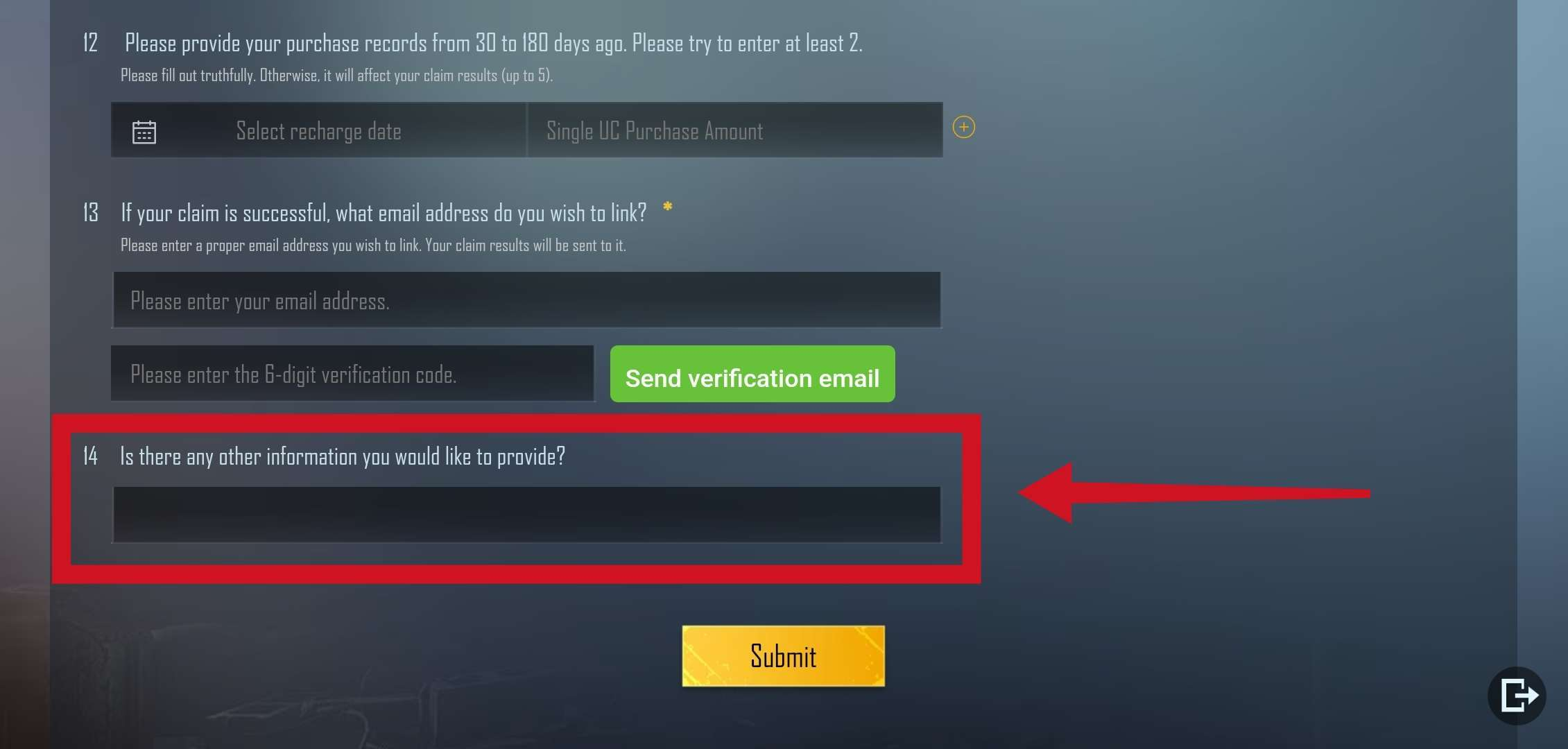
You can upload the images or other supportive materials to a website/application like Google Drive. After uploading the screenshots, you can copy the shareable link and include it in your response to the 14th question in the Account Recovery Tool. It is recommended that the link's permission is set to public.
To submit images or other supporting material as proof, you may upload them as an image/video to a website which can provide a shareable link (it is recommended to set the link’s permission to public) then include the link in the appropriate field with your answer as I have mentioned above.
Please contact the in-game customer service again as we are unfortunately unable to help you with account related issues any further through the community, @andreacappe.
I want to ask one thing, if I submit an appeal later, there is a gacha screenshot that can be shared with the nickname I used before (because now the nickname has been changed), can that be one of the supporting files for the appeal?
I’m having a problem, I can’t access my pubgm account because I changed my phone number and I can’t get through second verification cause PUBGM uses my previous phone number, does anyone know how I can fix this problem?
I am on Ipad 7th Gen, IOS 17.2. I upgraded yesterday to IOS 17 from 16. Also acceditnly delted the game and re-installed. Using the same Graphic settings as before the game FPS is not choppy. How can I fix this?
Hi in trying to switch between accounts and every time I switch and use password it says there is suspicious activity and makes me use verification is there a way to turn it off?


 H
H A
A D
D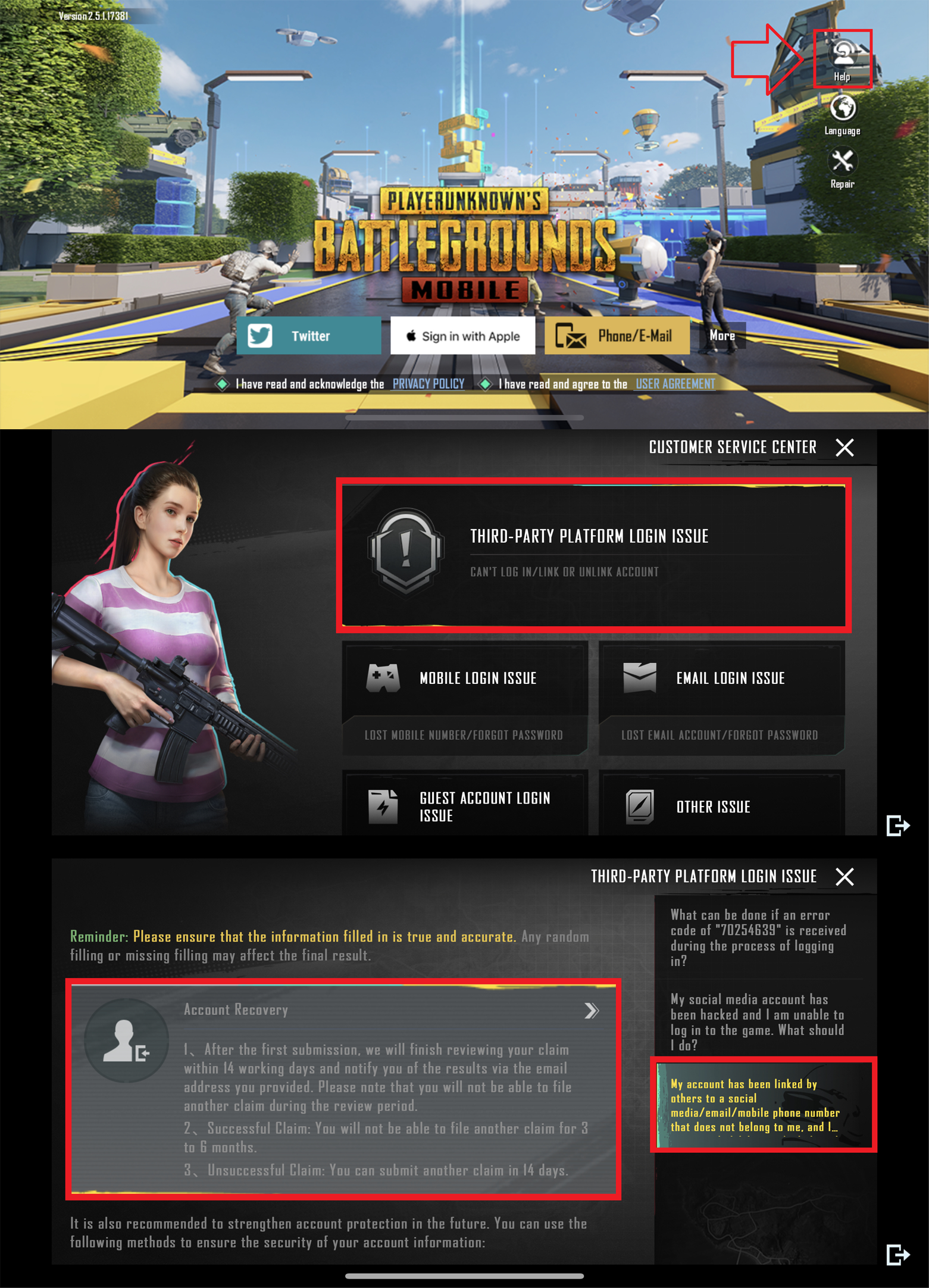

 J
J P
P
![[90] Artin](https://cdn.discordapp.com/avatars/989480027655647312/47df8bd84f70372f258b951bd32d1fd0.webp?size=40) [
[
 C
C
 C
C H
H A
A
 L
L B
B S
S A
A A
A A
A " and hope that it gets fixed soon.
 Z
Z


![[90] Artin](https://cdn.discordapp.com/avatars/989480027655647312/47df8bd84f70372f258b951bd32d1fd0.webp?size=16)


