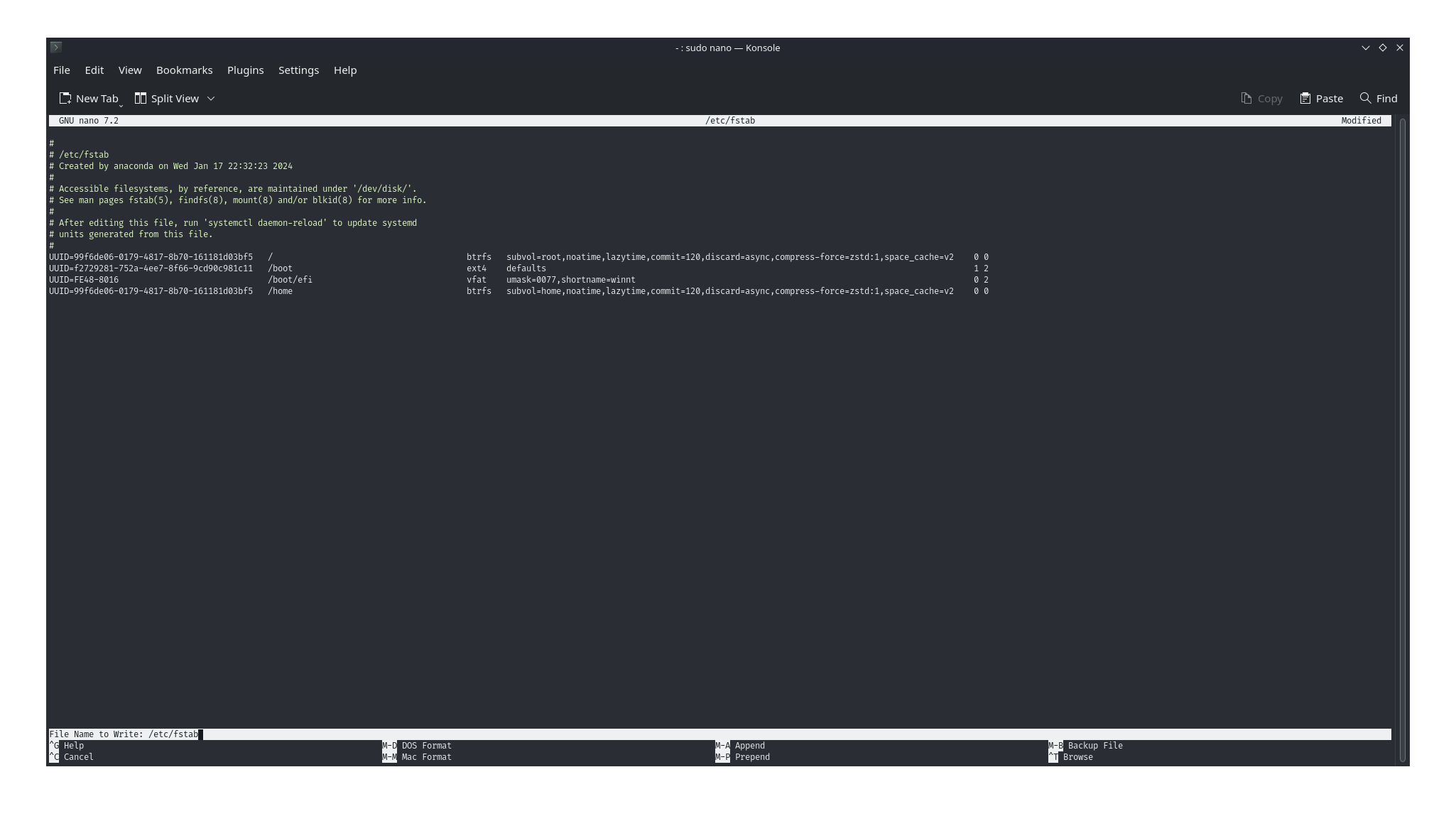
@118% linux noob ```bash cp /etc/fstab ~/fstab sudo nano /etc/fstab ``` use the arrow keys on your
@118% linux noob
use the arrow keys on your keyboard to move the cursor (the rectangle) to the line you want to remove
then press CTRL+K to remove the line you are on
DO NOT REMOVE the mount for
make sure you carefully read the line you are on and double check before pressing CTRL+K
use the arrow keys on your keyboard to move the cursor (the rectangle) to the line you want to remove
then press CTRL+K to remove the line you are on
DO NOT REMOVE the mount for
//boot/boot/efi/homemake sure you carefully read the line you are on and double check before pressing CTRL+K