if the autopilot uses trim, and the trim was moving, that would move the stick regardless of the autopilot mode.. but AP following works a little differently than trim following. The trim following uses the physical/virtual offsets you describe above. AP following is a lot simpler. It just enables a static spring force and tells the joystick to "follow the axis". Also possible it worked at one point and an update from A2A did something with the autopilot thats now using an L:Var or something
Its great these guys are able to do all sorts of cool stuff internally with L:Vars and all.. but I wish they would copy values to standard simvars where applicable... I'll have to see if I can come up with a way to do dynamic simvar subscription based on aircraft. Not looking to start subscribing to every random L:var different planes use and putting a bunch of ifs in the code for specific aircraft...
Yeah its a real pain trying to set up LED profiles for my virpil stuff, got pretty good in searching and finding LVARs this way. The Comanches Autopilot has four states, which is why they use a custom LVAR i'm guessing.
Hey, A2A dev here. Unfortunately sometimes weird things happen when we drive those simvars, or sometimes we can't set them at all as there are limits in the sdk. But I'm open to suggestions for improvements.
In the case of autopilot, it's fully custom as the stock MSFS code is unsuitable for this model. One thing I'm aware that doesn't play well with FFB on our end, is the automatic disconnect when the joystick is deflected above the threshold (75% defletion)
1.) Its awesome that your here and that you have a Rhino.. I wish more devs did, and had FFB in mind when working on their aircraft, even if the sim doesn't provide any framework for it. 2.) I meant no disrespect and I do understand how limiting the SDK is in a lot of cases. The FlyInside guys, for example, have to do some really awkward things to keep their flight model separate from the native helicopter flight model.
3.) It would be really cool to develop some custom secret sauce for FFB between the aircraft and TelemFFB so that it could not only understand the autopilot, but the aircraft could also understand when the axis movement is in response to the autopilot, vs the user actually deflecting the controls
No worries, I understand it can be frustrating when you try to write a software that works with every aircraft out there. On our end, we have to deal with at least three separate FFB implementations (Brunner, Xpforce, Vpforce) and each of them has different logic, simvars dependencies and own set of issues, lol.
I haven't yet tested my VPforce in MSFS, as other developments had higher priorities, but I hope that at least I'll be able to improve our FFB compatibility when working on the next aircraft.
I have been away for a while for various reasons. Today I'm back in the saddle (cockpit?) and am trying to get the HPG integration working. I have disabled the cyclic axes in MSFS and enabled axis control and the FTR and FT reset buttons on my stick. When I move the stick, the cyclic in the game does not move. I must be doing something dumb -- any ideas?
Make sure youβve got enough spring force enabled on the joystick that it can properly center. TelemFFB wonβt start sending axis position until it initializes (centers) the joystick.
Well shucky darn, I'm having what appears to be the same issue with the H160, Build 57. TelemFFB looks just like the screenshot above, spring is enabled in the Configurator... ?? (Same Rhino/stick config in MSFS that I used with the H145.)
I havenβt tested the latest dev builds, but I assume they still work or else @exil35 would let me know. Donβt forget to set up the trim release binding for the 160, too (msfs icon will be a red x while sim is unpaused if itβs not set).
No problem. I need to make it so the βred xβ persists even after you pause. Otherwise you donβt know anything is wrong if you pause the sim before looking at the TelemFFB window
I haven't been able to try the latest 160 build but if it works for the 145 it should work for the 160 as well. Are you sure you are on "none" and "hardware" on the 160 tablet as well?
At some point in the past I think I set up my rhino to have a forward offset center point. Today, I rotated my base 180deg to get better clearance with my SimFab chair (brilliant idea I stole from someone here). For the life of me though, I can't remember how to reset or flip the offset.
This may seem like an odd question, but I have a neurological condition that requires I ask this.
Can and how would the Rhino counteract an ~8hz oscillation of input with an amplitude of +/- 10 to 15% of the intended input force? Does it have the ability to smooth/dampen that level of variation of force input?
In a mechanical dampener system this would be smoothed out by the resistance induced by the flow of hydraulic fluid... how would/could the servo coding be adjusted to mimic that dampening effect?
There are dampening and friction effects that can be tuned by the user. This is then all done via electronics rather than by hydraulic fluids like you mentioned. As far as your use case, itβs hard to say how well it could manage those oscillations but from my experience the dampening and friction can truly be felt and tuned so I think it is possible.
With no feedback from a game or in games that have no feedback implemented the Rhino behaves like a standard spring stick but has all the features of the other high end bases out there in terms of tuneability for friction, dampening, etc. So you could crank the dampening up to help with the oscillations. Maybe also crank the spring down so you have less force needed to push the stick to the required deflections.
For what it's worth I was thinking if it couldn't mimic it through code, it could be done with a 2 axis hydraulic dampening using something like 1/12 scale RC offroad truck dampeners mounted between a custom housing and the stick. Would be tricky to tune it, but might be fun to design regardless.
The dampening and friction effects built into the Rhinoβs base software options would be equivalent to the 2 axis hydraulic dampening as you described. Much easier to tune though because itβs all done on a slider in the software rather than changing fluids/geometry of the physical dampeners
I'm sure it would be easier to change via the software. But there are two questions my mind wants answered now. 1: Which would "feel" better. 2: Would a hydraulic dampener ease the momentary workload of the servo motor/controller and allow longer lifespan.
If the software has to compensate 12 times a second for these input variances, there would be "some" delay in the compensation (probably not noticeable consciously), but it would also force the motor controllers to change their output 12 times a second putting possibly more wear on both controller and the motor.
A couple weeks of testing hydraulic flow dampening rates using various dampening disks might pay off in the long run when it comes to durability.
The servo's lifespan isn't affected whether it has damping enabled or not. It's basically an axle with magnets riding on 2 bearings, no other surfaces make contact. The software update loop runs at 1khz, so that's 1000 updates a second.
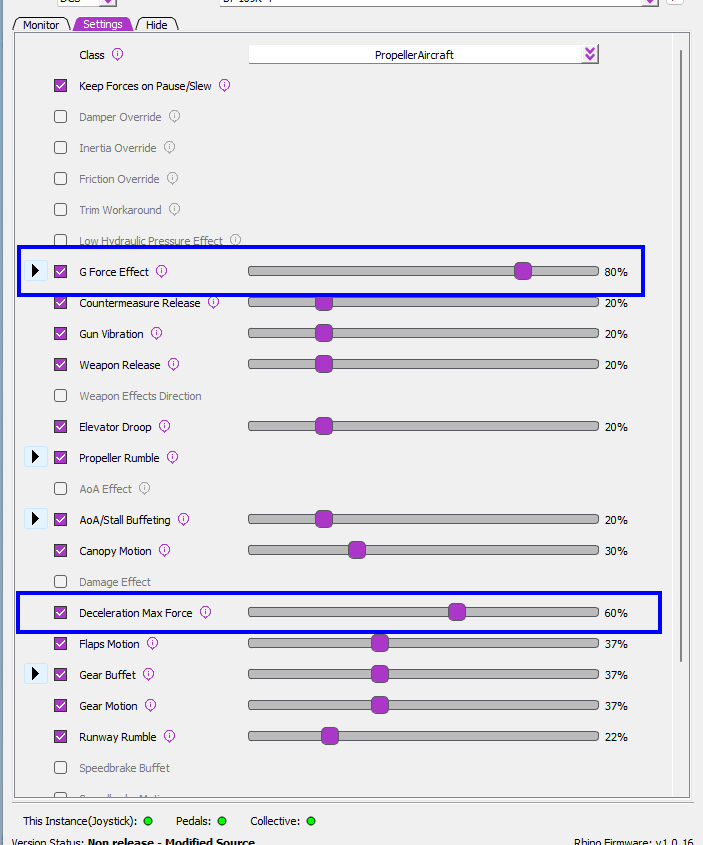
Hi, is there any way to disable effect in vpforce telem app? I find annoying feature on high g turns, stick moves where g force vector goes. It's like inverted stick stiffness on high speed with warbirds. And I don't want to disable telem app, because it gives a lot good effects except this one
@walmis I hooked up a 2kW 24V/80A power-supply to our rig as a main source. We have a DIY-FFB JS with two standard-motors 57BLF03, a DIY-FFB JS with 2x 86BLF04 and FFB-Rudder with 1x 86BLF04. Shure the JS will not be used together, but i stumbeled over the input-fields for the max-current. ive set them to 30A for all motors what is, mo my understanding, the limit of the driver. But the max-value for the PSU is limited to 25A. Does it make sense to allow a higher value like the 80A for our case as a fix for a next release?
For the throw limiters available for purchase would a higher number mean more throw? I bought mine with the 11deg one but want to add more range. Should I order say a 14 or 15 degree one maybe both? Thanks
if you want to order a limiter but don't know exactly which one, maybe you can try to remove the one you have now, move the stick around (perhaps try the software limiters) to see where you'd like the limits to be, make note of the numbers and ask walmis what that means in degrees
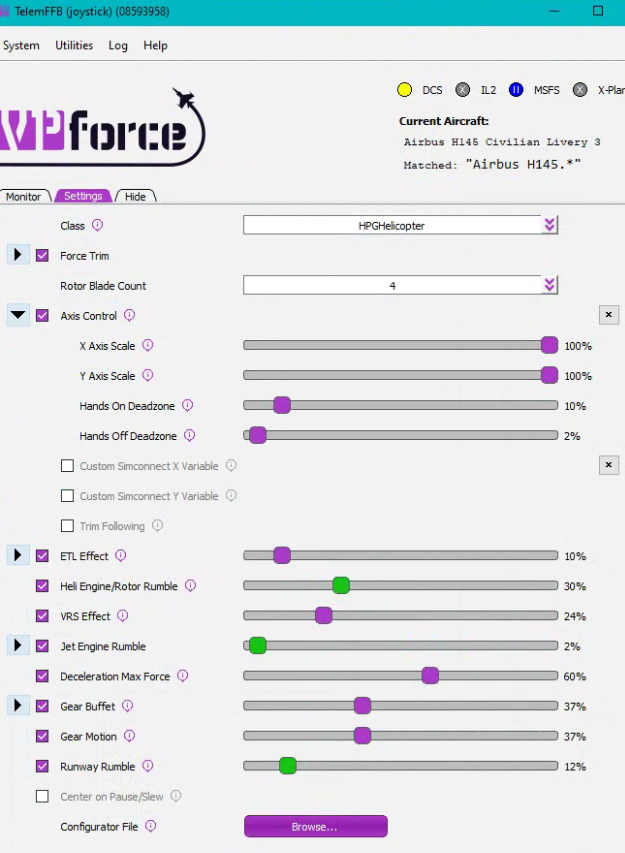
I think I'm close with the HPG 145 setup, but it doesn't feel 100% yet. Could someone with a good config show me a screenshot of the configurator and TelemFFB? Been going through all the docs and searching in here...
Quick question. Iβm getting some noise in the pitch axis of my stick. Popping off the cover it seems to be a bit of a tolerance thing where the metal rod goes into the 3d print. I tried snugging up those 4 screws, but it still seems to be rubbing there or something. Any advice is appreciated!