
Ok, I might aswell consider removing the blog but it's a main feature. Thank you for your feedback o
Ok, I might aswell consider removing the blog but it's a main feature. Thank you for your feedback on this
 MM
MM D
D JDJD
JDJD MMDDDDDD
 B
B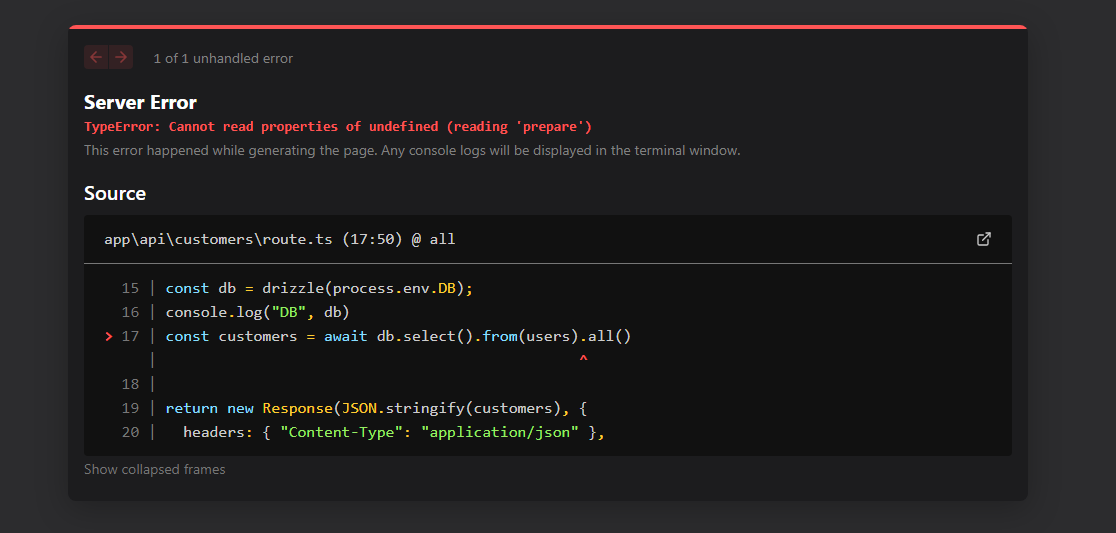
 C
C HC
HCcompatibility_flags = ["nodejs_compat"]getRequestContext CCCC
CCCC
 D
DgetRequestContextprocess.envprocess.envgetRequestContext C
Cexport const runtime = "edge";process.env DCD
DCDprocess.env C
C.envprocess.env C
C.env
 XD , hopefully this can help avoid developers confusion/frustration: https://github.com/cloudflare/next-on-pages/issues/674CD
 DD
DD CC
CC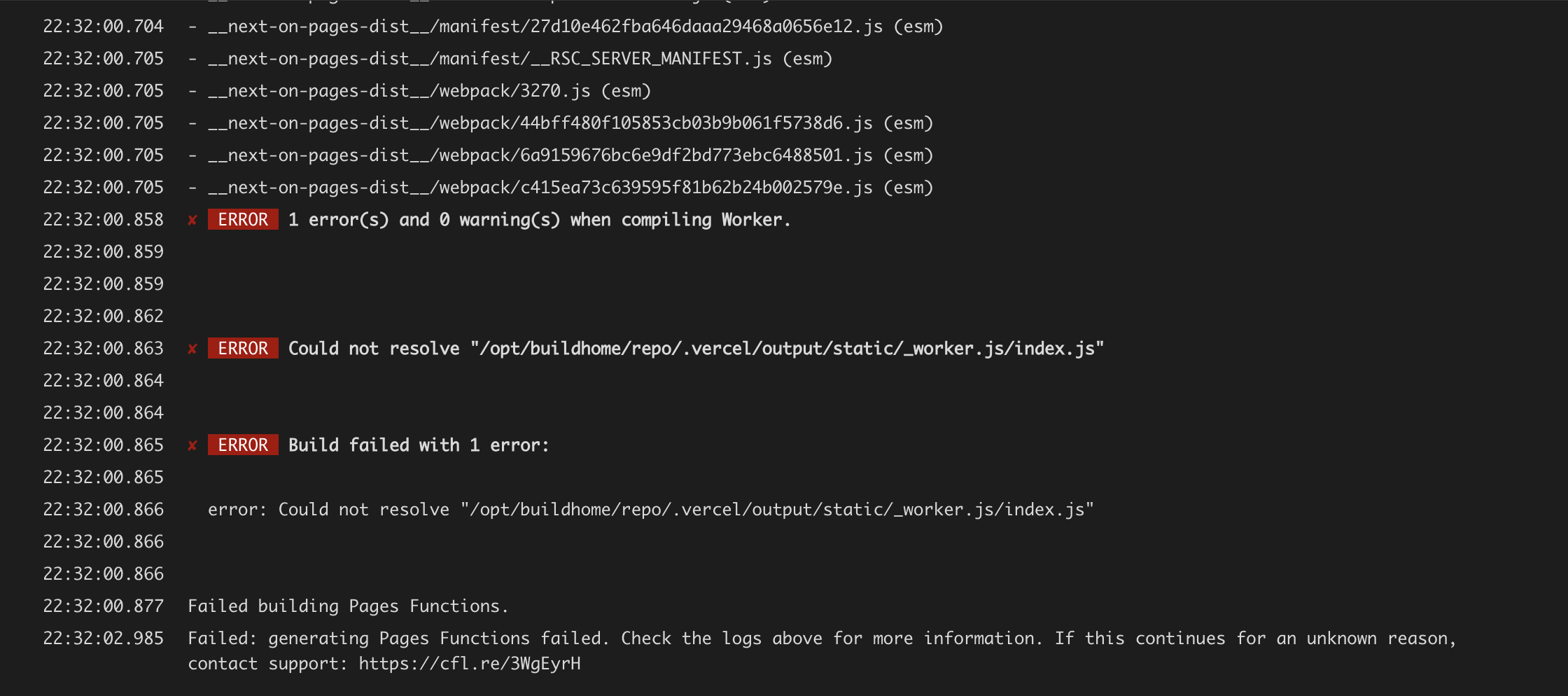 C
C B
Bimport { ImageResponse } from 'next/og'
import Image from 'next/image'
// Route segment config
export const runtime = 'edge'
// Image metadata
export const size = {
width: 32,
height: 32,
}
export const contentType = 'image/png'
// Image generation
export default function Icon() {
return new ImageResponse(
(
// ImageResponse JSX element
<Image height={size.height} width={size.width} src="/favicons/apple-icon-180x180.png" alt="PurpleHosting - Icon" />
),
// ImageResponse options
{
// For convenience, we can re-use the exported icons size metadata
// config to also set the ImageResponse's width and height.
...size,
}
)
}export async function GET(request: NextRequest) {
const db = drizzle(process.env.DB);
console.log("DB", db)
const customers = await db.select().from(users).all()
return new Response(JSON.stringify(customers), {
headers: { "Content-Type": "application/json" },
});
}import { setupDevPlatform } from "@cloudflare/next-on-pages/next-dev";
if (process.env.NODE_ENV === "development") {
await setupDevPlatform({});
}


