



 R
R

 C
CWith convergence it will be able to have the same triggers for both pages and workers.
Rwhats "convergence"?
CThe Cloudflare Blog
Today we’re excited to announce that over the next year we will be working to bring together the best traits and attributes you know and love from each product into one powerful platform!
Rwooo
Rassuming its not ready yet
Ror is there a way to create a converged project
 H
HNot yet no
Rany eta ideas?
R(roughly)
Rthis was posted in May of 2023, about a year ago
 I
IIt's a long-term project at Cloudflare, so don't expect it to be completed short-term.
IIt'll also probably be done incrementally, with things slowly converging rather than just one release (like how the Workers/Pages dashboard is now one)
II didn't say it was without fault 
 B
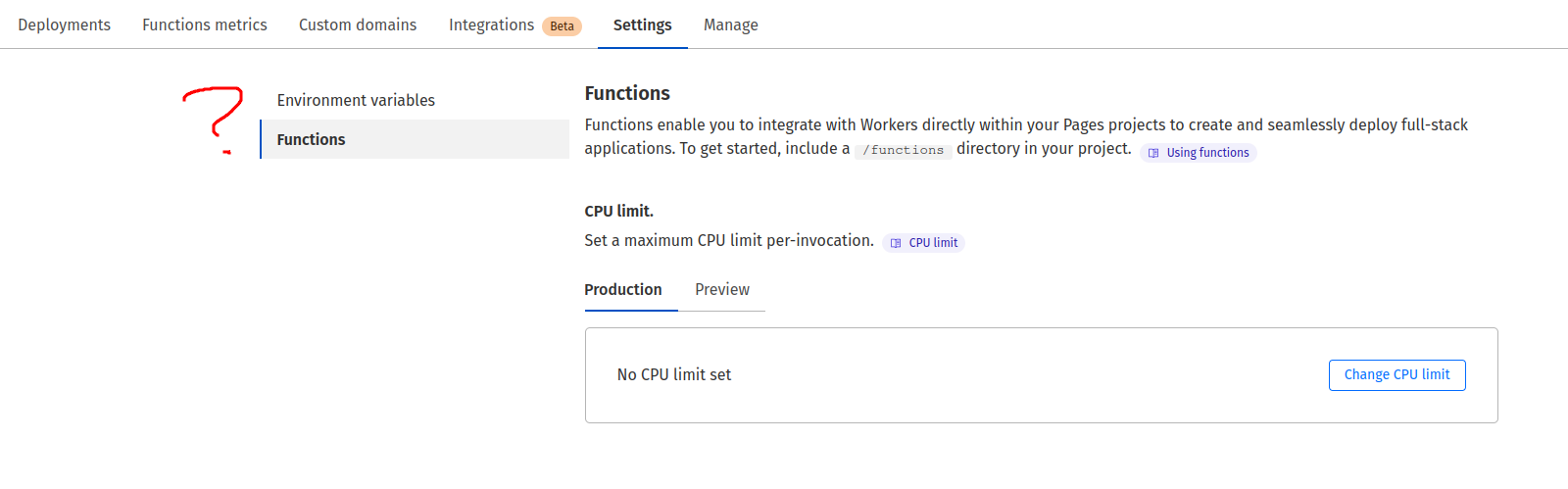
BI created a new pages project without first linking a github account, and created a wrangler toml. Now I can't link it with a github account...? The option to configure it is completely missing
 B
Band there's no documented
wrangler.toml options to do the link or anything, in case it's meant to be configured in code H
HIf a Project is created without a Git connection, then it must be recreated to add said connection
BHuh... that's kind of weird
BReading this blog post makes you think that you could move all of that into wrangler.toml now, maybe except for the literal link https://blog.cloudflare.com/pages-workers-integrations-monorepos-nextjs-wrangler
...but the only real thing that's been moved into wrangler.toml is
...but the only real thing that's been moved into wrangler.toml is
pages_build_output_dir? That's the only difference?The Cloudflare Blog
Today, we’re launching four improvements to Pages that bring functionality previously restricted to Workers, with the goal of unifying the development experience between the two. Support for monorepos, wrangler.toml, new additions to Next.js support and database integrations!
IIt's not really a matter of moving it into wrangler.toml, it's just the fact that currently the internal architecture differentiates between Direct Upload projects and Git projects and you need to recreate to make the switch.
IYou can't switch types via the dashboard either without a full recreate.
BYeah, that makes sense, still just seems... half-baked I guess
BAlso things like:

When used in your Pages Functions projects, your wrangler.toml file is the source of truth. You will be able to see, but not edit, the same fields when you log into the Cloudflare dashboard.This just seems to not be true at all. Environment variables are still editable by me in the cloudflare dashboard, and ones I've configured in the wrangler.toml are not showing up
 V
V- You can pull config from Dash to wrangler.toml by using:
wrangler pages download config - You can push wrangler.toml to Dash by either running
wrangler pages deploy(uses your git branch for context, so if you are not on production branch, it wont push production variables) or by pushing your code to GitHub.
2b. If your wrangler.toml is bad, the push will fail. In your case, you probably might have some missconfiguration in wrangler.toml, that's why it isn't updating.
 B
BThe build works fine and the build runner is even picking up my variables from the wrangler.toml correctly, so I’m pretty sure it’s well-formed
VLast week I was in a situation, where build was using wrangler.toml, but Dash didn't update the settings. So... After successful build, worker failed to run project, because of bad var. And Dash settings were old.
Build probably loads
After I fixed my
Build probably loads
wrangler.toml differently? idkAfter I fixed my
wrangler.toml, Dash settings started updating too, together with build vars.Vso you shouldn't assume, that if your build manages to read some of config, that it actually managed to push it to Cloudflare. It's probably two different operations.
HWere you checking whether the config matched the deployment, or the project itself?
HThe
wrangler.toml should at least be applied to the deployment, even if it may not apply to the project V
Vactually, you have proper terminology 
Config was applied only to deployment (build process). But I used wrong syntax https://developers.cloudflare.com/workers/configuration/environment-variables/#add-environment-variables-via-wrangler
so it failed to run deployment after build.
and so the config didn't save on project config
Config was applied only to deployment (build process). But I used wrong syntax https://developers.cloudflare.com/workers/configuration/environment-variables/#add-environment-variables-via-wrangler
so it failed to run deployment after build.
and so the config didn't save on project config
 T
TIs there an api to direct upload to cloudflare pages? (not using the cli)
 J
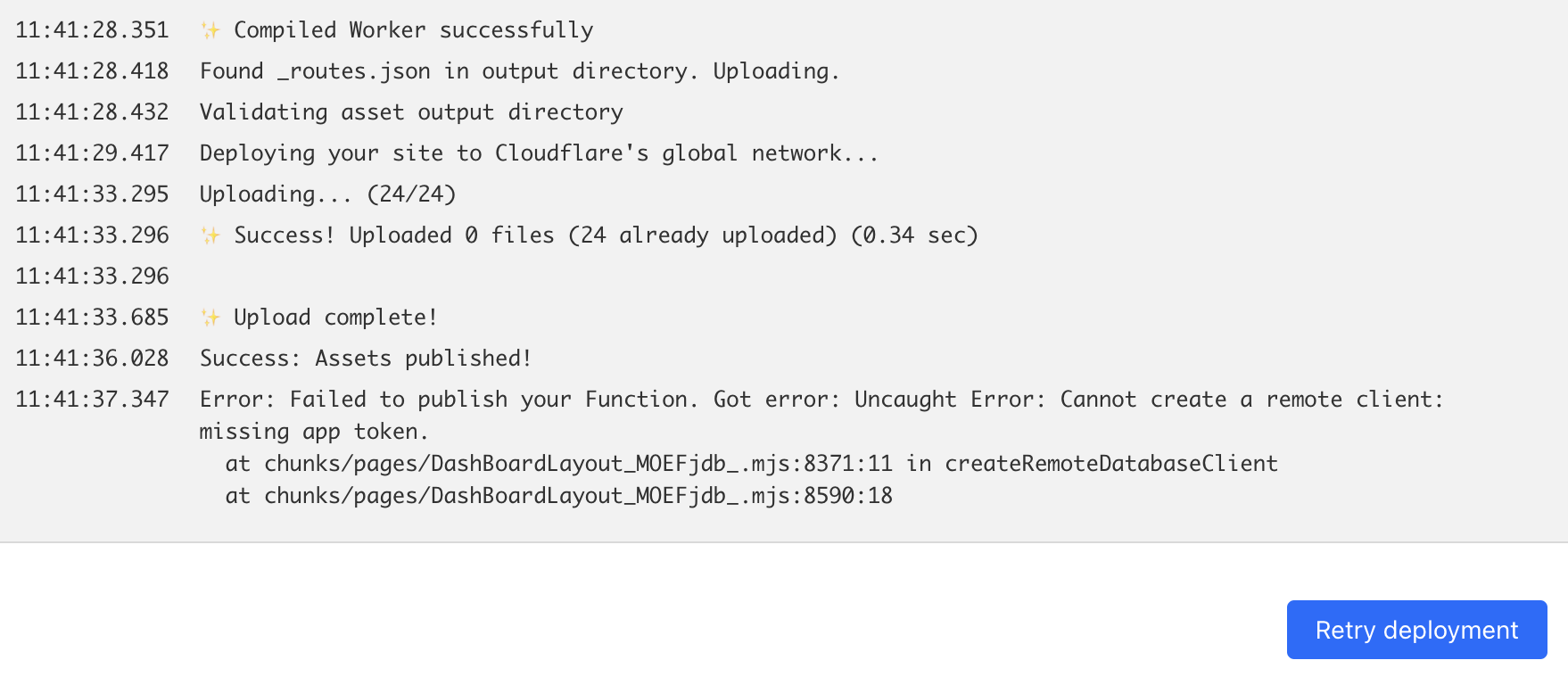
JHello Folks, i got an error says "Cannot create a remote client: missing app token" when deploy my ssr web app. Please help me.
JHello Dev! I got this error, what am i doing wrong? please help
 W
WSeems you're missing some database token
WBut this isn't from Pages or Cloudflare so we're pretty limited in how we can help
What's the
What's the
DashBoardLayout file doing? What is the createRemoteDatabaseClient doing? That's where the error is from N
NDoes it take time for Access policy to get disabled? Access policy wasnt working at all for our app but now the gateway just isnt going away after disabling
WCan you provide more info?
WWhat does not working mean? Are you seeing an error? If so, what is it?
What's the domain?
What's the domain?
WWhat wasn't working?
WAnd you're saying it's working now?
WOk, can you provide details on how it isn't working?
WNot due to that
