
Is there a way to bind the same *local* KV store to 2 different apps when developing locally?
Is there a way to bind the same local KV store to 2 different apps when developing locally?
 H
H--persist-to to point them both to the same directory. As long as they have the same ID, they should pull from the same place Z
Z J
Jenv.R2.get(...)). And appears the encoding is borked somewhere along the way. I can see that the file is not corrupted on the disk (within the .wrangler folder) but when I download the file, via the worker, it "corrupts". I the screenshot attached, the left is the original file, and the right is after downloading from R2. It's worth mentioning that if I upload a text file (eg. xml) - it works fine.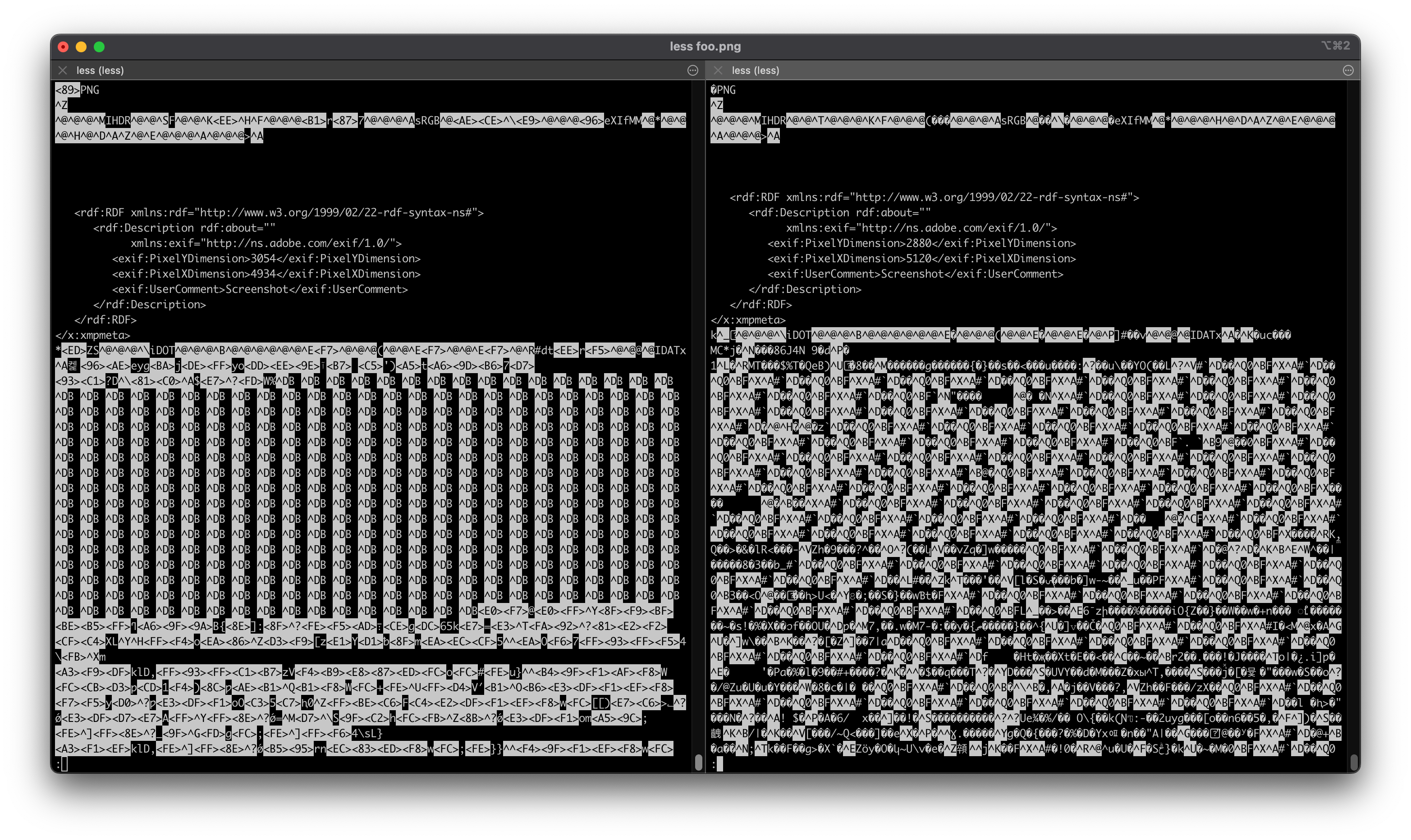 J
J B
Bwrangler d1 execute <DBNAME> --remote --file=./creation_insertion_stmts.sql KB
KBPRAGMA foreign_keys=OFF;KD1’s foreign key enforcement is equivalent to SQLite’s PRAGMA foreign_keys = on directive. Because D1 runs every query inside an implicit transaction, user queries cannot change this during a query or migration.
KKdefer_foreign_keys thoughBBEGIN TRANSACTION; and COMMIT; as well. I'll review that allowlist. Thanks again, I've been able to import everything remotely now.
 MKMKMMMMH
wrangler within a project, then calling it from there, so that you consitently use the same versionMMMHnpm doesn't actually support that for arbitrary commands, so npx would probably be the next best thing.Hpnpm for arbitrary command execution using the locally installed package: pnpm wrangler deploy [whatever]MM
 E
E L
Lsatisfies in your workers?LL JLL
JLLrequest: Request, env: EnvJsatisfies ExportedHandler<Env> L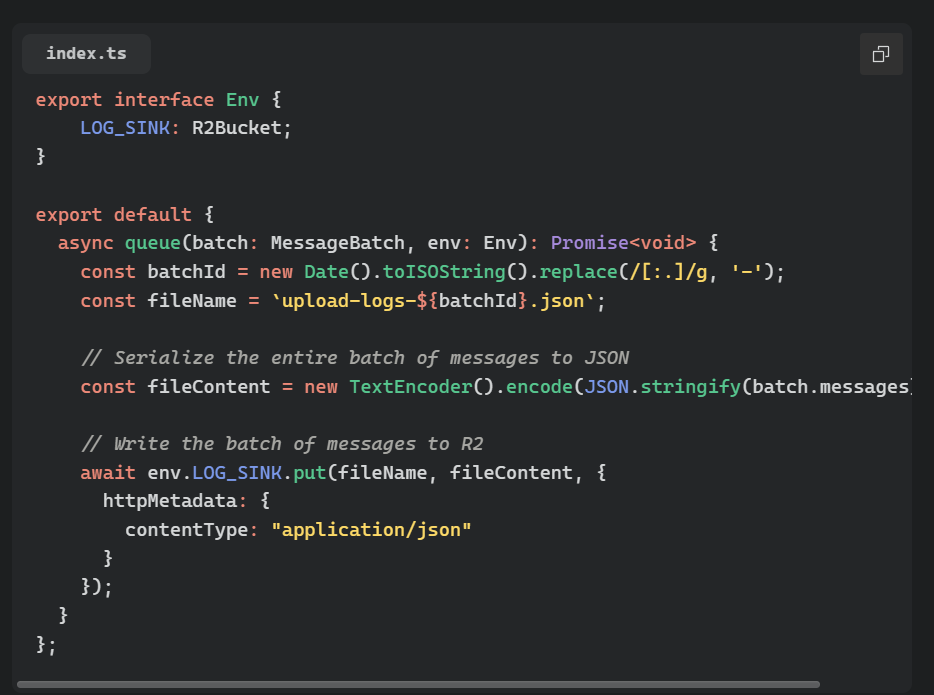 LJ
LJExportedHandler LLJ: Promise<Response> for better DX, and then satisfies ExportedHandler<Env>;Jqueue handlers don't need to return anything so: Promise<void> works wellLsatisfies operatore introduced in TypeScript 4.9 shouldn't just check that the function matches expect class?--persist-toenv.R2.get(...).wranglerwrangler d1 execute <DBNAME> --remote --file=./creation_insertion_stmts.sql ⛅️ wrangler 3.57.0
-------------------
✔ ⚠️ This process may take some time, during which your D1 database will be unavailable to serve queries.
Ok to proceed? … yes
🌀 Executing on remote database <DBNAME> (***):
🌀 To execute on your local development database, remove the --remote flag from your wrangler command.
Note: if the execution fails to complete, your DB will return to its original state and you can safely retry.
🌀 File already uploaded. Processing.
🌀 Starting import...
🌀 not authorized
✘ [ERROR]
Starting import...
not authorizedPRAGMA foreign_keys=OFF;defer_foreign_keysBEGIN TRANSACTION;COMMIT;npx wrangler deploy --dry-run --outdir=dist✘ [ERROR] Unknown arguments: dry-run, dryRun, outdir, deploywrangler --version
⛅️ wrangler 3.57.0npx wrangler deploy --dry-run --outdir=dist
⛅️ wrangler 3.57.0
-------------------
✘ [ERROR] Missing entry-point: The entry-point should be specified via the command line (e.g. `wrangler deploy path/to/script`) or the `main` config field.wrangler
Commands:
wrangler docs [command..] 📚 Open wrangler's docs in your browser
wrangler init [name] 📥 Initialize a basic Worker project, including a wrangler.toml file
wrangler generate [name] [template] ✨ Generate a new Worker project from an existing Worker template. See https://github.com/cloudflare/templates
wrangler dev [script] 👂 Start a local server for developing your worker
wrangler publish [script] 🆙 Publish your Worker to Cloudflare.
wrangler delete [script] 🗑 Delete your Worker from Cloudflare.
wrangler tail [worker] 🦚 Starts a log tailing session for a published Worker.
...elided...
wrangler login 🔓 Login to Cloudflare
wrangler logout 🚪 Logout from Cloudflare
wrangler whoami 🕵️ Retrieve your user info and test your auth config
wrangler types 📝 Generate types from bindings & module rules in config
wrangler deployments 🚢 List and view details for deployments
wrangler rollback [deployment-id] 🔙 Rollback a deployment
...npx wrangler deploy
✘ [ERROR] Unknown argument: deploynpx wrangler --version
⛅️ wrangler 2.21.1 (update available 3.57.0)
-------------------------------------------------------
andrew@amackenz-mac collectr % wrangler --version
⛅️ wrangler 3.57.0
-------------------wranglernpmnpxpnpmpnpm wrangler deploy [whatever]satisfiessatisfiesrequest: Requestenv: Envsatisfies ExportedHandler<Env>ExportedHandler: Promise<Response>satisfies ExportedHandler<Env>;queuePromise<void>export default {
async fetch(request, env, ctx): Promise<Response> {
// do things
},
} satisfies ExportedHandler<Env>;


