
No. Either the Worker and bindings are local, or both are remote
No. Either the Worker and bindings are local, or both are remote

 T
T H
H A
A AA
AAwrangler dev--show-interactive-dev-session=false SS
SS
 JS
JS L
L'sh: wrangler: command not found' when running npx wrangler. I'm on the correct Node version for my project, so not sure what is up C
Cwrangler.toml and env.vars which is picked and which is overridden?Hmain D
D V
V E
E C
Croute in its wrangler.toml file. So kind of a two part question...am I even configuring the environments in the correct way and if so, how do I define the environments? S
S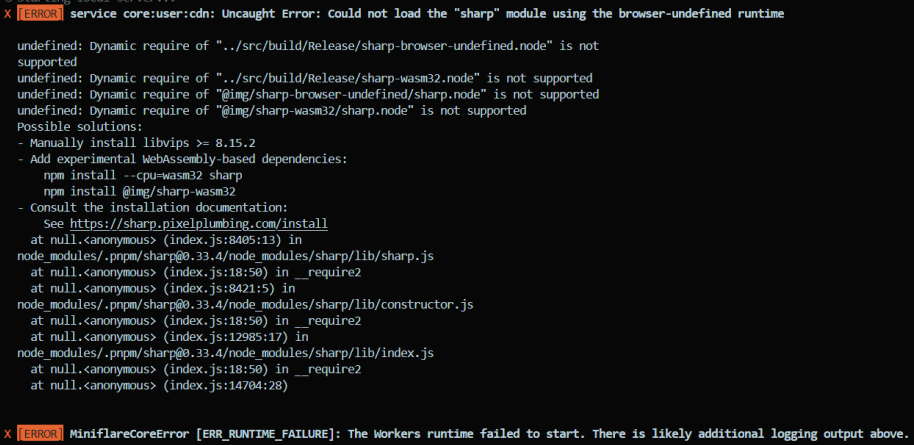 HSHSHSHHS
npm i @webassembly/sharp. There are no other projects in the npm registry using @webassembly/sharp. SHHS
SHHS BSH
BSH C
C W
W M
M--persist-to in wrangler.toml to make it easier to share KV/D1 locally between two workers? A
Awranglerjq but when I try that I get this error:ECLOUDFLARE_ACCOUNT_ID environment variableA J
Jnpx wrangler d1 execute DB --local --file=./schema.sql.read ./data.sql.sql at the end. When it can't find the file name, it gives this cryptic error message which isn't in the docs. M
Mnpm run deploy but every time i log in it just fails to get the response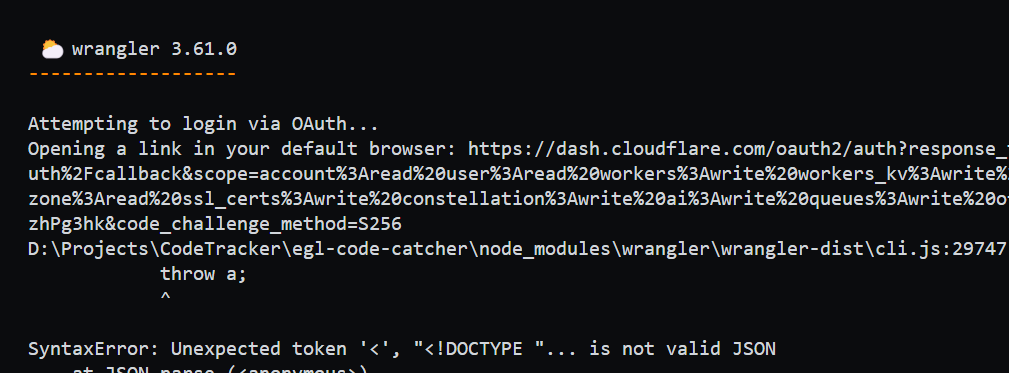
 JM
JMnpx wrangler login and after that using npx wrangler deploy and it workedJnpx wrangler login--show-interactive-dev-session=false'sh: wrangler: command not found'npx wranglerwrangler.tomlwrangler.tomlenv.vars name = "uvuli"
pages_build_output_dir = "./dist"
route = "https://uvuli-esketit.pages.dev/*"
vars = { ENVIRONMENT = "dev" }
kv_namespaces = [
{ binding = "EMAIL_LIST", id = "a16974f824054fb7b2457f7d13c5bfa5" }
]
[env.production]
vars = { ENVIRONMENT = "production" }
routes = [
"uvuli.app/*",
]
kv_namespaces = [
{ binding = "EMAIL_LIST", id = "583b076b601d4dc49e13d8ddf47a574e" }
] route pnpm install --force @img/sharp-darwin-x64@cf-wasm/photonnpm i @webassembly/sharp @cf-wasm/photon --persist-tojq✘ [ERROR] More than one account available but unable to select one in non-interactive mode.CLOUDFLARE_ACCOUNT_IDnpx wrangler d1 execute DB --local --file=./schema.sql.read ./data.sql.sqlnpm run deploynpx wrangler loginnpx wrangler loginnpx wrangler deploy


