Hey, I'll research this, but in the meantime you can do something like this: Let's say you're building a yoke and when powering it you need it to startup in the correct calibration. Now, let's say the simplest the position to startup is the fully forward one (for a stick it would be centered). Then what you would do is to push it fully forward, reset the motors and check what the "raw" angle is. Adjust the belt/pulley so it's roughly 2000(+-500). Next do the full auto calibration and store it. After that, before powering on, move the yoke fully forward and it should start in the correct calibration every time.
Thanks walmis, I think I understand. But would this process be dependent on being only one rotation out of the middle rotation ? What if there were 4 rotations from one axis end to the other ?
Ah, 4 rotations shouldn’t matter. Because the full forward calibration point will be between 0-4096 and it’ll be happy at startup. Full back will be ~18000 or something.
Would it maybe also be possible if the stick calibrates to 3800 full left to 3700 full right that the controller will remember that 3900 is actually a left defection, left of 0? So that exact centering of the physical motor doesn't matter as long is there is no ambiguity in position (because <360 degrees rotation overall)?
There’s a setting in Edge to suppress this, however despite setting this, it does still happen unfortunately. The chrome version of this setting seems to work though, just an edge bug I believe (also, AFK so can’t check the exact setting, but people have posted about it in this server before)
Hi guys, I am using ALPS RKJXT1 on my new DIY grip and it has a problem, pushing in one of the 4 directions the center push button is also pressed do you know if there is any way to isolate or filter it using VPForce software?
I newly received Rhino and have problems. Window's USB controller setting detect Joystick, but Condor sim does not recognize any axis. In addition, Rhino FFB WebUSB Tool does not recognize my Virpil T50CM2's hat switch. How can I solve it?
Yes, the asix moves in the configurator and functions are working and I can apply those setting to the base. VPC's hat switch is just working as 4 bottuns.
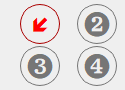
Hmm, maybe it's an older revision of the T50 grip, which buttons light up for the hats? Make sure the grip is selected and the hats should appear as indicated in the pic.
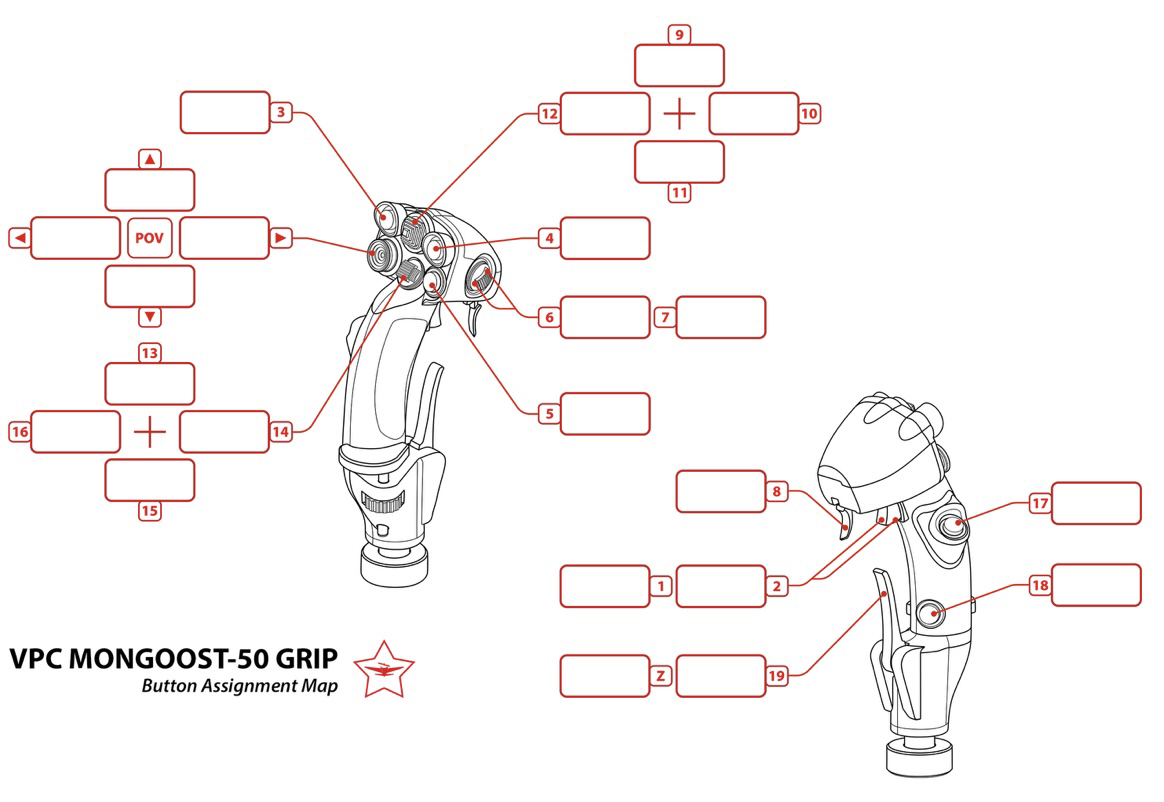
Yeah, I'll need to add the hats for the firmware update. It's kinda strange it doesn't register them. Could confirm which hats register correctly, which don't:
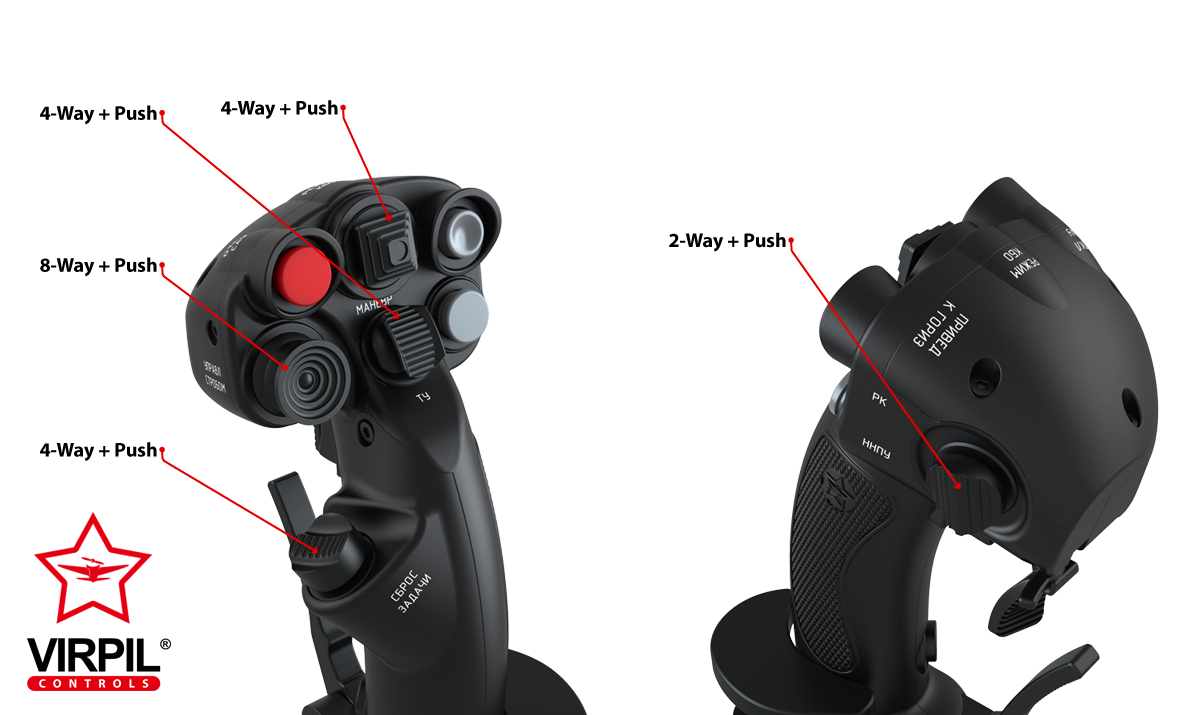
8-way+push supposed to be a hat switch. But other 4-way switch can be set as hat switches because there are "hat as button" settings. anyway mine is as follows
Hi Walmis, do you have a record of all the correct buttons for the Virpil Hawk-60 collective grip for the upcoming (soon) update? The problem at the moment is that the centre push lights up with any left right fwd back button push. Cheers.
The original T50CM has a single push button on the thumb and a 4 way hat where the 8 way is.
Also I need to check and see if they are push to click (so 4 way with click).
I can try to find the Virpil page that shows it but there are some small differences between the old version and the newer one with all the 8 way hats and the 4 way on the thumb.
You can tell his is the older (but not the oldest) version because he has the Gray palm rest and button hats.
The next newer version was called a black out and had all the exact same features but has Black hats for the switches and a Black palm rest.
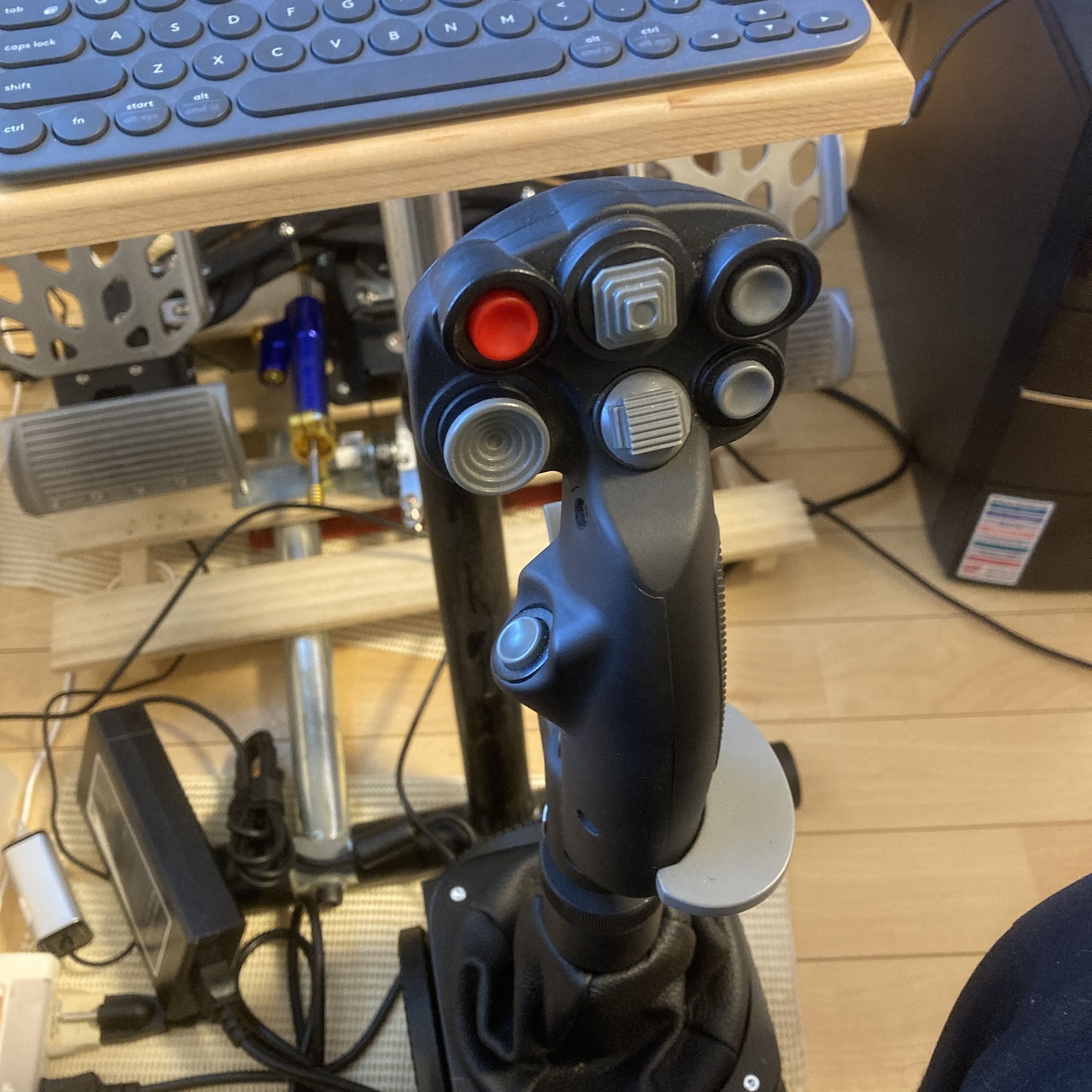
After that they made the newest version which is the photo you shared (has the 8 way and has a 4 way which replaced the single thumb button).
You can see it from comparing his stick with your photo.
I have that T50 so I have the links for the original stick layout… somewhere
But for what it’s worth I’ve had zero issues using that old T50 with the Rhino you can even set up the flip trigger as a safety switch (as intended in real life).
Hi thanks for having a look. It might have been the hind. I flew different aircraft in that session. The problem is that Telemffb's DCS status light remains yellow, no matter what aircraft I select. It seems intermittent, too. Yesterday, after asking for help, it was working for the mirage f1 in single player. 2 days ago was not working for hind, mirage 2000, f5 this was multiplayer, but another rhino user. in the same server doesn't have the issue Other times I test it in an instant action and it would work, but then it wont in multiplayer with the same AC. The error I see in the log is always the same, and it repeats itself A LOT. Let me know what info you need to troubleshoot.
The one he has and has the Gray buttons and Gray palm rest.
The next version they switched to all black hats and added a 4way (that’s the one I have).
The newest version has the thumb button from both the older versions and switched it to an additional thumb Hat switch and is still all black in color.
Anyway.. same as I said before mine works every single thing perfect even the brake axis and every button works as it should… or as I assume it should.
I picked the CM2 profile and kept it moving.
I just assumed anything that didn’t exist on my stick… would simply go “un mapped”
would love to know how you did it, because I can't get the paddle to work on mine. I too have the first virpil stick, and currently can't use the paddle because the configurator sees it as random button pushes. Walmis is aware of this.
Maybe our sticks (mine is the black out version of yours but still the same buttons)
Are actually different inside.
That part I have no idea about.
How I got my pinky paddle (brake) axis to work was by selecting CM2 grip and when you do that it shows a new slider on the main Vp configurator page with a “calibrate” button.
Press the button and pull the pinky and then let it go. Save and done.
So maybe there’s more than just the color that changed