 H
H B
B R
R I
Iwrangler deploy --env prod K
Kwrangler dev C
Cwrangler pages dev C
C
 0
0wrangler pages devvite buildsveltekitD1vitewrangler[wrangler:inf] GET /_app/immutable/entry/start.C9uj9_pe.js 404 Not Found (13ms)--live-reloadwrangler.tomlsvelte.config.js Y
Y
 SHY
SHYRoutesCustom Domainswix-app-test2.runwix-app-test2.run/**.wix-app-test2.run100:: HY
HY*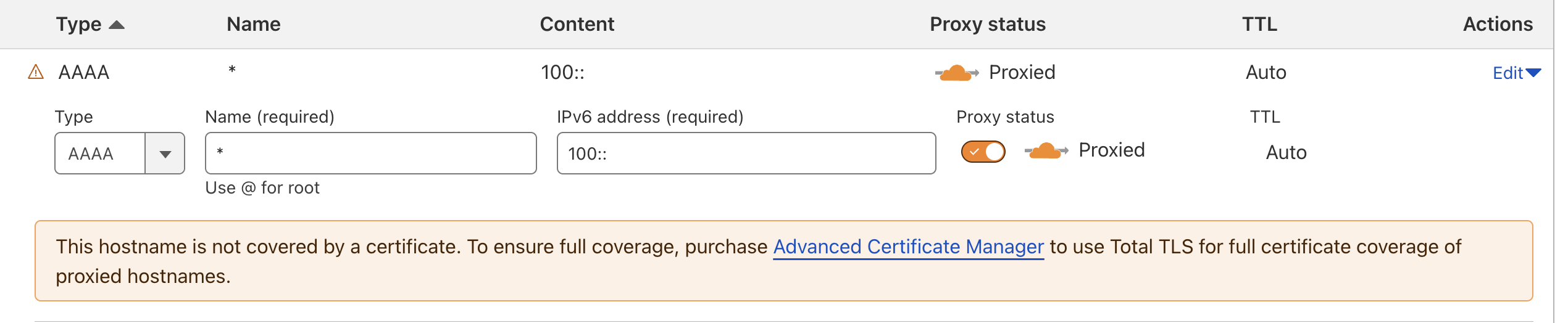 Y
Y
 H
H CCY
CCYcloudflare/wrangler-action@v3 JJ
JJ
 J
J Home to Wrangler, the CLI for Cloudflare Workers® - Issues · cloudflare/workers-sdk
 HJHJH
HJHJHwrangler.toml H
Hwrangler versions J
Jmysite-stagingwrangler.toml<nameFromWrangler>-<nameSpecified>worker-wrangler.tomlwrangler.json A
Anpm create cloudflare@2.21.12.21.1
npm create cloudflare@2.21.1 -- --no-auto-update S
Swrangler deploy K
K#:schema node_modules/wrangler/config-schema.json
name = "phosphor-server"
compatibility_date = "2024-07-12"
compatibility_flags = ["nodejs_compat"]
no_bundle = true⎔ Starting local server...
[wrangler:inf] Ready on http://localhost:5010
✘ [ERROR] service core:user:phosphor-server: Uncaught Error: No such module "wrangler:modules-watch".
imported from "_worker.js"
✘ [ERROR] MiniflareCoreError [ERR_RUNTIME_FAILURE]: The Workers runtime failed to start. There is likely additional logging output above.routes = [
{ pattern = "*.wix-app-test2.run/*", zone_name = "wix-app-test2.run" }
]name: Deploy Worker
on:
push:
branches:
- wrangler
jobs:
deploy:
runs-on: ubuntu-latest
timeout-minutes: 60
steps:
- uses: actions/checkout@v4
- name: Build & Deploy Worker
uses: cloudflare/wrangler-action@v3
with:
apiToken: ${{ secrets.CLOUDFLARE_API_TOKEN }}
accountId: ${{ secrets.CLOUDFLARE_ACCOUNT_ID }}
workingDirectory: "./cloudflare-services/platforms-dispatcher"Checking for existing Wrangler installation
/usr/local/bin/npx --no-install wrangler --version
npm error npx canceled due to missing packages and no YES option: ["wrangler@3.67.1"]
npm error A complete log of this run can be found in: /home/runner/.npm/_logs/2024-07-31T13_20_24_246Z-debug-0.log
⚠️ Wrangler not found or version is incompatible. Installing...
📥 Installing Wrangler
/usr/local/bin/npm i wrangler@3.13.2
npm error code E404
npm error 404 Not Found - GET https://registry.npmjs.org/@wix%2fambassador-bootstrap-plugin - Not found
npm error 404
npm error 404 '@wix/ambassador-bootstrap-plugin@^1.0.617' is not in this registry.
npm error 404
npm error 404 Note that you can also install from a
npm error 404 tarball, folder, http url, or git url.
npm error A complete log of this run can be found in: /home/runner/.npm/_logs/2024-07-31T13_20_31_572Z-debug-0.logbunx wrangler d1 create mysite-staging
bunx wrangler r2 bucket create mysite-staging
bunx wrangler kv:namespace create staging


