well I got mine pretty much like 5 months ago and have no. 444. last sent was 663. that is like 44 per month. once you are like 200-100 units in front of it it will go fast though
I'm curious if anyone else has had issues with centering of the sick and what they've done to resolve it? I've had the base for almost a year.
- I've tried balance spring adjustments - I've tried static force - tried static force and balance spring together
I have an extension with a decent offset so it's not naturally balanced. Ultimately whatever setting I try, it won't hold a tight center. It's always off, and based on its previous movement direction it's off by a different amount. This causes lots of issues when trimming, especially force trim in helicopters. I've fiddled with this so many times, but I almost never get consistent behaviors. Especially after recalibrating. I'm pretty lost at this point. Any ideas or help would be grateful.
okay sometimes when something happens (game crash or something) the rhino does get proper FFB effects (it doesnt have any spring effect for example) and some said reseting effects in telem helps but for me in most cases only restarting the PC helps any tips on this? disregard in this case i was dumb and turned the spring force to 0% via pot#1 no wonder there is no effect >.>
What’s the distance between gimbal centre and grip connector? I’m trying to work out how long of an extension I want to get for my mounting setup that will roughly match my Virpil CM3 with 200mm extension plus Z-extension that adds about another 100mm. Cheers.
I used balance spring, and the data of centering and added a little bit of a gain curve to the spring effects and now works pretty good. I’m still having issues with my horizontal wigging out when going through ETL so I’ve had to turn my ETL down to like 5% in teleffb
It’s really frustrating that my horizontal axis is having these issues, but I’m not sure how to solve it. It even doesn’t on the default config settings.
i tried the gain curve. But for what ever reason the stick goes bonkers if I add any amount of gain. It actually destoyed my extension last night the shaking was so violent.
- TelemFFB window should no longer be placed off screen if the saved location is outside the bounds of the active monitors @FarFutureFox @Grale - Button binds in TelemFFB now support PoV Hats when "use hats as buttons" is disabled in configurator (Thanks Walmis!) @amadeus
DCS
- Added rotor RPM and damage model telemetry for CH-47
DCS/MSFS/X-Plane Helicopters
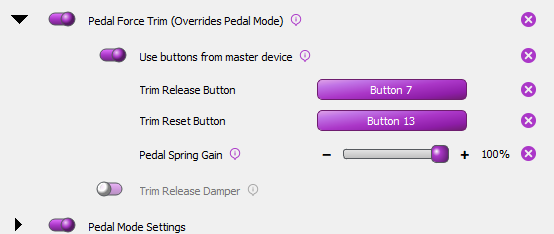
- Added hardware force trim option for pedals. @SerGeant - Can be bound to button from master instance (i.e. joystick) - Enable "Use buttons from master device" in the feature options - To bind to a different controller, use the loopback app (and set grip type in pedals configurator to loopback).
Mate those settings are a game changer, One of the crew on here suggested settings of 280 roll and 190 pitch. The default of 100% for both in DCS is simply not enough force going to the Rhino. The F4 always felt to slippery, now with the changed percentages its a dream and with heaps of force feedback. Those percentages can go as high as 500% each.
Is force trim only for helis or can I use it in say fa-18 to push to correct attitude / speed and then push button To trim to that position like I could do real life in some gliders I flew with a spring type trim system button reset spring center
So depends on personal taste. Irl the f-18 is fly-by-wire so there's no trim like that but if you'd like to you can set it up in the config or the telemffb app to behave that way.
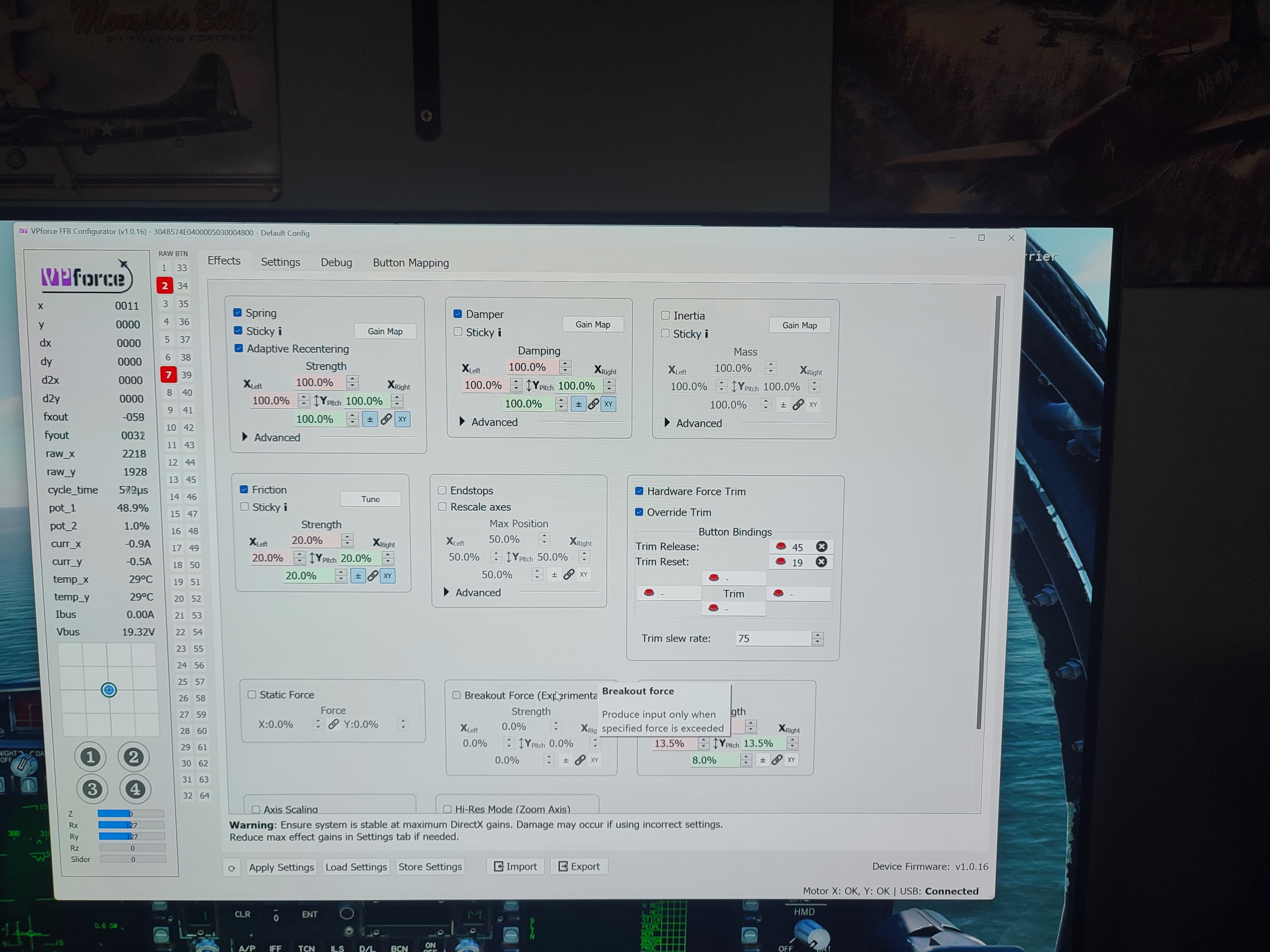
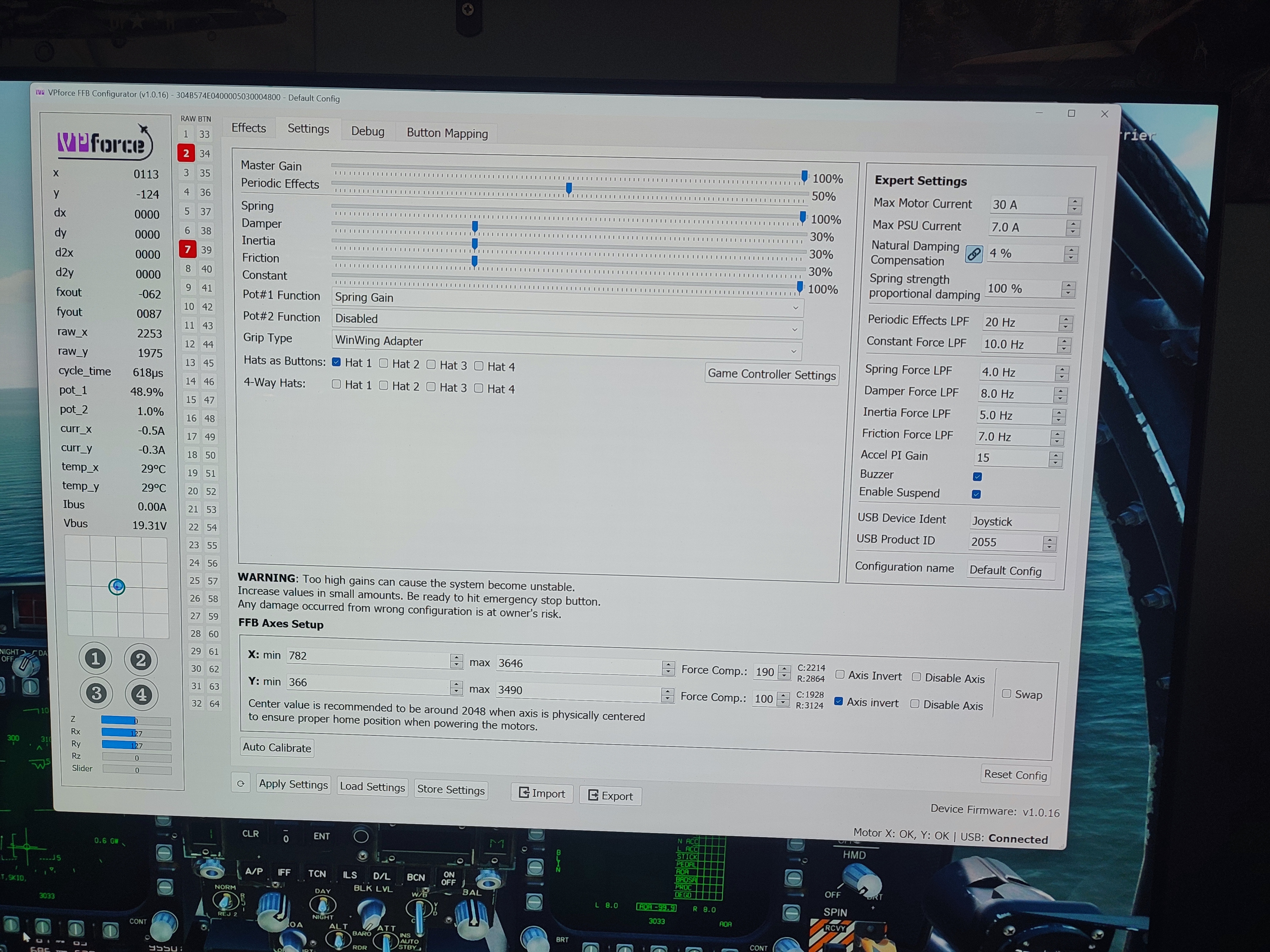
Hi - Newbie here. I am trying to set up my new Rhino for helicopter force trim but cannot seem to get my stick to center to the new position once I force trim. My settings and button bindings of my attempt to force trim are attached. Would anyone be so kind as to explain what I am doing wrong here? I was trying to upload a short video but it would not let me b/c of size. Essentially I was trying to demonstrate is that I can move my stick while holding the force trim button I have assigned and the center circle does not move away from the center to the point where I release the force trim.
Where have you bound the button? Do you mean the binding in DCS or the binding in configurator? You currently have "sticky" enabled on the spring setting. This will override the spring effect that is generated by DCS native FFB implementation.
You have button 45 bound in configurator as the hardware force trim. That button should allow you to reposition the center of the spring force. Because you have "sticky" enabled, the spring effect and button binding from DCS is not being used.
Suggestion: Disable "sticky". Bind your trim button in DCS.
And don't forget to read the (really helpful) manual ! The part about DCS and helicopters is a good read! In principle, it's a good way to get started with the Rhino (and take TelemFFB too, which will help you fine-tune the settings).
Yes, I've been reading it but apparently I missed the points where you had to set the trim button in both DCS and the config tool. I interpreted it so that I would only have to assign the buttons in the config tool and NOT also assign them in DCS (so, I had previously deleted my assigned buttons in DCS). I know better now...
You don't actually need anything bound in configurator. That button won't do anything unless you either have the "sticky" enabled, or if you have no game running and the Rhino is using its own effect generated by the configurator.
Hi, I am considering on getting a VKB F-14 grip, but I don't have any VKB hardware, I know I need the adapter, and the black box, but on the VKB EU website (flightsimcontrol.com) I am able to find only the older MkI/MKII blackbox...Or If i buy the grip they include the blackbox also?