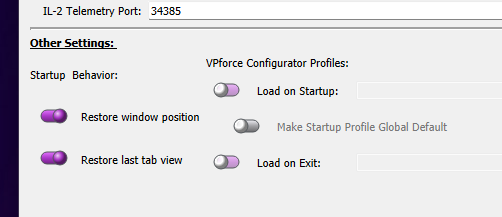
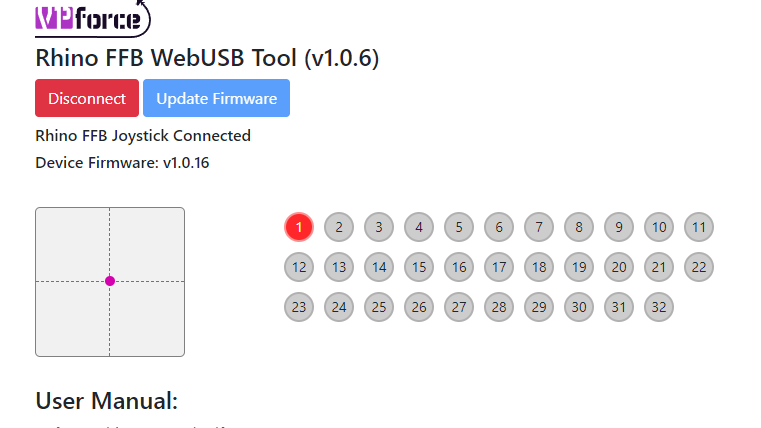
Yeah you must do that for all new aircraft. And I recommend you to create a config file when loading the aircraft (sorry words are missing and I'm full occupied now )
No, don't bind them in MSFS.. it will conflict with what TelemFFB sends and your controls will flutter all over the place. You can set the default for MSFS to "control axes" in the global/offline editor. Then you will not have to enable on each specific aircraft... Easier to record a clip than describe the individual clicks :)...
Thanks makes sense, awesome! I had it like that for one plane but then I tried a different one , that’s when controls didn’t work. So I’ll do the global setting next
The FFB config seems to forget the settings every time I use it. Periodic effects are at 100%, so I set it to 30%, save it, store it, close it, restart the computer and FFB config - and there we got: 100% on the periodic. What do I miss?
How plug and play is the VP base? I fly IL2 Great battles DCS and Warthunder is there going to be alot of setup time involved in these games or am I going to be able to enjoy the Rhino with little time and effort?
Yes you just need the adapter and it works as normal. The VP base takes a little setup to get right, so more than just a true plug and play. But I found it more intuitive than the VKB software. You can tune it exactly to your like, so if you can use VKB software it shouldnt be an issue to use the rhino.
Telemffb is worth installing as it provides more and better effects than IL2 and DCS provide natively. Once you have it all set up, it is an experience like no other.
I'm not sure if i need or want the thow limiter that walmis offers? I currently use the VKB gunfighter with MCG grip that has the 8inch extension I'm very happy with the throw amount that I currently have with the gunfighter I'm not sure what distance that is though so does anyone have any advice?
sorry guys one more question do I need the purchase the upgrade machined aluminum grip mount? is it necessary to have the metal for larger extensions or is this just something people wanted to make them feel better?
Depends on how ham-fisted you are.. I joke.. but a few people have accidentally cross threaded their grips/extensions onto the default 3d printed adapter.
I and most other users have never had a problem. That said, if it had been an option when I ordered SN#85.. I would have, because... why not.
I'm still having connection issues with DCS. It has worked a few times but then it won't work for a week. The computer sees the base, its powered on but i don't see it listed in DCS and have no control. Does anyone have any ideas?
when i restart the computer, with only the winwing throttle and rudder pedals on a powered usb hub and the rhino plugged into the motherboard dcs recognizes it and it works. Once i attempt to connect the other powered usb with the mip the rhino stops working and i have no ac control. I need to disconnect the mip and restart the computer again to get it to work
hmm.. sounds like some low level usb bus shenanegans on your motherboard.. well outside my area of knowledge. Only help I can offer, and its not much help at all, is to ensure your MB's usb drivers are updated. Maybe try to figure out how your USB ports are split across busses and test with the hub(s) and/or the rhino on different ones.
In the past I had a lot of strange problems with different usb hubs. Then I decided to attach all things directly to my mainboard and a 5port USB3.1 internal card. All problems wend away. Not all usb hubs are evil. But every time some has strange problems with devices, I ask them to try without usb hub and most of the time it was the root cause.