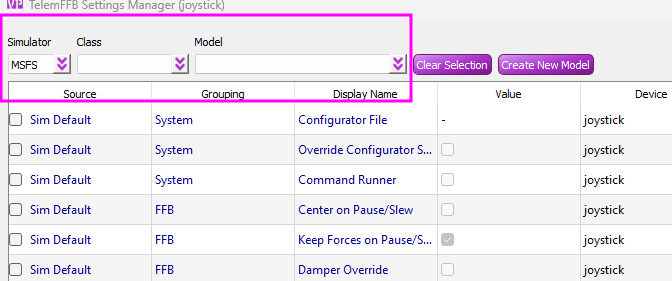
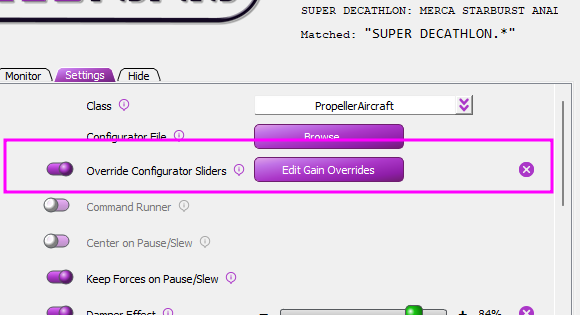
Hi none of the settings for DCS have that override configurator slider active! I only fly DCS and Jet's props and Helicopters and all specific aircraft have that setting unchecked. I haven't even been in this section to alter anything since I received the Rhino. the only setting i have adjusted are the main sliders in the configurator and the main effects panel in the FFB telemetry.
Trim seems to be an issue in all the jets I've tried so far with the stick only reacting to trim commands it seems "whenever it wants to" and not all the time! Maybe I need to increase/decrease a setting.
Hate sounding like a complete noob as I'm usually good at figuring this sort of thing out myself but I'm just scratching my head when I look at all the adjustments re read the manual and still can't figure out what's causing these 2 main issues.
lots of adjustments required in the standard DCS setups from what I can see with many settings just feeling way out of whack, but I can deal with that it's DCS and anyone that's sat and mapped out keybinds in DCS for 20 modules isn't really going to mind going and mapping out the effects for each of those modules. But getting that Master Gain reset every time I adjust one thing and have to reset it to feel if my adjustment was what I wanted is a real pain. Got to be one overide setting as you say but I haven't created any personalised Config files other than adjusting the sliders on the FFB telemetry effect page.
Use the help menu in TelemFFB to create a support bundle and post it here or DM it to me. I believe you about the setting not being enabled, but unless I misunderstood the symptom of the Configurator sliders resetting everytime you change a setting in TelemFFB, that is the only feature in TelemFFB that could/would do that.
The support bundle will include your system settings, user config and recent logs.
Seems I fixed the issue hopefully. I reset the configurator to factory settings and the calibrated and went from there. Changing settings in FFB telem no longer cuts the Master Gain Will keep you informed.
Hi all, my rhino developed a "shimmer" or a "purr" (very low amplitude, high-frequency vibration) which is noticeable when the stick is moving, and goes away when the stick is kept in position. Is this a sign I need to re-tighten the belts? Or is it something else?
And I found petg very easy to print, just needed higher temps. Even less shrinkage and creep as well, and here regular pla and petg costs exactly the same.
I just cranked bed temp on my ender 3 til it stuck. Going a few degrees below material glass point can be a good start point, think i was somewhere about 80-90c. I do also have a glass panel on my bed so I peobably loose a fair few degrees between the surface and the bed heater/sensor as well.
The Configurator being reset to factory setting has indeed fixed all my issues I was having and brought all my aircraft to life. So it seems a bad setting in the configurator was the issue, Thanks to you and others for your help!
What do the "4-Way Hats" checkboxes on the Settings page in the FFB Configurator do? I have a TM F-16 grip, and have selected "Generic Grip" as the grip type, since there was no direct match. At least for this setup, the checkboxes don't seem to do much anything whether they're checked or not. Manual says nothing about the checkboxes.
If your buttons are working as they should I wouldn’t worry. Generic Grip is the correct setting for TM. Also make sure you are storing config when making changes.
If you are using “hats as buttons”, it blocks the diagonal combinations like U/L, U/R, etc. if you are not using the hats as buttons, it doesn’t send the diagonal pov events that would be part of an 8-way hat.
Did I get this right: The "Hats as buttons" checkboxes will make it so that when you push the hat to (say) upper right, then it will put out either the button for right or button for up, but not up and right simultaneously. Whereas the "4-Way Hats" checkboxes will just disable the diagonals from 8-way hats. Is this correct?
Copy that . Looks like the generic grip will just generate only button events for the hats regardless, so it doesn't matter for my current setup. I'll have to remember this when changing grips though.
Related to my previous question: Are there plans to increase the number of directly supported grips in the configurator, e.g. for the TM grips or the new Virpil Flanker grip? And is there much benefit in having direct support for a grip, except for possible additional axes like analog hats or such?
I have to import a vpforce configurator file (.vpconf) each time vptelemeffb is started. Things like changes to the settings page etc. I assumed these are stored in the usb perm memory and load on start of the device (so reading from device to the VP configuration). Must be doing something wrong. Anyone any ideas? Just to note it does have changes I made when I first set up the device such as using the wingwin grip - clearly something I've done is the problem
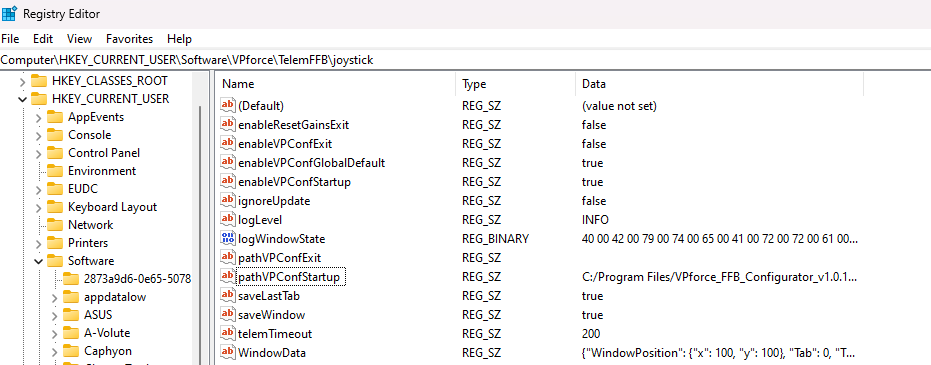
Just noticed if I open VP configurator directly it populates settings correctly, so it seems this happens when I open the configuration from the telemffb program's menu. possibly a program location issue?
Thanks. just figured it out (reading the manual again), registry settings set the config location that telemffb uses to locate the config files - I must have moved the location of the configs....[edit] in settings too meh
I recently started using a physical throw limiter. After calibration the axis all match up correctly in the configurator, but once I get into certain modules the y axis is rescaling by itself. The full Y axis throw is limited down to 50% once the ffb telem kicks in. The limited range is reflected in the configurator and in DCS. If I close out FFB telem I get the full axis again. I have nothing in the effects tab of the configurator turned on. Any help would be appreciated. Thanks.
the community mods (excepting the OH6) don't support FFB. You'll have to either use "Sticky" spring + override trim in the configurator software, or you can use the "Override DCS Spring" feature in TelemFFB and then set your trim bindings in the sub config.
I dont believe so. So what I noticed today is that its for aircraft that have asymmetric y axis. the F18n has about twice as much pull as it it does push. Whats currently happening is the pull side of the Y axis is being reduced instead of shifting the center point forward.