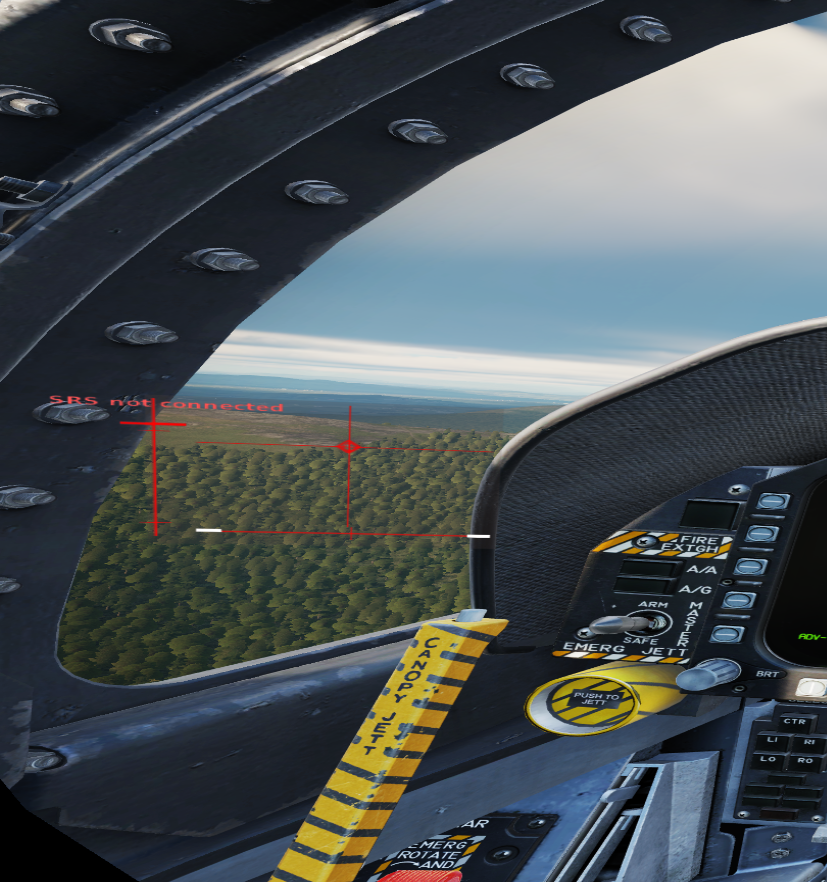
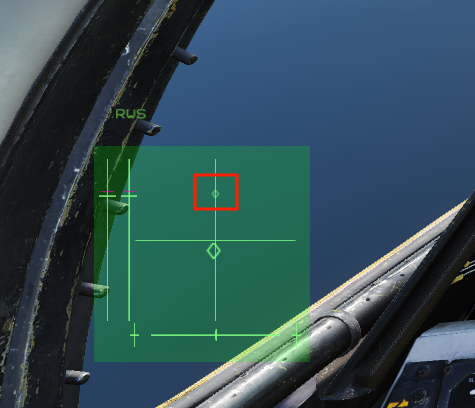
I recently started using a physical throw limiter. After calibration the axis all match up correctly in the configurator, but once I get into certain modules the y axis is rescaling by itself. The full Y axis throw is limited down to 50% once the ffb telem kicks in. The limited range is reflected in the configurator and in DCS. If I close out FFB telem I get the full axis again. I have nothing in the effects tab of the configurator turned on. Any help would be appreciated. Thanks.
the community mods (excepting the OH6) don't support FFB. You'll have to either use "Sticky" spring + override trim in the configurator software, or you can use the "Override DCS Spring" feature in TelemFFB and then set your trim bindings in the sub config.
I dont believe so. So what I noticed today is that its for aircraft that have asymmetric y axis. the F18n has about twice as much pull as it it does push. Whats currently happening is the pull side of the Y axis is being reduced instead of shifting the center point forward.
The F/A-18C in DCS has no asymmetric y axis. I have that problem with the A-10CII if I use curves. And I've read the F-5 has the same problem. But F/A-18C in DCS works for me without any problem. But I use virtual end stops and axis resizing at the moment. But I will create a physical end stop soon.
so after adding force comp. my stick starts to oscillate on the x axis what can i do to go around that? i only get it when i put force comp im pretty new sorry the questions
Is it possible to upgrade the motors in the Rhino? DCS WWII fighters , the stick gets real soft after a while dogfighting, and the fans turn ON. More powerful motors should help with tis issue.
Can someone explain what I need to tick to make hardware trim work in dcs, trying it out on the viggen and the stick moves the wrong way when I trim. VKB grip.
I mean, when I trim nose down, the stick travels backwards, and becuase everything is off center after trimming, the "autopilot" cant be engaged, since letting go of the stick will command nose up or down if you have used any trim
I have, but have never tried the standard Rhino to compare to. The regular 60/15 gear ratio of the monster makes it about 1.7x more torque than the standard Rhino but I recently upgraded to 72/15 which is just a hair over 2x the torque of the standard Rhino.
1.) Make sure your axes move correctly in configurator. If one or both are backwards, invert them in configurator, not the sim. 2.) if the trim is backwards for an aircraft, invert the axis in the FF Tune for that axis. Pretty sure the F5 x axis needs this treatment, there are probably others I don’t know about.
Are you sure this is the case. Maybe Im not describing in correctly. Sorry for the warped view from VR. The control indicator has more travel on the bottom than the top. I seem to have sorted it out with some axis rescaling. Is there a way to have it just set the neutral position like the F5 does? without having to tweak the axis scaling for different aircraft?
Hmm. Yeah, there’s nothing in TelemFFB that sets the trim. Even if you were using the hardware trim in the spring override feature, that doesn’t change the trim value…only the spring center.
I don’t even think it’s possible to externally set the trim in DCS.
Send over your Telem config anyway and I’ll have a look at it.
Wonder if something in my DCS install is corrupted then because I even deleted the keyboard trim bindings just to be sure there was nothing else that could input
Guys... did anyone design a plastic cover for the front cable & power connectors...? I already stumbled over those protruding cables and it's gonna get wrecked if I do it again...
I turned my Rhino, so the connectors are on the backside. Also you can buy angled usb & power cable/adapters. This helps, too. I didn't see a cover for them here.
so after adding force comp. my stick starts to oscillate on the x axis what can i do to go around that? i only get it when i put force comp im pretty new sorry the questions