

 M
M01381579
 W
WI've escalated to the support team.
 J
JWe received their response but were unsure of the best way to reply, so we responded via email. Could you please confirm if that is the appropriate channel?
This issue is significantly impacting our system, and we are willing to take any necessary steps to expedite the process. We truly appreciate your support and any assistance you can provide in resolving this as quickly as possible.
This issue is significantly impacting our system, and we are willing to take any necessary steps to expedite the process. We truly appreciate your support and any assistance you can provide in resolving this as quickly as possible.
JWe’re unable to log in to Cloudflare Support using the same credentials we use for our Cloudflare account. As a result, we can’t access any support-related information. Could you please advise on how we can resolve this?
Jwe also received that if we do not reply back the case will be closed, where should we reply its urgent
WYep email is fine. The support team will handle it.
JOkay thank you so much. We will really appreciate the help. Our system is not functional and this is crucial for us.
JHello, we still haven’t receive any email back. Unfortunately for us its very urgent to resolve this.
JSince our business heavily relies on these videos
WYour ticket requires billing and sadly we had no billing people around this weekend, it should be sent to someone this morning to handle
JYes thank you so much.
Jwe really appreciate
JWe sincerely apologize for any inconvenience, but we are facing critical challenges due to the sudden disappearance of our videos. This issue has significantly impacted our work, and recovering them is of utmost importance to us. Since our previous ticket was closed, we have opened a new one, and we are fully committed to taking any necessary steps to restore the videos—including covering any associated costs if needed. Your support in resolving this matter would mean a great deal to us.

 1
1Has there been a specific reason why your videos were taken offline? I'd be interested to know what's happened here
Jwe did not noticed that a payment did not went fully through
Juntil the videos were gone
1Gotcha, at least it's 'only' a billing issue and not something else. I hope you get it sorted soon
JYeah we also hope so. We are desparate to make it work no matter the price.
 J
Janybody know if Stream's biffing it rn?
JHave had a video in queue for a good couple minutes
Jthere we go nvm it finally started
JDear Walshy
We’re reaching out with a deep sense of urgency and concern. Unfortunately, we’re unable to log in to the support platform using our Cloudflare dashboard credentials, which means we can’t respond under our original ticket. Because of this, we had no choice but to open a new one.
Our business is losing revenue every single day due to the videos being unavailable, and we’re truly struggling to find a solution. We had a similar situation last year, and your team was incredibly supportive in restoring the videos from your backup servers. That help meant the world to us.
We’re hoping—more than anything—that it’s possible to do the same again. We are willing to cover any costs necessary to make it happen. Please let us know if there’s anything we can do to expedite the process.
We appreciate your time, effort, and any help you can provide.
Warm regards,
We’re reaching out with a deep sense of urgency and concern. Unfortunately, we’re unable to log in to the support platform using our Cloudflare dashboard credentials, which means we can’t respond under our original ticket. Because of this, we had no choice but to open a new one.
Our business is losing revenue every single day due to the videos being unavailable, and we’re truly struggling to find a solution. We had a similar situation last year, and your team was incredibly supportive in restoring the videos from your backup servers. That help meant the world to us.
We’re hoping—more than anything—that it’s possible to do the same again. We are willing to cover any costs necessary to make it happen. Please let us know if there’s anything we can do to expedite the process.
We appreciate your time, effort, and any help you can provide.
Warm regards,
 M
MPinging Walshy repeatedly is very unlikely to fix a billing issue he isn’t responsible for, I’ll be honest
MIf costs aren’t an issue, for the future, consider getting an enterprise plan as you get much better support methods/SLAs then
1Has AV1 encoding been abandoned? The blog from 2022 has a docs link that now 404s. Is H265 in some way planned in the future?
JI just wanted to express my deepest gratitude to the Cloudflare team. They were able to resolve our issue. Very thankful
 X
XCan watermarks still be added to videos that have already been uploaded to the stream
 1
1Nah you need to reupload
 G
GHi, I have a problem with the stream service.
Videos at random times return the message ‘server IP address cannot be found’ not only in the stream frame on my site, but also in the cloudflare panel when trying to run a video from a link.
The problem occurs several times a day
After a while, everything returns to normal and the video works correctly
Has anyone encountered a similar problem?
Videos at random times return the message ‘server IP address cannot be found’ not only in the stream frame on my site, but also in the cloudflare panel when trying to run a video from a link.
The problem occurs several times a day
After a while, everything returns to normal and the video works correctly
Has anyone encountered a similar problem?
 GG
GGSharing here for those who haven't seen :MeowHeartCloudflare:
1As a note for the Stream PM, I'd love some more documentation on how we can use
ad-url and also some further ways to control/customize it in some way. I'm not super familiar with how VAST works but any extra stuff that can be added here would be great B
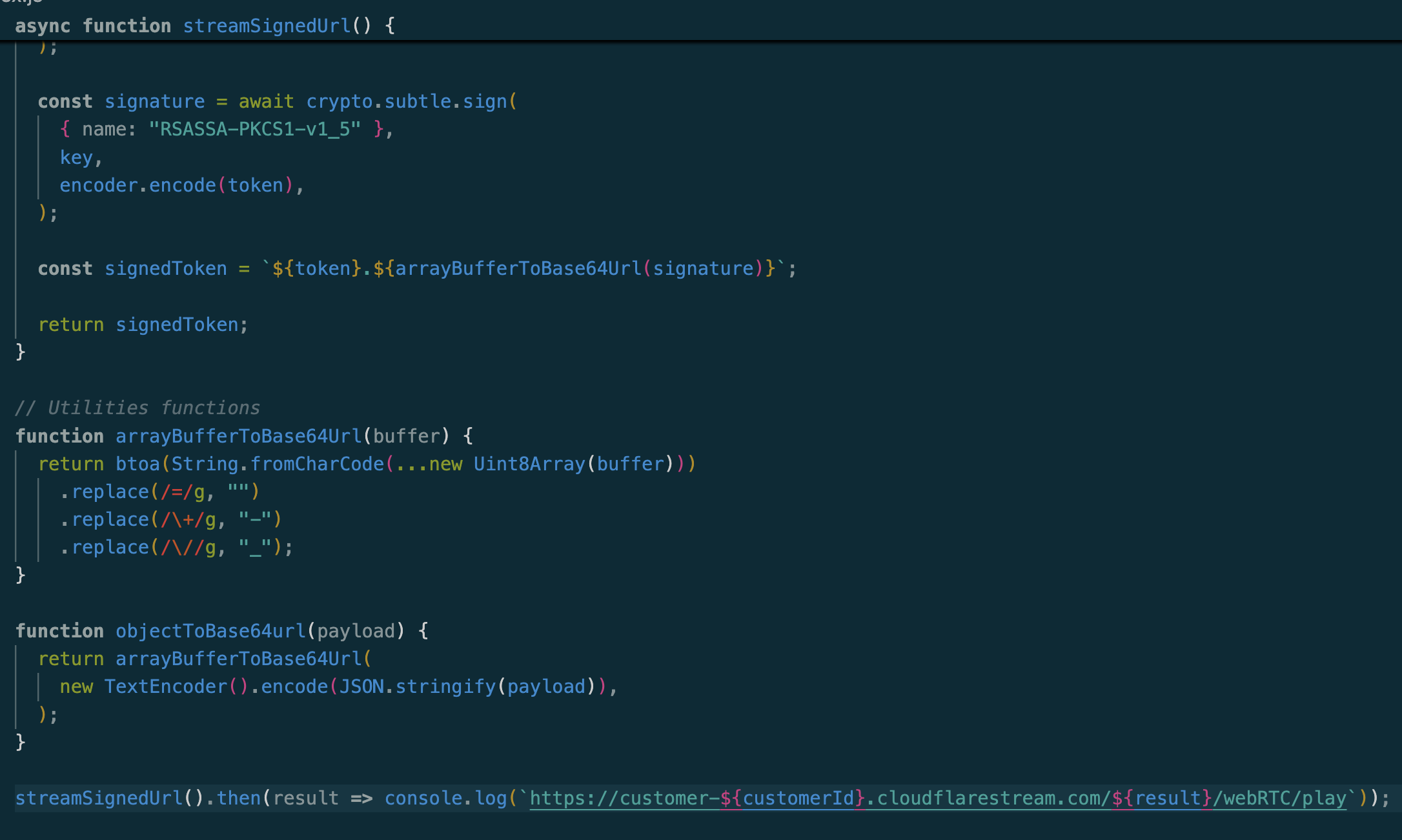
BHi, any Idea how to signed WebRTC Playback URL ? so only logged in people have access to webrtc whep url
BI tried using example https://developers.cloudflare.com/stream/viewing-videos/securing-your-stream/#option-2-generating-signed-tokens-without-calling-the-token-endpoint but won't work
Cloudflare Docs
By default, videos on Stream can be viewed by anyone with just a video id. If you want to make your video private by default and only give access to certain users, you can use the signed URL feature. When you mark a video to require signed URL, it can no longer be accessed publicly with only the video id. Instead, the user will need a signed url...
B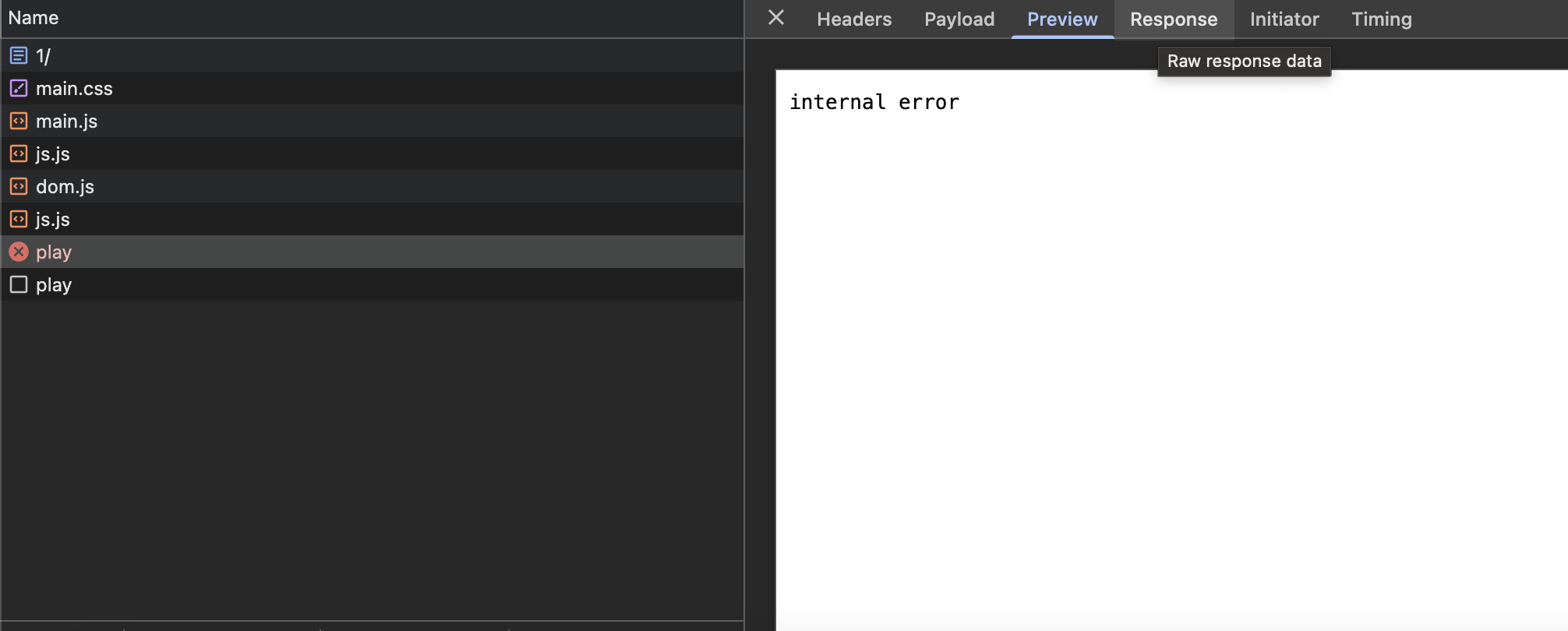
 S
SHello, i pay $5 a month for stream and images, i want to confirm that these are pre paid credits and that there i no possibility of running up a big bill larger than the $5 a month, like some of the horror stories we here from AWS etc. e.g. when the limit runs out on stream does it just stop serving media and images.

 D
DNo you’re paying $5 for a storage limit. Playback is what causes extra cost, though IIRC there is some included in that. Require signed playback URLs to limit exposure
Si want to be sure that exposure ends when i hit my bandwidth limit, even with require signed playback URL's.
1You can't without a self developed solution
 S
SWould that solution be something like only allowing a user to watch a video x amount of times before stopping them etc. How do media heavy companies deal with this where a user could pay for an item and possibly watch it endlessly, e.g. Udemy.
1Usually its about scale. The viewers who watch only a couple videos a month will subsidize the higher usage users
For a simple solution, you could set a timer on the frontend that for every minute the video is playing, a user's ID and watchtime is pushed to a DB or something that you track and use as you need. Perhaps users log in to access content, lock out their account when they reach a specific viewtime
For a simple solution, you could set a timer on the frontend that for every minute the video is playing, a user's ID and watchtime is pushed to a DB or something that you track and use as you need. Perhaps users log in to access content, lock out their account when they reach a specific viewtime
SAppreciate the advice, do you happen to know if stream supports watch time or that is something I need to handle on the front end? I am a back end engineer using htmx so I don’t have much experience with front end work.
1Nah you'll need to handle on the frontend. The builtin Stream player will emit events like
https://developers.cloudflare.com/stream/viewing-videos/using-the-stream-player/using-the-player-api/
playplayingprogresshttps://developers.cloudflare.com/stream/viewing-videos/using-the-stream-player/using-the-player-api/
Cloudflare Docs
For further control and customization, we provide an additional JavaScript SDK that you can use to control video playback and listen for media events.
 S
SHi team, can anyone give us any guidance on what the roadmap/timeline is looking like for these "coming soon" features of Stream + WebRTC?
https://developers.cloudflare.com/stream/webrtc-beta/#limitations-while-in-beta
https://developers.cloudflare.com/stream/webrtc-beta/#limitations-while-in-beta
Cloudflare Docs
Sub-second latency live streaming (using WHIP) and playback (using WHEP) to unlimited concurrent viewers.
1:soontm:
1Or
1:soonsoontm:

 H
HIm having the same issue but I’m trying to do it to a live stream. Is it possible ?
 K
KHello folks, Im using the stream API to upload videos, we are currently in testing phase, so I usually delete all videos using the SDK before uploading a bunch of videos.
However, after several 30-37 seconds videos (15-16MB) uploaded, I get the following:
{"result":null,"success":false,"errors":[{"code":10011,"message":"Storage capacity exceeded: You have exceeded your allocated storage quota. Delete videos or purchase more minutes to continue uploading content."}],"messages":[{"code":10011,"message":"You have uploaded 1080.00 minutes and are allocated 1000 minutes."}]}
when I go to stream dashboard page, I can see:
Storage Capacity
You have 27 videos in your Stream library.
You have 15 minutes of video content in your Stream library.
Your storage capacity is 1,000 minutes (98% remaining).
Im wondering, is there a mismatch between the API and the dashboard? and what happens to deleted videos? do you actually delete them or they are just hidden?
Thanks in advance!
However, after several 30-37 seconds videos (15-16MB) uploaded, I get the following:
{"result":null,"success":false,"errors":[{"code":10011,"message":"Storage capacity exceeded: You have exceeded your allocated storage quota. Delete videos or purchase more minutes to continue uploading content."}],"messages":[{"code":10011,"message":"You have uploaded 1080.00 minutes and are allocated 1000 minutes."}]}
when I go to stream dashboard page, I can see:
Storage Capacity
You have 27 videos in your Stream library.
You have 15 minutes of video content in your Stream library.
Your storage capacity is 1,000 minutes (98% remaining).
Im wondering, is there a mismatch between the API and the dashboard? and what happens to deleted videos? do you actually delete them or they are just hidden?
Thanks in advance!
