

 T
TWhen I attempt to update firmware, it states: "Error: NetworkError: Failed to execute 'claimInterface' on 'USBDevice': Unable to claim interface."
TIt connects, but other than that, no go.
 K
KSuper Walmis!! thanks, I will try! so it was not me messing something up completely.. what a relief 

 T
TI just tried that, unfortunately still have the same issue.
TOk I got it working, the stick was connected to a USB hub, it obviously did not like that.
TTelemFFB works as well now.
 W
WDid you manage to update to v16 ?
TYessir!
All problems got instantly solved, IL-2 detected the stick too.
Now I know my USB hub is a whicked shimmy.
All problems got instantly solved, IL-2 detected the stick too.
Now I know my USB hub is a whicked shimmy.
TA new issue popped up now, the VKB>Rhino adapter (VKB box is connected to normal USB port) is being a little weird in that triggers and other buttons are registered as POV buttons in IL-2, rather than, say, "Button 1" like the trigger would normally be, and they don't work in-game.
TTry as I might, I can't get the stick buttons to work in-game in IL-2, they register as buttons in options in IL-2, but they don't actually do anything once in-cockpit and actually flying.
WI'm not very familiar with VKB software, but maybe worth a check via the VKB native software?
WThe hardware is very simple - just a pass through cable connection
TAll is well according to VKB software.
So i reset all in-game controls to default and set everything up again, now nothing works in game, no pitch no roll etc
So i reset all in-game controls to default and set everything up again, now nothing works in game, no pitch no roll etc
TRegisters just fine when mapping, just doesn't actually work in-flight
THad no issues until today.
TNow not even the MSFFB2 works in IL-2, I can't actually play the game, non VKB stuff is affected by this issue.
Had no issues, for years, up until the Rhino was physically connected to the computer, after that, everything went biscuits.
Had no issues, for years, up until the Rhino was physically connected to the computer, after that, everything went biscuits.
 N
NSurely something foundational is going on that’s causing the issue? Did you reboot after running the command suggested to fix the connecting issue before you discovered the usb hub was the problem?
TI did.
This took a few hours to figure out, but I couldn't leave it on a sour note, that would be unfair.
I took the stick off and unplugged it, running just the VPForce, rudder and throttle quadrant, and it all worked again.
So that left the stick, I changed the Warthog stick from VKB adapter to stock Thrustmaster Warthog, and plugged it in it worked, all inputs worked, game works.
Now I finished a round of testing after changed it back to VKB adapter with Rhino Adapter, which again didn't work, then back to Thrustmaster which works, so the issue appears to be the adapter between the Rhino and the VKB.
This took a few hours to figure out, but I couldn't leave it on a sour note, that would be unfair.
I took the stick off and unplugged it, running just the VPForce, rudder and throttle quadrant, and it all worked again.
So that left the stick, I changed the Warthog stick from VKB adapter to stock Thrustmaster Warthog, and plugged it in it worked, all inputs worked, game works.
Now I finished a round of testing after changed it back to VKB adapter with Rhino Adapter, which again didn't work, then back to Thrustmaster which works, so the issue appears to be the adapter between the Rhino and the VKB.
TI don't know why the Rhino>VKB adapter>Warthog combination doesn't work, maybe it's just not written in the code.
Either way, it works now
Either way, it works now
TThe reason I was hesitant to open up the stick and switch out the adapter is because I was hoping I could still use it on my VKB base as well, but "that dog just ain't gonna hunt"
 A
AIt's just probably Il-2 being weird
Ait has an incredibly dumb controller interface, I've literally never before seen a game that has controls bindable and perfectly functional in the setup menu but don't show up in-game at all - but that's just one of the Il-2 quirks. Usually the right move is to reduce the number of active controllers to bare minimum.
 T
TYeah at this moment I'm chalking it up to IL-2 being IL-2, that controller interface is pretty garbage ngl, they certainly could have done a much better job with that, and people on the forums have been telling them as much.
 L
LI have also had trouble getting IL-2 actually use the controls in the game even though they work when I set them up. Strange as it may seem, being in VR or pancake affects it too. Recommendation is to never bind controls in VR (which I would prefer to do) but switch to pancake. Then they work in VR .
LController support in IL-2 is awry.
 L
Lwhat does Trim Release Button do?
 N
NIts part of the hardware force trim implementation. Pushing trim release button will remove spring forces until the button is released. Where you release the button, the new "center" of the spring forces will be where you released it
Looh thats cool
Nmostly for emulating helicopter force trim if a simulator doesn't support it natively
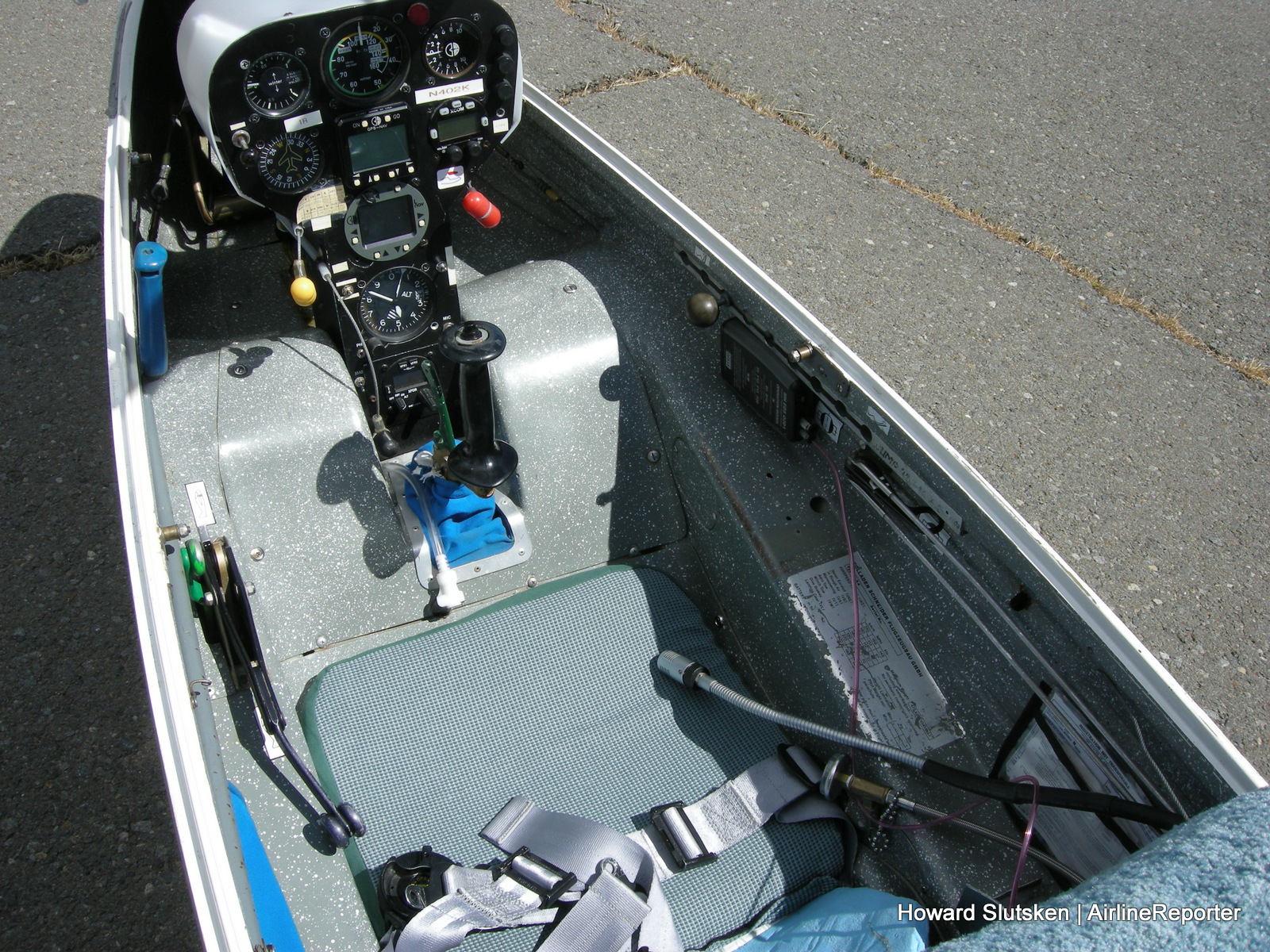
LIs there a way to "lock" trim so it only works on the pitch axis? This would simulate glider trim correctly (LS4 for example)
Nnot in configurator that I know of. I did write a force-trim implementation for helicopters in TelemFFB for MSFS that works the same way. If you describe how the system works on a glider it could probably be done in TelemFFB.
LOn most gliders you have a sort of pedal behind the stick, which moves the spring center to the position to the current stick position
LThe Green grip behind the main stick
 M
MYou could do the trim setting you want easily. Simply only bind controls for motorized trim for your pitch. Don’t do roll.
MOr is there more to it
Nso its like a physical disconnect from the spring system? Is it a "pull-and-hold" action on the lever until you get the stick where you want?
 N
Ndifferent from standard trim controls.. this behaves more like a helicopter force-trim system
LKind of, I think i can record a video for you tomorrow
LThis is a different glider type, the difference is, that on this one you move a trim lever. To do that on the LS4 you pull the trim lever and then the trim moves to the stick position and stays there when you release it.
LYou have to ignore that the trim lever moves a bit with the stick, that is because it wasnt tighted properly in this clip
Ninteresting.. I think the best we could approximate in TelemFFB is a button binding (could use the paddle on grip) that removes only the elevator spring force and re-centers it when released.
 J
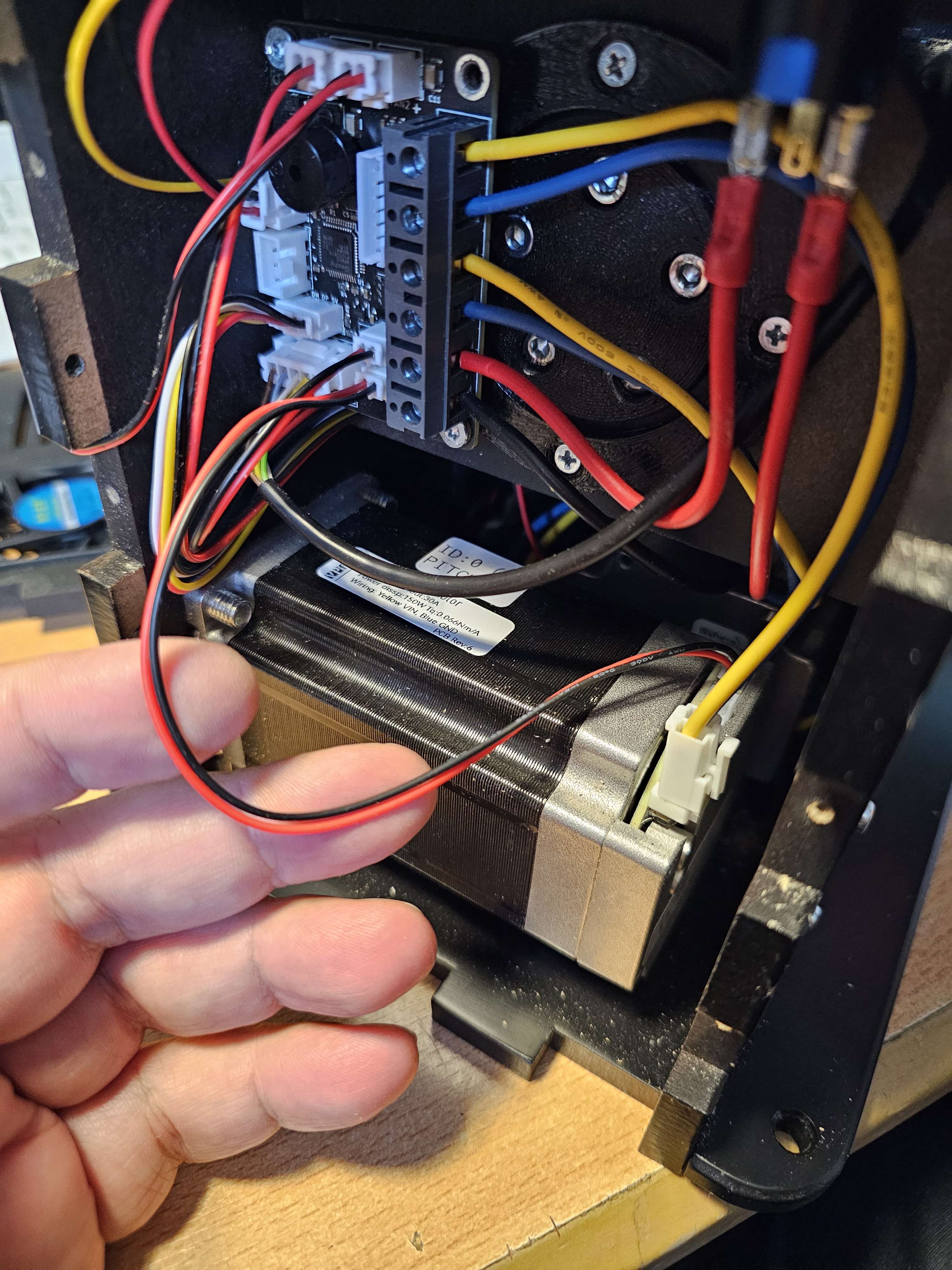
JWhat would this cable be called (specs), so I can get a replacement. The Y axis stopped working suddenly for no reason. First thing that crossed my mind that it would be a loose connector, so I opened up the stick, but all was seated. With fiddeling at the cable, the motor came alive. So I placed it that it works, closed the stick up and went flying. Net though, it won't stay for long, so I better get me a spare.

 S
SYea, those connectors are fragile.
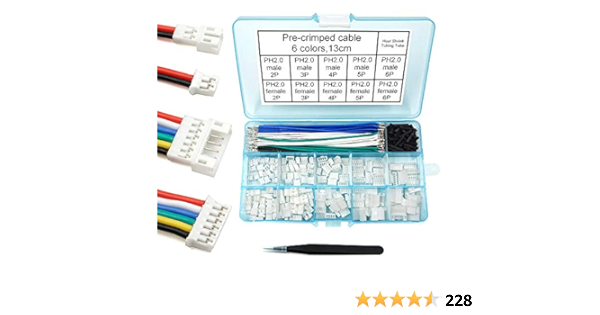
Get yourself this kit...
https://www.amazon.com/gp/product/B08T89ZK2Q/ref=ppx_yo_dt_b_search_asin_title?ie=UTF8&psc=1
Get yourself this kit...
https://www.amazon.com/gp/product/B08T89ZK2Q/ref=ppx_yo_dt_b_search_asin_title?ie=UTF8&psc=1
PH 2.0 Connector Pre-Crimped Cable Kit Compatible with JST-PH 2.0mm for Battery JJRC H36 Blade Inductrix Tiny Whoop Arduino mkr1010 MKR Zero and MKR Vidor 4000 (Female&Male Connector&Wire)
 H
HI know this is a very belated response, but I've been busy moving into a new house and job, so I've not had time to mess around with this.
I finally pulled the port out and took a look, and I don't see any obvious issues or damage, but the stick is recognized when I plug it in with the port removed, so I can only assume it was an issue with the solder points on the port that's not visible (maybe a cold joint?)
I finally pulled the port out and took a look, and I don't see any obvious issues or damage, but the stick is recognized when I plug it in with the port removed, so I can only assume it was an issue with the solder points on the port that's not visible (maybe a cold joint?)
HI'll put it back together and if needed, I'll resolder the connections and see if that fixes the issue.
 J
JIf you disconnect the USB while loaded into DCS. Is there a way to have DCS find the Rhino again? Rescan devices didn't work.
 D
DTrim function doesn't seem to work, doesn't move with assigned buttons, but will move with a non-assigned button.
 W
WHardware trim? If so do you have the latest .16-1 configurator version?

 G
GWhat about activating Enable Hotplug, the button next to the rescan devices you mention from Keybinding screen? Sometimes when I loose the ffb in DCS I just have to re-slot.