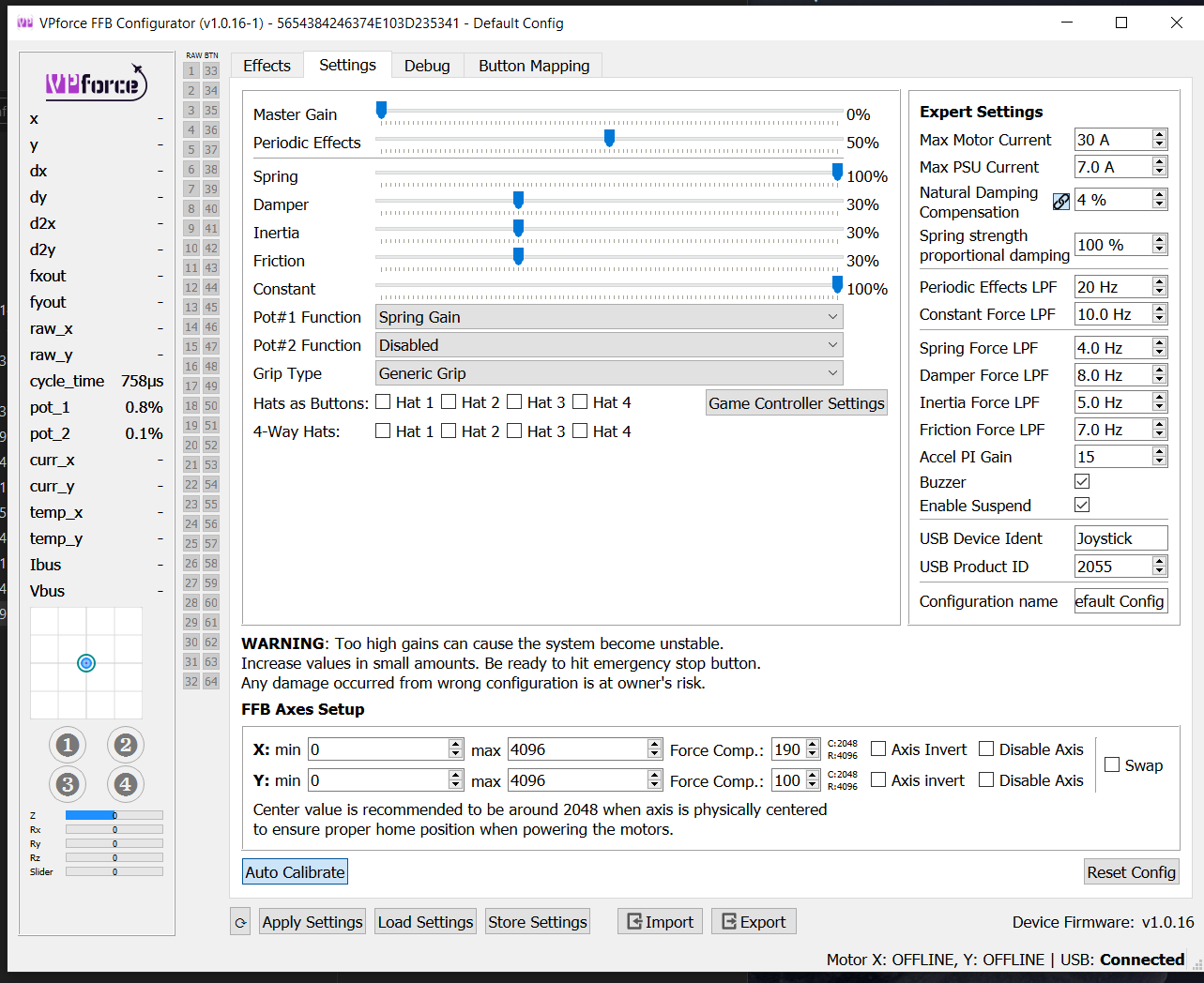
I'd suggest setting up and tuning/testing by using the hardware trim option in configurator rather than testing it first in DCS. If the dot is centered in the circle after releasing the HW trim button while only using configurator, but it is offsetting in the heli in DCS, then the issue is with DCS/The module rather than your vpforce config.
OK I think I've found the issue. I reseated the cable and checked the front side flange connector for loose wiring. They aren't loose. However I think the female connector itself might be slightly bent or one of its pins are. In very select scenarios by angling the plug I can get it to connect, but it's difficult to do so and the moment it moves it disconnects. So something has probably slipped there. My guess would be replacing the cable and its connector would be easiest(I don't have anything to solder with)
@Panny You can also fiddle with the connector with tweezers, maybe you'll be able to fix the problematic contact (That will save some time with shipping, and you'll be able to use your Rhino sooner)
Also is there a trick to get the WW adaptor to tighten up? i have both sides tight but my grip is still flopping around Edit: Used a spacer from a grip extension and it tightened up
Hi all. I started my DIY journey back in sept 22. And life got in the way. I am waayyy out of the loop on the project and have forgotten a lot of things.
Few questions.
They standard warthog grip thread is M20?
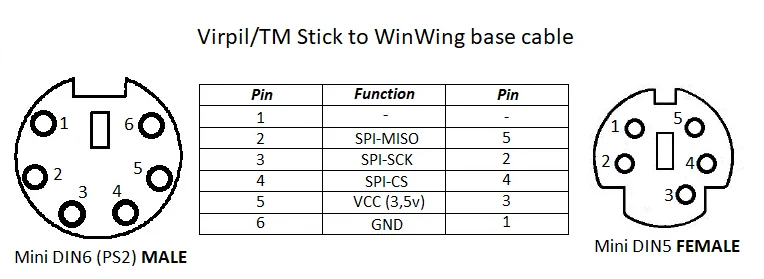
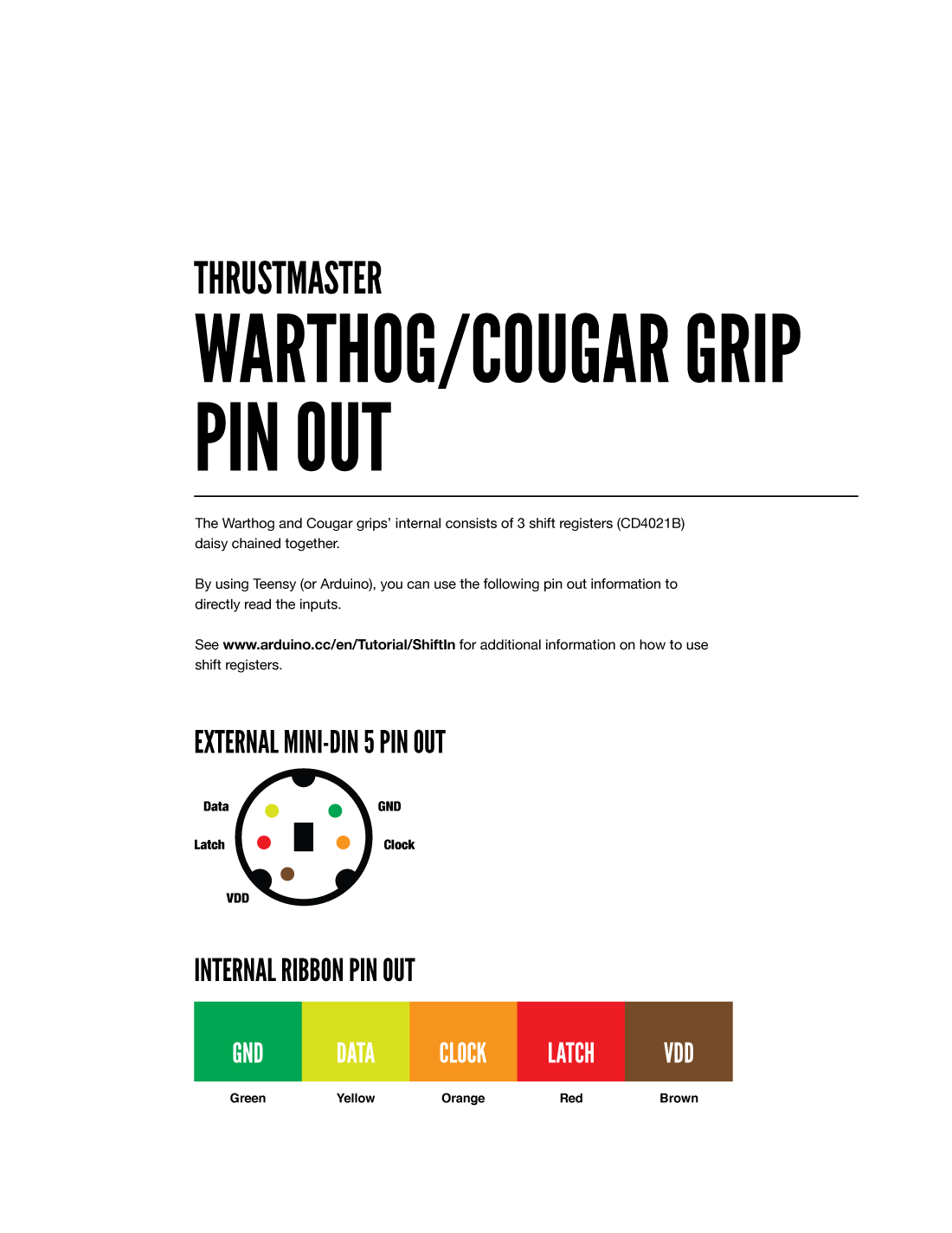
To make an extension cable, I need to make an adapter from a 5-pin mini DIN to JST- HX 2.5mm correct? Is there a pinout diagram pinned somewhere?
Does anyone know where to get the NS39 Connector, used on the DIY motor kit in the USA? I cant for the life of me find them.
Given that Walmis is super busy, and my order was 2 years ago, I'm thinking my complaint period has closed. Its just a couple of connectors after all. If I cant find them, I'll likely solder on some Xt30s or something similar.
The one I linked is the “male” side. The other one pictured can be a bit deceiving because of the pin numbering in the table since it is out of order numerically on the table but in somewhat of a numerical order on the picture.
You might be able to make it work by modifying since the nub in the middle is different between the two. I just got some off digikey, might be able to get those NS39 connectors there too.
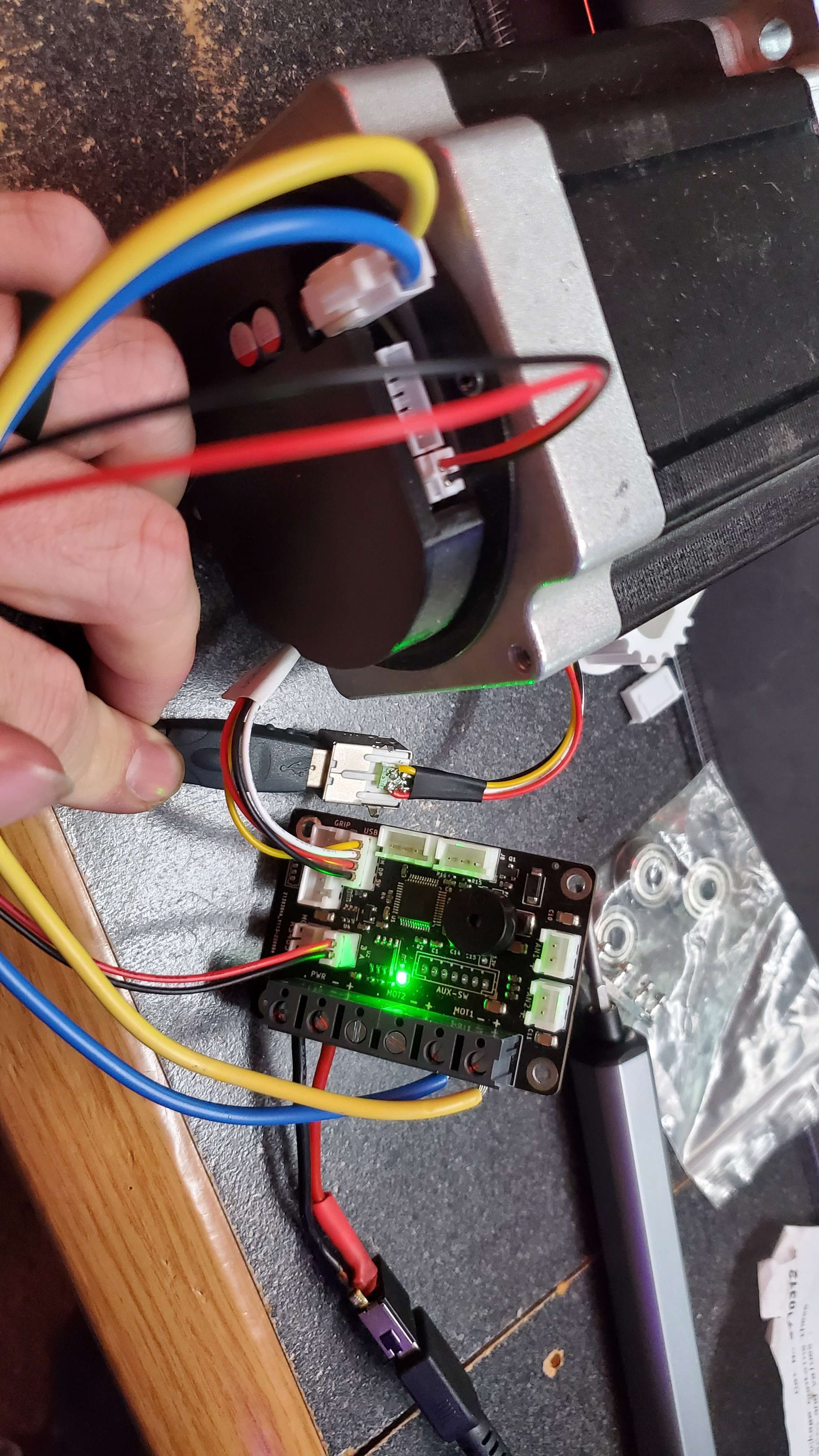
yea, I see that now.... if you've verified the motor is getting power, I'm not sure what else to look at. The wiring isn't complex and looks right to me.
I am not 100% sure but I think I saw someone with a similar problem some time ago and I believe it was that the motors are labeled X or Y and have to be plugged in as such into the M/B.
IIRC, there’s a green LED on the motor in the cavity where the connectors are. But I’m not sure if it’s just a power indicator or a board communication status indicator.
you are very likely the first person to try, to be honest. What you describe sounds like the axis position that TelemFFB is sending is fighting with what X-Plane is reading. The xplane plugin for TelemFFB sends the commands to override the axes, but there is a lot of unknown about how different 3rd party modules are implemented in xplane. Even the default R22 helicopter doesn't listen to the override command for the collective axis. It is entirely possible that many of the more advanced 3rd party aircraft won't work.
You can try disabling the axis control in TelemFFB and see if it clears up (this will also disable any trim/autopilot following). You can also try un-binding the axes in X-Plane.