
 P
PWhen I bank left or right there seems to be some inertia that carries the stick further into the turn than it should. I would think that the inertia setting would fix this but I haven’t had luck with that yet. Can anyone suggest what setting I might want to tweak?

 A
AHi @Number481 I solved it. Indeed my problem was that IL2 already had 8 devices identified. Not sure when IL2 included the Winwing MIP screens but yes, that was the issue. The post you gave me was actually not necessary but gave me the info I needed. It was as simple as opening the IL-2 Sturmovik Great Battles\data\input\devices.txt and delete all unnecessary devices. Then open IL2 and map the Rhino as usual. Great info, thanks very much!!!

 R
RYea I ran into that one with IL2. I had to do some wild contortions of Joystick “melding” to stick with their mind shatteringly primitive DirectInput Windows 97 limitations.
 F
Foooh....could you please send me a copy of that one, please? been looking for something like that!
 K
KI would like to try it
 T
TDid you say Tester… 

 D
DI busted this part.... please help!!!
D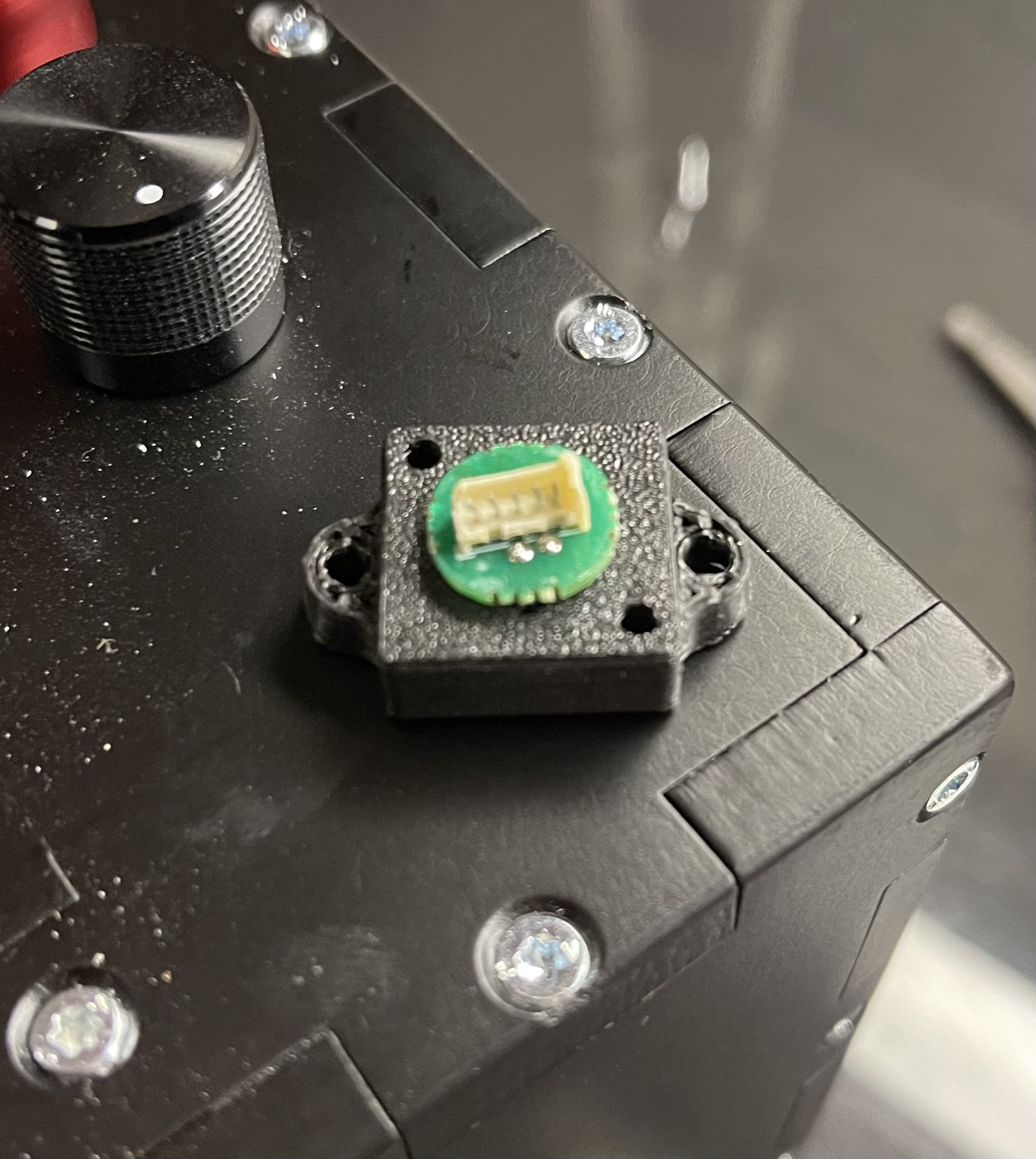 D
D@walmis how can I replace this?
 B
BGently bend the pins back, and gingerly reattach it 
 D
DIf it’s safe enough for you to use, id be happy to give it a go
 D
DYep. Trying to. So far the joystick buttons are not responding.

 N
NIt’s safe enough. It totally won’t hijack your GPU and start mining crypto and sending it to my wallet or anything….
But it will do to your device whatever you tell it to.
It’s in a GH repo but it’s been a while since I updated that with any of my local changes. I’ll update the repo and post a build to GH and send you guys that asked a link to it later this evening when I get back home.
But it will do to your device whatever you tell it to.
It’s in a GH repo but it’s been a while since I updated that with any of my local changes. I’ll update the repo and post a build to GH and send you guys that asked a link to it later this evening when I get back home.
N@=RS= ddrake1984 @Touch_Of_Legend @Kowalsky @Fr4Ged https://github.com/mjfrisby/RhinoTester I posted a build in the releases. Read the readme page for basic usage
DIll try this when I get home, much appreciated
 C
CThe 3D printed collar on my VKB adapter just snapped off. Is there a way to order a new one or get the file to print a new one?
 T
TI’m not using the 3d printed part for my DIY. If you’re near California, I can send you mine.
TSend me a DM, if you’re interested. I don’t need any money for it.
DI have tried to run the .py and the .bat file - but nothing loads
 K
KHi guys. I finished my Rhino this week and it is fantastic.
But I have some questions:
But I have some questions:
- Runway Rumble effect in DCS F/A-18C is much weaker then in A-10C(II) and F-16C. Even if I put it on 100% (compared to 30% in A-10CII). Is it a bug or a feature? Or did I something wrong?
- I don't understand Trimmer in Ka-50(_3). I set it to Instant like shown in the manual. But it feels weird. I would have thought that after trimming the stick would stay in position and neutralize the forces. But it still pulls backwards.
Any Tipps are very welcome.
TI will test the test program later!
Again and as always thanks for what you do… The Rhino is only a device or a “really cool DIY” without constant adjustments and updates.. So I appreciate everyone of you guys who are out here kicking ass on this project on the communities behalf
Again and as always thanks for what you do… The Rhino is only a device or a “really cool DIY” without constant adjustments and updates.. So I appreciate everyone of you guys who are out here kicking ass on this project on the communities behalf
TBusy today… Our youngest graduates from kindergarten!
NOK, but did you try the build i put in the releases? 
Dhmm.. did I click the wrong thing?
DI don't see a build
NIts like TelemFFB... you could download the repo and run it from source, or you can download the exe I compiled
DI only saw .zip. is there an exe somewhere?
N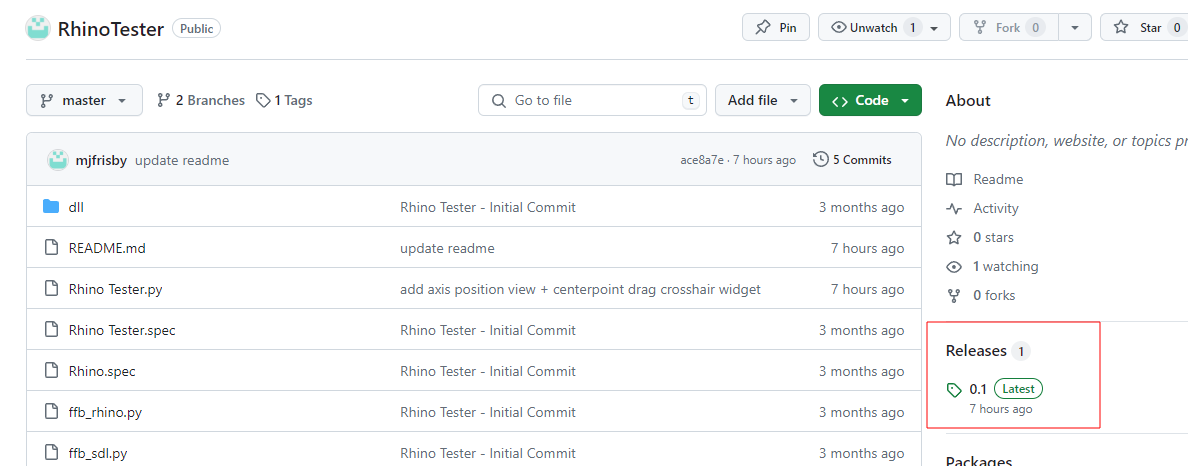 D
Dah, there it is, thank you
Dah, it works!
Dok, I need to hook things back up and test
Dnot sure how I can get the periodic to work so that it does it's own minimum to maximum movement by itself. unless I misunderstand that one.. the spring effect works well when I drag it tho
Nperiodic is just a shaker effect. The only thing in there that will "move the axis" is the spring force (and then moving the crosshairs)
Dhonestly, this works very well. thank you
KIt's working great, thanks!
K@walmis Maybe it would be good to switch support channel to a forum (like knowledge-base and wishlist) to have a bit more structure in support requests?

 W
W- Yes that's because of the gear strut data is different, you might need to tune it for specific aircraft to achieve optimal feel
- Make sure you don't have any axis curves set in DCS, the stick should stay in the trimmed position if configured properly. To debug - follow the blue circle in the VP configurator, it displays the trimmed position. And the dot displays the actual stick position.
KMake sure you don't have any axis curves set in DCSOk. I added a 20% curve like I did with my Virpil. Maybe add this to the manual in the Ka-50 section.
Thank you very much!
 J
JI have had a couple week break from DCS. I came back and was prompted to update telem. Usually it brings my profiles in. This time it did not. Does the current build have a way to import them? Are we still using a config.user.ini? Sorry I tried reading back last night and didn't find anything that helped.
 N
Nno, the user ini files were from the old non UI based config model. The config in the new version is stored in an xml file in your AppData folder.
The user configuration is carried forward from release to release, as are the system settings (which are stored in the registry).
The only exception to this is this specific release where the format of the system settings stored in registry has changed. Per the release notes, You will need to re-configure your system settings. All of your model settings will be retained.
The user configuration is carried forward from release to release, as are the system settings (which are stored in the registry).
The only exception to this is this specific release where the format of the system settings stored in registry has changed. Per the release notes, You will need to re-configure your system settings. All of your model settings will be retained.
JFirst I appreciate all you and Walmis have done to make the Rhino and Telem a better product with each release. That being said you have a much more intimate understanding of how all this works, than the mere user. I read the same blurb in the release notes. It doesn't tell me what to do. When I ran Telem I had to reconnect to DCS and in the lower right there seems to be a pointer to profiles, which won't let you point to the folder containing them. Do I need to re setup the entire configurator and/or telem?
NThose are for configurator profiles that you want to push to your device when TelemFFB starts or exits, they are a convenience feature and you don't need to use them if you don't have a need/desire to leave your Rhino with a different setup depending if you are/are not running TelemFFB. Those settings have nothing to do with individual model effect settings.
You can read about the dynamic configurator profile assignment in the manual here: https://docs.google.com/document/d/1YL5DLkiTxlaNx_zKHEYSs25PjmGtQ6_WZDk58_SGt8Y/edit#heading=h.hlw8w12wb0nz
You can read about the dynamic configurator profile assignment in the manual here: https://docs.google.com/document/d/1YL5DLkiTxlaNx_zKHEYSs25PjmGtQ6_WZDk58_SGt8Y/edit#heading=h.hlw8w12wb0nz
Google Docs
VPforce RHINO FFB User Manual Version 0.7 (WIP) Table of Contents 1. Welcome 1 2. Getting Started 3 2.1. Technical Specifications 4 2.2. Physical Setup 5 2.2.1. The VKB Adapter 6 2.2.2. The WinWing Adapter 6 2.2.3. The RHINO Throw Limiter Adapters 7 2.3. Initial Connection and Updating th...
 S
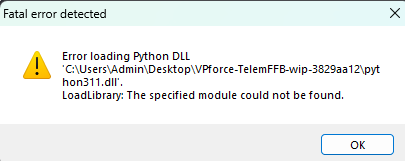
SAnyone knows what is this error?
 N
Ndid you copy the EXE instead of creating a shortcut?
Sthis came up after i did an update
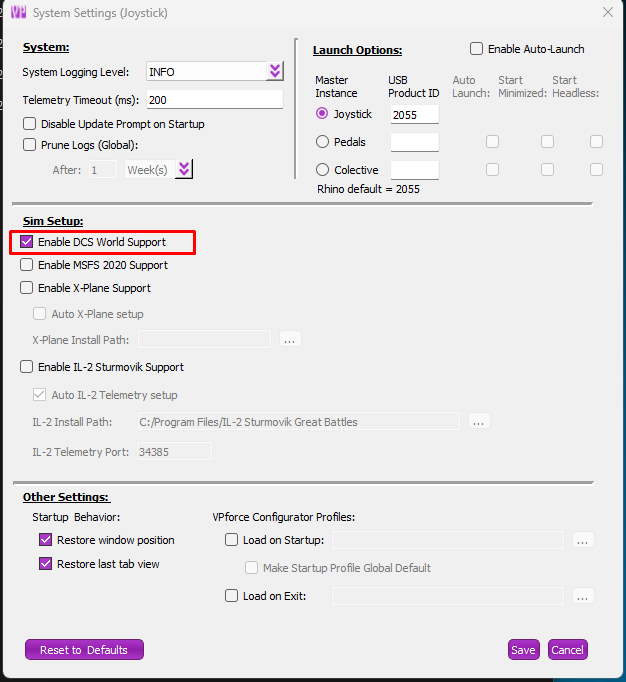
Si think now i am okay
 S
Sit was an antivirus problem
Nahh... that ol' bugger
Si guess i am updated now
 L
LIs anyone running all sliders in vp software at or near 100? Is it even possible? For me it seems impossible to set anything at 100 without getting the beep error. Even the tiniest stick movement will cause the beep and the stick will flop over. It's making the process of fine tuning settings very difficult especially when adding telemffb into the mix and not knowing exactly which setting is the likely cause. I fly dcs and msfs.