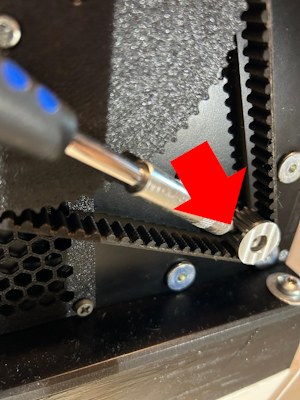
I can't see this sunken screw and I'm afraid I will strip it. What is it? Torx 8, hex or what? I was finally able to fix the thumping noise/feel when at max spring force and moving full fwd/aft. This screw was just a little too loose. It was not my extension as I thought before. Thank you for pointing me to the right direction.
Been enjoying my Rhino for the past month. A lingering issue I've tried to resolve is a recurring but not entirely consistent tapping/clunk sound that I can feel through the stick when shifting load on the x axis (I have it swapped to be my y axis). I am attaching a video where it does it at first movement. I have tried tightening the pulleys, the set screw on the motor shaft, the screws of the grip connector to the aluminum shaft, and everything I can access without a full tear down. It does it with or without a grip attached, and whether or not mounted in the rig. Any suggestions on what might need adjustment or tightening?
That doesn’t seem to be a TM grip. Because, that one is doing this between the grip and fastener (had to figure out a solution, because it drove me nuts). But still - check if the grip itself is tight.
It could also be the cable for the buttons, that hit the frame at certain movements. For thoroughly troubleshooting, you probably have to remove the boot.
I had that in the beginning, would have a single thump mainly when I picked up the stick from periods of rest and seemingly at random. Seemed to be internal gimbal related, but haven't solved it as after a rebuild the gimbal has gotten much worse. Same MCGU
Quick question about setting up the stick. I’ve managed to do the install and the set up. Only problem I have is if I bank or climb and release the stick, it centralises but the aircraft stays in the bank / climb until it crashes. Left stick starts the bank, but it continues until I give it right stick, then it continues turning. I don’t seem to be able to get it not to continue until it’s crashed. Spent over an hour last night, but I’m hopeless with computers. Any idea what is wrong. Stick powers up and stays in the center
Not sure if I can follow. As far as you describe it, this is expected behavior from an Aircraft (well, depend a bit on what aircraft precisely).... You need to counter control to bring it back to level. If you deflect your ailerons to get in a 30 degree right bank and then neutralize the control input, the AC will stay banked until you deflect the ailerons in the other direction and level it again. For pitch it is a bit different (because AoA/Pitch is also a function of speed), but a FBW aircraft like the F-16 e.g. will keep any attitude you steer it to until you give opposite commands.
Easiest way to tell if there is a problem with your input device (I dont think so) is to bring up the controls overlay and see if the virtual stick position corresponds with your physical stick.
As Hiob above says you roll, into the bank then centralise the stick to stop the roll at the desired angle of bank and hold the attitude with some back pressure on the stick otherwise the loss of lift due to the bank will let the nose drop.
Just to clear this up. If I bank over, it continues to turn, Even when the stick centralised itself, it’s still in the turn until you put opposite input. Then it will continue that direction. I’m over halfway through my PPL, it’s not supposed to do that. It’s either right bank or left bank , up or down, no matter what I do.
Continues to roll/bank or continous to turn? The latter - of course it does, as long as it is banked. It will turn in the direction the lift vector is pointing....
If I initiate a turn with stick and rudder, the aircraft will start the turn, it then continues until it’s almost inverted and into a spiral downward. Applying full opposite input then makes it the same. There’s no levelling the turn. The stick returns to the center position while the aircraft just goes on its merry way to destruction. Plug in the old warthog base and it’s fine, flys like a normal aircraft. I’m on circuits at my local airport in an Ikarus C42, was hoping this feedback stick would help with my practice touch and go as there’s no feel with the warthog.
That’s exactly what’s supposed to happen, but there’s no middle ground to level the aircraft. I can turn the ikarus without even looking at the instruments while I’m flying with my instructor. This bloody thing won’t let me do that. It’s either full left/right , up or down. Nothing in between. It’s definitely me as I don’t know what the hell to change to correct it. As the saying goes, all the gear and no idea lol
I think it’s me with my little understanding of computers that’s the problem. Give me electric cars or anything mechanical and I’m fine, mechanical fitter and mechanic , but a bloody PC and I’m stuffed. Everything I use is on an IPad or similar
If you open the https://vpforcecontrols.com/usb/rhino/ does indicator move smoothly when you move the joystick within the square? I guess it could be the controls binding in MSFS is wrong
Yes, it works as the instructions. Just don’t know where to go from here with it . Sometimes i wish I’d have just kept all the money and bought myself a used Ikarus. I’ve spent £12 k on it so far
Hi All, hoping someone can help me.. Telem FFB is not connecting to any sim. For the life of me I can't figure out what may have changed: attached is the log
Have you checked in the VP configurator if your Stick has a valid profile loaded? Do you have set any „load on startup“ profile in Telem that you subsequently removed?
It does have a valid profile loaded, but it cant find the LUA script for DCS even though it's in the right place. I disabled MSFS and Xplane support and don't get the Unable to connect to simconnect any more. But it still can't find the DCS telemetry. Here's more log file with some strange errors:
Right I’ve got it sorted out . The only problem is the stick doesn’t return on the screen when the actual stick has. So if I bank over and then gently push the opposite way, it’s not smooth and sticks in that position on screen. Absolutely nothing like real flying. Any ideas ?
I can‘t help you in detail, since you are using a different sim than I do. But I would start with checking the axis bindings or anything related to pitch and roll. Delete any binding you don’t intend to use.
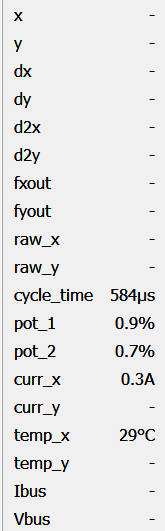
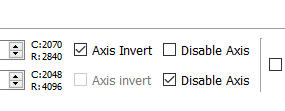
I bought a motor for pedals and I've connected the usb and communications line from the motor to the controller card and plugged in power and usb. I'm connected based on the message at the bottom of the screen, but I dont see any position information coming from the motor. I must be missing something...any ideas?
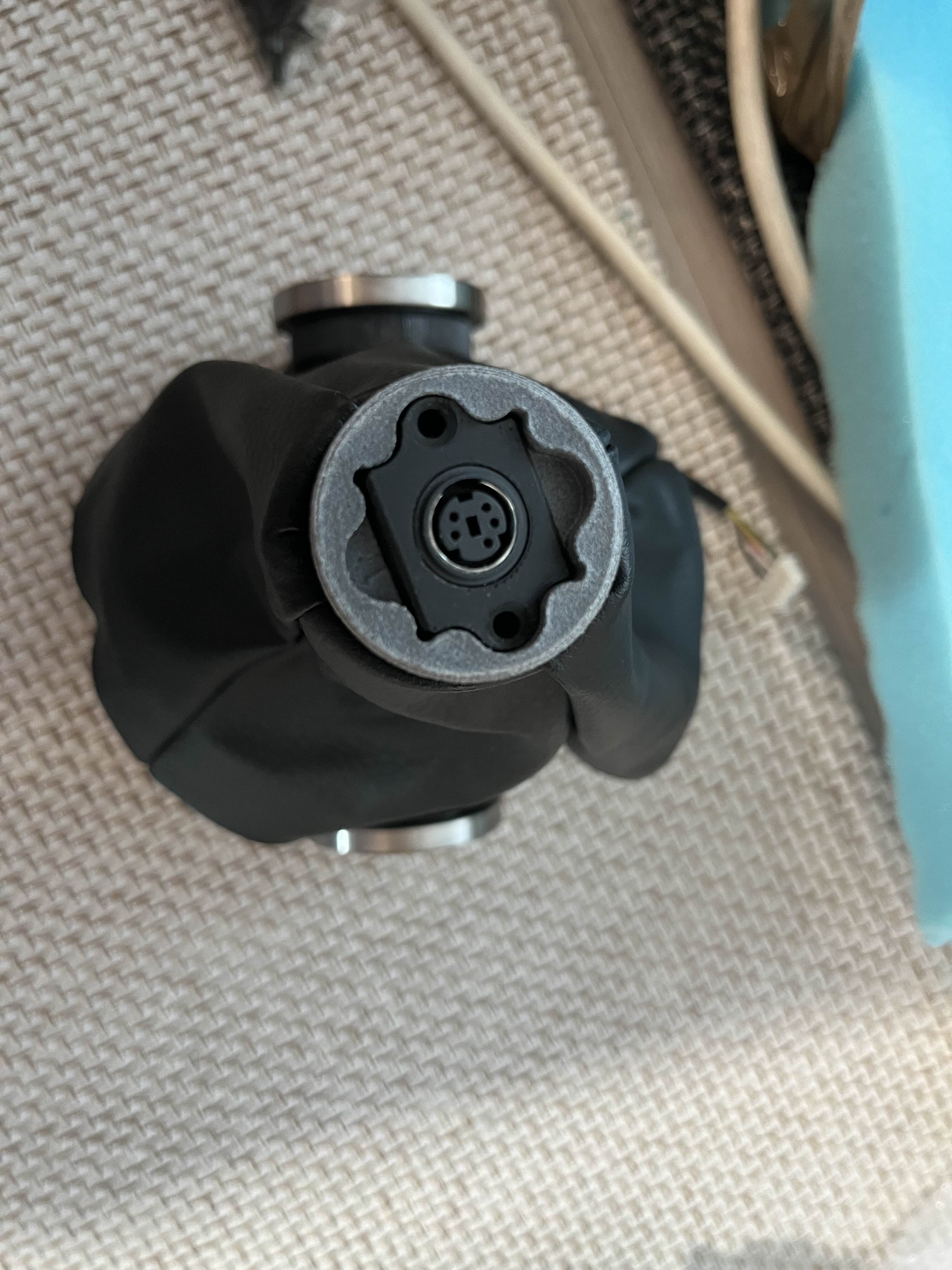
I think most people use some kind of extension, which in most cases can be rotated freely. Also with a center stick you usually want the grip in an angle towards your right hand to have an ergonomic wrist position. Of course I can’t tell how it works out for your needs, The only solution I can suggest is some kind of extension.