Yes, no problems here neither. The Phantom works fine with FFB and the Rhino. Something else is off. In addition to my suggestions above, you guys may check if pther export scripts are working alongside the Rhino/TelemFFB and disable them for testing.
I know I’ve got export scripts going to SRS, Simshaker(need to clean that), SimHaptic(replacement for Simshaker), DCRealistic and I think that’s it. I’ll try remove them and test this weekend.
Export scripts *shouldn’t * have anything to do with it. It’s not related to TelemFFB and happens without it running, unless I misunderstood @Greekbull
Just shooting in the blue and trying to eliminate variables. Basic housekeeping doesn’t harm when troubleshooting. I don’t necessarily think this is the issue here but scripts have been causing all kinds of issues in the past.
Maybe it should also be noted, that it is normal for the Phantom to have the stick trimmed quite a lot forward at speed. So don’t expect it to be in the middle position. Of course it should (must) still be possible to maintain level flight.
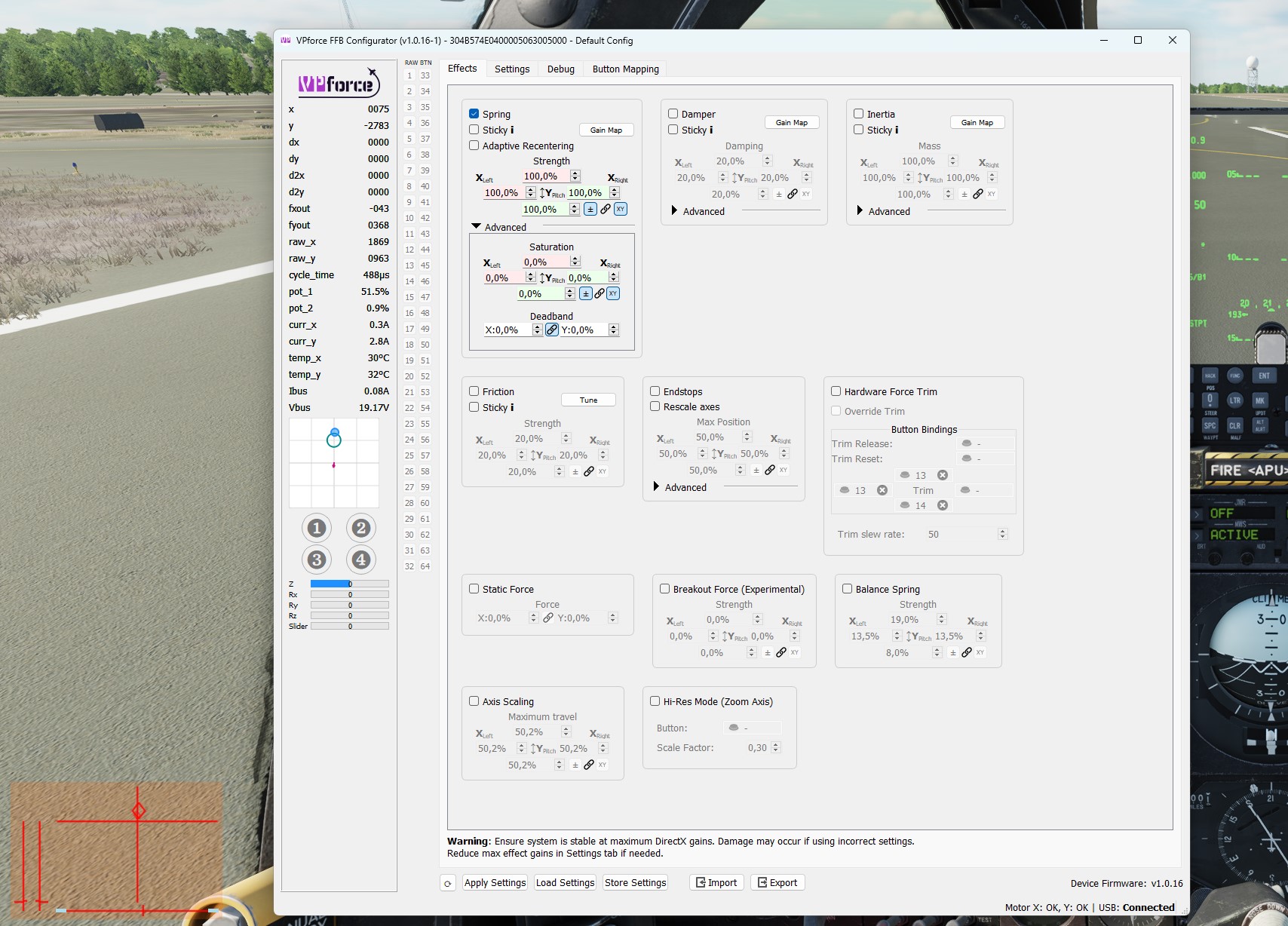
New and at a loss here. In the DCS A-10C II, my Pitch Axis is way too high (see image), there's very little forward motion left - no matter if in flight or on the ground. Most other modules are fine. I have FFB on in DCS, telem-ffb is off and the only effect in use is 'Spring'. What could be the cause?
What you're seeing is "normal". That's how the A10 (and F14) are coded to simulate the asymmetric throw of the IRL stick. See here, which also points to a technique using configurator to cancel out the offset... 🧰support
It looks like I found the issue in my case - disabling "Balance Spring" and enabling "Force Trim" made the stck and aircraft handle like I expected. DCS FFB is enabled, along with Spring, Inertia, and Damping effects from the configurator. Spring strength is adjusted via pot 1, which I normally keep at 15% (it was higher when this screen snap was taken).
Good that you got it solved for you! However, I don’t think that Hardware trim needs to be enabled, because I only use that for Helicopters and still the Phantom flies fine for me without it. On the other hand, I happen to use balance spring on all my profiles - including the Phantom…. So - whatever the problem was, changing those settings probably only seemed to solve it by chance.
I would bet my left arm you’re in takeoff Trim. Once you take off you’ll have to retrim for level flight…… to test Trim it center and hold the “takeoff trim” button just left off the throttle and see if the stick moves back to that location
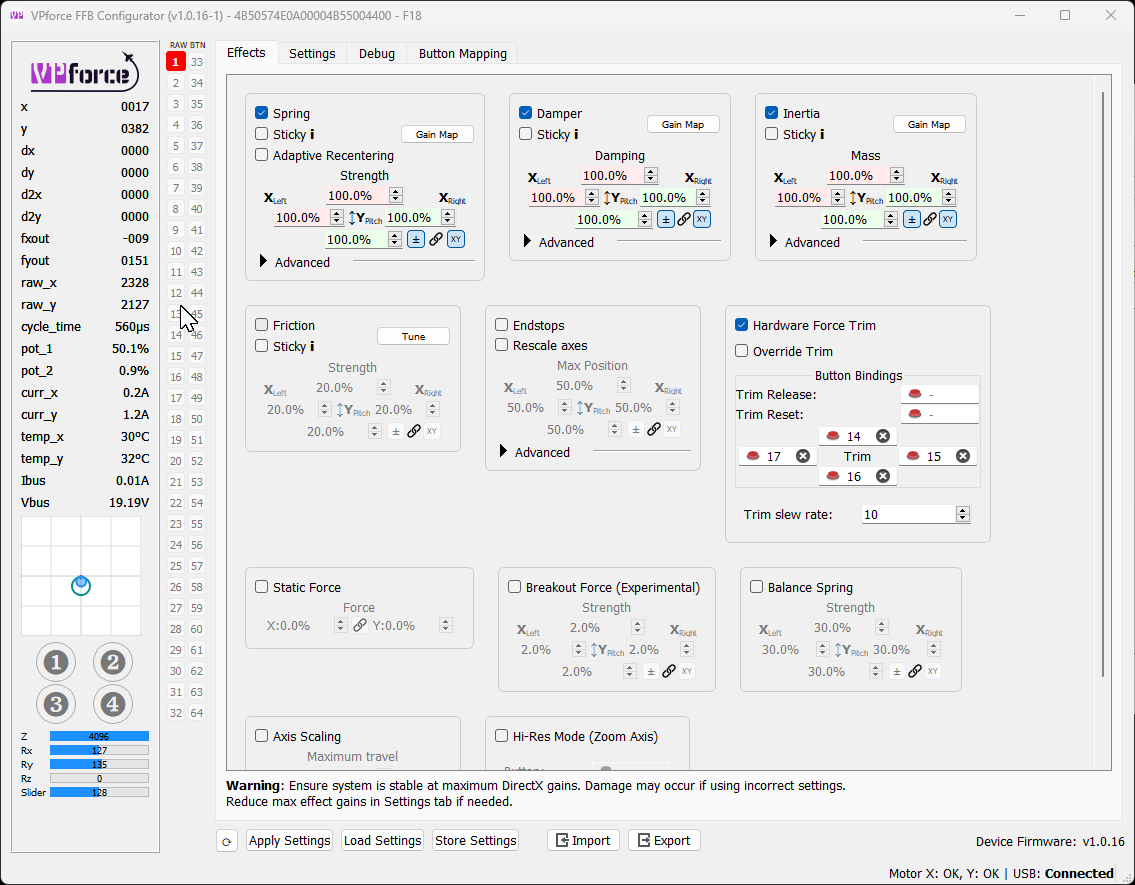
IRL doesn't the F-4s stick move with trim adjustment? Selecting Force Trim is the only way this occurs with the default F-4 telemffb profile or am I misunderstanding something?
There’s som misunderstandings here. The force trim setting in configurator won’t do anything when DCS is running unless you had “sticky” enabled on the spring effect.
The trim movement for all DCS aircraft (that support it) comes from the native FFB and binding the trim in the game.
I wouldn’t bet blood on it without trying, but I think this only 50% correct. IIRC you can enable „override trim“ without making the spring sticky. I maybe wrong so. Need to test again.
“Override trim” is a different setting. My point was that in the configuration in the screenshot, those bindings in the app will have no effect when DCS is running.
Gents, Harrier (AV-8B) question: with AFS on, the trim switches are supposed to work as input device for the autopilot - to start a turn, hold trim switch until desired bank, let go and AFS will maintain the bank at the time; same for pitch. Having just finished setting up my brand new Rhino, it doesn't seem to work that way anymore. The trim switch just trims until it kicks off the AFS. With or without Trim workaround. Any thoughts?
Hm, I had TelemFFB running all the time in the background. Then I started VPForceFFB manually. Springforce went to 97%. I set springforce in VPFFFB to 25%, stored it, closed both programs and restarted them. It stays at 25% now.
finally put together my diy build rhino, seems to work ok. Except the winwing adaptor, when I plug it into the ww 16ex I get nothing, if I connect it up without screwing the stick together and wriggle the plug from the ww to the adaptor a bit some button presses get recognised so my base wiring is correct. Is this a faulty adaptor or something else? Ideas?
Sounds like some pins not making contact or something if it’s working when you wiggle it. Seen more than one WW adapter needing some extra force to seat fully. Could try that.
Hi, I got the confirmation of payment received for the DIY kit more than 10 days ago but no updates on the shipping date. How long is the delay usually before the kit is shipped?
Help please my rhino has started losing aileron feedback during flight I get a mid freq vibration for about 5 secs then the ailerons go limp with no force at all Vp rhino configurator shows a motor encoder fault A reset brings back feedback for about two mins then same again
having tested if a ps2 plug is also a poor fit, it was…..so to resolve this I engaged QR4rigs to disassemble the adaptor and use the pcb in one of their extensions….at a cost of £50. A little bit disappointed tbh
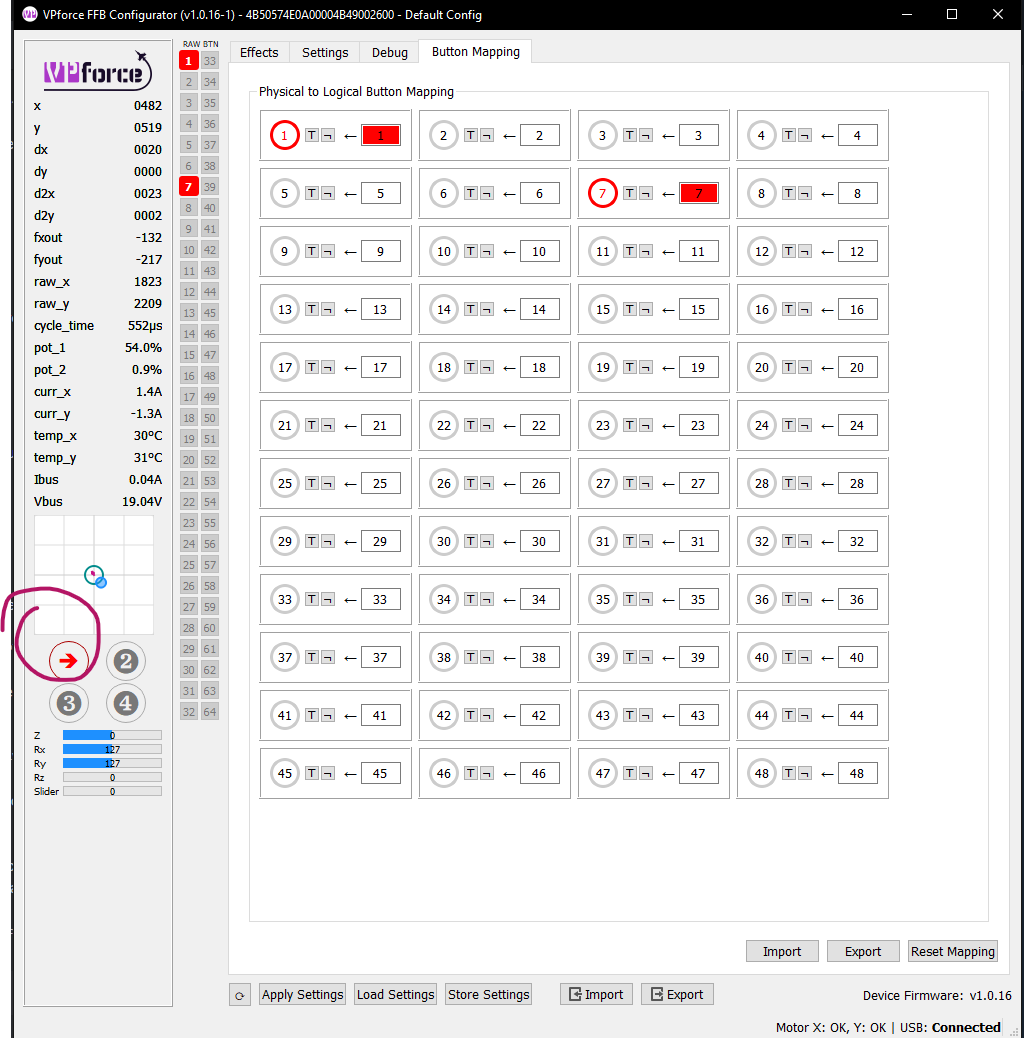
Hello everyone! Set up my Rhino today and have a bit of a strange issue. I noticed that (unsurprisingly) I have to rebind all of my controls, as although my WinWing F-16EX stick is the same as before it recognises that the base has changed. I copied the contents of the lua config files for my old stick/base combo in the hope that the controls would map over, and it seems to have mostly worked, apart from the trim hat.
All the other hat switch presses correspond to buttons on the right-hand side of the window, but the trim hat presses seem to correspond with this bit on the left-hand side
No, that's intentional I believe - buttons 1 and 7 correspond to the resting positions of the flip-down trigger and pinky lever respectively. They're bindable buttons
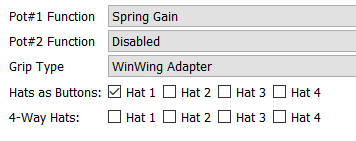
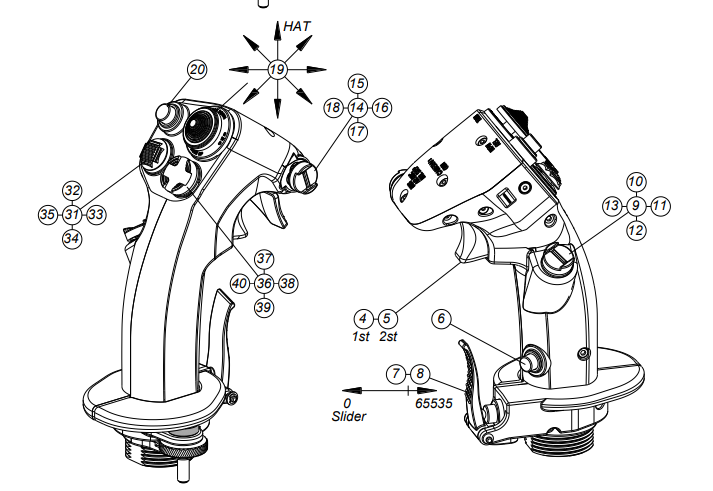
The lua mostly works, but still not with the trim hat - I think it might be something to do with the fact that this diagram implies it's actually an 8-way hat
So here's the issue: I load up DCS and open the controls menu for the Mi-24P, which has my controls from the WinWing stick/base copied over to the WinWing stick/Rhino base. Most of the keybinds work as intended, e.g. the depress of the trim hat is written as JOY_BTN19 which corresponds correctly. However, the up/down/left/right of the trim hat are displayed as JOY_BTN_POV1_U, JOY_BTN_POV1_D, JOY_BTN_POV1_L, and JOY_BTN_POV1_R respectively.