
You can use API tokens, or give one account access to the other
You can use API tokens, or give one account access to the other
 H
H MH
MHwrangler config, then it should fail if you aren't set up with perms for the right accountM
wrangler.toml, and then Wrangler will run any commands against one CF account or the other, depending on the account ID found in the project's TOML?M H
H CC
CC ICC
ICC LL
LLuse wasm_timer::{SystemTime, UNIX_EPOCH}; and do something like this, JJ
JJ E
Ewrangler.toml I would like to create 3 environments with different secret within the same project. Basically, staging / UAT / Prod.wrangler run deploy --env uat for uat JE
JE J
Jwrangler.toml allows migration commands to work against 1.) remote preview DB & 2.) production DB.preview_database_id for local development, but KV has preview_id & R2 has preview_database_id which are for remote preview resources. preview_database_id = "<previewUUID>" should always and only be consistently used for the remote preview UUID. M
M V
V AS
AS--x-registry in a pnpm monorepo and running into an issue with service bindings... pnpm run -r dev works fine until I add a service binding. Using sleep 1 && wrangler dev in worker A (with the binding) gives enough time for the bound worker B to arrive and be ready to be bound to by A, so everything works. Is there a simpler/unhacky way of working locally with service bindings in a monorepo? Fingers crossed and thanks in advance for any help  S
Senv.production (so it's not available locally)V L
L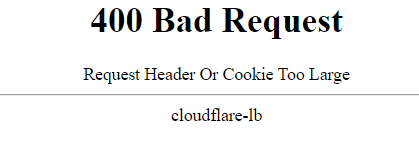
 WL
WL J
Jwrangler dev in the background? Kind of like passing the -d flag to Docker? I am specifically thinking for a CICD pipeline, where I might want to startup a local dev instance to test against before pushing my changes out to Cloudflare.H J I'm building with Rust at the moment, not Javascript. but I'll see if there's anything similar in the Cloudflare/Rust tooling
 F
F KK
KK J
J A
A
 S
S--old-asset-ttl for that and it keeps assets in KV, but seems links to that assets disapeare form __STATIC_CONTENT_MANIFEST (More details workers-and-pages-helpOld assets availability with `--old-asset-ttl`) JAK CKKJ
CKKJ P
Pwrangler dev for both worker projects orwranglerwrangler.tomlwrangler.tomlwrangler.toml (error) panicked at library/std/src/sys/pal/wasm/../unsupported/time.rs:31:9:
time not implemented on this platformuse wasm_timer::{SystemTime, UNIX_EPOCH};npm create cloudflare@latestwrangler run deploy --env uatpreview_database_idpreview_database_idpreview_idpreview_database_id = "<previewUUID>"--x-registrypnpm run -r devsleep 1 && wrangler devenv.productionwrangler devwrangler dev-d--old-asset-ttl__STATIC_CONTENT_MANIFESTlet token = totp.generate(wasm_timer::SystemTime::now().duration_since(UNIX_EPOCH).unwrap().as_secs());[env.production]
route = [
{ pattern = "prod.mydomain.com", custom_domain = true }
]
[env.uat]
route = [
{ pattern = "uat.mydomain.com", custom_domain = true }
]
[env.staging]
route = [
{ pattern = "staging.mydomain.com", custom_domain = true }
][[d1_databases]]
binding = "D1"
database_name = "mysite-prod"
database_id = "<productionUUID>"
preview_database_id = "<previewUUID>" # this is different
migrations_dir = "./src/lib/server/database/migrations"[[d1_databases]]
binding = "D1"
database_name = "mysite-prod"
database_id = "<productionUUID>"
preview_database_id = "D1" # this is different.
migrations_dir = "./src/lib/server/database/migrations"


