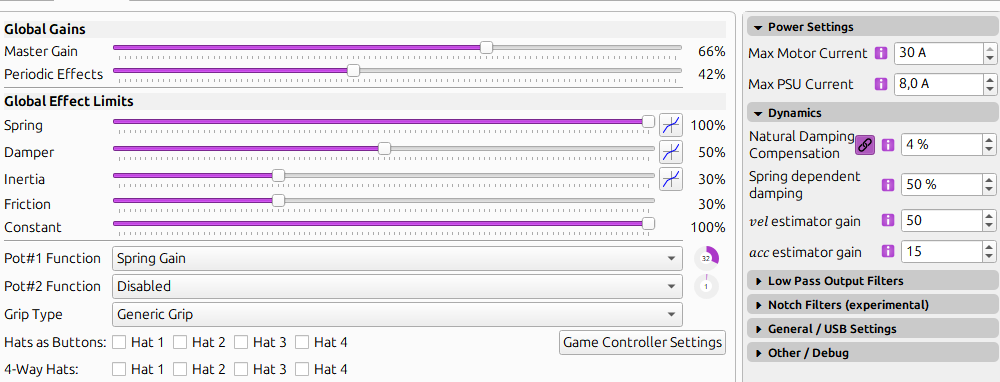
This depends on what your are using and what voltage you are running. You have to look at the specs of the PSU and set accordingly so the controller will not request more than what the PSU is capable of delivering. The kits don't come with a PSU unless you buy a fullt built unit from Walmis. If you are building yourself, it's user preference on the PSU. 220v if you have it is much better. Cuts the amperage draw in half which is nice.
That’s precisely what I’m talking about. I’d reckon most people here who have rhinos have a power supply from walmis or bought one based on the prebuilt rhino, so those numbers aren’t going to be copy paste for most people. Thus my warning is all.
No worries at all. Definitely not copy and paste. Settings need to be checked. I'll post and pin a comment on the vid just in case. Have a safe trip back.
Right. I'd definitely check the wiring to make sure the power cables are firmly connected to the board.
When the disconnect happens it would be good to see the voltages on the configurator in case maybe the problem is the power supply or a faulty e stop switch.
could the use of an much stronger PSU with an output of 14.6 amps at 24V , but set in the software to 30Afor motors (57BLF03) and max PSU current 8.0A be the cause for my system to get Fault_Unstable and Fault_UNDERVOLTS codes?
the 57BLF03 specs stated its rate amps is 15A . Do you guys believe is safe to increase the PSU current to 14A to prevents motors from stoping due undervolts?
fyi - found in DCS.Log Errors Error attempt to index local 'MCP' (a nil value) Line 302 Script C:\Users\WNGOVER\Saved Games\DCS\Scripts/TelemFFB.lua If the above errors point to DCS internal files, please conduct a !repair. Otherwise remove the respective unofficial mod.
I have this issue as well because I use an outside connection USB controller and in my case I have to start two instances of it everytime and re-select my in/output. Is there a way you design the app so it's all in one where we map multiple instances of in/out? I know there may be a way in telemffb with master and child instance and I tried it but it didn't work. Number481 I think is looking into it.
Having some issues when trying to follow your guide.....basically, at -100, the stick will be held firmly fully forwards - I t will almost snap forwards once past the centre...I can move it back towards the centre, then it will become loose as it passes the centre point. At +100 setting, the stick wants to fall backwards, resistance increases the further forward I push it, but it does not snap back like it does when applying -100....If I set zero, the stick will fall backwards. Any percentage setting between will only affect the stick once it goes past centre, so I am no able to get it to stay where I place it with any setting.....why is this? I have everything unchecked as per the guide...here is my conf file
My settings are pretty much default, but I also get an annoying oscillation around the centre point if I turn up my gain pot anything more than about 20%, which sucks as I want some stronger force......whats the best way to dial this out please?
Hi Mark, first with no effects on etc perform the calibration procedure. Next make sure effects are off click apply. Then on in the balance spring option make sure to unlink x and y and + and -. Click apply then work on each axis independently. Initially the stick will flop around depending on extension and weight. The goal is to get it to the point it isn't snapping back to center but instead stays where you put it. As for the oscillation that would be a question for walmis. Post screen shots of your setting and make a video if you can.
Hiya I have an issue I updated telem fb to latest version which then told me I needed to update rhino firmware which I did but now when rhino configuration starts I get an error saying incorrect version 182 expecting 181 or something similar firmware is v1.0.17b2
I'm trying to fly the A10C II and am noticing that while force trim is working, I'm not feeling any vibrations in the stick. Is this supposed to vibrate when I shoot the cannon?
TelemFFB is a separate program from the configurator that adds more forces than are native to the sim using telemetry exported from the sim. Download and install from here.
The documentation on how to use and install it is in the Rhino manual. Assuming you are flying DCS, there may be one additional step for the installation to get it going which will be in the manual.
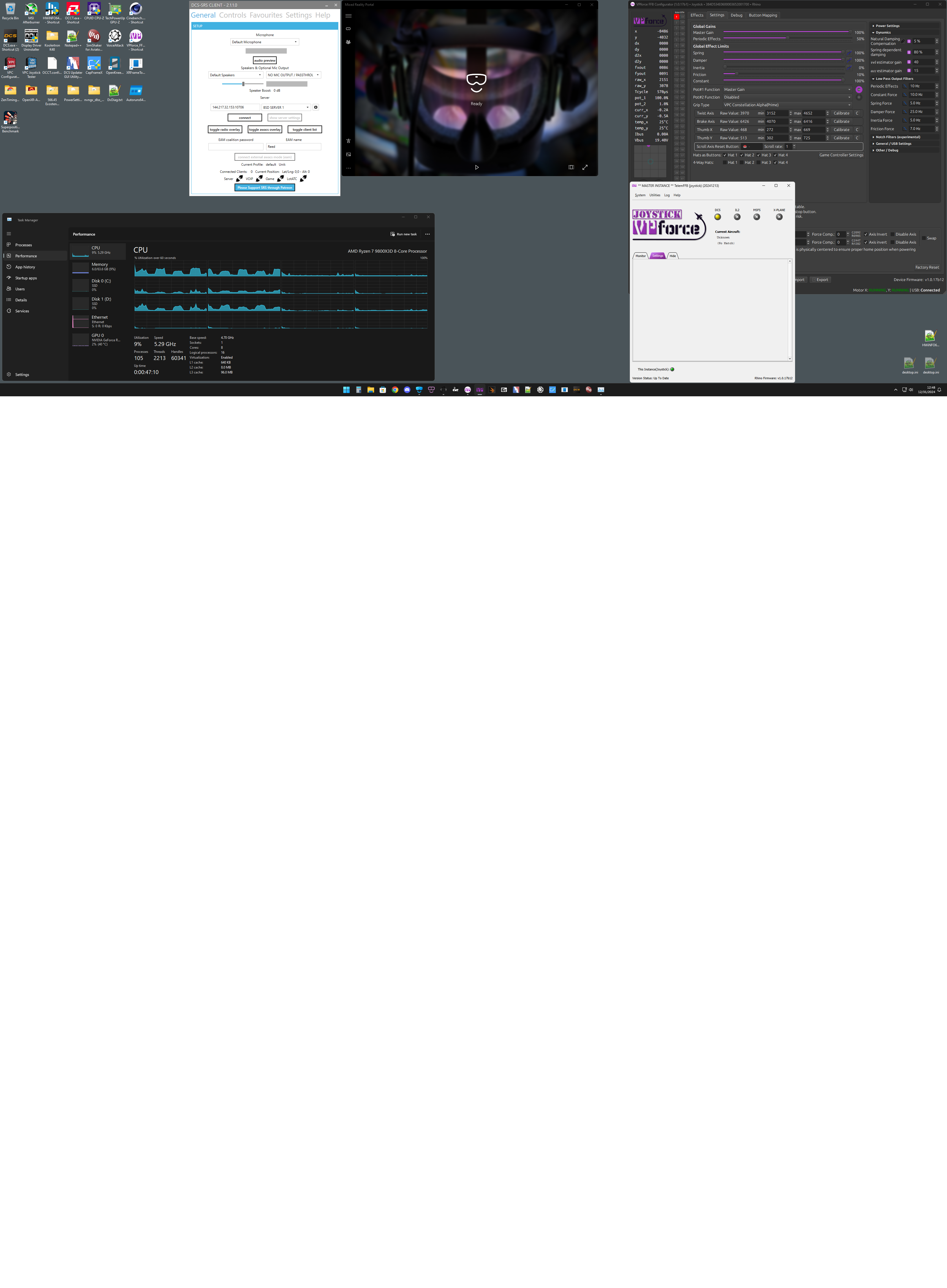
Having issues getting the brake axis and twist axis to be recognized for the constellation Alpha. Raw Values don't change when either axis is turned. Thumbstick axes work fine. Any tips on how to debug? Latest firmware installed v1.0.17b12 @walmis @Red Magic
Red, did you do anything to fix this? Found some comments from you above.

 A
A R
R
 H
H R
R R
R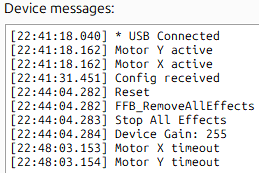
 F
F .
. Thanks for the reply.
 W
W J
J M
M C
C
 M
M J
J (
(
 T
T T
T
 W
W


