hardware trim is a function of the default spring effect which is created by configurator when no sim is running. That effect is overridden when a sim starts and creates its own spring effect.
You can use the "override trim" checkbox to force the hardware trim bindings on the spring effect owned by the sim (but this will override any in-game trim following that may be native to the sim).
Hmm… I forgot how wonky IL2s FFB implementation is. They manage two discrete effects for x and y. The override only seems to affect x or y, never both. But as soon as you release the button, the sim sets it back to center again.
You could enable “sticky”, but you’d lose all the dynamics of the spring effect from the sim.
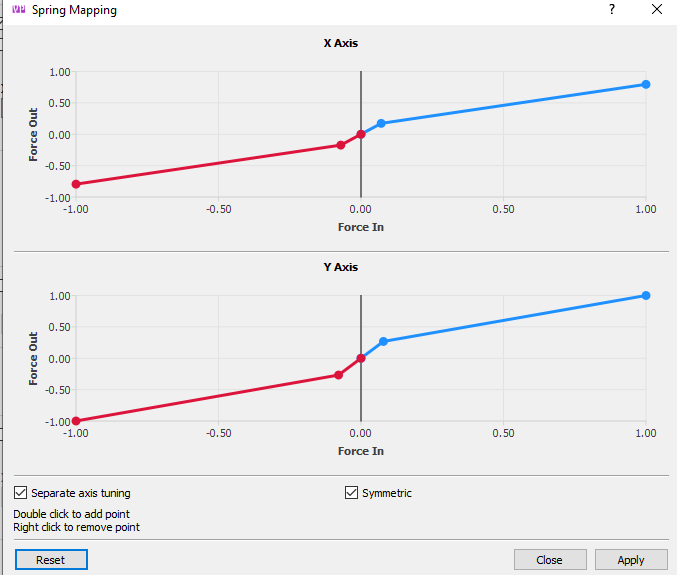
yes, except some planes, not whole planes this is the problem. so il2 planes and t152h has enough spring force. I mean only center spring force other effects are just fine. if you increase spring force gain for all planes,
Rudders are completely different, so that would have been a useful data point up front . The sim has no concept of FFB rudders and its all managed by TelemFFB. For DCS/IL2 the dynamic rudder forces are just "cheap" speed envelope based spring gain. You can modify the speeds in the advanced config for the pedal mode settings. IIRC, I got all of the speeds that are in the default profiles from https://aergistal.github.io/il2
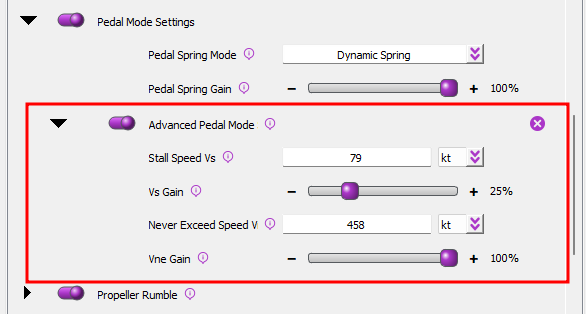
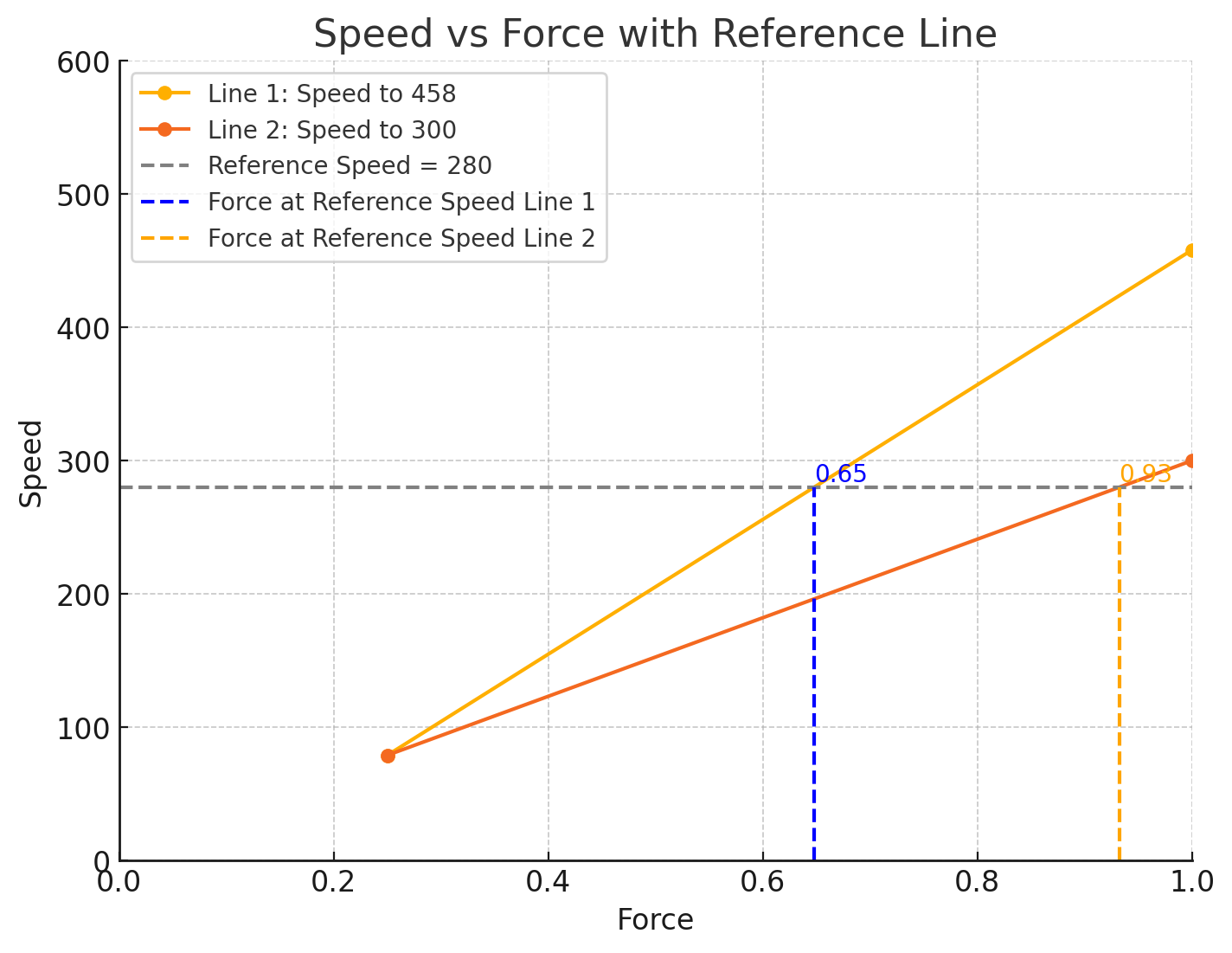
If you reduce the VNE speed, the applied gain will be higher at a given speed below that value.
Got it so by reducing Vne gain, make ffb think it is faster than as it is, so I can get higher spring force gain, right? but I think it is not only speed related I think it is speed + weight related. but anyways as long as we cannot adjust weight, the speed is the key
reducing the VNE speed will just steepen slope of the linear force calculation. At a given speed. Here's a ChatGPT graph showing the applied force (vertical dashed lines) at a given speed (horizontal dashed line) given two very different VNE speed set points (458 vs 300).
I don’t know about that particular extension, but generally speaking off-center/gooseneck extension aren‘t a problem. You can balance the stick with the configurator (unless the offset is extrem and the grip very heavy - you could probably still balance it, but the constant applied force will heat up the motors I assume). Why should an extension have an effect on the deadzone though? Btw, there is no deadzone on the Rhino by design.
Dead zone is a bad way to describe it but basically the springs weren't strong enough to put it exactly in the center on their own. The last 2 degrees I had to push myself.
Bf109 stabilizer at 100% positive and the plane still pitches up. The “Override Trim” feature doesn’t hold the overdriven trim position. That’s the issue
Ok, I finally understood I think. You just may not to bind in-game stabilizer on the same button as the rhino trim. A nasty overcome but it seems to work.
I have played IL-2 GB a fair amount, but never (yet) with FFB. As I recall, IL-2 GB can easily double-bind different in-game functions (even opposing ones) to the same input. This can be both good and bad, depending on circumstances. Not saying that is the problem here, but it has caught me a few times in the past so I thought I'd just mention it to be thorough.
I have a separate input (trim wheel) for trim in IL-2 GB & I get the same thing with the bf109 full trim & still it pitches up. I think it's just the way the fm & il2 are with ffb maybe?
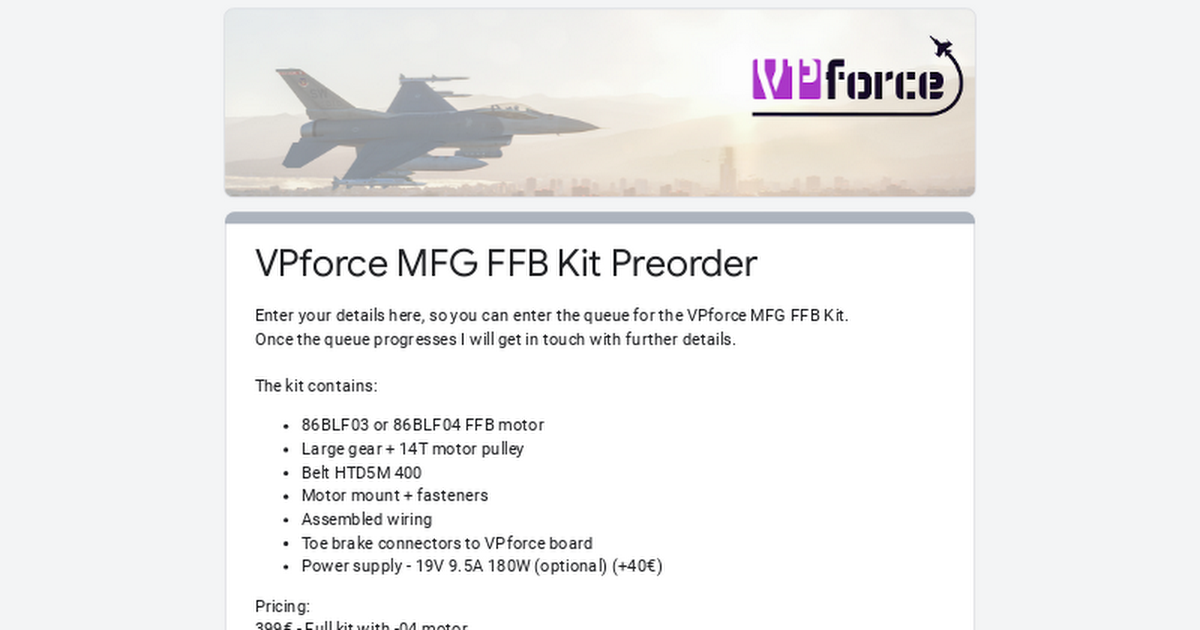
Enter your details here, so you can enter the queue for the VPforce MFG FFB Kit. Once the queue progresses I will get in touch with further details.
The kit contains: 86BLF03 or 86BLF04 FFB motor Large gear + 14T motor pulley Belt HTD5M 400 Motor mount + fasteners Assembled wiring Toe brake connectors to VPforce board Power supply - 19V 9.5A 18...