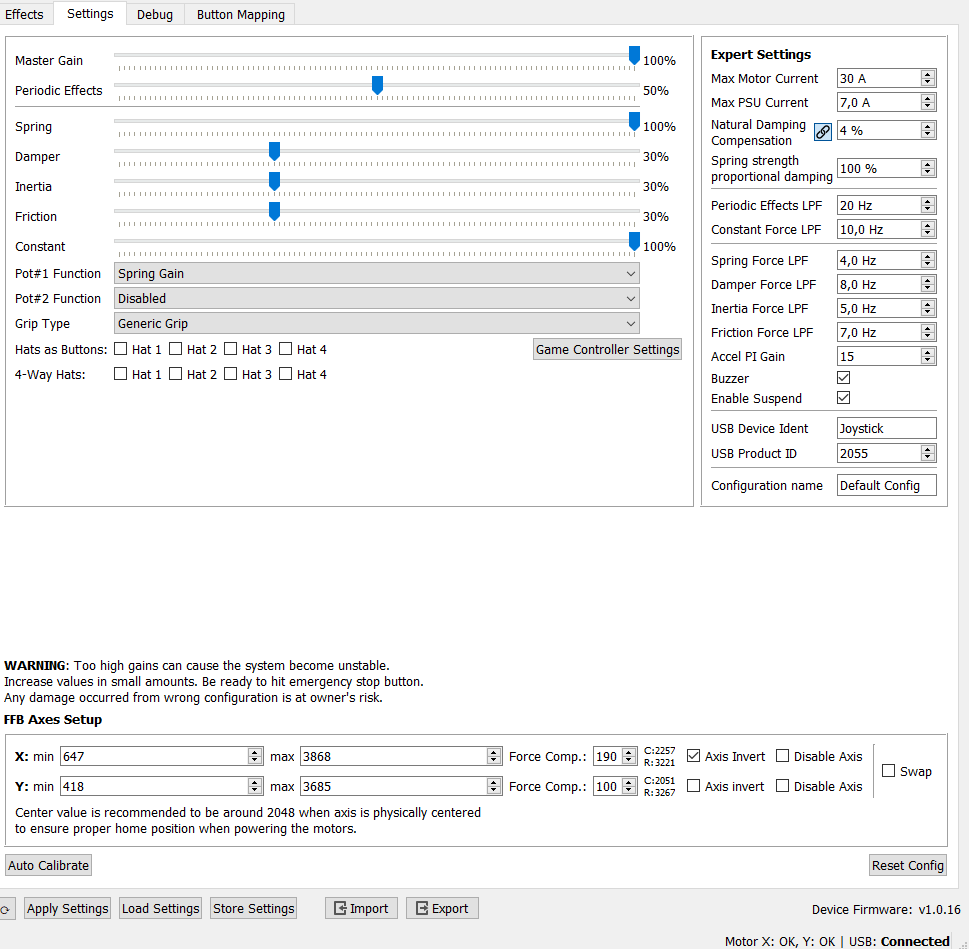
I’m assuming that would produce a different usb product ID in the vpforce ffb configurator. Vaguely certain it stays the same, but also going to look into that. Any other way to tell if the configs force a new id?
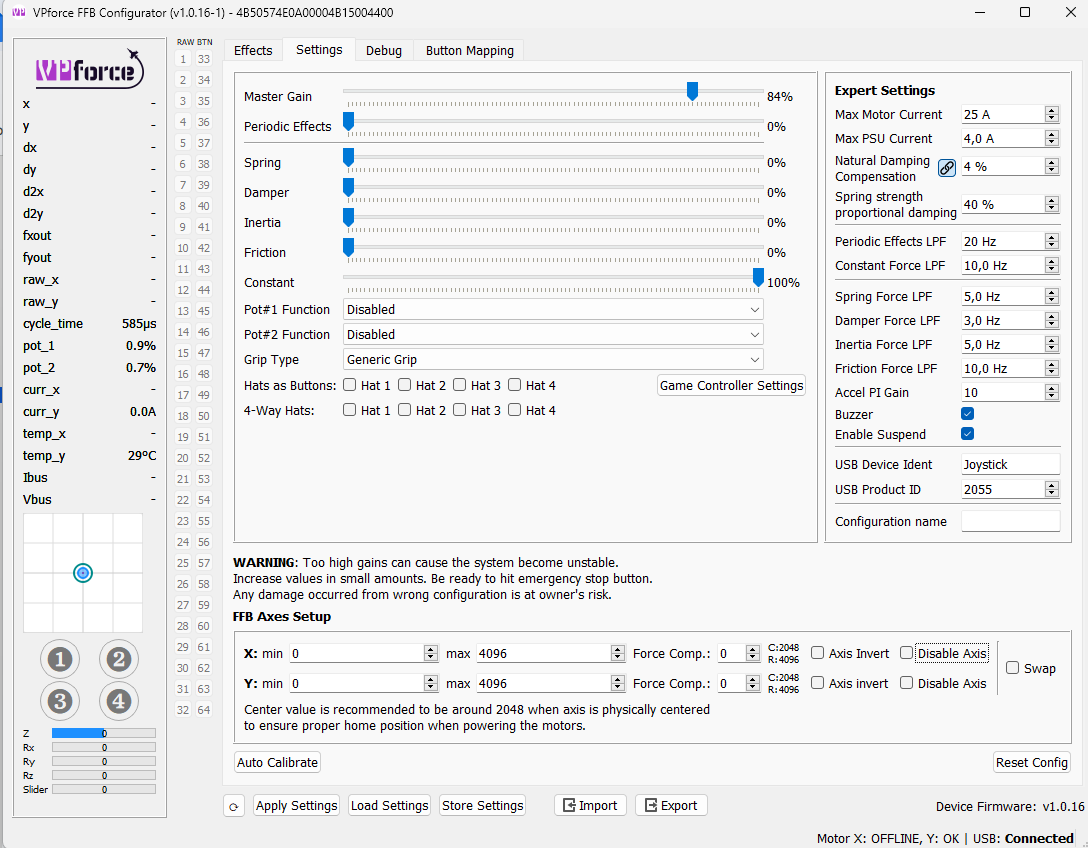
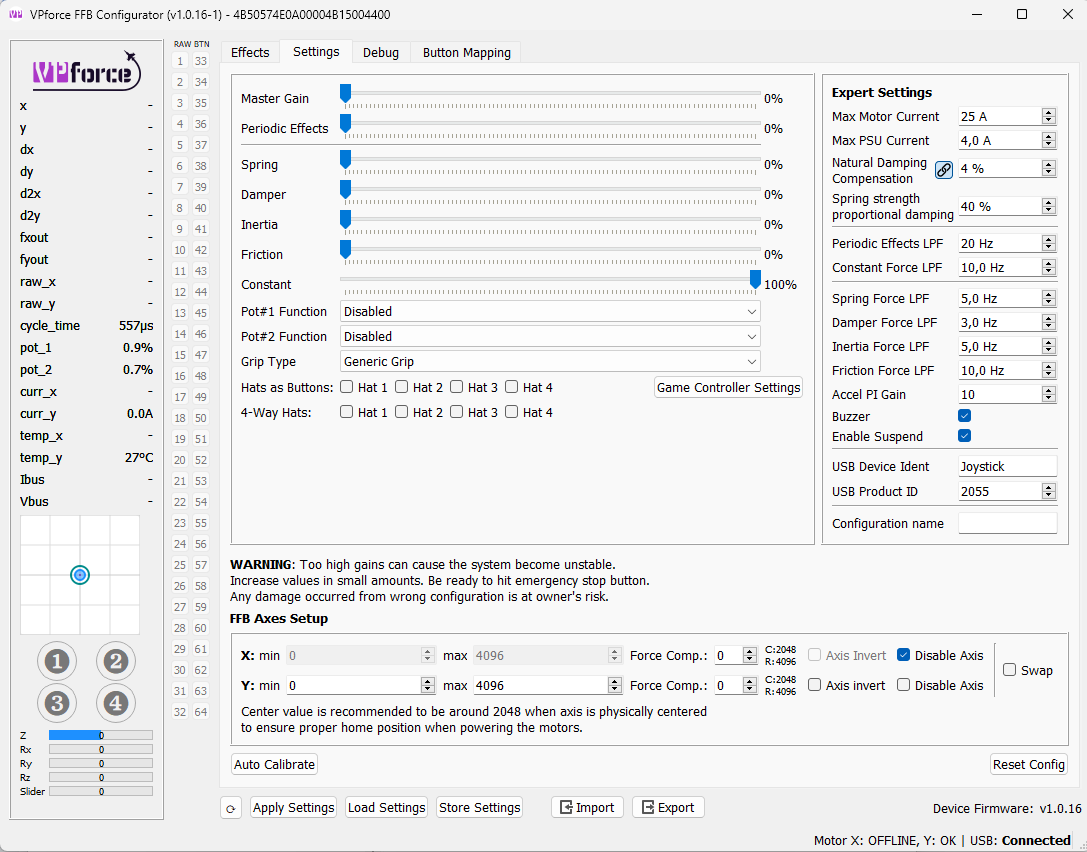
Hello everyone, I have just finished the mechanical construction of my diy collective and am trying to get the electronics up and running. I am experiencing the following problem. In the FFB Configurator I do not get a display of the motor position (see screenshot). I have connected the ID:0 (y) pitch motor to MOT 2. I have checked the power supply to the motor and it is OK. What have I overlooked? Any help is welcome. Many thanks Martin
@walmis @Number481 I just found something interesting. Some of the profiles I load changes the USB Device Ident from "joystick" to "Rhino" (for my helo build). When the ident changes away, the stick disconnects ...
OK. This is what walmis was saying. The Ident and PID must be identical across all the profiles for the same device, otherwise you will see exactly what you are seeing.
I'm extending the logic in TelemFFB that would have prevented you from assigning those profiles in the first place
Do you also have a Rhino FFB Joystick connected? If so, (and even if not), you'll want to change the USB Product ID to something other than 2055, and change the name to "Collective", or something other than Joystick.
If you also have a joystick plugged in and they are both 2055, it won't work very well.
Thank you very much for your support. I just reinstalled the configurator and started just from the beginning and now it works - I am so happy. And I will change Device Ident and product ID acording your recomendation not to run into conflicts with my cyclic base. Thank you and best regards Martin
Just to confirm - it looks like Auto Calibrate followed by Store Settings (and then exporting my config) only saves the calibration info to that config? Importing or loading other configs seems to restore my old calibration from before I put in limiters. Instead of redoing the Auto Calibrate for each of my 4 base configs, can I just copy/paste the related lines from the .vpconf file? It looks like it's just "x_angle_max", "x_angle_min", "y_angle_max", "y_angle_min"? Or is there a simpler method I'm missing?
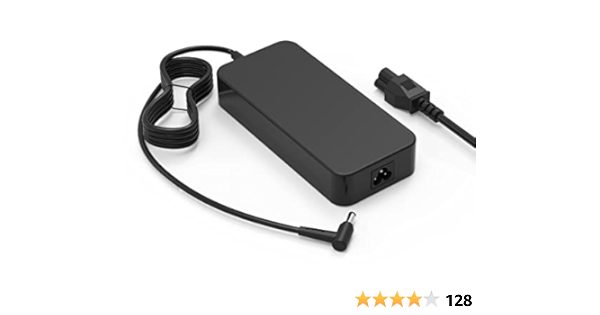
Unit beeps when connectinf to usb along with green internal LED. Configurator showing motor 0 and motor 1 timeout. Checked ac input with multimeter and get 120v, output barrel measures 0v.
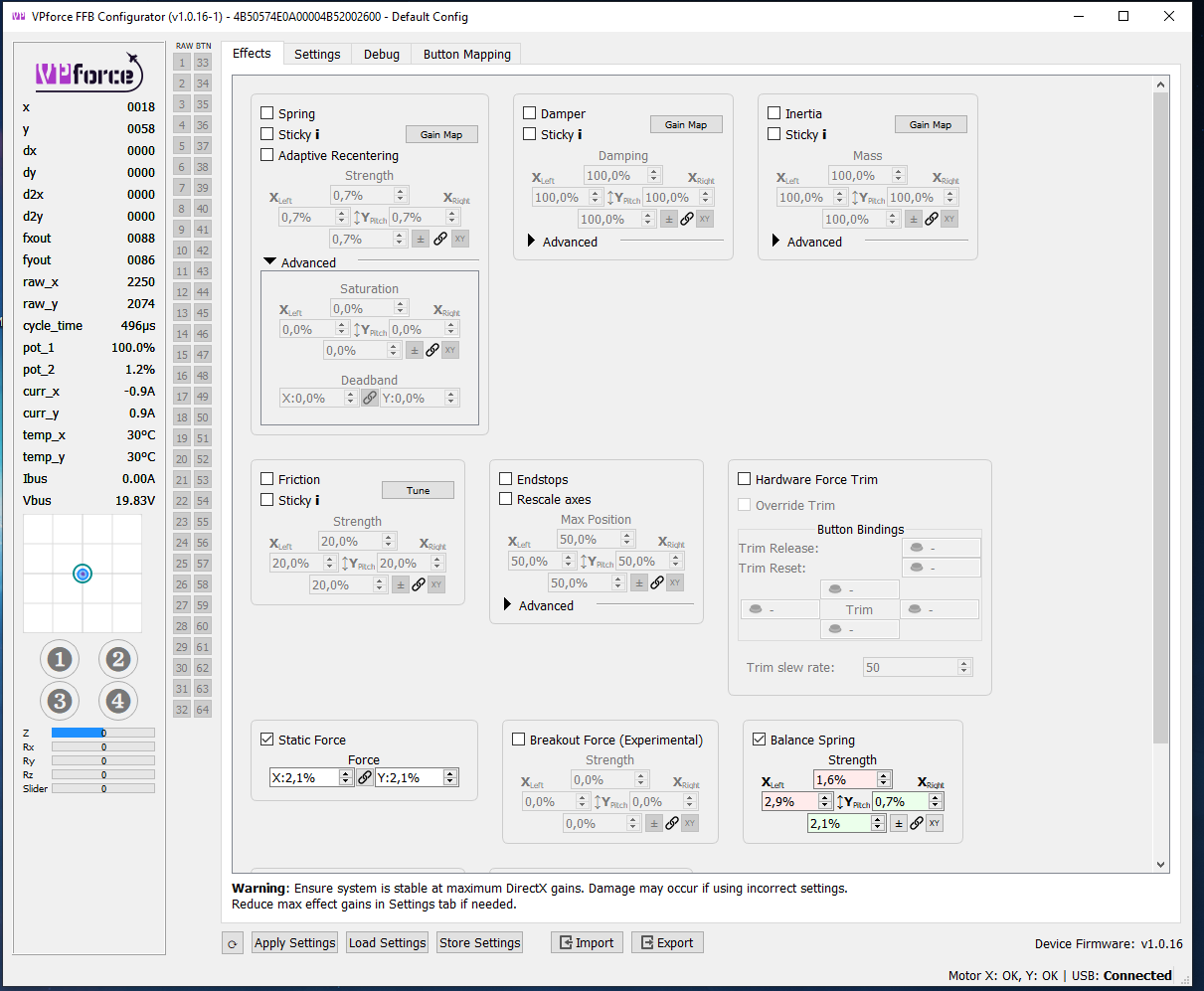
Is there any way to have balance spring forces configured relative to position on the axis? Drooping behavior is not the same at the axis extreme as it is in the center. Higher Balance Spring force makes the stick bounce back at the end of the axis, but is required for the stick to hold center at the center of the axis.
NVM all this, but for anyone else searching I added some really small amount static force and that really nailed the feel of the stick. Now it feels perfectly balanced
Static force feels like a much better option for balancing this, surprised it comes in at the end in the manual and so few ppl talking aobut it in the discord when I was searching
I’I’ve been trying to do something similar w Balance Spring and Static Force, but haven’t got it dialed in yet. Could you post your numbers for those along with any extension length and grip type? Would help to have a reference.
why does my rhino return to center after being pushed forward (without power)
it only does that after being pushed forward, if i pull it back or tilt it sideways it stays like that, but if i push it forward, it moves back to middle-ish position. It also happens with power on and no effects applied
happens with and without the grip installed, so it's not caused by it's weight.
I'm looking for a little help with the Mig-19 in DCS. The stick just flops around - I.e. there's no return force or any sort of "spring" effect on the stick at all
I just did a quick test on the MiG-19 and I get "correct" spring and effects. In TelemFFB I see that it loaded my configurator file for the Jet class, and that it shows the plane matches "MiG-19.*".
I haven't updated to the most recent TelemFFB yet. New to Rhino so nothing else to suggest.
I have 4 VPforce motors and two usb drivers which I now use for stick and rudder pedals (3 motors), can I purchase just one more usb driver to run the spare motor for a collective?
So i've got cracking noises on my roll axis at high spring forces when i move the stick past a certain point to the left and the right. Found this message and removed the stick mount so i get access to the bolt like in this picture. But how do i tighten it now? If i try to it just rotates the nut together with the screw (which makes sense i guess because there's no holding force on the screw). Do i have to disassemble the whole thing or how do i do it? Or are there other possible causes of that cracking noise that i could check out first?
Hi, has anyone a fix for my problem. Build a collective and an Rudder with the big 86BLF04 . First I had no FFB Effekts but the spring effect was perfect over the whole travel. No I changed the normal settings above, now I get FFB in Flight, but I have a big deadzone without resistance . Even Steps are not counted in that area. The dead zone is not in the middle, but at the position the collective or rudder is at the moment and you start the movement.